

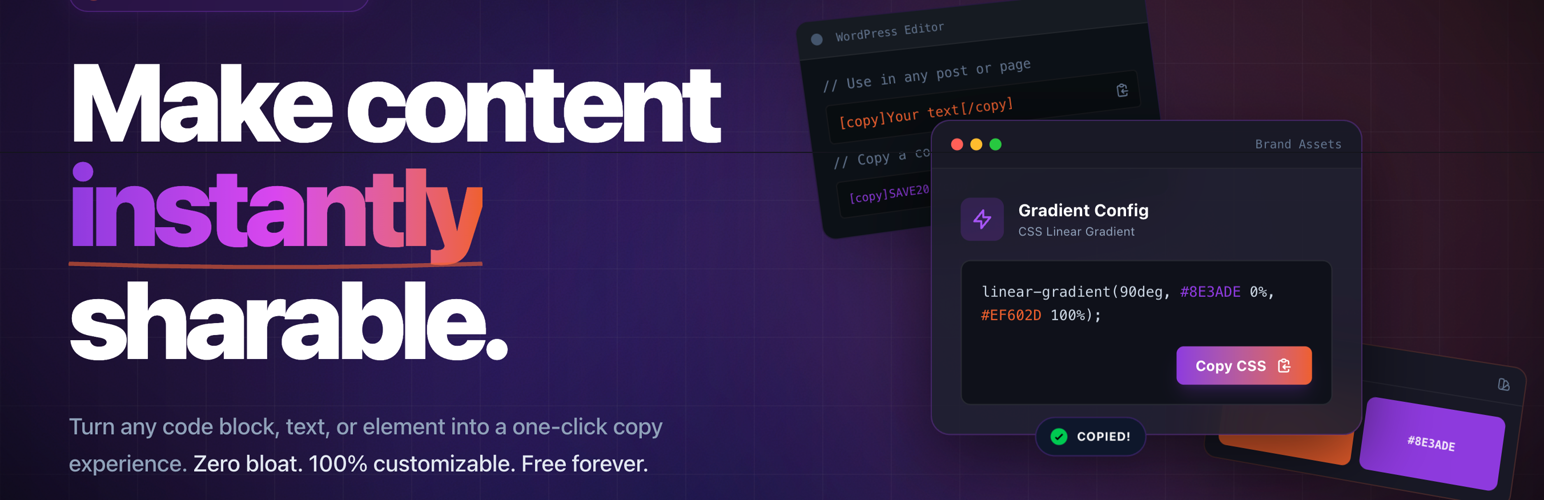

Copy Anything to Clipboard for WordPress – Copy Button, Copy Text & Copy Code
Copy Anything to Clipboard is a powerful WordPress copy to clipboard plugin that lets visitors copy text, links, coupon codes, code snippets, email addresses, commands, prompts, or any content with a single click.
Add smart copy buttons anywhere on your WordPress website and allow users to instantly copy content without manually selecting text. Perfect for blogs, documentation sites, coupon websites, SaaS tools, AI prompt libraries, developer tutorials, and marketing pages.
Whether you want to add a copy button to code blocks, allow users to copy coupon codes, share ChatGPT prompts, copy email addresses, or let visitors quickly grab links, commands, or contact details, this plugin makes copying content simple and user-friendly.
This flexible copy-to-clipboard plugin offers multiple integration methods including automatic CSS selector targeting, shortcodes, Gutenberg blocks, and Elementor widgets. Easily add copy buttons to code blocks, blockquotes, coupon codes, deals, contact information, and more.
Key Features
- NEW: Global Injector – Automatically inject copy buttons anywhere using CSS selectors with advanced display conditions
- One-click copy to clipboard functionality for any content
- Automatic copy buttons for CSS selectors (
pre,blockquote,code, etc.) - Shortcode support –
[copy]and[copy_inline]with flexible attributes - Elementor widgets for 25+ content types
- Gutenberg blocks for modern block-based WordPress sites
- Smart display conditions – load assets only on selected pages
- Mobile-friendly and cross-browser compatible
- Lightweight and SEO-friendly
- Customizable copy button styles (Button, Icon, Cover) and positions
- Copy as HTML or plain text
- Works with all WordPress themes and plugins
Perfect for bloggers, developers, e-commerce stores, educational platforms, documentation websites, and marketing pages that want to make copying content fast and effortless. 📋
How to Use
You can add copy buttons anywhere on your WordPress site using one of the following methods:
-
NEW: Global Injector
Automatically inject copy buttons into any element using CSS selectors with advanced display conditions. -
Automatic CSS Selector
Automatically add copy buttons to elements likepre,code,blockquote, or any custom selector. -
Shortcodes
Manually add copy buttons using[copy]or[copy_inline]shortcodes anywhere in your content. -
Elementor Widgets
Add copy buttons visually using dedicated Elementor widgets. -
Gutenberg Blocks
Insert copy buttons directly inside the WordPress block editor using Gutenberg blocks.
METHOD 1 – Global Injector (NEW in v5.0.0)
The Global Injector is the most powerful way to automatically add copy buttons anywhere on your website.
It allows you to target elements using CSS selectors and control exactly where the copy buttons appear.
Key Capabilities
- Display Conditions – Show copy buttons only on specific pages, posts, categories, or custom conditions.
- Multiple Style Presets – Choose from Button, Icon, or Cover styles with live preview.
- Advanced Targeting – Precisely target elements using CSS selectors such as
pre,code,blockquote, and more. - Performance Optimized – Plugin assets load only on pages where copy buttons are used.
How to Use Global Injector
- Go to Copy to Clipboard Global Injector in your WordPress dashboard.
- Click Add New Injector.
- Enter the CSS selector you want to target (for example:
pre,code, orblockquote). - Select a style preset – Button, Icon, or Cover.
- (Optional) Configure Display Conditions to control where the copy button appears.
- Click Save and preview the changes on your site.
METHOD 2 – Automatically with “CSS Selector”
This is the quickest and most commonly used method. It automatically adds copy buttons to all elements that match a specific CSS selector.
Use this method when you want copy buttons to appear automatically across your entire website without manually adding them to each element.
Examples
Example 1 – Code Snippets
If your posts contain code snippets inside the <pre> tag, simply set the selector to:
pre
The plugin will automatically add a copy button to every <pre> element, allowing visitors to copy code snippets with one click.
Example 2 – Blockquotes
If you want users to copy quotes from your blog posts, set the selector to:
blockquote
A copy button will automatically appear for all blockquote elements on your site.
You can target any HTML element or custom class using CSS selectors such as:
pre, `code`, `blockquote`, `.coupon-code`, `.email-address`, or `.copy-this`<h3>How to Use with CSS Selector</h3>
1. Go to Copy to Clipboard in your WordPress dashboard.
2. Click the Add New button.
3. Enter the CSS selector you want to target (for example: pre or blockquote).
4. Click Create to save the selector.
5. Visit your page and you will see the copy button automatically added to the targeted elements.
For more detailed guides:
METHOD 3 – Manually with “Shortcodes”
Use this method when you want to add a copy button only to specific content instead of applying it automatically across the entire site.
The plugin provides two shortcodes:
[copy]– Wrap content inside the shortcode[copy_inline]– Copy inline text using attributes
Example – Wrapping Content
`
The Zoom meeting is scheduled on [copy]15 November 2022[/copy]. Please note it down.
`
This will add a copy button that allows users to copy “15 November 2022” with one click.
Example – Inline Content
You can use [copy_inline] to copy inline values such as emails, phone numbers, or links.
`
Contact us:
- Email: [copy_inline text=”contact@clipboard.agency“]
- Phone: [copy_inline text=”+91 1234567890″]
- Address: [copy_inline text=”123, Street, City, State, Country”]
- Website: [copy_inline text=”https://clipboard.agency/“]
-
Facebook: [copy_inline text=”https://www.facebook.com/clipboard.agency/“]
<h3>Example – Coupon Code</h3>
Use coupon code [copy_inline text=”COUPONCODE”] to get 10% discount.
`<h3>Example – Deal Link</h3>
`
Get the deal: [copy_inline text=”https://clipboard.agency/deal/“]
`<h3>Example – Username and Password</h3>
`
Username: [copy_inline text=”username”]
Password: [copy_inline text=”password” display=”********”]
`
This allows users to copy sensitive values while displaying masked text.
`
METHOD 4 – Manually with “Elementor Widgets”
The plugin includes multiple Elementor widgets that allow you to easily add copy buttons to specific content on your page.
Simply drag and drop a widget and configure the content you want visitors to copy.
These widgets are useful for many types of content including:
- Emails
- ChatGPT / AI prompts
- Coupon codes
- Deals and affiliate links
- Inspirational quotes
- Contact information
- Addresses
- Social media posts
- Commands and technical code
- Passwords and secure values
- Notes, reminders, and checklists
- Blog content and educational materials
- Hashtags and social media resources
- Research notes and documentation
- Travel information and packing lists
- Personal messages and quotes
You can explore live examples for all widgets here:
How to Use Elementor Widgets
- Install and activate the Elementor plugin.
- Open a page and click Edit with Elementor.
- Search for the widget (for example: Copy).
- Drag and drop the widget onto the page.
- Enter the content you want users to copy.
- Publish the page and test the copy button.
For full examples and widget demos:
Key Benefits
- Global Injector (NEW) – Automatically inject copy buttons anywhere using CSS selectors with display conditions. 🎯
- Display Conditions – Control exactly where copy buttons appear for better performance. ⚡
- Multiple Styles – Choose from Button, Icon, or Cover styles. 🎨
- Copy with One Click – No need for highlighting or manual copying. 🎉
- Multi-Purpose Usage – Copy text, links, coupon codes, commands, prompts, and more. 🌐
- Seamless Integration – Works with most WordPress themes and plugins. 💼
- Mobile Friendly – Fully compatible with smartphones and tablets. 📱
- Cross-Browser Compatible – Works across all modern browsers. 🌐
- Lightweight & Fast – Designed to avoid slowing down your site. 🚀
- Developer Friendly – Easy to integrate with custom code and layouts. 👨💻
- SEO Safe – Does not impact search engine performance. 📈
- Customization (PRO) – Customize styles, behavior, and advanced features. 🎨
Upgrade to PRO and unlock advanced features, customization options, and analytics.
👉 https://clipboard.agency/pricing/
Popular Copy to Clipboard Plugin
Over 10,000+ active websites are using Copy Anything to Clipboard to easily add copy buttons across their content.
The plugin is fully compatible with all WordPress themes and plugins.
Feature Requests
Have an idea or suggestion?
We welcome feedback and feature requests.
👉 https://clipboard.agency/contact/
Google Chrome Extension 🚀
We also provide a Google Chrome Extension that allows users to quickly copy content from any website.
You can install it directly from the Chrome Web Store:
👉 https://chromewebstore.google.com/detail/copy-anything-to-clipboar/mdljigkhfeiobmhanibkgjkldnabeahl
The extension works perfectly alongside the Copy Anything to Clipboard WordPress plugin, making it easy to copy text, links, commands, code snippets, and more across the web.
Further Reading 📚
Learn more about the plugin and explore additional resources:
- 🌐 Official website: https://clipboard.agency/
- 📖 Documentation & guides: https://clipboard.agency/doc/
- 🎬 Live demos: https://clipboard.agency/#demos
- 💬 Contact support: https://clipboard.agency/contact/
- 🔌 View all our WordPress plugins: https://wordpress.org/plugins/search/clipboardagency/
If you find the plugin helpful, consider supporting development with a small donation:
💖 https://www.paypal.me/mwaghmare7/
Blocks
This plugin provides 4 blocks for the WordPress block editor:
Copy Icon
Add a small icon that lets users quickly copy text or code to the clipboard.
Copy Button
Add a visible button that allows users to copy content with one click.
Term Title
Display the title of the current taxonomy term such as category or tag.
Social Share
Allow visitors to quickly share content across social media platforms.
Details
Related plugins
Plugins that also contain the tag clipboard
The Paste

Copy to Clipboard for WordPress

CLIPBOARD

Copy To Clipboard – mobile + web

Copy Code To Clipboard

Copy to Clipboard


About
Plugin for that tries to help you find the WordPress plugin you are looking for.
| Please enjoy an image of Crush (this awesome turtle) and have a lovely day! |  |
We do not own any plugin listed on this site and do not work for or work with WordPress.com or it's associated companies. We simply provide a searchable list of the available WordPress plugins.