


Back
CSV Import to Table
Details
View on WordPress
Back
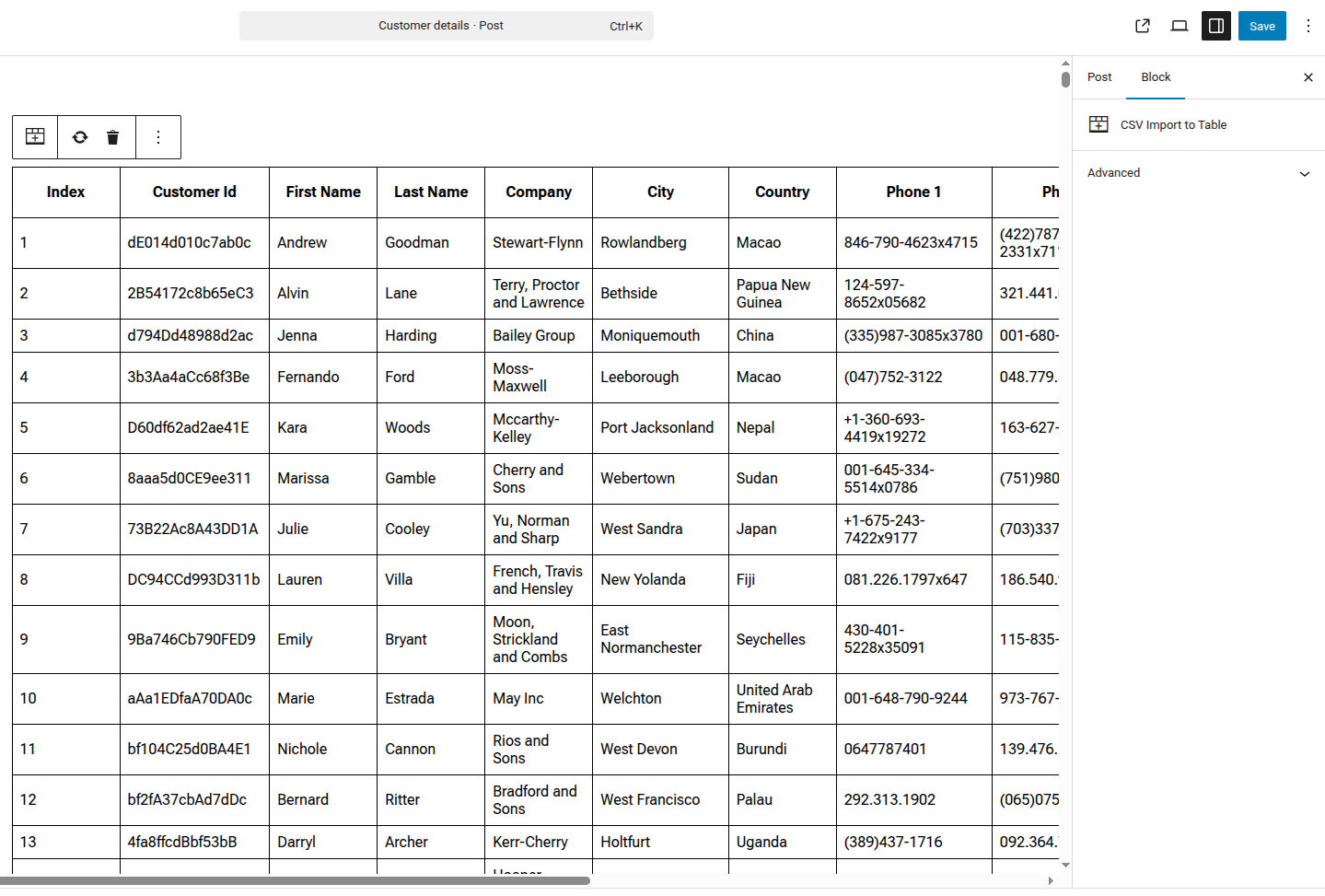
CSV Import to Table is a powerful Gutenberg block that allows you to easily import CSV files and display them as fully editable tables in your WordPress posts and pages.
Key Features:
- Import CSV files directly from WordPress media library
- Edit table cells directly in the block editor
- Automatic CSV validation before import
- Clean, responsive table design
- Fast processing for large CSV files
- Replace or clear table data anytime
Perfect for:
- Data presentations
- Price lists
- Product comparisons
- Statistics and reports
- Any tabular data from CSV files
How to Use:
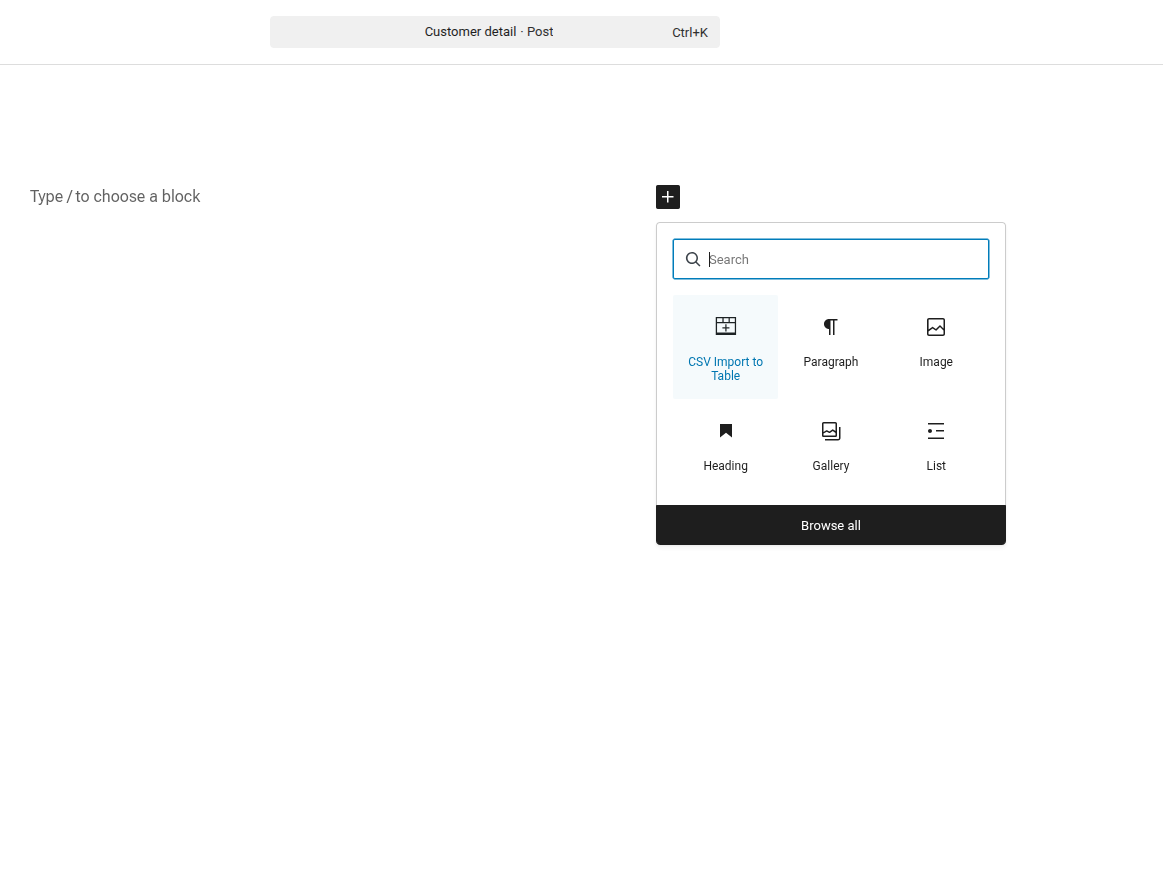
- Add the “CSV Import to Table” block to your post/page
- Click “Import CSV” and select your CSV file from the media library
- Edit any cell by clicking on it
- Publish your post with the beautiful data table
Additional Info
Support:
For support, please visit the plugin support forum.
Rate Us:
If you like this plugin, please leave a 5-star review. It helps us improve!
Details
Plugin code:
csv-import-to-table
Plugin version:
1.0.0
Author:
Outdated:
No
WP version:
6.0 or higher
PHP version:
8.2 or higher
Test up to WP version:
6.9
Total installations:
0
Last updated:
2026-02-03
Rating:
Times rated:
0
block
csv
gutenberg
import
table
Related plugins
Plugins that also contain the tag block
Spectra Gutenberg Blocks – Website Builder for the Block Editor

Breadcrumb NavXT

WP Go Maps (formerly WP Google Maps)

Otter Blocks – Gutenberg Blocks, Page Builder for Gutenberg Editor & FSE

PDF Embedder

Layout Grid Block


About
Plugin for that tries to help you find the WordPress plugin you are looking for.
| Please enjoy an image of Crush (this awesome turtle) and have a lovely day! |  |
We do not own any plugin listed on this site and do not work for or work with WordPress.com or it's associated companies. We simply provide a searchable list of the available WordPress plugins.