



Currency.Wiki World Clock – Time Zones & Clock Widget
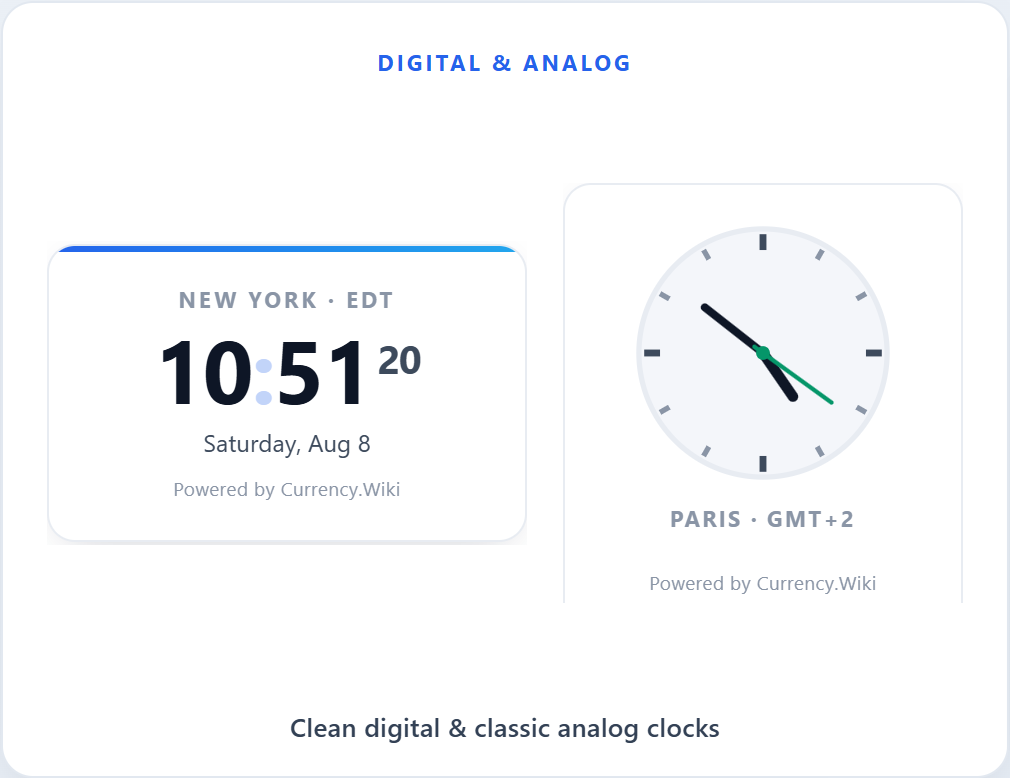
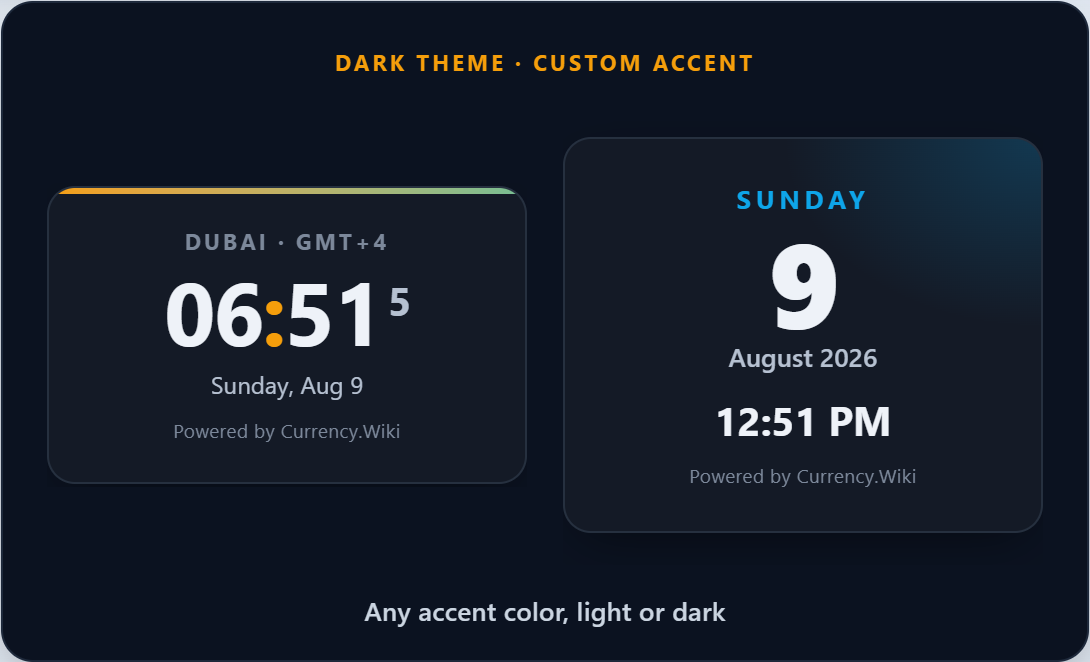
Add a world clock to your WordPress site in seconds. Choose from five clock widget styles — a digital clock, an analog clock, a multi-city world clock, a spinning 3D globe, or a date card. Every clock updates in real time in the visitor’s own browser, so there is no API key, no server calls, and nothing to configure to get started.
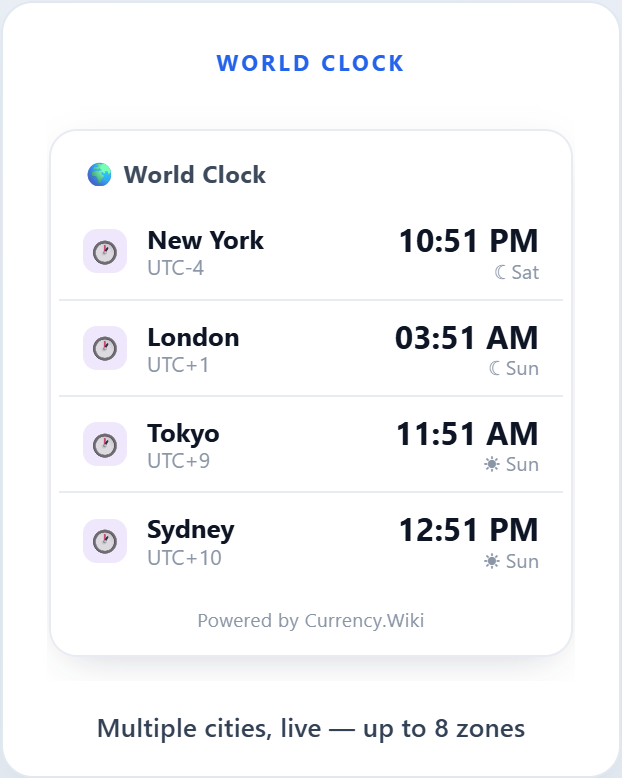
Show a single time zone, or up to eight cities side by side — useful for remote teams, travel sites, international stores, and anyone whose readers are not in one place.
Key Features
- 5 clock widget styles — Digital, Analog, World Clock, Spinning Globe, Date Card
- No API key — times are computed in the browser; nothing to sign up for
- World clock — show up to 8 cities across time zones at once
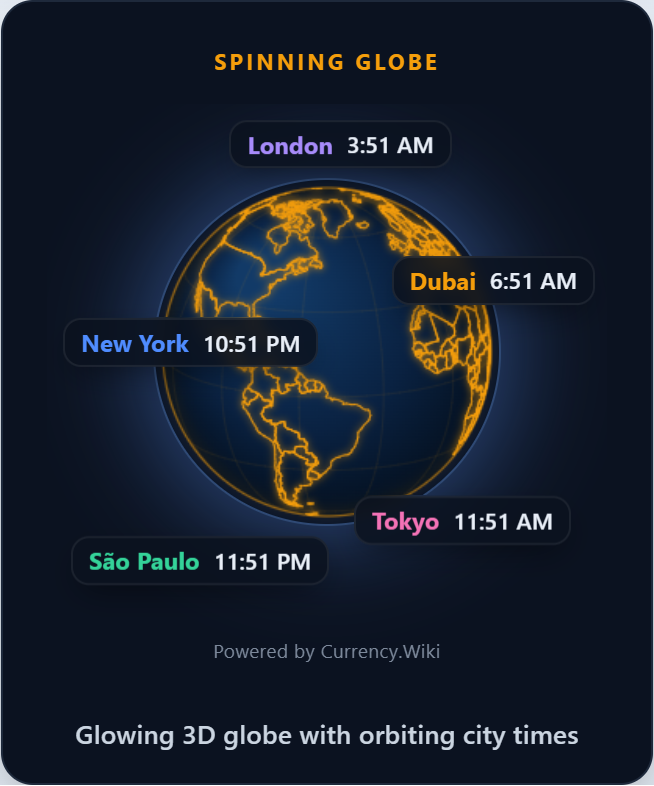
- Spinning globe — a glowing vector Earth with live city times orbiting it
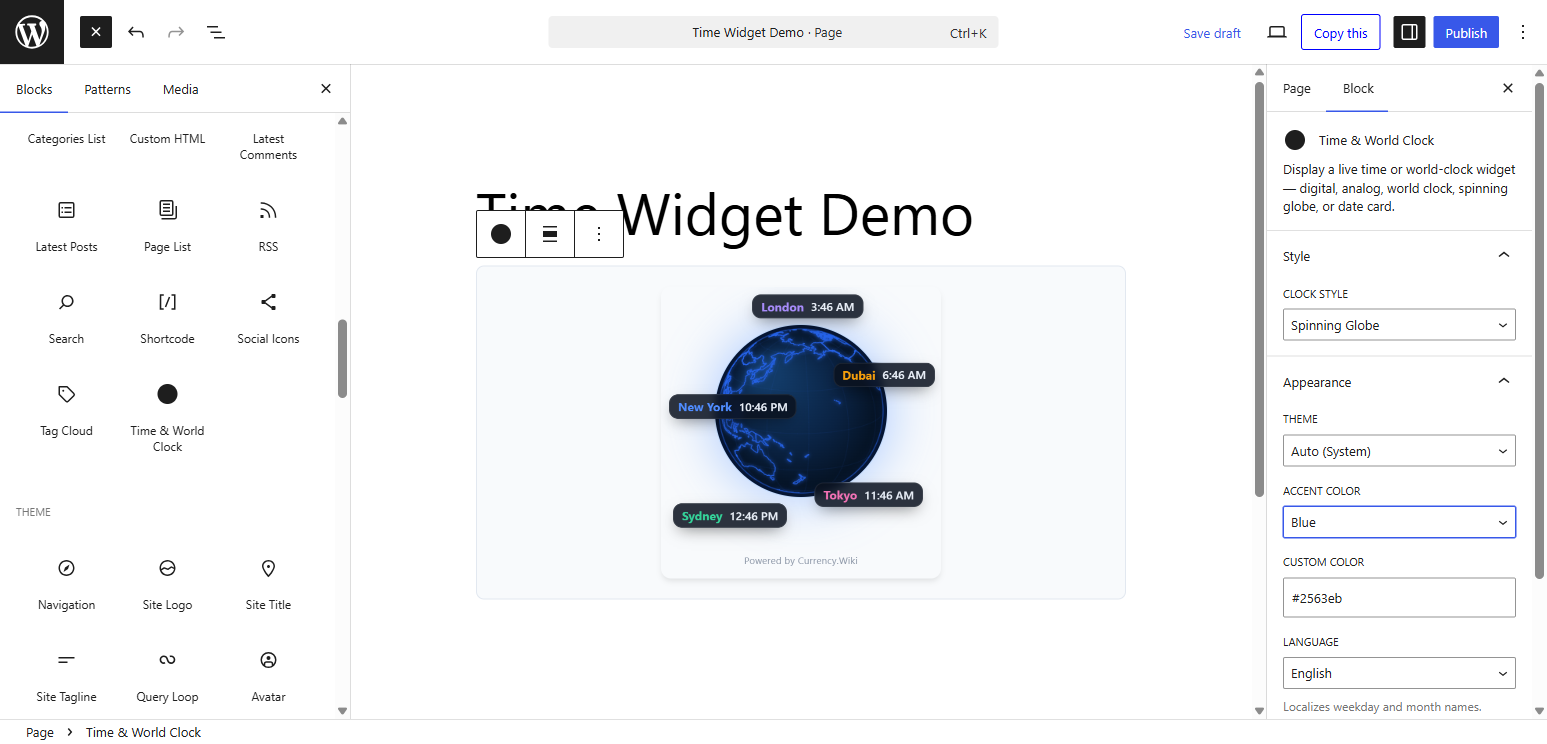
- Gutenberg block — native block editor with a live preview
- Shortcode — use
[cwiki_time]in any post, page, or text widget - Themes & colors — Light, Dark, or Auto, plus any accent color
- 12 / 24 hour — automatic per locale, or force one
- Localized dates — weekday and month names in 40+ languages
- Lightweight — loads asynchronously, no impact on page speed
- Privacy-friendly — no cookies, no personal data collected
- Credit link you control — switch it off site-wide or per embed
Widget Styles
- Digital (240×152) — clean digital time + date
- Analog (200×210) — classic analog face
- World Clock (264×288) — multiple cities, live
- Spinning Globe (280×292) — vector Earth with orbiting city times
- Date Card (240×230) — big date with day of week
Usage
Gutenberg Block:
Add a block, search for “World Clock”, and adjust the settings in the sidebar. A live preview updates as you type.
Shortcode:
[cwiki_time]
With options:
[cwiki_time style="globe" theme="dark" accent="f59e0b"]
[cwiki_time style="digital" tz="Asia/Tokyo" city="Tokyo" format="24"]
[cwiki_time style="world" zones="America/New_York~New York,Europe/London~London,Asia/Tokyo~Tokyo"]
Shortcode Attributes
style— digital, analog, world, globe, date (default: digital)theme— auto, light, dark (default: auto)accent— hex color without # (default: 2563eb)format— auto, 12, 24 (default: auto)seconds— 1 or 0 (default: 1)date— 1 or 0 (default: 1)tz— IANA timezone for single-clock styles, e.g. Asia/Tokyo (default: visitor’s local time)city— label shown under a single clockzones— cities for world/globe styles:tz~Label,tz~Labellang— language code for weekday/month names (default: your site language)branding— 1 or 0 (default: 1) — show the optional credit link on this embed
External services
This plugin relies on an external service to render the clock widget: Currency.Wiki, operated by CurrencyWiki Technologies LLC.
What the service is and what it is used for
The clock itself is drawn by a small JavaScript widget hosted at widget.currency.wiki. The plugin does not bundle that script; it builds an embed URL and loads the widget from the service. This is what allows the plugin to stay small and to receive style and localization improvements without a plugin update.
What data is sent, and when
- On every page view where a clock is displayed, the visitor’s browser requests the widget script from
https://widget.currency.wiki/time/v3/script.js. That request carries the display settings you configured (style, theme, accent color, hour format, time zone or city list, language) as URL parameters, plus asource=wpmarker indicating the request came from the WordPress plugin. As with any web request, the visitor’s IP address and user agent are visible to the server. - No personal data is collected, and no cookies are set. The current time is computed in the visitor’s own browser from the operating system clock and the standard
Intltime zone database — it is never requested from the server. - In the WordPress admin, no request is made to the service at all. The settings screen links to the online builder but does not load anything from it.
Terms and privacy
- Terms of Service: https://currency.wiki/terms-of-service
- Privacy Policy: https://currency.wiki/privacy-policy
Details
Related plugins
Plugins that also contain the tag clock
CoolClock – a Javascript Analog Clock
Local Time Clock
Easy Timer

WPC Countdown Timer for WooCommerce

MX Time Zone Clocks
Live Simple Clock


About
Plugin for that tries to help you find the WordPress plugin you are looking for.
| Please enjoy an image of Crush (this awesome turtle) and have a lovely day! |  |
We do not own any plugin listed on this site and do not work for or work with WordPress.com or it's associated companies. We simply provide a searchable list of the available WordPress plugins.