

This plugin is outdated and might not be supported anymore
Back

Currently Reading
Details
View on WordPress
Back
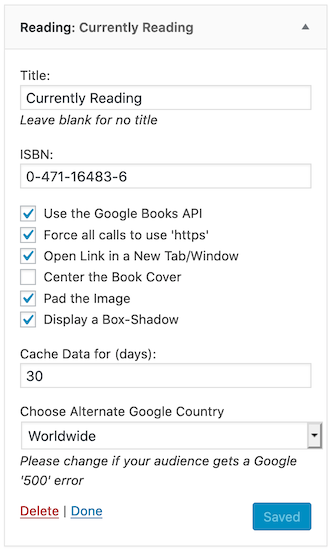
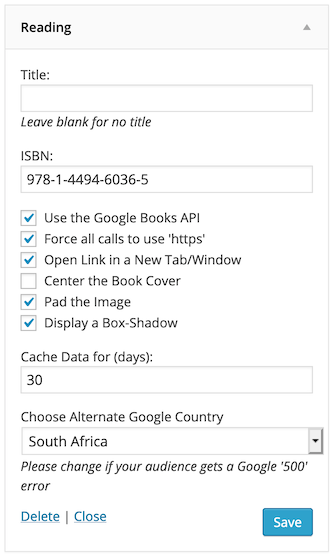
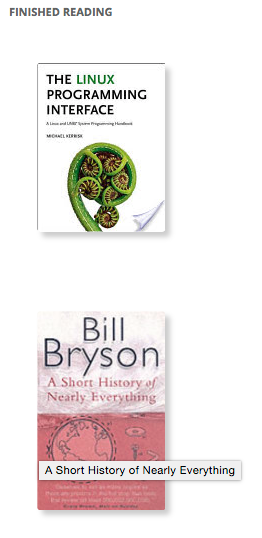
Supplying an ISBN (and, optionally, a Title) will display a cover image of the relevant book with a link to that book’s page on Google Books using the Google Books API.
Using the Widget you can choose whether to:
- Force all calls to Google to be HTTPS, instead of the API returned HTTP
- Pad the Image (selected by default, uses internal CSS)
- Display a Box-Shadow (selected by default, uses internal CSS)
- Choose Alternate Google Country (defaults to “Worldwide”)
as well as
- Decide whether you would like to use a Title
- Define the ISBN-10 or ISBN-13 of the book.
Usage
- Activate the Plugin via “Plugins” “Currently Reading” “Activate” (if you hadn’t already done so).
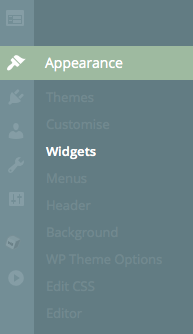
- Go to “Appearance” “Widgets” and drag the “Reading” widget into whichever Sidebar you choose.
- In the “Currently Reading” widget, you can then customise it further.
Details
Plugin code:
currently-reading
Plugin version:
4.1.6
Author:
Outdated:
Yes
WP version:
6.0 or higher
PHP version:
or higher
Test up to WP version:
6.5.5
Total installations:
70
Last updated:
2024-05-14
Rating:
Times rated:
1
admin
administration
books
read
reading

Related plugins
Plugins that also contain the tag admin
Redux Framework

Loginizer

LightStart – Maintenance Mode, Coming Soon and Landing Page Builder

Admin Menu Editor

White Label CMS

InfiniteWP Client


About
Plugin for that tries to help you find the WordPress plugin you are looking for.
| Please enjoy an image of Crush (this awesome turtle) and have a lovely day! |  |
We do not own any plugin listed on this site and do not work for or work with WordPress.com or it's associated companies. We simply provide a searchable list of the available WordPress plugins.