


Custom Product Display Order on Category and Tag Pages
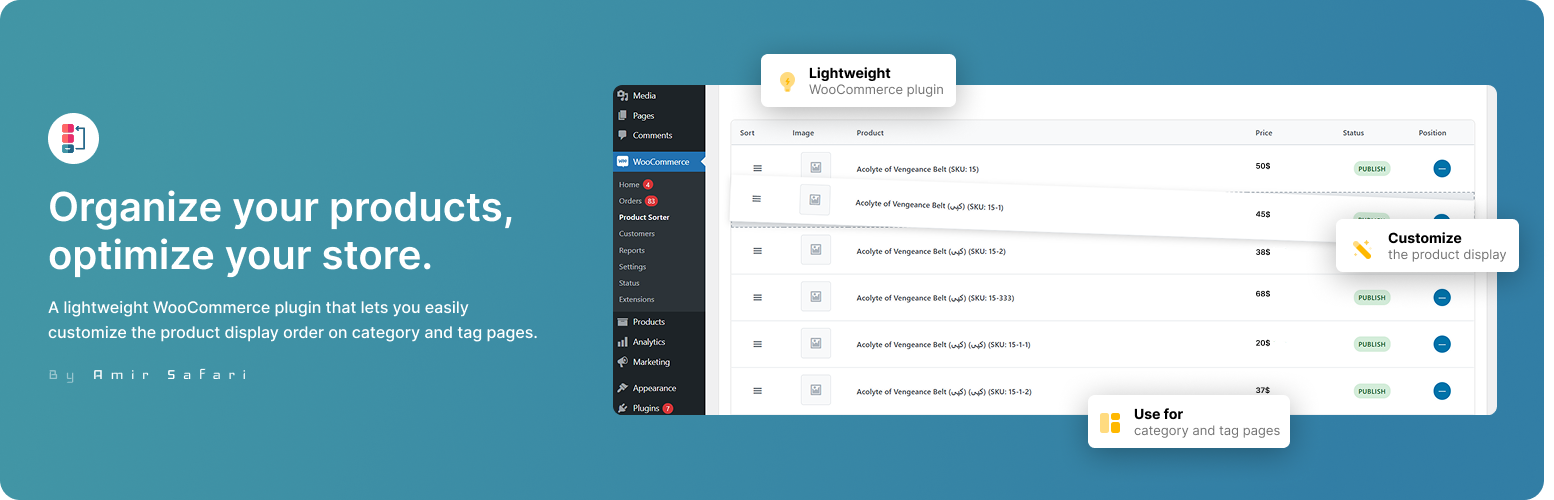
Custom Product Display Order on Category and Tag Pages lets you define a custom display order for products in each WooCommerce category and tag, independently. Easily drag and drop products in a modern, searchable admin interface. Compatible with the latest WooCommerce, including HPOS.
Features:
– Category & Tag Sorting: Set a unique product order for every category and every tag, independently.
– Tabbed Admin UI: Toggle between category and tag sorting with a simple tabbed interface.
– Modern Table Layout: Products are shown in a sortable table with image, name, price, status, and (read-only) position.
– Drag & Drop Only: No manual input fields—just drag and drop to reorder. Position updates live.
– Search/Filter Bar: Quickly find products within a category or tag using the search bar.
– WordPress Native Look: Uses Dashicons and native styles for a seamless admin experience.
– AJAX Save & Reset: Save or reset order instantly without page reloads.
– Frontend Sorting: Custom order is applied on both category and tag archive pages, with maximum priority (overrides most other plugins).
– Translation Ready: Fully translatable and i18n-ready.
– HPOS & WooCommerce Compatible: Declares compatibility with High-Performance Order Storage and latest WooCommerce versions.
– Secure & Modular: Follows WordPress coding standards and best practices.
Usage
- Open the Product Sorter page:
- Find it under Products > Product Sorter in your admin menu.
- Choose Category or Tag:
- Use the tabs at the top to switch between category and tag sorting.
- Select a Category or Tag:
- Click “Manage Sorting” for the desired category or tag.
- Reorder Products:
- Drag and drop products in the sortable table. The position column updates automatically.
- Use the search bar to quickly find products by name or ID.
- Save or Reset:
- Click Save Order to apply your changes, or Reset Order to revert to default.
- Frontend:
- Your custom order will be used on category and tag archive pages, overriding most other sorting plugins.
Details
Related plugins
Plugins that also contain the tag category
Pages with category and tag

Search & Filter

Tag, Category, and Taxonomy Manager – AI Autotagger with OpenAI

Category Posts Widget

Media Library Categories

Add Category to Pages


About
Plugin for that tries to help you find the WordPress plugin you are looking for.
| Please enjoy an image of Crush (this awesome turtle) and have a lovely day! |  |
We do not own any plugin listed on this site and do not work for or work with WordPress.com or it's associated companies. We simply provide a searchable list of the available WordPress plugins.