


Back

Custom Spinner For WooCommerce: custom spinner for the WooCommerce checkout and cart pages
Details
View on WordPress
Back
Load your custom spinner for the WooCommerce checkout and cart pages.
A custom spinner for the checkout page can help to make unique your checkout page.
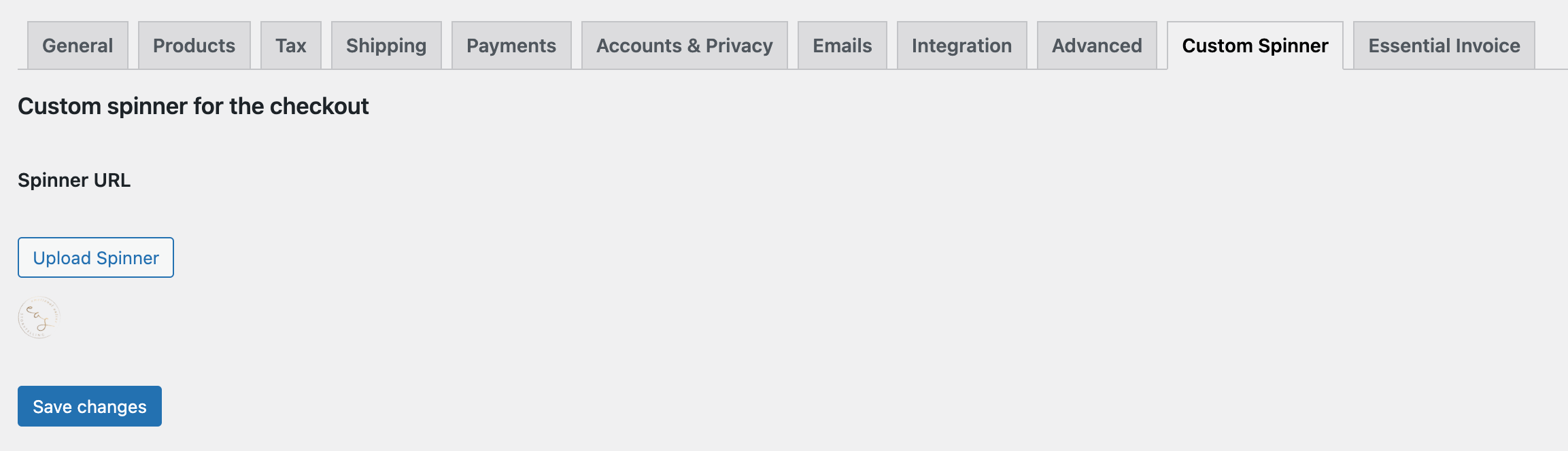
How to load a custom spinner for the WooCommerce checkout and cart pages
- Install and activate Custom Spinner For WooCommerce
- Go to WooCommerce => Settings
- Click on the tab “Custom Spinner”
- Select your custom spinner
- Click on “Save changes”
You don’t necessarily need a gif, the plugin will rotate regular images as well.
Details
Plugin code:
custom-spinner-for-woocommerce
Plugin version:
0.0.2
Author:
Outdated:
No
WP version:
4.6 or higher
PHP version:
5.6 or higher
Test up to WP version:
6.9
Total installations:
80
Last updated:
2025-12-10
Rating:
Times rated:
0
ajax-loader
checkout
spinner

About
Plugin for that tries to help you find the WordPress plugin you are looking for.
| Please enjoy an image of Crush (this awesome turtle) and have a lovely day! |  |
We do not own any plugin listed on this site and do not work for or work with WordPress.com or it's associated companies. We simply provide a searchable list of the available WordPress plugins.