


Date Time Picker for Contact Form 7
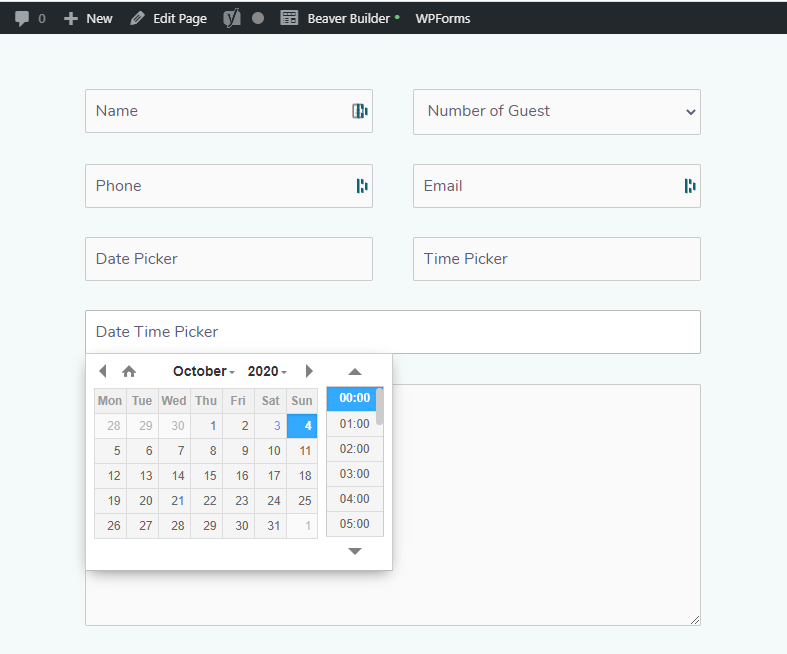
This plugin enables Contact Form 7 text field into a Date picker, Time picker or Date Time Picker by using CSS class. After installing the plugin you just need to add the necessary CSS class to the Contact Form 7 CSS Classes editor. If you use Multiple classes remember to separate each class with space.
Here is the classes to use in each field:
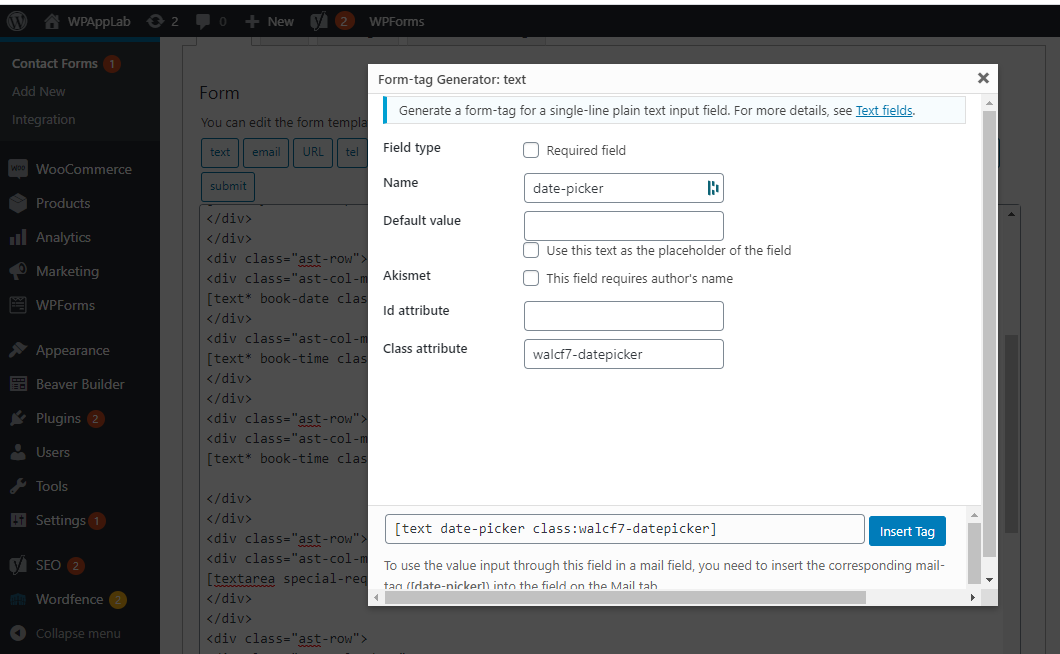
- Only for Date Picker: walcf7-datepicker
- Only for Time Picker: walcf7-timepicker
- For both Date and Time Picker: walcf7-datetimepicker
Remember: The class should be added to [text field. Example: [text* book-date class:walcf7-datepicker placeholder “Date Picker”]
Check the demo site: Date Time Picker Demo
- Lifetime Free Update
- 51 Language translation (View supported Language)
- WPML – WordPress Multilingual Plugin Compatible
- Light / Dark Theme
- Disable past date selection
- Disable today if necessary
- Specify weekend and disable if necessary
- Disable specific date selection
- Specify holiday and Disable if necessary
- Maximum allowed date selection
- Minimum allowed date selection
- 24hr / 12hr time format
- Hide/Show AM/PM
- Change time step or interval
- Provide Max and Min selectable time
- Speed up website. Load script only at selected page
Download Pro Version from Here:
How to Video (Free):
Credits:
Details


Related plugins
Plugins that also contain the tag cf7
Contact Form 7 Multi-Step Forms

CF7 to Webhook

Void Contact Form 7 Widget For Elementor Page Builder

Contact Form 7 Shortcode Enabler

Multi Step for Contact Form 7

Contact Form 7 – Success Page Redirects


About
Plugin for that tries to help you find the WordPress plugin you are looking for.
| Please enjoy an image of Crush (this awesome turtle) and have a lovely day! |  |
We do not own any plugin listed on this site and do not work for or work with WordPress.com or it's associated companies. We simply provide a searchable list of the available WordPress plugins.