

Back

Debug Manager Pro
Details
View on WordPress
Back
Debug Manager Pro is a powerful developer tool for managing WordPress debugging without ever touching wp-config.php.
Visit the official website for more information:
https://lyzerslab.com/wordpress-products/lyzers-debug-manager-pro
Features
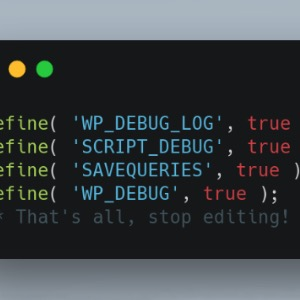
- Toggle Debug Constants — Enable/disable WP_DEBUG, WP_DEBUG_LOG, WP_DEBUG_DISPLAY, SCRIPT_DEBUG, SAVEQUERIES via a modern UI.
- Emergency Recovery Mode — Access a standalone recovery dashboard to disable broken plugins, switch to a default theme, or restore a stable configuration when wp-admin is inaccessible.
- Error Collector — Capture PHP errors, group them, and store them with stack traces and timestamps.
- Log Viewer — View, search, filter, download, and clear debug.log.
- Performance Metrics — Monitor memory usage and execution time.
- Safe Mode — Restrict debug visibility to admins or specific IPs.
- Auto-Disable — Automatically turn off debug mode after a set time.
- Email Notifications — Get alerts for critical PHP errors.
- Snapshot Export — Export debug data as JSON for developers.
- Modern UI — Clean dashboard with real-time updates.
Security
- All actions require proper capability checks and nonces.
- wp-config.php is backed up before modification.
- OPcache is cleared after updates.
- Debug output is restricted from public users.
Details
Plugin code:
debug-manager-pro
Plugin version:
1.2.4
Author:
Outdated:
No
WP version:
6.0 or higher
PHP version:
8.0 or higher
Test up to WP version:
7.0.2
Total installations:
0
Last updated:
2026-07-27
Rating:
Times rated:
0
debug
developer
errors
logging
performance
Related plugins
Plugins that also contain the tag debug
WP Crontrol

Query Monitor – The developer tools panel for WordPress

Debug Bar

Debug Log Manager – Conveniently Monitor and Inspect Errors

WP Debugging
Code Profiler – WordPress Performance Profiling and Debugging Made Easy


About
Plugin for that tries to help you find the WordPress plugin you are looking for.
| Please enjoy an image of Crush (this awesome turtle) and have a lovely day! |  |
We do not own any plugin listed on this site and do not work for or work with WordPress.com or it's associated companies. We simply provide a searchable list of the available WordPress plugins.