


Debug Switch
The fastest and easiest way to switch debug mode on/off and view PHP info directly from the admin.
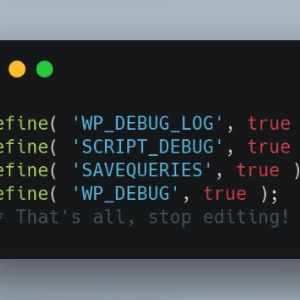
Toggle debug mode ( <?php define( 'WP_DEBUG', true ); ?> ) and view PHP version and info ( <?php phpinfo(); ?> ).
How?
Simply activate the plugin to enable and deactivate the plugin to disable them when you’re done debugging.
Why?
There are a dozen other debugging plugins that already do this (more or less), so why create another?
Well, I already tried them all, and they just felt clunky and unnecessarily overcomplicated. I got tired of having to manually switch debug mode on and off and these other plugins didn’t offer a simple way to do that without also adding a bunch of other bells and whistles that I found to just be in the way, so I made something simpler.
Details
Related plugins
Plugins that also contain the tag debug
WP Crontrol

Query Monitor – The developer tools panel for WordPress

Debug Bar

Debug Log Manager – Conveniently Monitor and Inspect Errors

WP Debugging
Code Profiler – WordPress Performance Profiling and Debugging Made Easy


About
Plugin for that tries to help you find the WordPress plugin you are looking for.
| Please enjoy an image of Crush (this awesome turtle) and have a lovely day! |  |
We do not own any plugin listed on this site and do not work for or work with WordPress.com or it's associated companies. We simply provide a searchable list of the available WordPress plugins.