


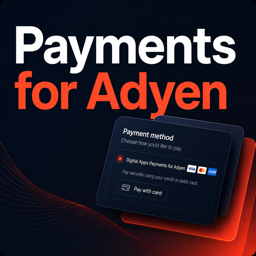
Digital Apps Payments for Adyen
Digital Apps Payments for Adyen connects your WooCommerce store to Adyen so customers can pay by credit or debit card at checkout.
Connect your existing Adyen merchant account and configure separate Test and Live credentials. The Card integration is designed for classic WooCommerce checkout and Checkout Blocks, Adyen Web actions including 3D Secure, automatic capture, manual full capture, refunds, cancellation or reversal, and signed Standard webhooks.
Before production use, validate every enabled checkout and modification flow in your own Adyen Test account, complete Adyen’s go-live requirements, and configure the account-specific Live URL prefix supplied by Adyen.
Developed and supported by Digital Apps.
What you can do with the free plugin
- Credit and debit card payments through Adyen.
- Card payments in classic WooCommerce checkout and Checkout Blocks.
- Adyen Web action handling for fingerprint, challenge, and redirect authentication.
- Automatic capture, or manual full capture from the WooCommerce order.
- Full and partial refund requests with asynchronous webhook reconciliation.
- Cancellation of uncaptured authorisations and race-safe cancel-or-refund reversal.
- Durable order updates from HMAC-verified Adyen Standard webhook notifications.
- WooCommerce diagnostic logs that omit sensitive values.
Digital Apps Payments Pro for Adyen
Take your Adyen checkout further with Digital Apps Payments Pro for Adyen. This separately installed add-on gives you more control over order references and more ways for customers to pay.
Pro includes:
- Custom order references – Add your own prefix and use
{orderID}and{date}placeholders, such asSTORE-{orderID}-{date}. - Digital wallets – Google Pay and PayPal.
- Bank-based payments – iDEAL, Bancontact, SEPA Direct Debit, and Sofort.
- Buy now, pay later – Klarna and Afterpay.
- Regional payment methods – Alipay, WeChat Pay, and Pix.
The Pro add-on requires this free plugin. All Card features listed above are included in the free plugin and do not require Pro or a Digital Apps license. Pro payment methods are separate integrations and are not covered by the Free Card readiness and test evidence described here.
Technical details
The plugin uses the bundled Adyen Web Card component to display secure card fields, encrypt payment details, and handle supported Adyen Web actions. Signed webhook events are durably stored, deduplicated, and processed asynchronously before they update WooCommerce orders. Diagnostic events use the WooCommerce logger and redact sensitive values.
Human-readable JavaScript source
The unminified Free JavaScript source and reproducible build files for the bundled browser assets are included in the plugin’s source directory. See source/README.md for the exact build commands.
External services
Adyen
An Adyen merchant account is required because Adyen processes the payments accepted through this plugin.
When a customer views or uses the Card gateway, the bundled Adyen Web component communicates with Adyen to render secure card fields, encrypt card details, identify supported card brands, and perform authentication when required. When the customer submits an order, the plugin sends Adyen the order amount and currency, order reference, shopper name, email address, IP address, billing and delivery addresses, encrypted card data, browser information, site origin, country, locale, and return URL. The plugin also sends payment capture, cancellation, and refund requests when an authorised administrator performs those actions. Adyen sends payment status and modification events back to the configured webhook endpoint.
This service is provided by Adyen:
- Service: Adyen
- Terms: Adyen terms and conditions
- Privacy policy: Adyen privacy policy
Click to Pay support in Adyen Web
The bundled Adyen Web Card component contains optional Click to Pay support and references Mastercard SRC SDK endpoints at src.mastercard.com and sandbox.src.mastercard.com, and Visa Click to Pay endpoints at assets.secure.checkout.visa.com and sandbox-assets.secure.checkout.visa.com. This plugin does not configure or advertise Click to Pay itself. If a merchant enables and configures Click to Pay through Adyen, the Adyen Card component may contact Mastercard or Visa when the Card component loads and when a shopper chooses or authenticates with Click to Pay. Depending on the shopper’s Click to Pay profile and choices, Mastercard or Visa may process device and browser identifiers, email address, telephone number, billing or shipping information, and tokenized card or payment-profile information to recognise the shopper, authenticate the profile, and return the selected payment credentials.
This optional service is provided by Mastercard:
- Service: Mastercard Click to Pay
- Terms: Mastercard Click to Pay terms of use
- Privacy notice: Mastercard Click to Pay privacy notice
Visa also provides optional Click to Pay services:
- Service: Visa Click to Pay
- Terms: Visa Click to Pay terms of service
- Privacy notice: Visa global privacy notice
Details
Related plugins
Plugins that also contain the tag adyen
Payment Gateway for Adyen and WooCommerce


About
Plugin for that tries to help you find the WordPress plugin you are looking for.
| Please enjoy an image of Crush (this awesome turtle) and have a lovely day! |  |
We do not own any plugin listed on this site and do not work for or work with WordPress.com or it's associated companies. We simply provide a searchable list of the available WordPress plugins.