



DJCockpit – Anfrageformular mit Terminprüfung
Deutsch: Mit diesem Plugin fragen Brautpaare und Gäste direkt auf deiner Website bei dir an – ohne deine Seite zu verlassen.
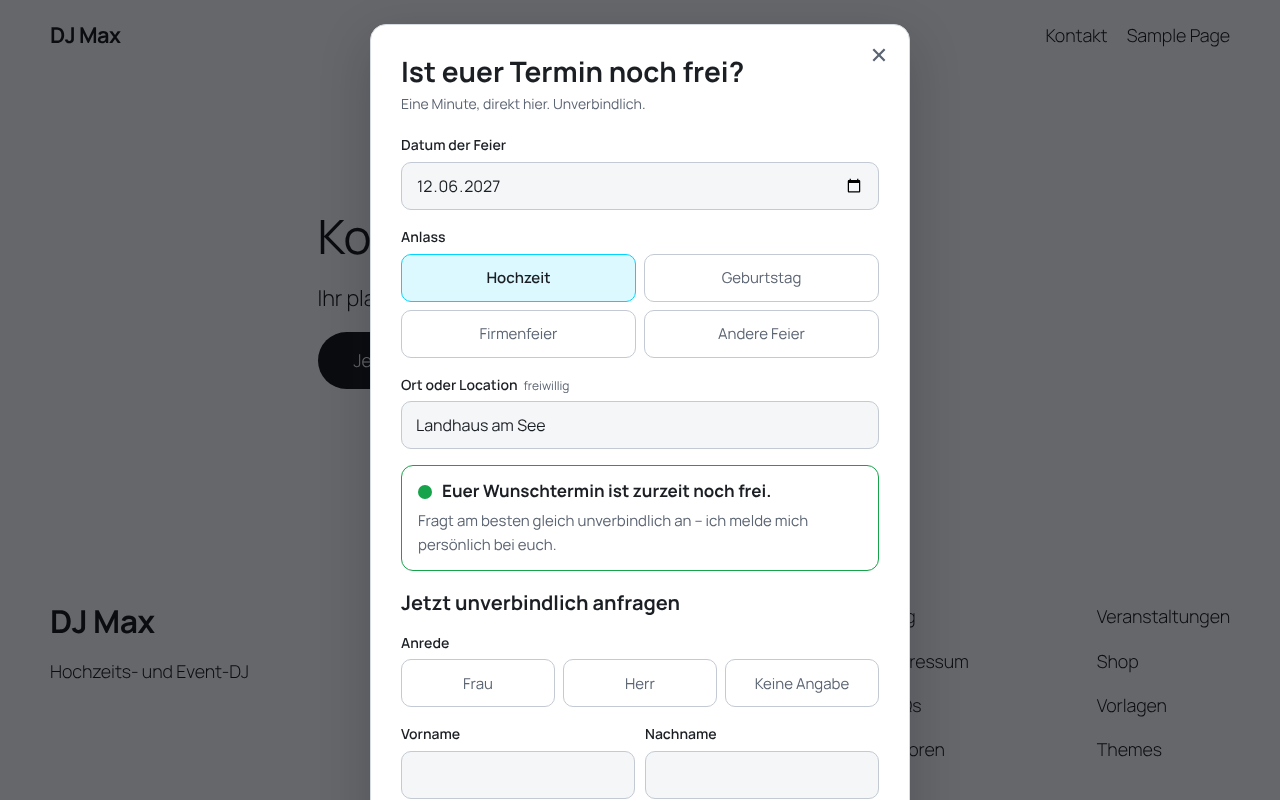
Das Anfrageformular öffnet sich als Fenster über deiner Website. Gleich am Anfang sehen deine Besucher an einer Ampel, ob ihr Wunschtermin noch frei, schon angefragt oder vergeben ist. Passt der Termin, schicken sie ihre Anfrage ab – und die landet sofort in deinem DJCockpit.
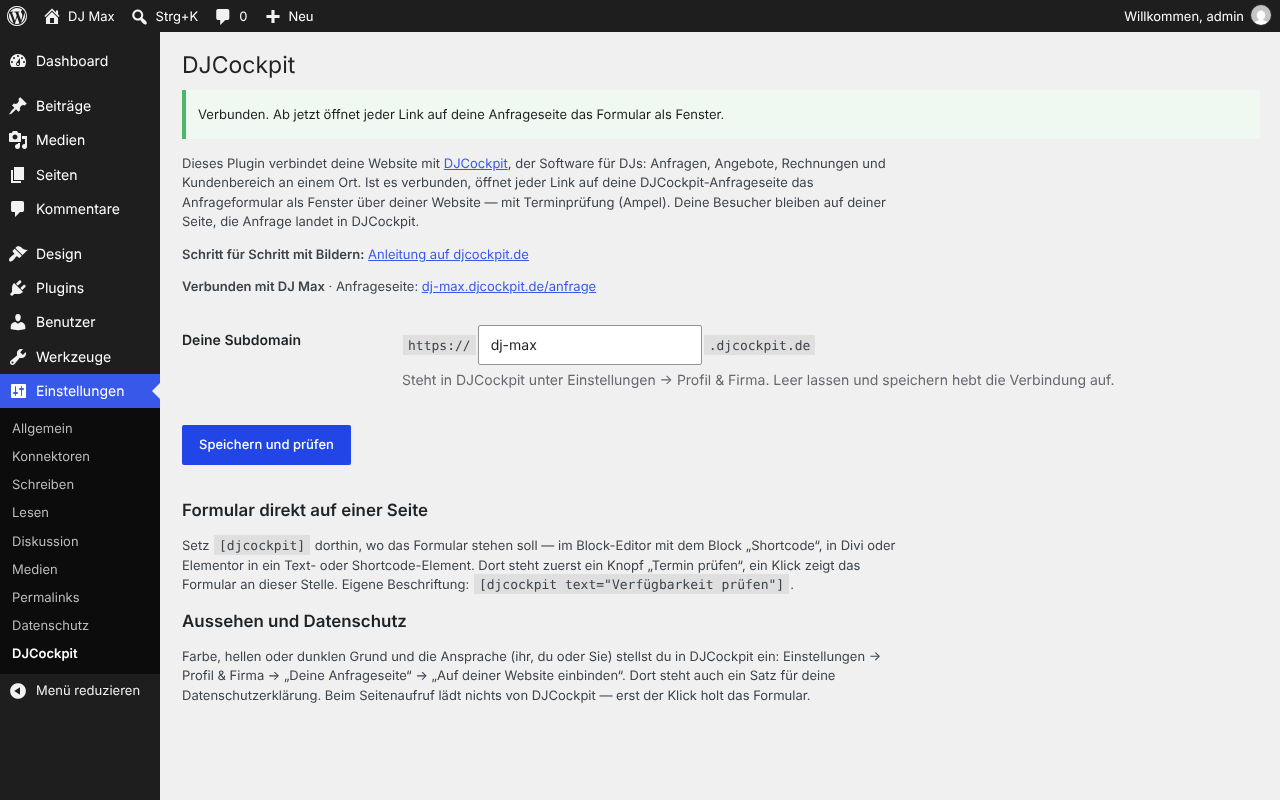
So richtest du es ein: Plugin installieren, unter Einstellungen DJCockpit deinen DJCockpit-Namen eintragen und auf „Speichern und prüfen“ klicken. Deinen Namen findest du in deiner Adresse: Bei dj-max.djcockpit.de ist es dj-max. Ab dann öffnet jeder Link auf deine Anfrageseite automatisch das Fenster.
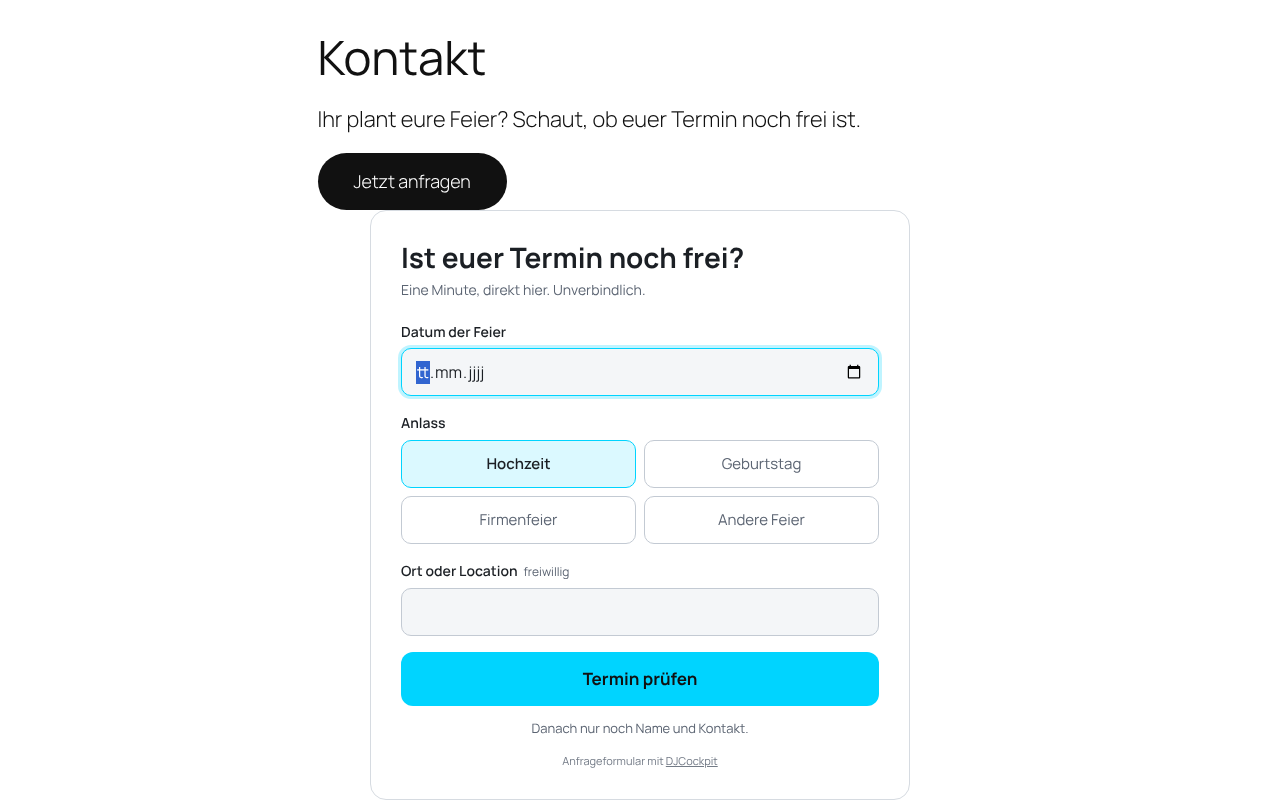
Lieber direkt auf einer Seite? Setz dort [djcockpit] ein. Dann erscheint an dieser Stelle ein Knopf „Termin prüfen“, und das Formular öffnet sich genau dort.
Du brauchst ein DJCockpit-Konto – den kostenlosen Tarif gibt es dauerhaft.
Anleitung Schritt für Schritt, mit Bildern: djcockpit.de/wordpress-plugin
English: This plugin connects your WordPress site with DJCockpit, a booking and business software for DJs. Enter your DJCockpit subdomain in the settings, and every link to your DJCockpit inquiry page opens the inquiry form in a window on top of your site, including a live availability check. Use [djcockpit] to show the form inline on a page.
What you need
- A DJCockpit account. The free plan costs nothing, permanently: create one.
- Without a subdomain entered, the plugin outputs nothing on your site.
Appearance
Colors, light or dark background and the form’s tone (ihr, du or Sie) are set in DJCockpit (Einstellungen Profil & Firma “Deine Anfrageseite” “Auf deiner Website einbinden”). The form on your site picks up changes within a minute. Only the “Termin prüfen” button of the [djcockpit] shortcode keeps its color until you click “Speichern und prüfen” again under Settings DJCockpit. The form is shielded from your theme’s styles, so page builders and optimization plugins don’t change it.
External services
This plugin connects to DJCockpit (https://djcockpit.de), the service that receives and manages your booking inquiries.
- When a visitor clicks a link to your DJCockpit inquiry page or the
[djcockpit]button, the visitor’s browser loads the form script fromhttps://djcockpit.de/einbinden.jsand your form settings fromhttps://djcockpit.de/api/einbinden/<your-subdomain>. This transmits the visitor’s IP address to DJCockpit. Nothing is loaded from DJCockpit before that click. - When the visitor checks a date, the date and your subdomain are sent to
https://djcockpit.de/api/verfuegbarkeitto show availability. - When the visitor submits the form, the entered data (date, occasion, location, salutation, name, email, phone, message, optional consent to forward the inquiry to a colleague) and the page address are sent to
https://djcockpit.de/api/anfrageand stored in your DJCockpit account. - When you save the plugin settings, your WordPress site asks
https://djcockpit.de/api/einbinden/<your-subdomain>whether the subdomain exists.
DJCockpit processes this data on your behalf (data processing agreement included in DJCockpit). Terms of use: https://djcockpit.de/agb · Privacy policy: https://djcockpit.de/datenschutz · Data processing agreement: https://djcockpit.de/avv
Please add a sentence about this to your own privacy policy — DJCockpit offers a ready-made text in its settings.
Details
Related plugins
Plugins that also contain the tag availability
Booqable Rental Plugin

Twice Commerce – Easy Rental Booking System

eZee Online Hotel Booking Engine

DoBu.uk Availability

Super Monitoring

Rentware Addon for Elementor


About
Plugin for that tries to help you find the WordPress plugin you are looking for.
| Please enjoy an image of Crush (this awesome turtle) and have a lovely day! |  |
We do not own any plugin listed on this site and do not work for or work with WordPress.com or it's associated companies. We simply provide a searchable list of the available WordPress plugins.