


DocsBot
Put the DocsBot support agent trained on your content where visitors need it. No embed code to paste. No theme file to edit.
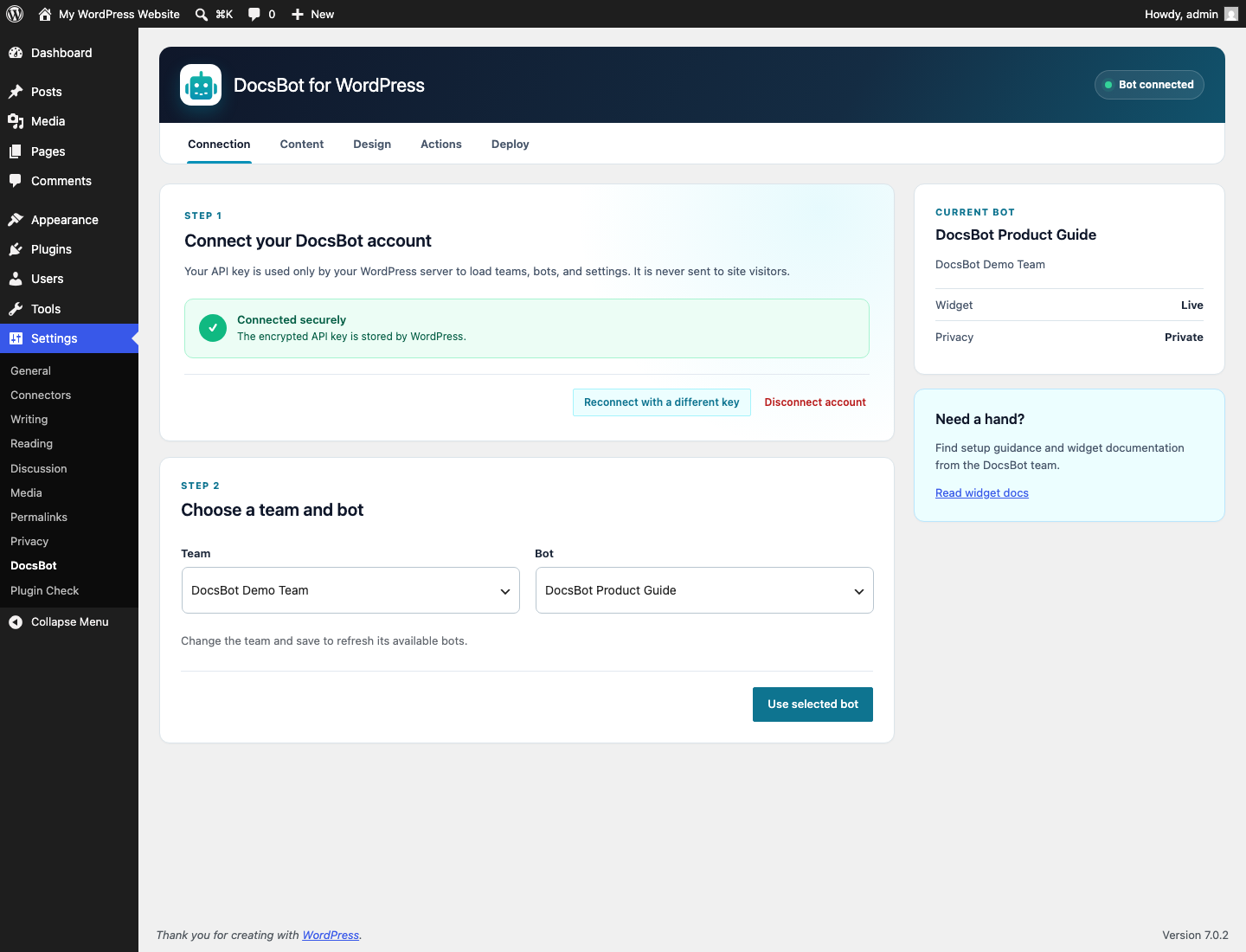
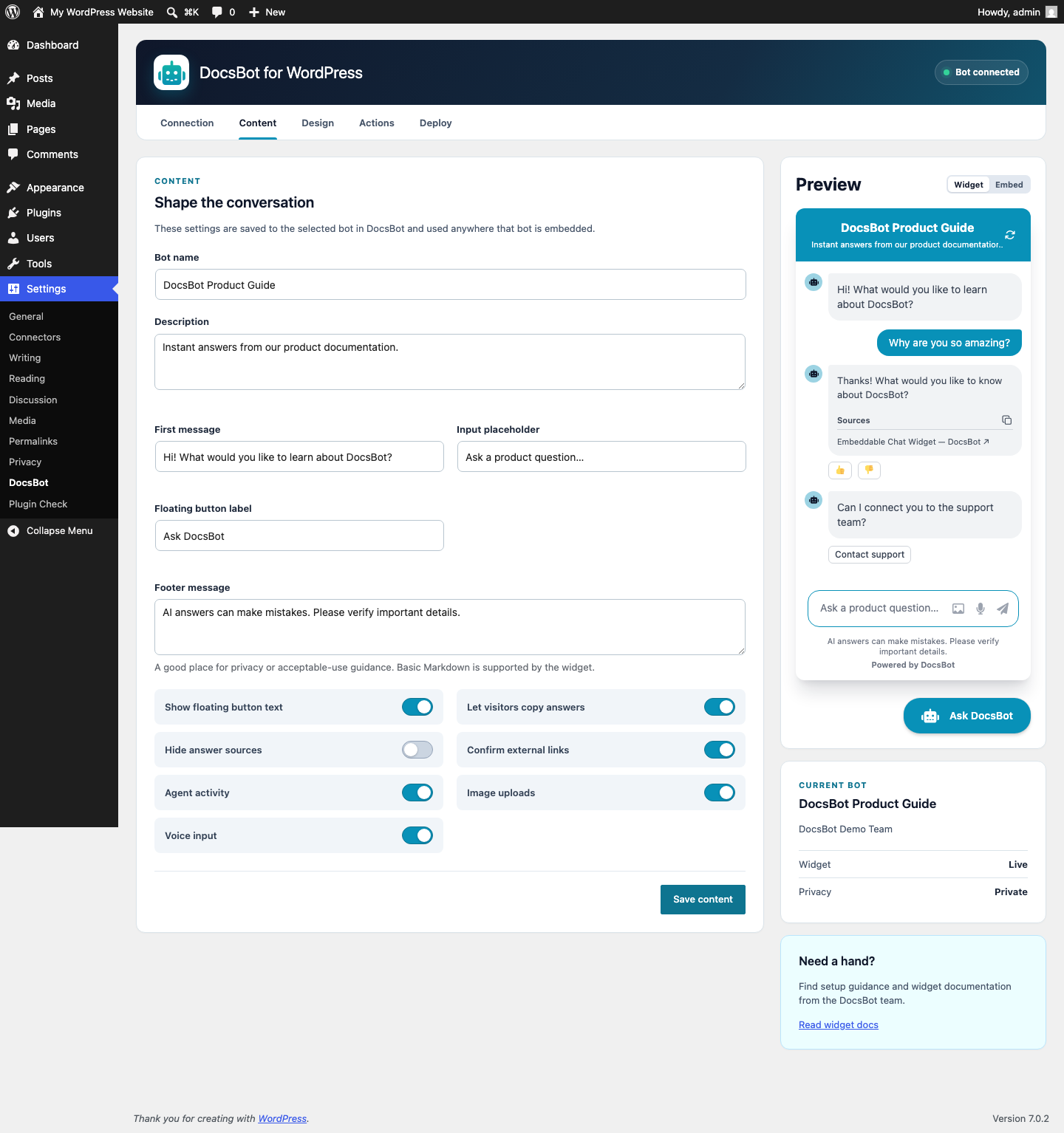
Connect your account, choose a bot, and manage the widget experience from Settings > DocsBot. Update the welcome message, match your site’s design, turn on actions, preview changes live, and decide which pages and visitors get chat.
This plugin requires a DocsBot account and API key. Already using DocsBot? Connect in a few steps. New to DocsBot? Create your free account.
Put useful answers where visitors need them
- Answer common questions with the DocsBot agent trained on your content.
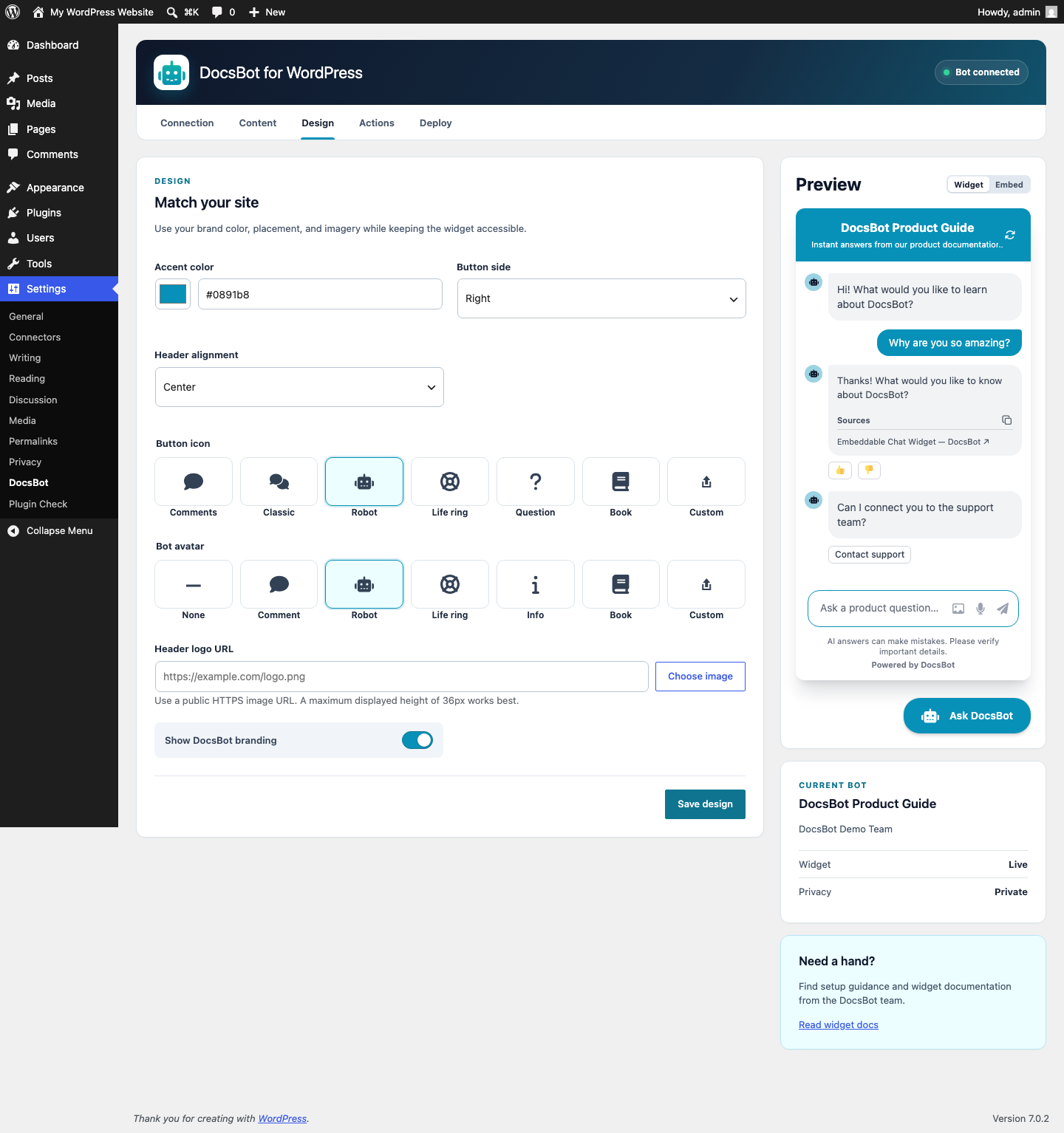
- Match the launcher, chat window, colors, greeting, labels, logo, and avatar to your site.
- Let visitors upload images or ask questions by voice when you enable those options.
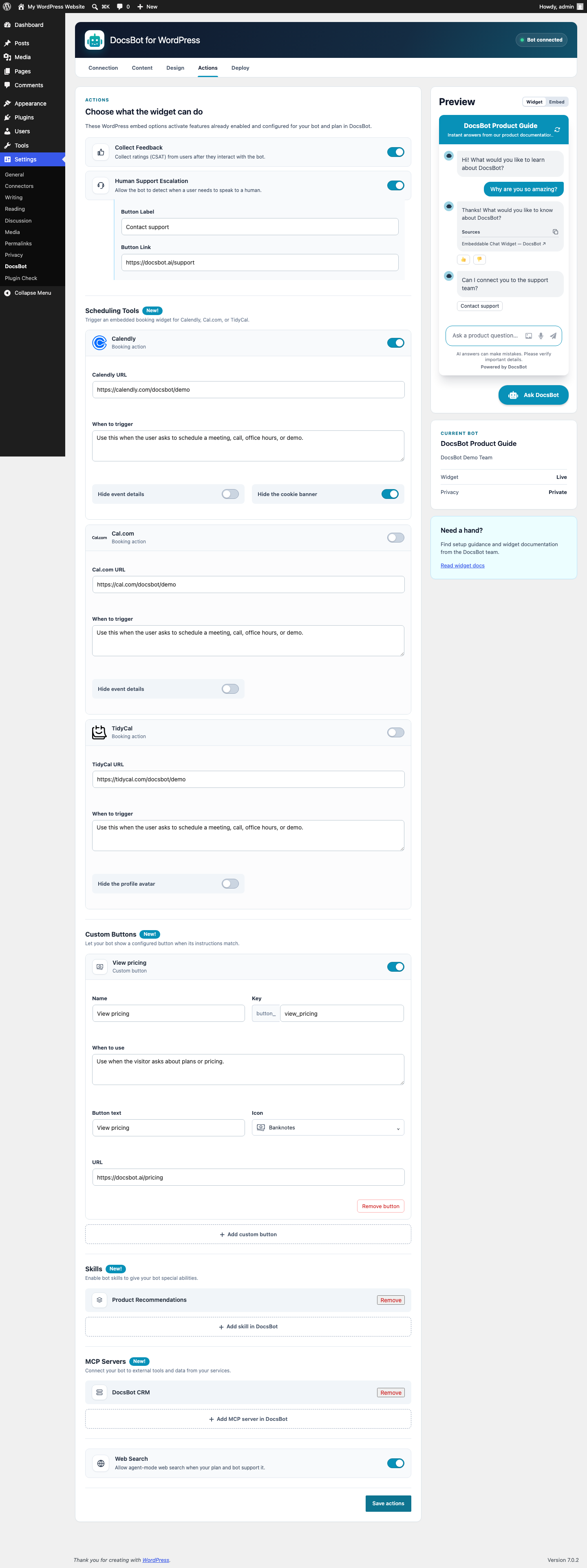
- Add feedback, human handoff, web search, booking, custom buttons, and advanced integrations through DocsBot Skills and MCP servers.
- Preview the real widget as you work, then enable it when it looks right.
Show the right widget to the right audience
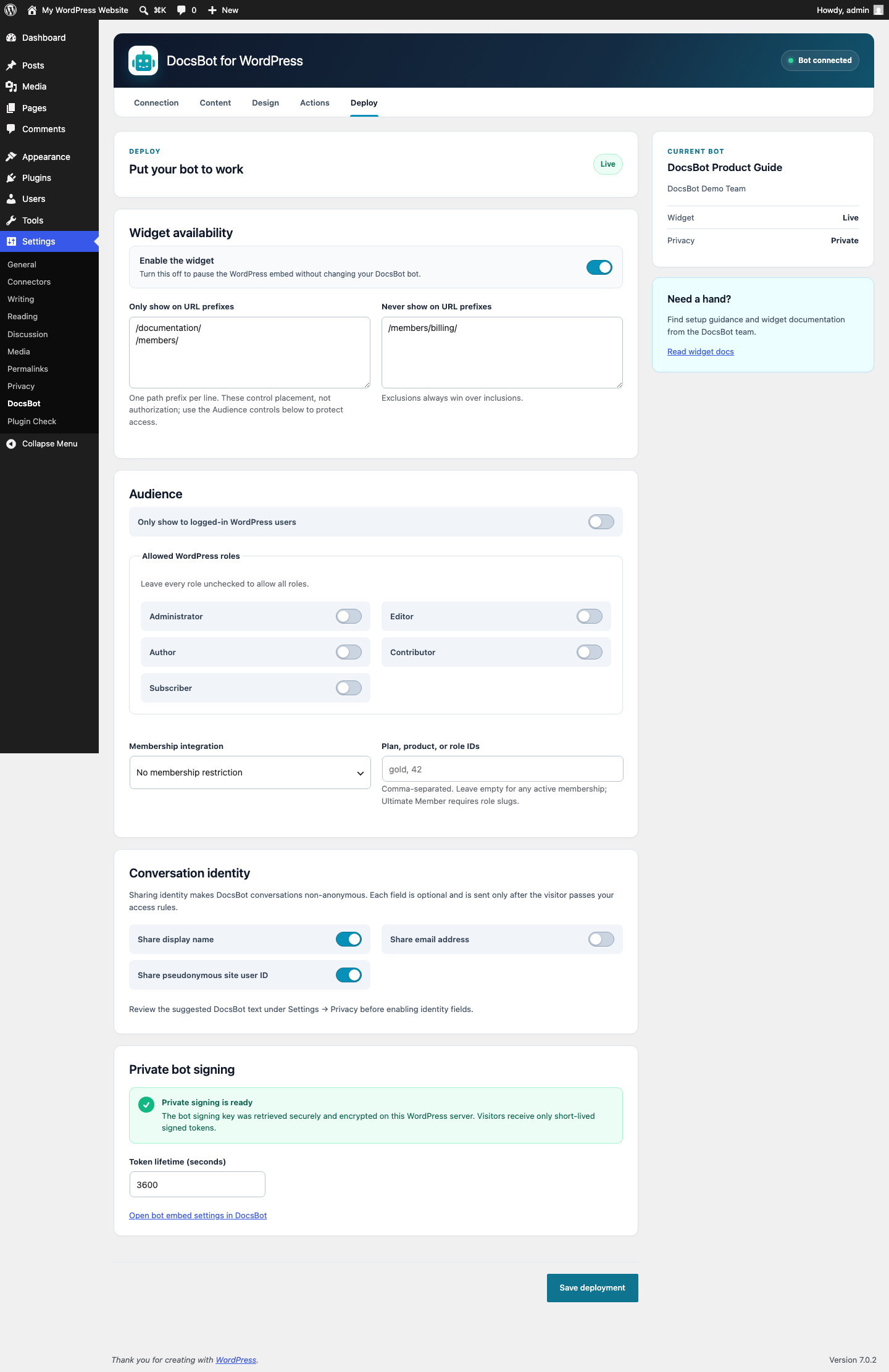
- Include or exclude page paths, from an entire documentation section to a single account area.
- Show chat only to logged-in visitors, selected WordPress roles, or eligible members.
- Support private DocsBot bots without exposing signing credentials in the browser.
- Choose whether to share a visitor’s display name, email, or raw WordPress user ID with the conversation.
Supported membership integrations
Use WooCommerce Memberships, MemberPress, Paid Memberships Pro, Restrict Content Pro, WP-Members, or approved Ultimate Member roles to control who sees the widget. If the selected membership integration becomes unavailable, the widget stays hidden.
Made for WordPress
Choose custom launcher icons, bot avatars, and header logos from the WordPress Media Library. The plugin keeps every control under Settings > DocsBot and adds no sitewide notices or nags.
Privacy and security
Public conversation identity is enabled by default for new plugin setups. You can independently turn off sending a visitor’s display name, email address, or raw WordPress user ID. It never sends membership, role, password, payment, or subscription data.
Private bots have one exception: a signed request for a logged-in visitor automatically includes the numeric WordPress user ID as private priv_user_id metadata. Guest requests do not include a user ID. DocsBot keeps priv_* metadata out of chat history and AI model context while making it available to authorized integrations.
WordPress keeps the DocsBot API key on the server and uses private-bot signature keys only to create short-lived tokens. The plugin encrypts both credentials before database storage. Site owners may instead supply them through wp-config.php constants.
External service
This plugin connects to DocsBot, a third-party service:
- WordPress calls
https://docsbot.ai/apiwhen an administrator connects an account, reads the authenticated user’s current team, lists teams or bots, reads settings, or saves supported bot settings. - DocsBot receives the entered prompt when an administrator requests a custom action button draft. The plugin saves that draft only when the administrator saves Actions.
- Eligible visitors’ browsers load
https://widget.docsbot.ai/chat.jsafter an administrator enables the widget. - DocsBot processes visitor chat messages and any identity fields the administrator chooses to share.
The DocsBot Privacy Policy and Terms of Service govern use of the service. Learn more in the DocsBot widget documentation.
Support
Need help connecting a bot or configuring the widget? Visit DocsBot.ai for support.
Details
Related plugins
Plugins that also contain the tag artificial-intelligence
Angie – Agentic AI for WordPress (Beta)

LLMs.txt Generator
AI Experiments

ContentBot AI Writer (ChatGPT, GPT4)

Chatbot with IBM watsonx Assistant
AI Provider for Anthropic


About
Plugin for that tries to help you find the WordPress plugin you are looking for.
| Please enjoy an image of Crush (this awesome turtle) and have a lovely day! |  |
We do not own any plugin listed on this site and do not work for or work with WordPress.com or it's associated companies. We simply provide a searchable list of the available WordPress plugins.