



Double Youpï Refined Media Library
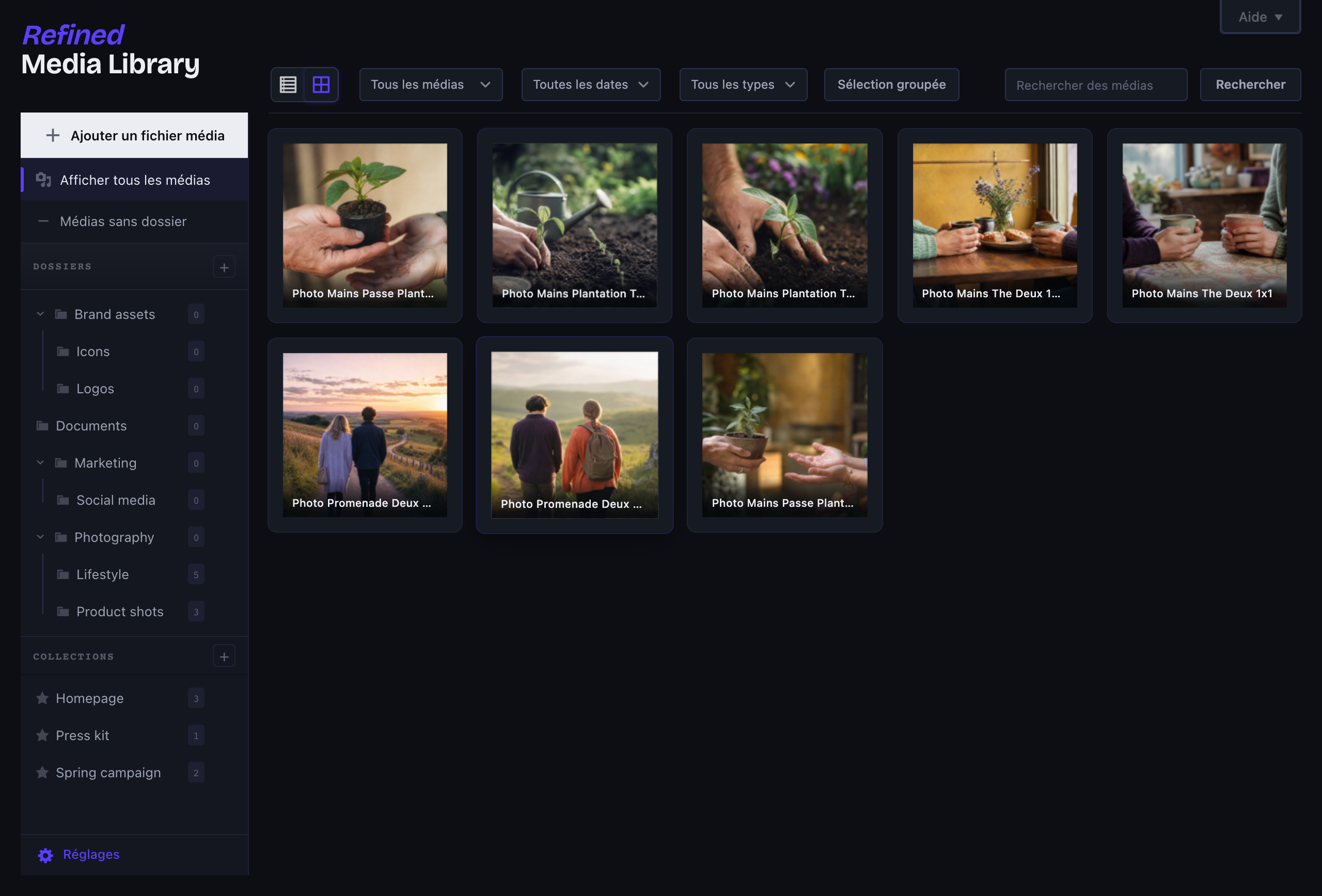
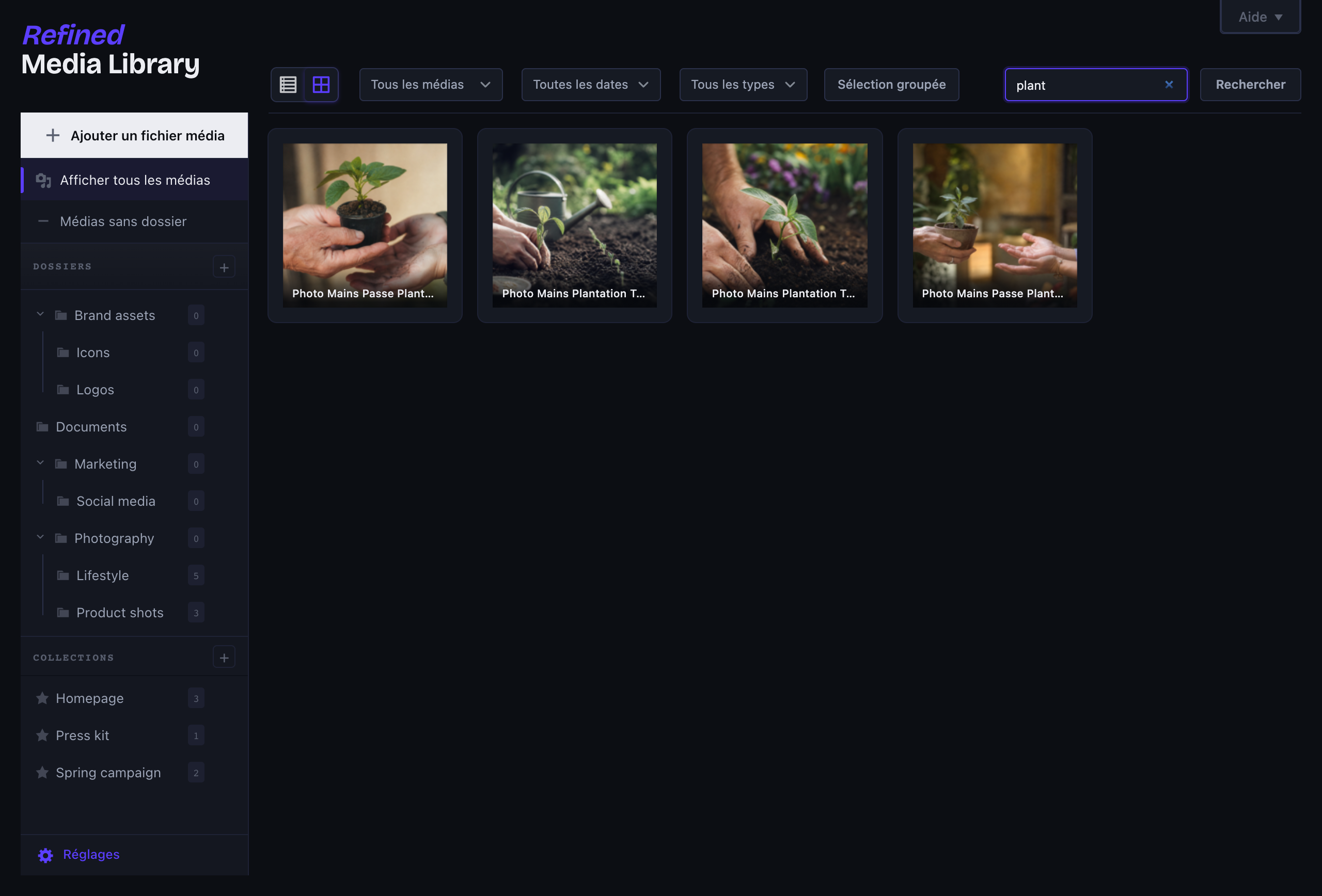
The WordPress media library hasn’t really changed in years. A few hundred uploads in, you spend more time scrolling than working. Refined Media Library turns it into an actual asset manager, and it does it without adding a single per-image setting for you to babysit.
Folders that actually feel like folders
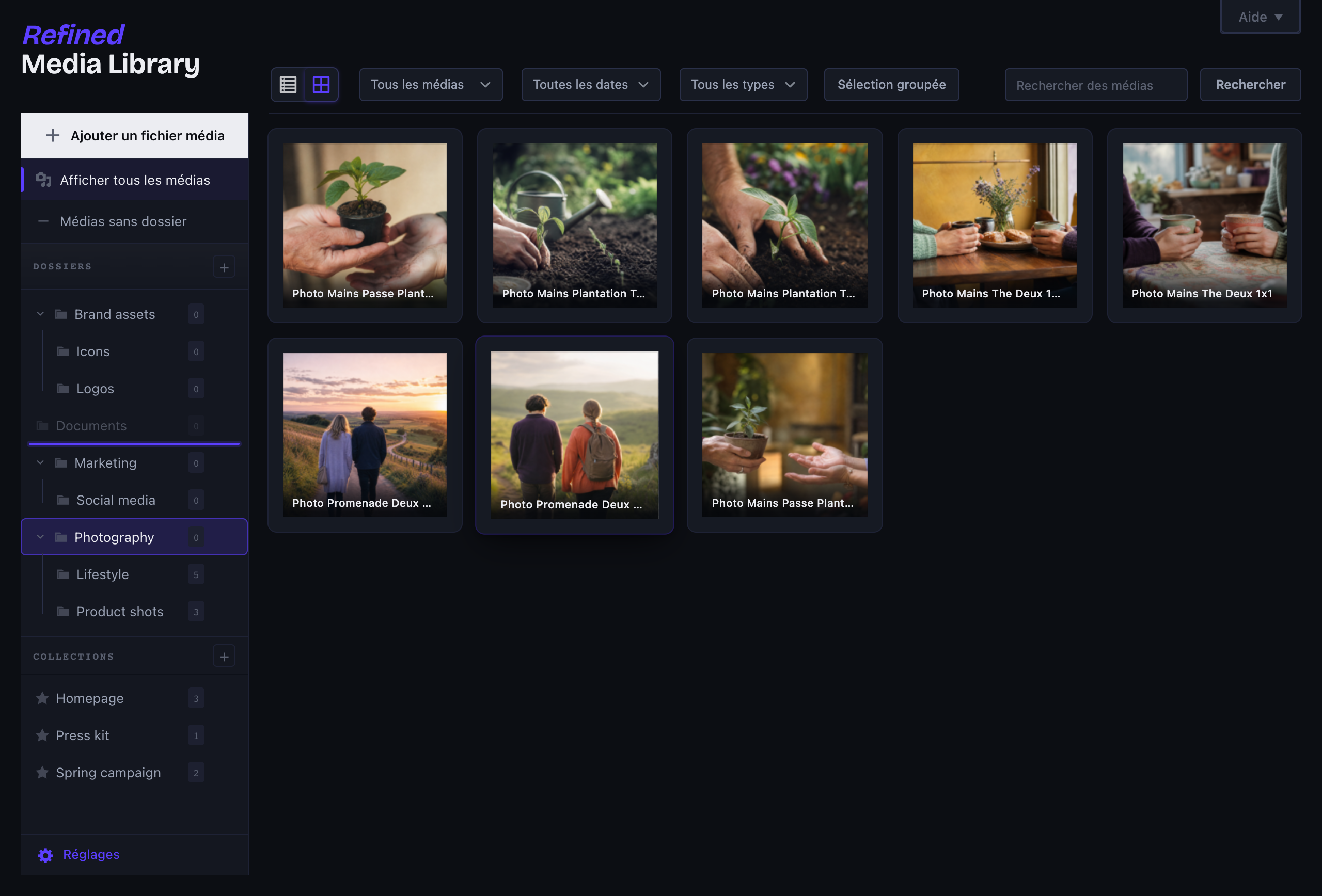
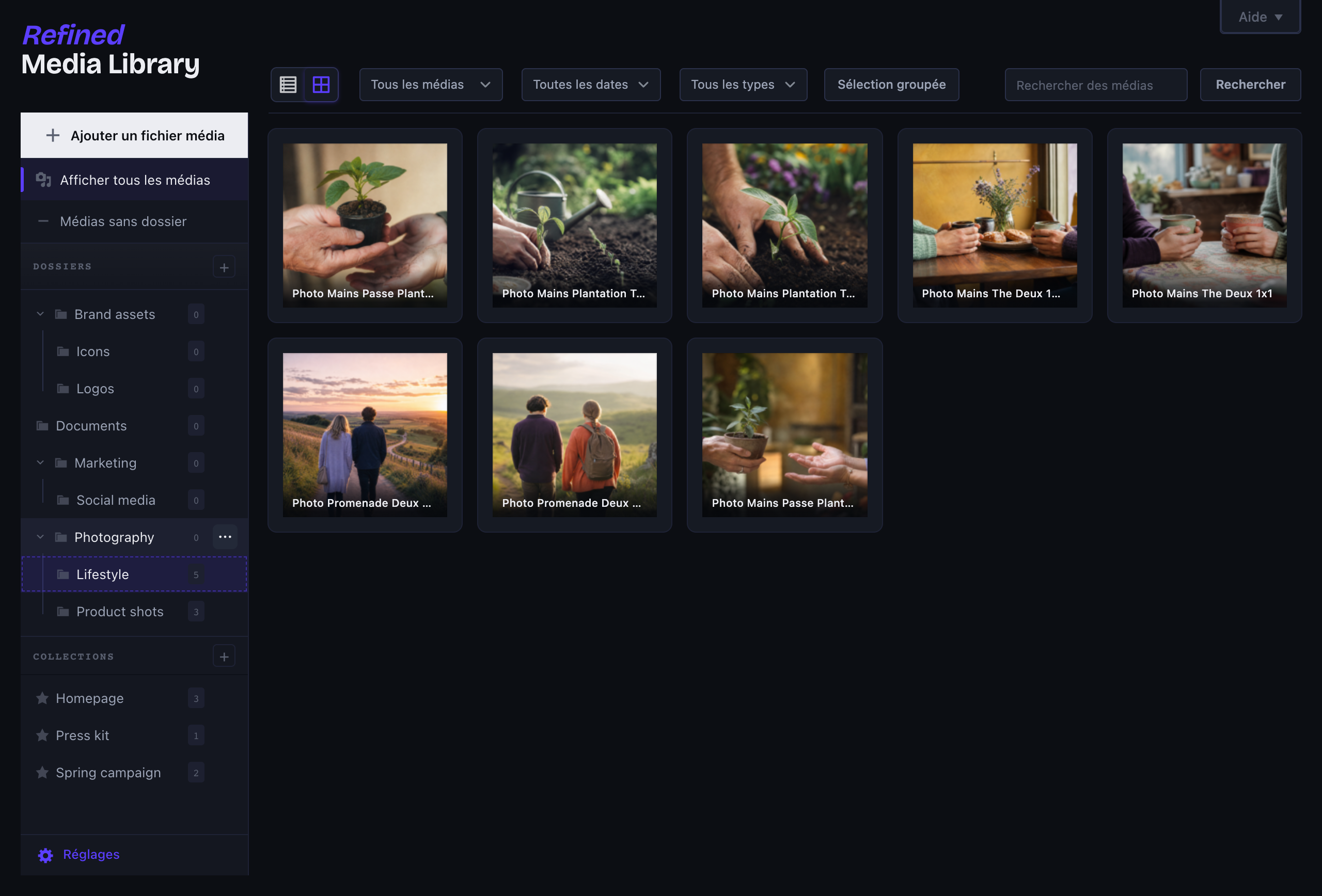
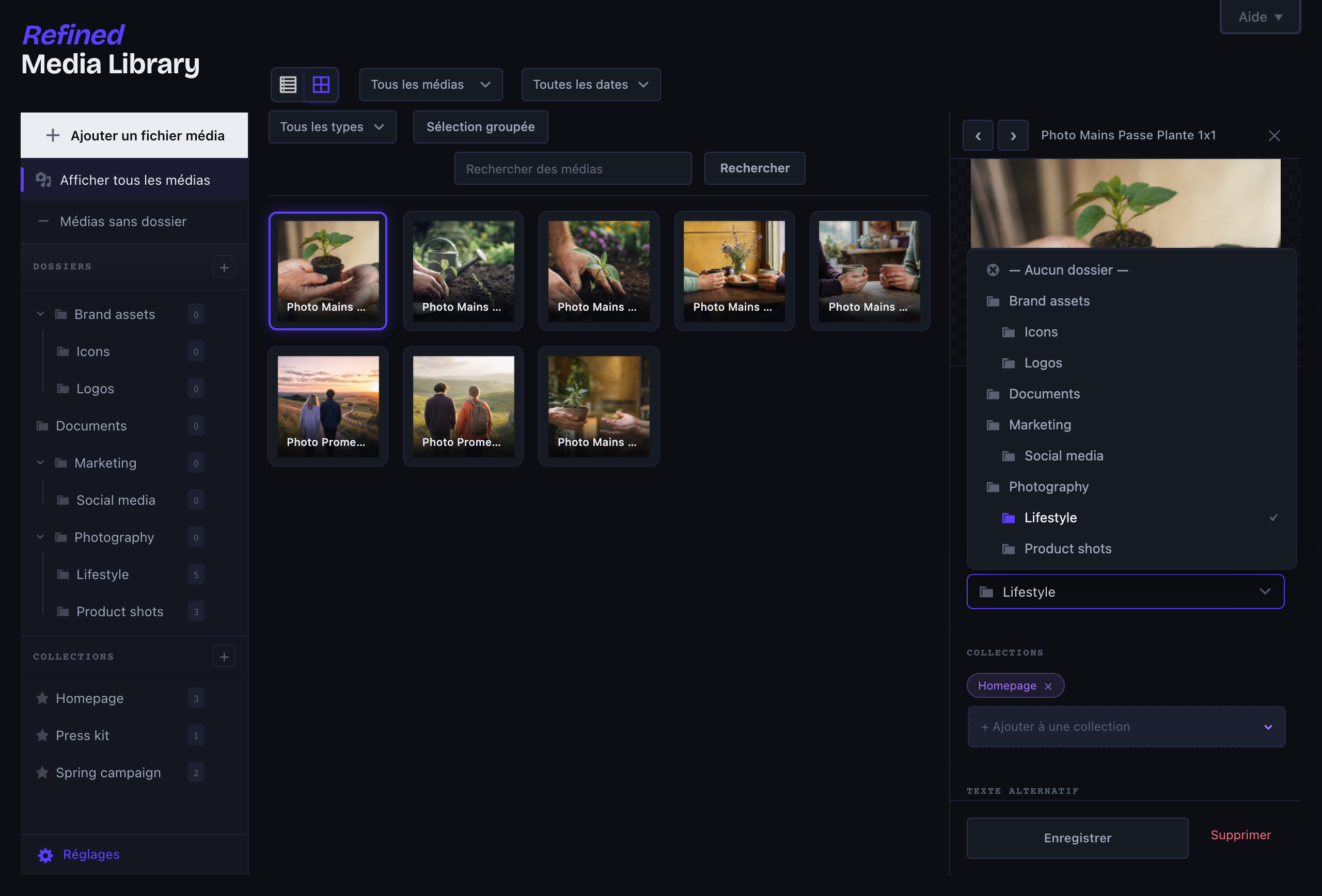
- Real nested folders: create subfolders, drag a folder into another to re-parent it, or drop it between two to reorder — with live drop indicators, no guesswork.
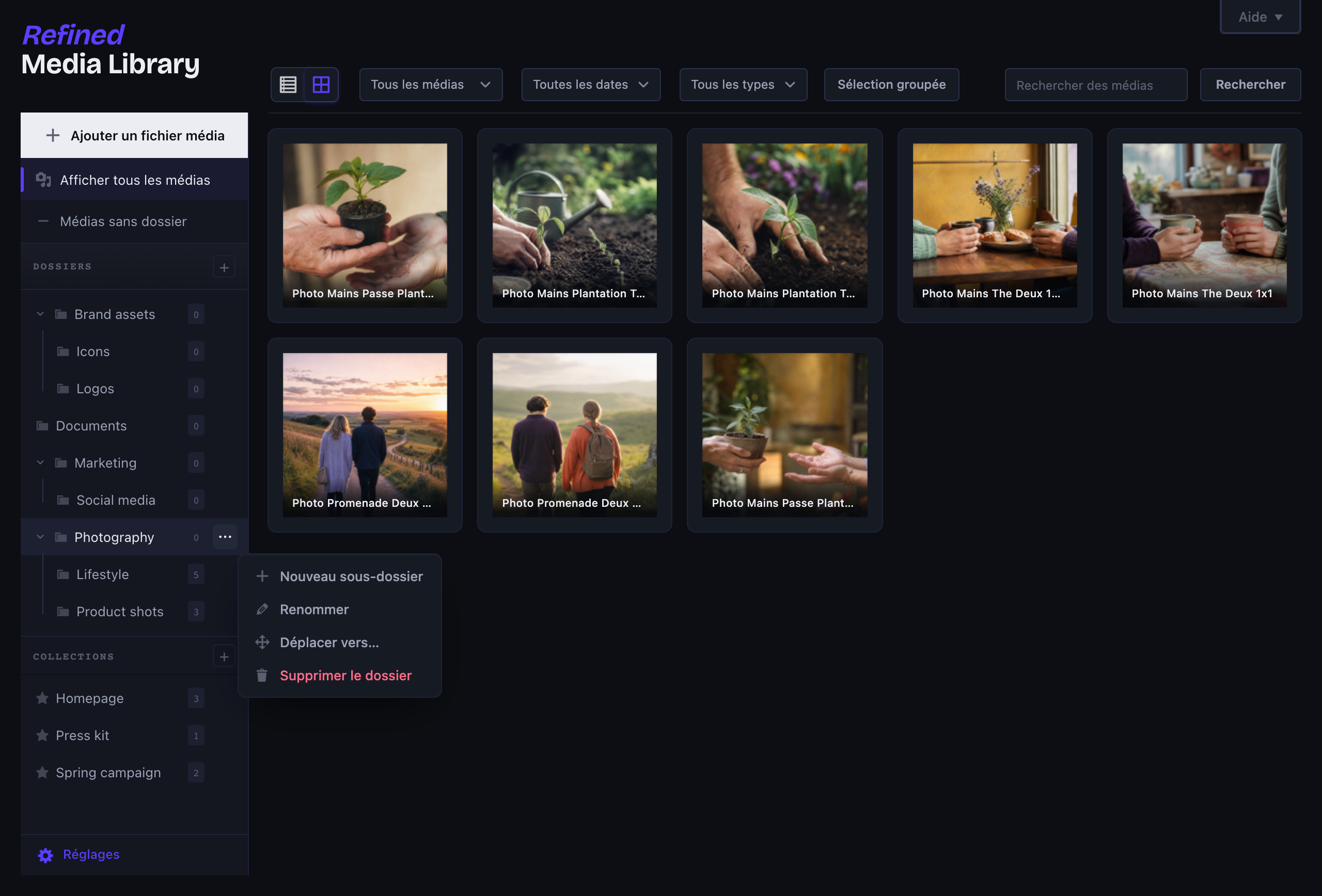
- Right-click any folder (or the ⋯ button) for new subfolder, rename, move and delete, in clean designed dialogs — not the browser’s grey pop-ups.
- Collections that ignore folder boundaries, so the same image can sit in several at once.
- Drag media straight onto a folder or collection, from the grid or the list, and upload right into the folder you’re looking at.
- Works on top of the native media library, so it behaves the same whether you build with Bricks, Elementor, Gutenberg or Divi.
A real detail panel
Click any file and a panel slides in from the right, no more full-screen modal. Edit the alt text and title, move it to a folder, drop it into collections, copy its URL, and see exactly which posts and pages use it. Arrow keys move you through the library without ever leaving the panel.
Less clutter, automatically
- Alt text and titles filled in from the filename on upload, but only when you left them blank. It runs on your server and talks to nobody.
- Duplicate detection: re-upload the same file and it gets flagged, with a link to the original.
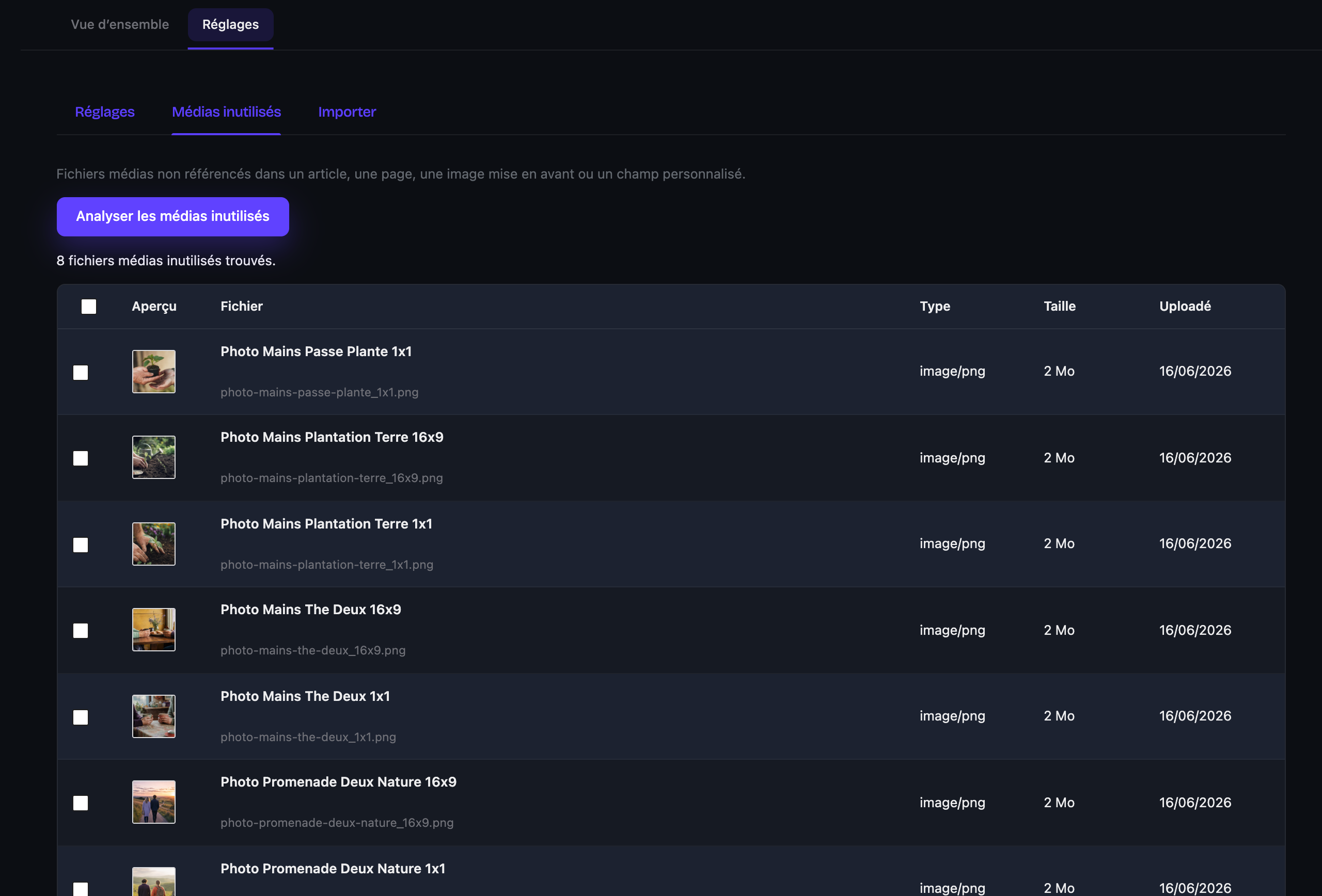
- An unused-media scanner that finds files no post actually references (featured images, content, custom fields, WooCommerce galleries) and lets you bulk-delete them behind a deliberate double confirmation. It errs on the side of caution: if it can’t be sure, it leaves the file alone.
WebP and AVIF on upload
Convert images to WebP and/or AVIF the moment they land, after a quick check that your server can actually do it. Quality is one slider, not a wizard. If another plugin already owns image conversion, Refined Media Library steps aside.
Switching from another plugin?
One-click import from FileBird, Real Media Library, HappyFiles, Folders (Premio) and Enhanced Media Library. It reads their data directly, even if the plugin is already deactivated, never touches it, and the import is reversible. Preview first, undo anytime.
No per-image settings
That’s the whole point. A few toggles in one place, sensible defaults everywhere else.
Free, and built to stay that way.
Details

Related plugins
Plugins that also contain the tag folders
Folders – Unlimited Folders to Organize Media Library Folder, Pages, Posts, File Manager

Wicked Folders – Folder Organizer for Pages, Posts, and Custom Post Types

Media Library Organizer – WordPress Media Library Folders & File Manager

CatFolders – WordPress Media Library Folders & Categories

Organize Media Folder

BuddyDrive


About
Plugin for that tries to help you find the WordPress plugin you are looking for.
| Please enjoy an image of Crush (this awesome turtle) and have a lovely day! |  |
We do not own any plugin listed on this site and do not work for or work with WordPress.com or it's associated companies. We simply provide a searchable list of the available WordPress plugins.