


Dox POS
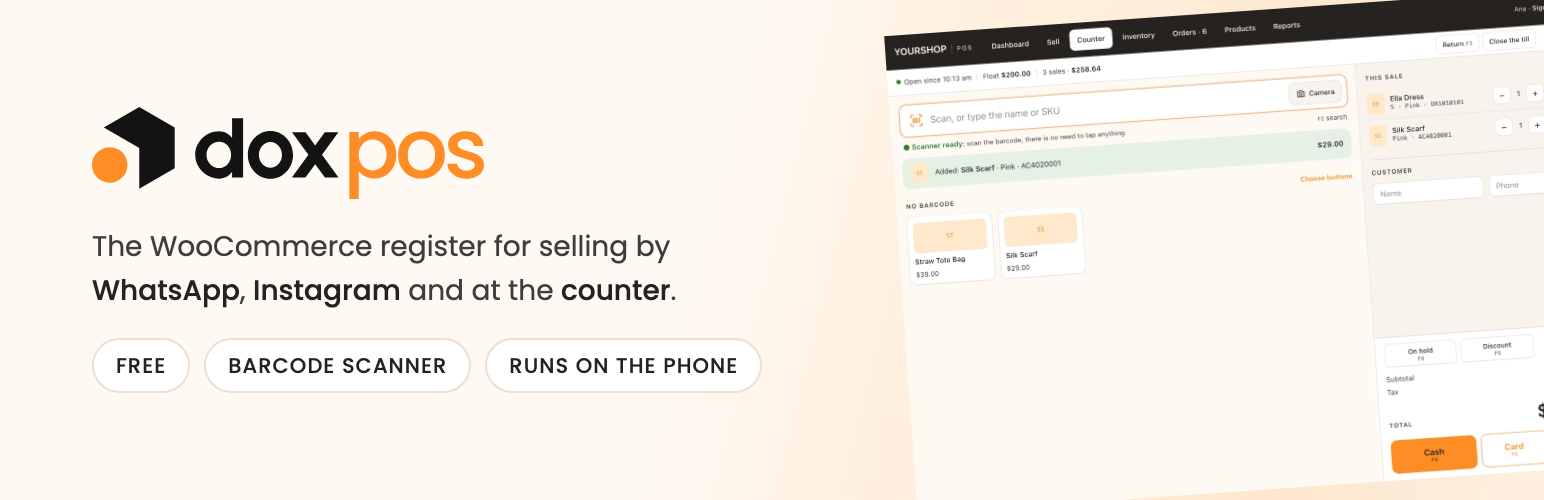
Dox POS adds a /pos page (/caja on a Spanish site) with its own sign-in screen. From there you search products with their photo and stock, record the sales that come in through WhatsApp or Instagram (each one is a WooCommerce order, so stock goes down on its own), put products on layaway while the customer pays, record the stock that arrives and keep the list of what has to be shipped.
It is built for the shop that sells through chat and ships by courier, not for a counter with a barcode scanner: no hardware, no receipt printer, no cash drawer. A phone is enough.
What it does
- Sell and put on layaway. Channel, customer, city, shipping, discount and payment method. A sale becomes a WooCommerce order, so the stock, the reports and the emails are the ones the store already had. A layaway holds the stock and cancels itself if it is not paid within the deadline you set.
- Inventory. Record what arrives with supplier, invoice and cost. It adds to the stock and warns you if the same invoice was already recorded from another phone.
- Orders. The ones from the register and, if you want, the ones from the website, with their status and the WhatsApp message ready. Mark them shipped with a carrier and a tracking number, and the customer gets an email with the tracking link, using the store’s own email design.
- Products. Create and edit products from the phone: photos (iPhone HEIC included, stored as WebP), sizes, colors, units per size and an automatic SKU that follows the one the store already uses.
- History. Sales, the daily cash, the stock ledger and, with costs on, what each product leaves. Everything downloads as a real Excel file.
- Costs and profit. A cost per unit for each product, stored in the WooCommerce cost field. Every purchase recalculates the weighted average cost, and every sale freezes the cost in the order, so raising a cost later does not rewrite past sales.
- A Cashier role. Whoever sells gets into the register and never sees the WordPress dashboard.
- No signal, no problem. A sale recorded with the screen open and no connection is kept on the phone and goes in on its own when the connection is back, without duplicating.
The business assistant (today’s pending work, a store review, a chat, a forecast and a daily summary by email) lives in a separate add-on, Dox POS Pro. The register works fully without it.
External services
The register can load its two fonts from Google Fonts (fonts.googleapis.com and fonts.gstatic.com). This is off by default: a fresh install uses the fonts of the phone or the computer and the plugin does not connect to any outside service.
If you turn on the “Load the fonts from Google Fonts” switch in WooCommerce > Dox POS > Brand, the browser of whoever opens the register requests those fonts from Google, which receives their IP address and the usual data of a web request. With the switch on, the settings page loads the fonts the same way while you pick one, and when you type a font name the plugin asks Google whether a font by that name exists. No store, order or customer data is ever sent, and turning the switch off stops every request.
Google terms: https://policies.google.com/terms
Google privacy: https://policies.google.com/privacy
Details


Related plugins
Plugins that also contain the tag inventory
WCPOS – Point of Sale (POS) plugin for WooCommerce

Barcode Scanner (+Mobile App) – Inventory manager, Order fulfillment system, POS (Point of Sale)
WP Inventory Manager

Finpose – Accounting for WooCommerce

GetPaid > Item Inventory

Billbee – Auftragsabwicklung, Warenwirtschaft, Automatisierung


About
Plugin for that tries to help you find the WordPress plugin you are looking for.
| Please enjoy an image of Crush (this awesome turtle) and have a lovely day! |  |
We do not own any plugin listed on this site and do not work for or work with WordPress.com or it's associated companies. We simply provide a searchable list of the available WordPress plugins.