



DT-PM Consent
DT-PM Consent stops third-party scripts and embeds from loading before the
visitor has consented. It shows a banner with equally weighted buttons for
accept and reject, allows a choice per purpose, and records every
configuration change as evidence.
What you get
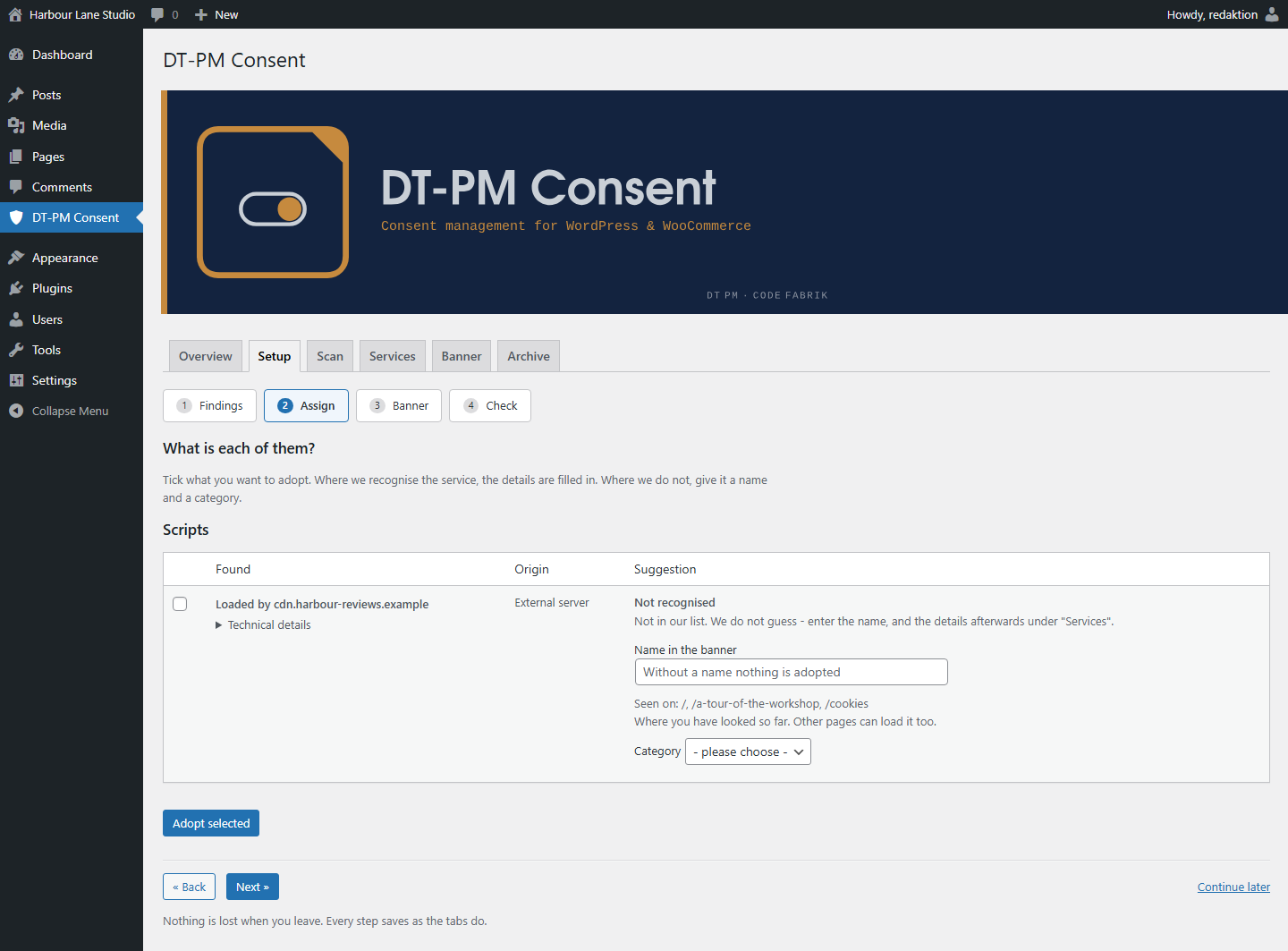
- A guided setup in four steps. It shows what your site loads, proposes an
entry for every service it recognises, and names what is still open before
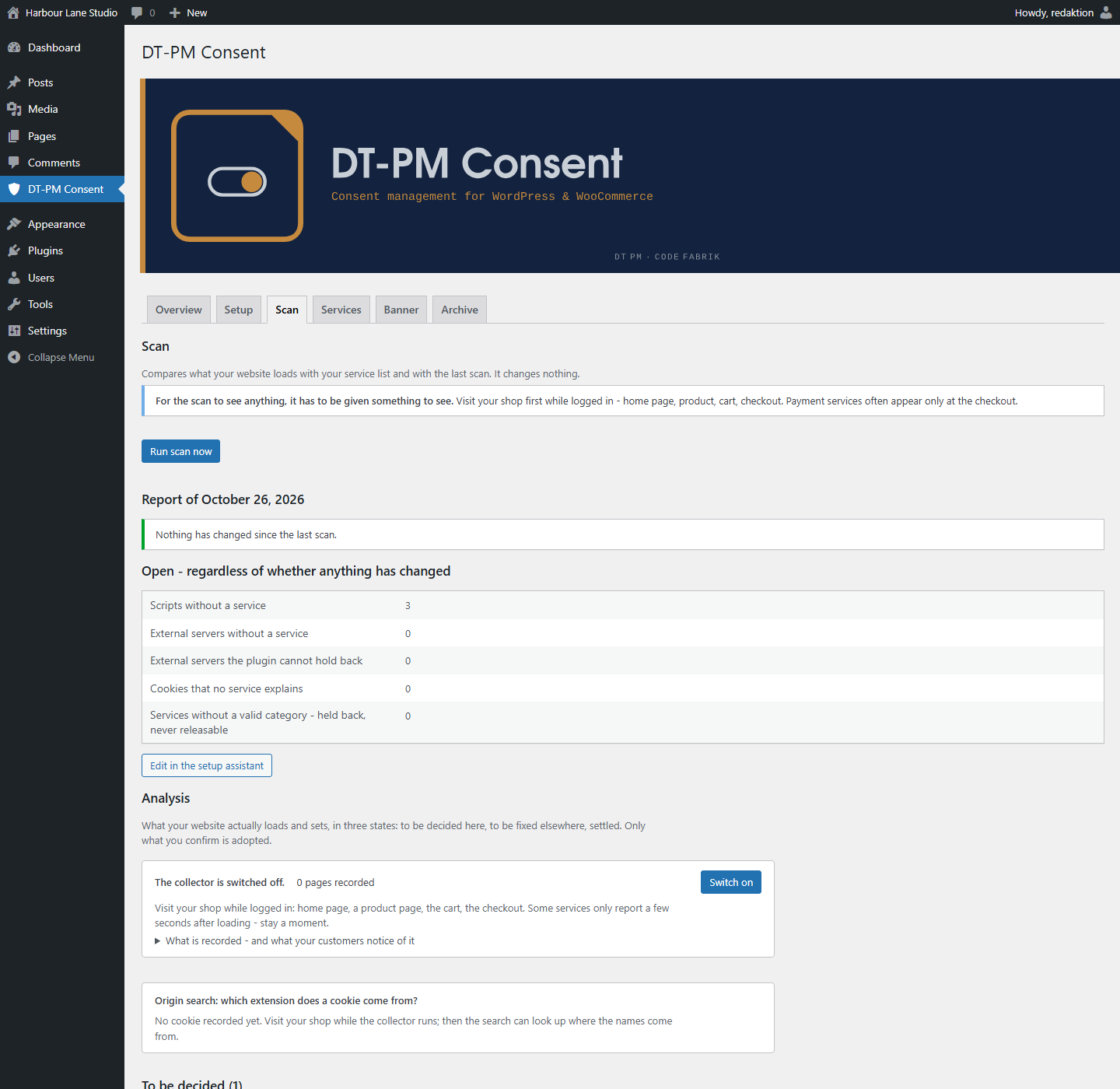
it lets you call the setup finished. - A scanner in two parts, both included. The server side reads the scripts and
stylesheets WordPress knows about; a collector records what actually loads in
your own browser while you are logged in, so a script injected at runtime is
found as well — not only one that sits in a registry. It finds and names;
where it cannot block, it says so instead. - 24 ready-made service templates, each with provider, purpose, storage period
and third-country transfer, and each backed by a source. Where a provider
states nothing, the template says so rather than inventing a value, and for
payment services and tag managers the category is deliberately left to you.
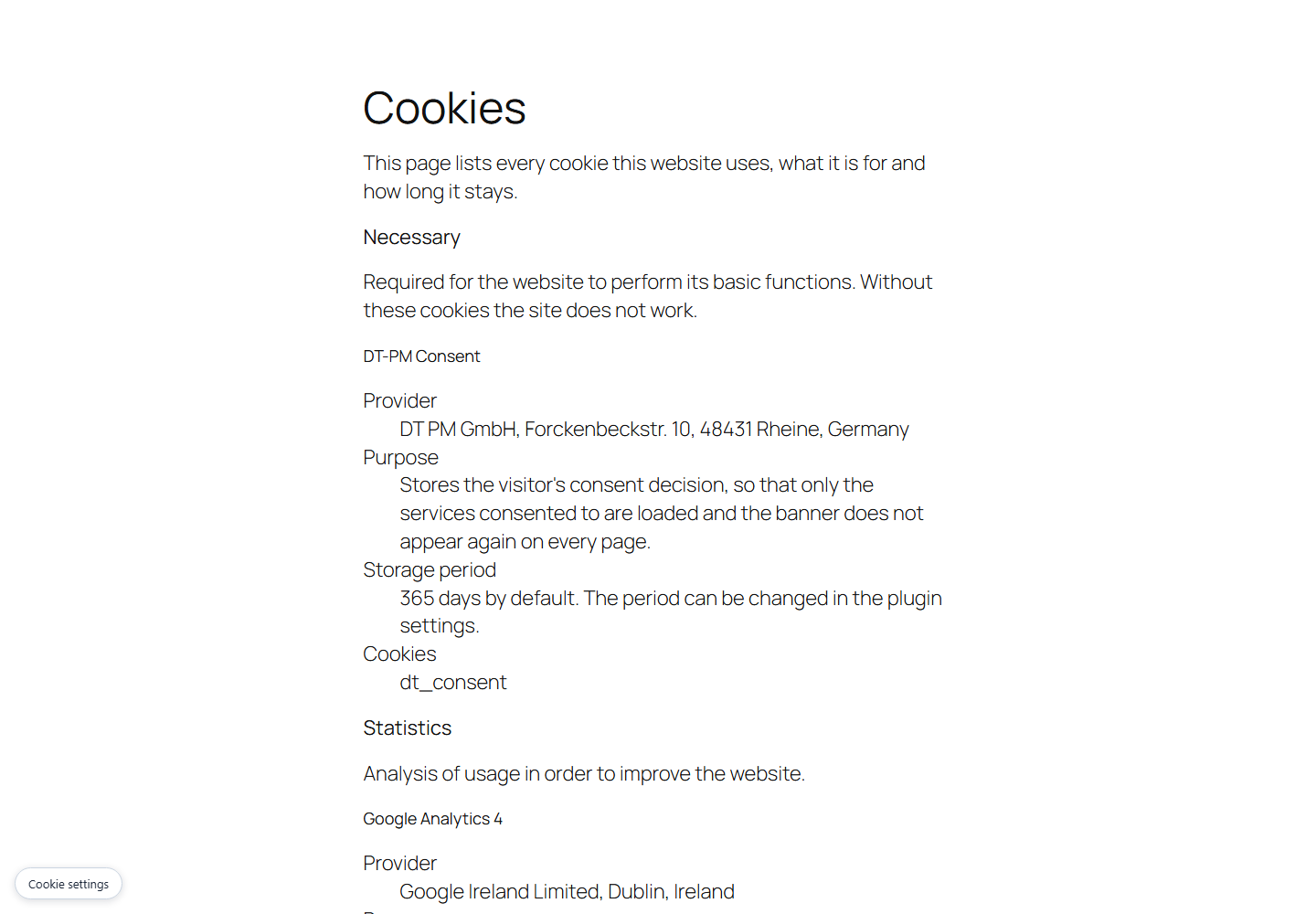
Your own code can add entries through a documented filter. - A cookie declaration for your privacy policy, as a shortcode or a block. It
is built from the same data as the banner and through the same code, so the
two cannot end up saying different things. - An archive of every configuration change, exportable as CSV. It records what
your banner said and when — it is not a log of individual visitors, and the
plugin keeps none. - One consent cookie, carrying a fingerprint of the configuration rather than a
bare counter: when the service or purpose list changes in substance, the
fingerprint no longer matches and the banner asks again. The decision can
optionally be shared across your own subdomains — switched off by default,
and the FAQ below says when to leave it off. - Warnings where an entry would be worthless. A service without a cookie name
cannot have its cookies deleted on withdrawal, and a service with nothing
this plugin can hold back is listed as a defect instead of counting as
configured. - Keyboard operation, stated rather than implied: Escape rejects while no
decision has been made and only closes the dialog once one exists, and the
banner says which of the two applies. The banner passes axe-core against the
WCAG 2.2 AA rule set without a violation (Chromium, Twenty Twenty-Five, at
1280 and 640 pixels and at 200 % text size). No screen reader was used, so
whether the error message is actually announced (4.1.3) is untested, and the
check covered the visitor’s banner, not the admin screens. - German and English included.
- GPLv2 or later. Nothing is held back for a paid version, and the plugin sends
no request to any server of ours — not on a schedule, not at all.
No page-view limit, no domain limit, no seat count, and no switch that trips
once your site grows. There is nothing to count against: the plugin contacts no
server of ours, so no number about your site ever leaves it.
What the plugin does
- Rewrites registered scripts of consent-requiring services into inert
placeholders. The browser neither loads nor executes them. - Blocks the inline snippets WordPress attaches to a script as well — with
analytics integrations, that is usually where the call that sets the cookie
lives. - Replaces embedded iframes of known providers with a placeholder that names
the provider and offers a button to load it. - Names each service and its provider visibly on the first banner level.
Purpose, storage period, third-country transfer and the cookie names sit
next to it, expandable — on the same level, without having to consent first. - Offers a way to withdraw consent from every page. Withdrawing deletes the
affected cookies and reloads the page, so that scripts already running
actually stop. - Compares today’s state against the last scan at the press of a button and
reports what is new. Reminds you when the last scan is more than 30 days
old. - Raises a configuration version whenever the service or purpose list changes
in substance. Existing consents become invalid and the banner appears again.
What the plugin explicitly does NOT do
It blocks nothing on its own. Whatever is not in the service list is not
blocked. The setup helper shows the scripts that loaded and suggests an entry
for the ones it recognises — but it adopts nothing without your confirmation.
That is a deliberate decision: a plugin that decides by itself which scripts
on someone else’s website perform tracking would either block too little (and
pretend safety) or too much (and take the site down).
Detection is not complete. It knows a limited number of common services.
An unrecognised script is marked as unknown and presented with empty fields —
the plugin guesses neither provider nor purpose nor storage period. An empty
row you have to fill in is more honest than a filled-in one that is wrong.
The setup helper puts two cases first: external servers and recognised
services. Everything else — WordPress itself, your theme, plugins on your
own server — sits below, collapsed but complete. That is a display decision
and not a legal assessment: a plugin can live on your server and still set
cookies. Go through the second list instead of relying on the first.
It does not catch scripts written into the markup around the WordPress
API. The collector finds them and tells you they are there — block them
the plugin cannot. You then have to act yourself: remove the integration from
the theme, register it through wp_enqueue_script, or serve the file from
your own server.
It stops nothing that is loaded from inside a stylesheet. An
@import url(‘https://fonts.googleapis.com/…’) or a font in an @font-face
rule keeps loading even when the service is listed as blocked: the plugin can
stop a stylesheet by its ADDRESS, but it does not read what a stylesheet does
inside. Four routes are affected — @import in a <style> block, @import
in an enqueued stylesheet, url() in an @font-face rule, and
background-image.
The setup helper finds and names these cases for every stylesheet enqueued
through WordPress, under “Stylesheets that load from elsewhere”. Acting on
them is up to you: serve the font from your own server, or remove the
reference in the theme. Many themes have a setting for exactly this. A
In detail: blocking applies to scripts registered through
wp_enqueue_script(), to their inline snippets, to snippets entered in the
admin area, and to iframes in post content, text widgets and oEmbed output. A
theme that writes a tracking script directly into a template file is not
covered. Check this after setup with your browser’s developer tools: open the
network tab, load the page without consenting, go through the list.
“Inline snippets” means less than it sounds like, and the difference
matters. It is the snippet WordPress attaches to a registered script — not
any <script> you put into a post. And a script that builds a further script
while the page runs (document.createElement('script')) loads in any case:
the address it assembles exists only in the browser, and the plugin never sees
it. This route is measured and open; it was the same in earlier versions.
It stores no consent of individual visitors. No server-side log, no IP
address, no visitor identifier. The duty to demonstrate consent is met through
the configuration archive: it records which services, purposes and texts were
served at which point in time. The guidance of the German data protection
authorities for providers of digital services states in para. 84 that
demonstrating consent does not require long-lived identifiers.
It is not legal advice. Whether your website meets the requirements with
this plugin depends on which services you use and how you describe them. The
plugin provides the technology; the substantive accuracy of the entries and
the legal assessment remain with you.
Details


Related plugins
Plugins that also contain the tag consent
Complianz – GDPR/CCPA Cookie Consent

Cookie Notice & Compliance for GDPR / CCPA

CookieAdmin – Cookie Consent Banner

WP Consent API
WPConsent – Cookie Consent Banner for Privacy Compliance (GDPR / CCPA)

TermsFeed AutoTerms: Privacy Policy Generator, Cookie Consent, GDPR, CCPA, Terms & Conditions, Disclaimers, Cookies Policy, EULA


About
Plugin for that tries to help you find the WordPress plugin you are looking for.
| Please enjoy an image of Crush (this awesome turtle) and have a lovely day! |  |
We do not own any plugin listed on this site and do not work for or work with WordPress.com or it's associated companies. We simply provide a searchable list of the available WordPress plugins.