


EagleX Button Links
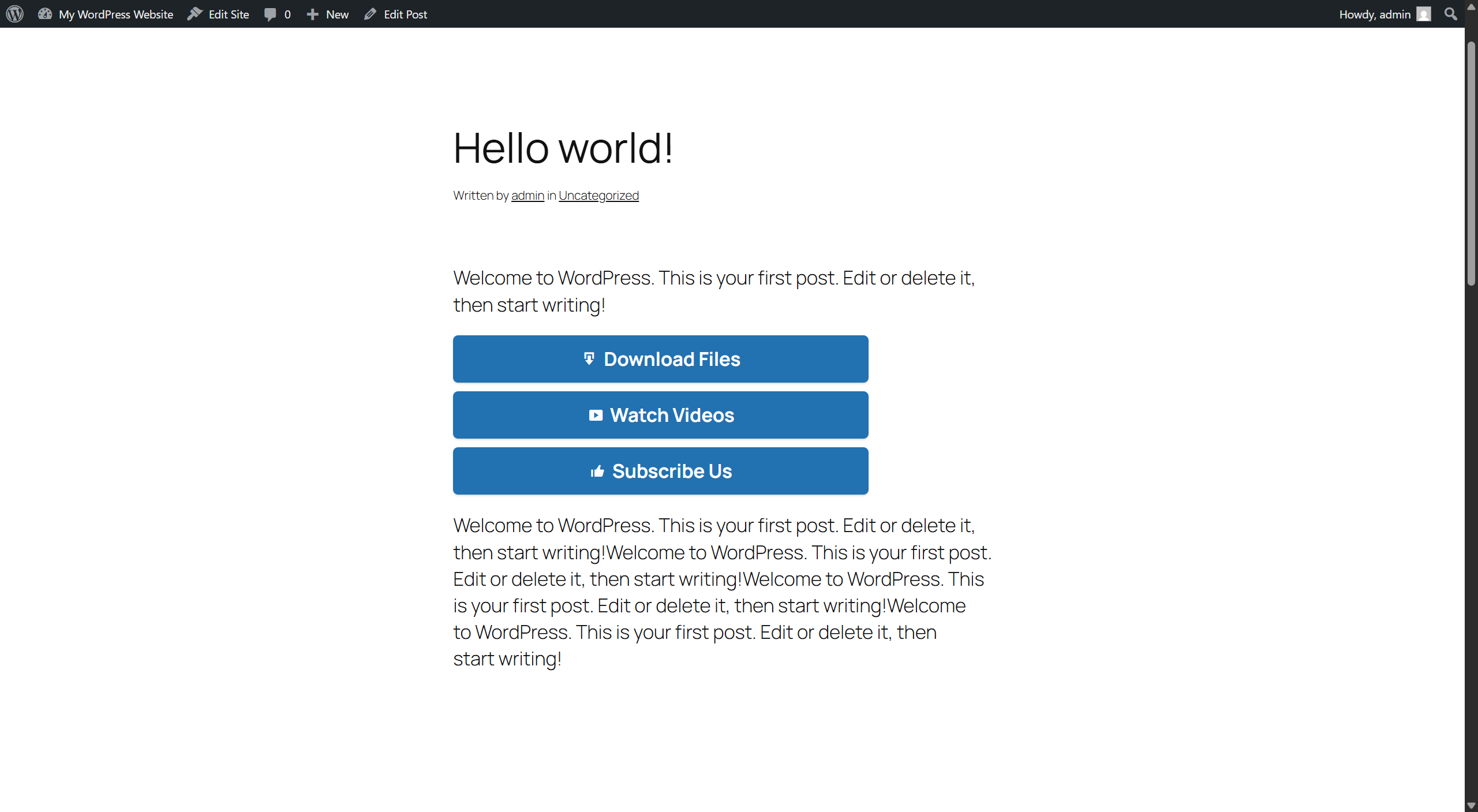
EagleX Button Links adds a simple, no-code way to place clickable, styled call-to-action (CTA) buttons anywhere in your posts or pages — the kind of “Buy Now,” “Download,” “Visit Site,” or “Learn More” buttons that turn a plain link into something people actually notice and click.
Everything is managed from a meta box right on the post editor screen. Add a button name and a URL, and the plugin handles the styling, the shortcode, and — if you want it — a full site-wide report on which buttons are actually getting clicked, plus an automatic check for any that have stopped working.
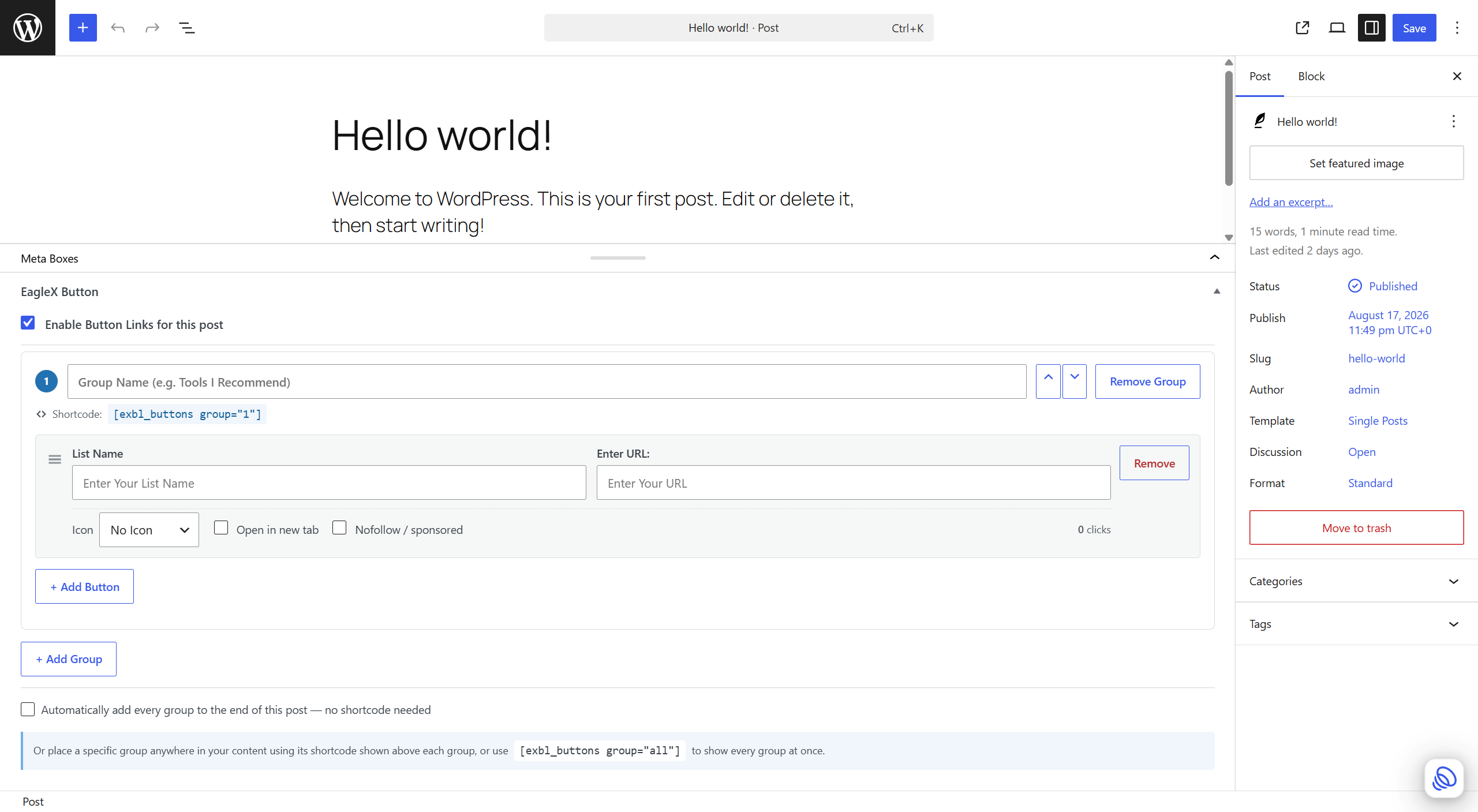
Organize buttons into named groups
A single post doesn’t have to mean a single button list. Create separate named groups — for example “Tools I Recommend” and “Related Reading” — each with its own buttons and its own shortcode ([exbl_buttons group="1"], [exbl_buttons group="2"]), or use [exbl_buttons group="all"] to show every group at once, each under its own heading.
Built-in click analytics
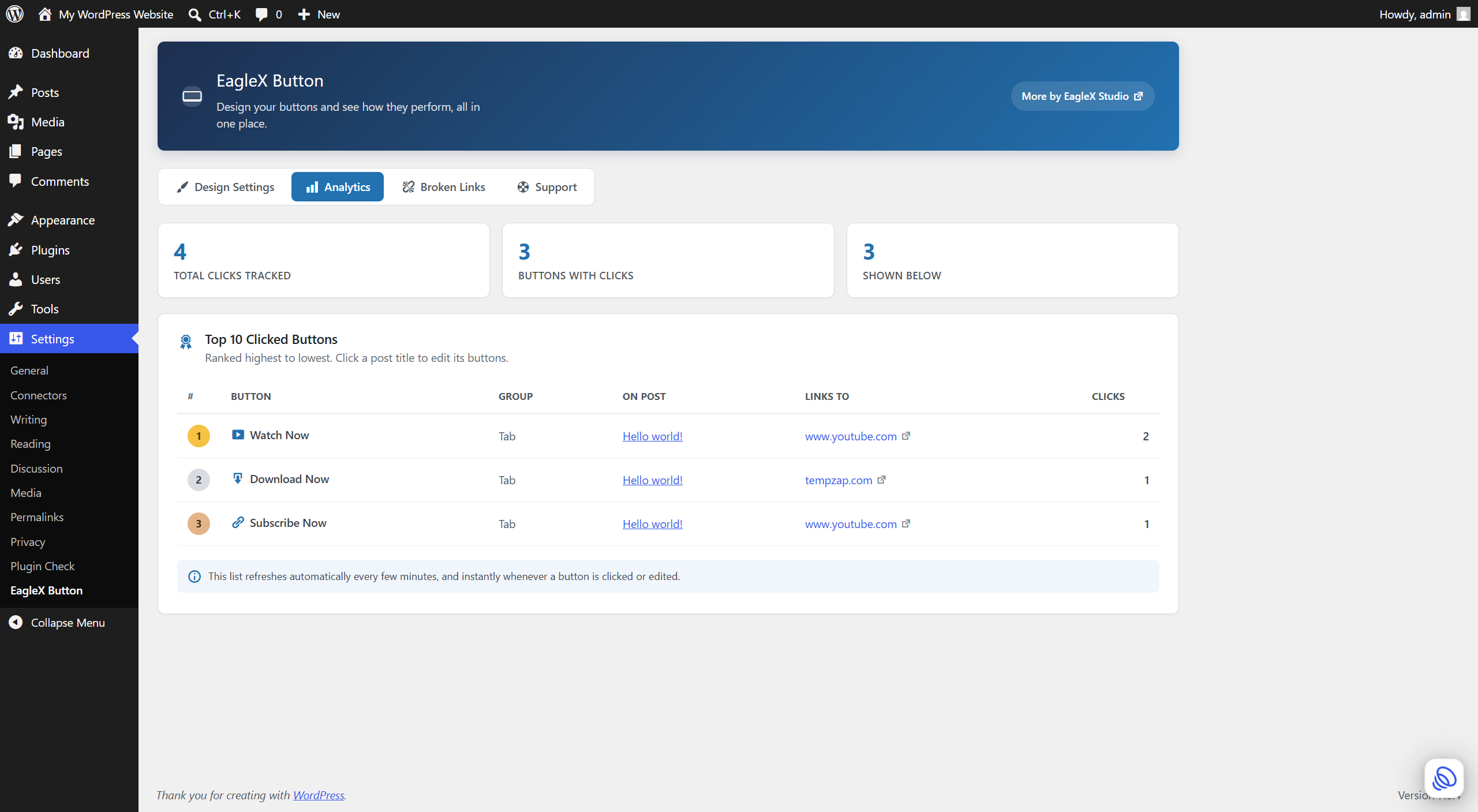
Every button quietly counts its own clicks — no cookies, no visitor tracking, just a simple counter. A dedicated Analytics tab rolls that up into a site-wide Top 10 list, so you can see at a glance which buttons and which posts are actually driving action.
Automatic broken link checking
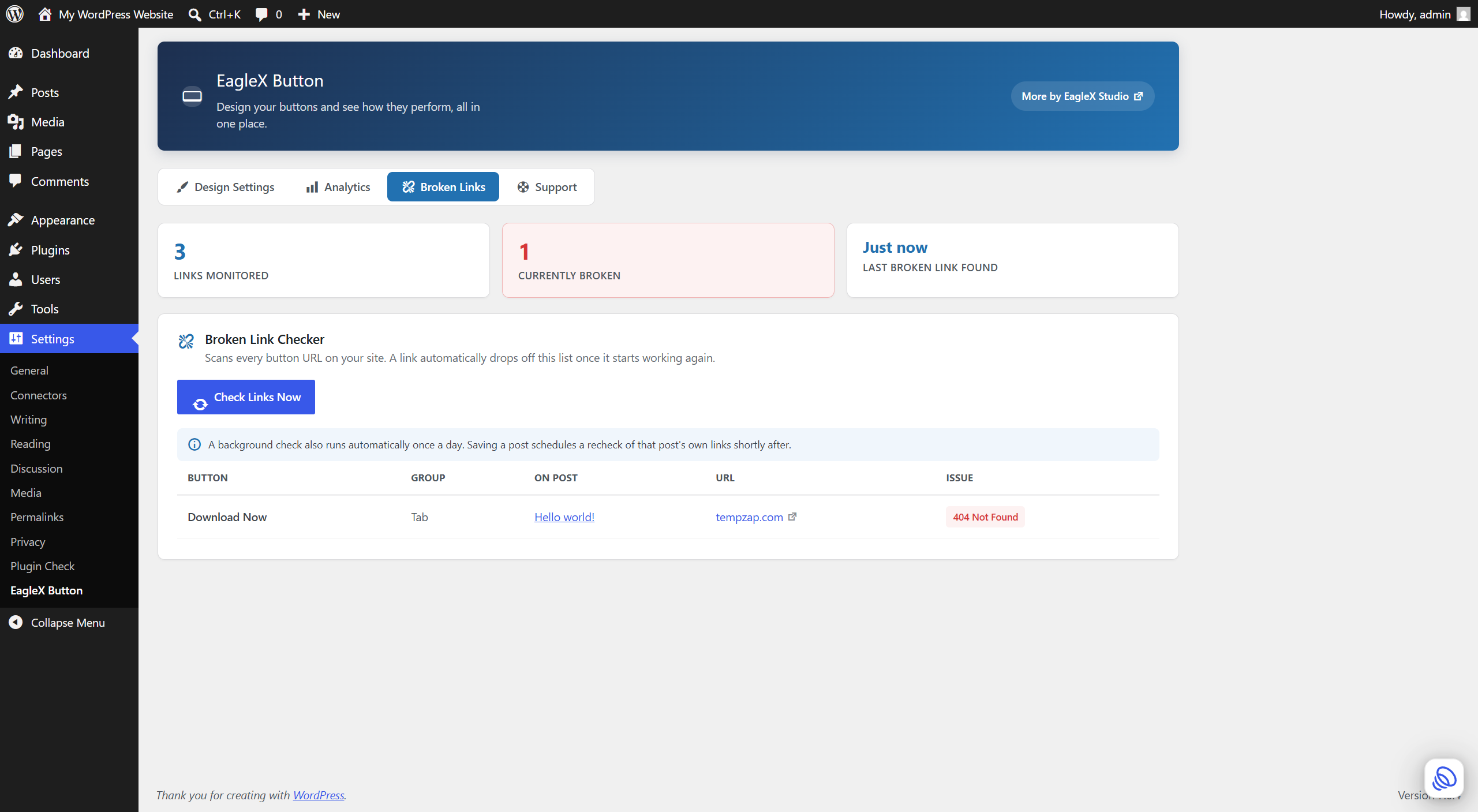
Links break. Products get discontinued, affiliate programs change their URLs, pages get moved. EagleX Button Links checks every button URL on your site — daily in the background, or on demand with one click — and lists anything that’s dead or erroring, right down to the post and group it’s on. Fix the URL (or wait for the destination to come back online) and the entry clears itself automatically.
Full feature list
- Multiple named button groups per post, each with unlimited buttons and its own shortcode.
- Drag-and-drop reordering of buttons, and up/down reordering of whole groups.
- Works on Posts by default; optionally enable on Pages too.
- An optional icon on each button (a curated set of dashicons).
- Per-button “open in new tab” and “nofollow / sponsored” controls.
- Built-in click counter per button, and a site-wide Analytics tab with your Top 10 clicked buttons.
- A Broken Link Checker with a live progress bar, daily automatic scans, and automatic cleanup when a link is fixed.
- “Auto insert” option to show every group at the end of a post without touching a shortcode.
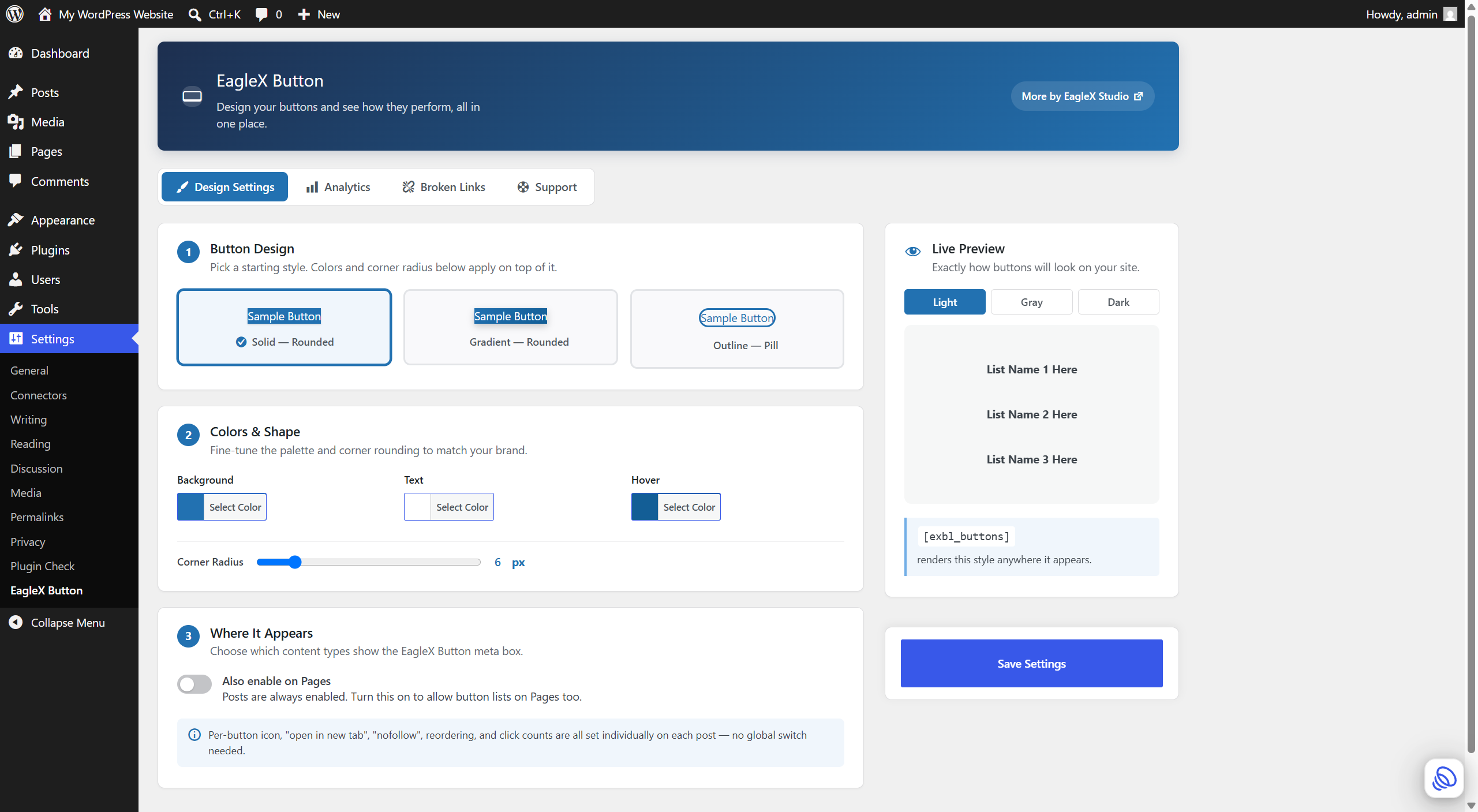
- 3 starter button designs (solid, gradient, outline-pill) with a live preview and custom colors.
- Fast by design: CSS/JS only load on pages that actually render a button.
- Fully responsive on any theme or screen size, and every save is nonce- and capability-checked.
- A Support tab with one-click links to get help, request a feature, leave a review, or find the developer’s other plugins.
How it works
- Open (or create) a Post (or a Page, if enabled in Settings).
- In the “EagleX Button” box, tick “Enable Button Links for this post”.
- Enter a List Name and URL for each button; use “+ Add Button” for more, and “+ Add Group” to start a second named group.
- Either tick “Automatically add every group to the end of this post”, or paste a group’s shortcode into your content — or use
[exbl_buttons group="all"]to show everything at once. - Visit Settings EagleX Button to pick a design and colors, check your Analytics, or review the Broken Links tab.
Privacy
EagleX Button Links does not collect any personal data, and does not set cookies.
Click counting: when a visitor clicks a button, the plugin records an anonymous +1 to that button’s counter, stored in your own site’s database. No IP address, cookie, browser fingerprint, or any other visitor-identifying information is collected or stored.
Broken Link Checker: to check whether a button’s destination is reachable, the plugin makes an outbound HTTP request from your server to that specific URL — the same URL you configured as a button. This happens for links you added yourself; no visitor data, and no data about any other page on your site, is ever sent anywhere. These checks run when you click “Check Links Now,” once daily in the background, and briefly after you save a post that has button links enabled.
No data is ever sent to the plugin author or any third party.
Roadmap
Deliberately not in this release, to keep the plugin focused and stable — being considered based on user feedback:
- A native Gutenberg block (in addition to the shortcode).
- Reusable “global” button sets shared across multiple posts.
- Import/export of button sets as JSON.
- Conditional display based on logged-in status.
Details
Related plugins
Plugins that also contain the tag button
AddQuicktag

To Top

WP Edit

Forget About Shortcode Buttons

Button visually impaired

Add to Cart Button Custom Text

About
Plugin for that tries to help you find the WordPress plugin you are looking for.
| Please enjoy an image of Crush (this awesome turtle) and have a lovely day! |  |
We do not own any plugin listed on this site and do not work for or work with WordPress.com or it's associated companies. We simply provide a searchable list of the available WordPress plugins.