


Elegant Profile for WooCommerce
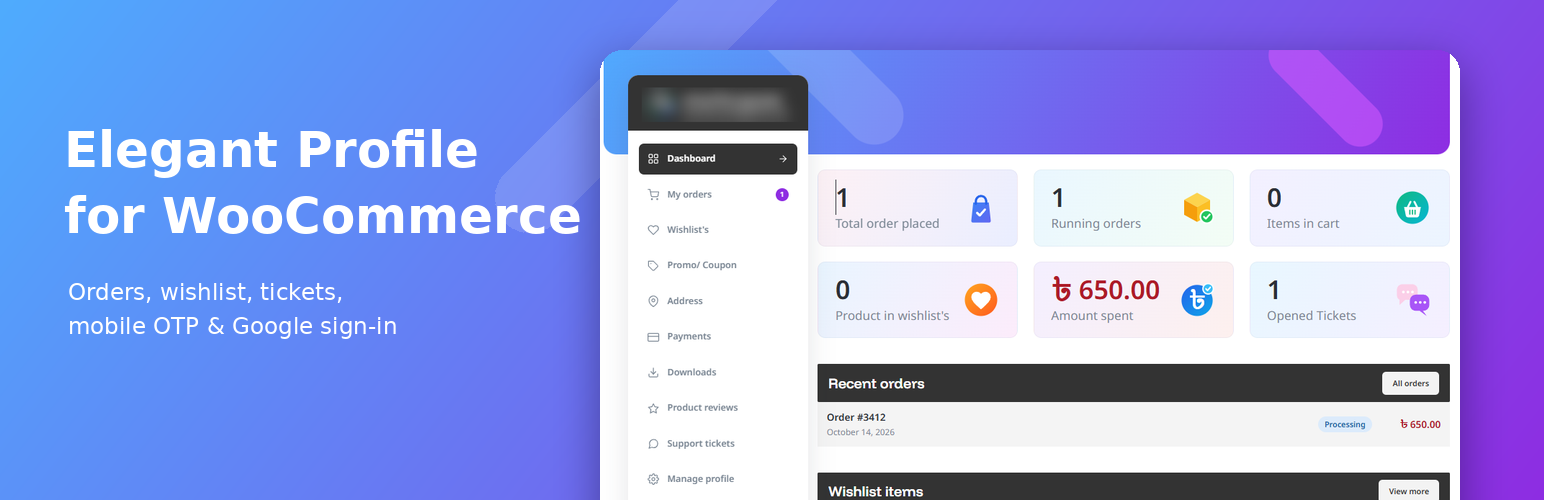
Elegant Profile replaces the default WooCommerce “My Account” screens with a fast, app-like customer profile. Pages change without reloading and forms are submitted with AJAX.
For customers
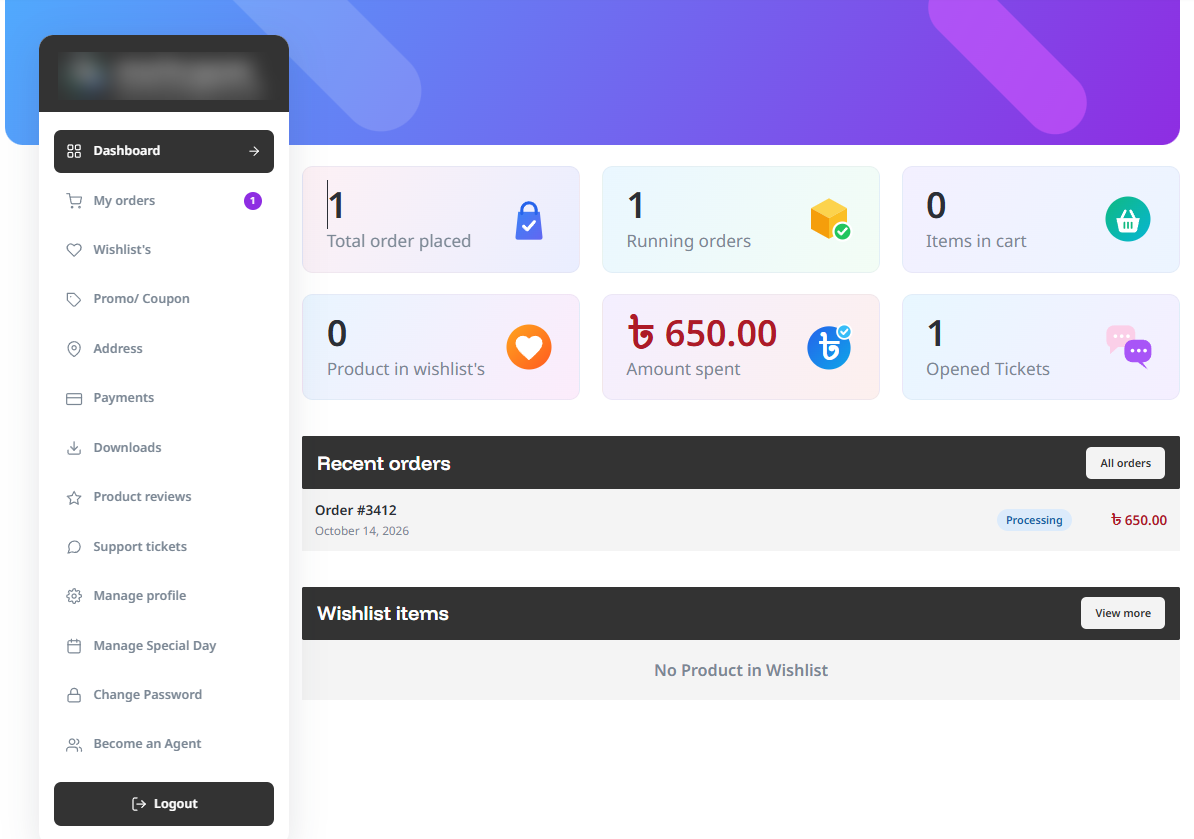
- Dashboard with order, cart, wishlist, spending and ticket summary cards
- Orders with filters, status tracker, reorder, cancel and print
- Wishlist, promo/coupon list, product reviews and saved payment methods
- Address book with live country / state fields
- Profile with photo, mobile number, gender and date of birth
- Special days (birthdays, anniversaries) with countdown
- Support tickets with a conversation view
- “Become an Agent” application form
- Change password and delete my account
Sign in and registration
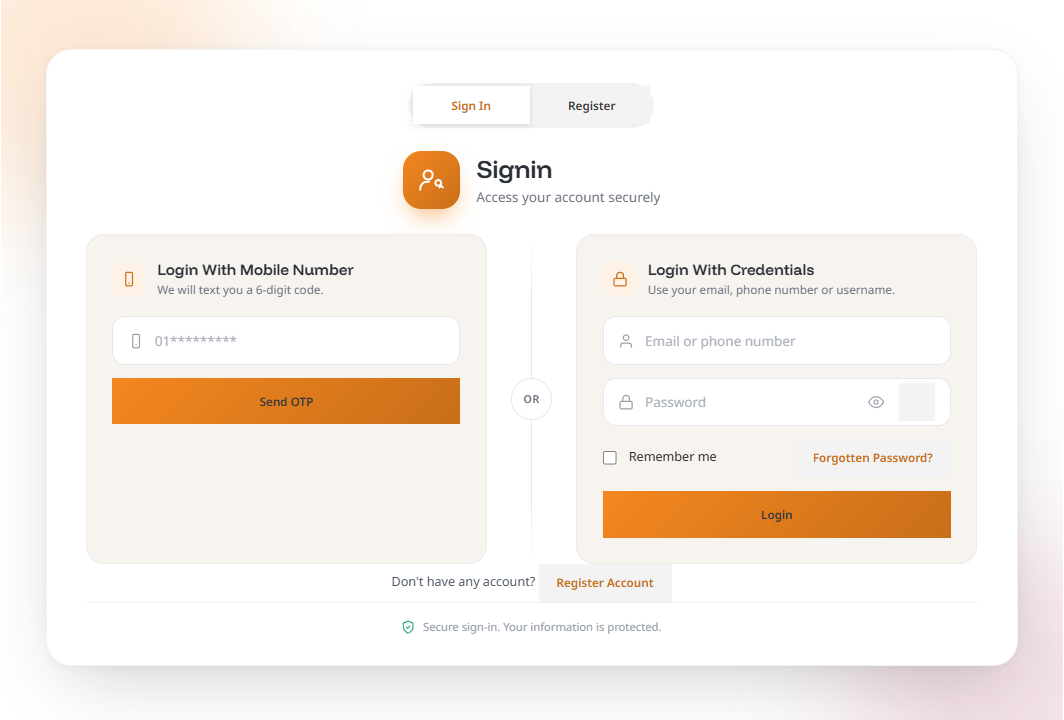
- Custom login and registration screens (shortcodes
[epfw_login]and[epfw_register]) - Sign in with email, mobile number or username
- Mobile number OTP (bring your own SMS gateway)
- Optional “Continue with Google”
- Rate limiting on sign-in, registration and OTP requests
For store owners (Account Center)
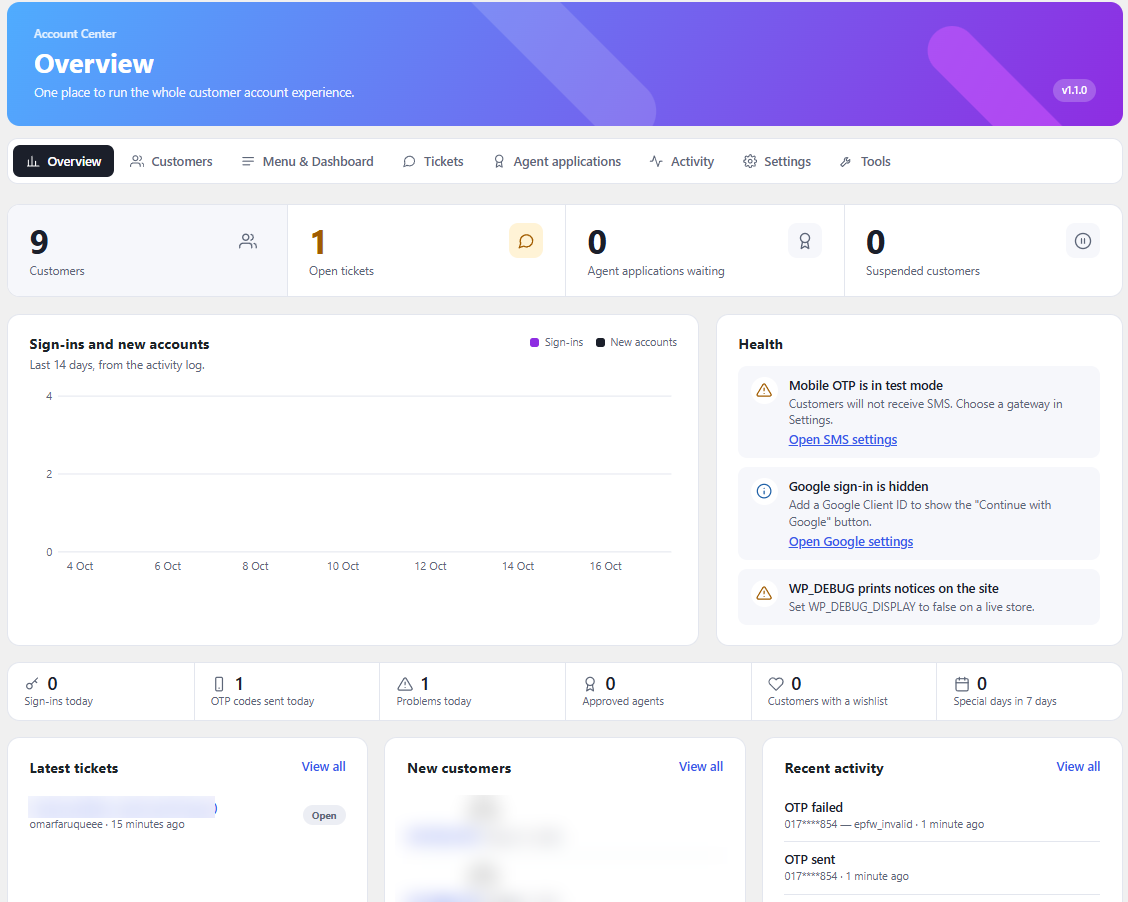
- Overview with health checks
- Customer list: search, suspend / re-activate, agent status
- Menu manager: drag to reorder, rename, switch pages on or off
- Dashboard builder: choose which cards and blocks appear
- Support ticket and agent application management with email notifications
- Activity log, settings export / import / reset
- Status screen with cache clearing and troubleshooting information
Optional store tools (all off until you switch them on in Account Center Settings)
- Return requests: customers ask to return items from a finished order; you approve or reject, and refund with WooCommerce’s own tool
- Fake order protection: block list, phone number check, order limit per phone and IP, hidden bot trap, hide Cash on Delivery for repeat cancellers, hold risky orders. All checks run on your site
- Incomplete orders: save the contact details and cart of shoppers who did not finish checkout, with an automatic clean-up
- Manager desk: a front-end dashboard in My Account for shop managers
Privacy
The plugin integrates with the WordPress personal data export and erase tools and adds suggested privacy policy text. The optional tools above keep their data on your own site and send nothing to an outside service. Incomplete order tracking is off by default, shows a notice at checkout, and deletes records after the number of days you choose.
External services
This plugin can connect to third-party services. All of them are optional and are only used when the site owner enables them in the settings.
Google Sign-In (optional)
When a Google Client ID is entered and the Google button is enabled, the sign-in screen loads Google’s script https://accounts.google.com/gsi/client in the visitor’s browser. After the visitor approves, the site server sends the Google access token to https://oauth2.googleapis.com/tokeninfo (to check it was issued for your Client ID) and https://www.googleapis.com/oauth2/v3/userinfo (to read the visitor’s verified email address, name and Google ID).
- Service provider: Google LLC
- Terms of service: https://policies.google.com/terms
- Privacy policy: https://policies.google.com/privacy
SMS gateway for mobile OTP (optional)
Only used when “Mobile OTP” is on and an SMS gateway other than “Test mode” is chosen in the settings. Each time a visitor asks for a login or sign-up code, the site server sends the visitor’s mobile number, the text message that contains the one-time code, and the site owner’s API key to the gateway the site owner selected. Nothing is sent in “Test mode”.
Greenweb (preset, https://api.greenweb.com.bd/) – Bangladeshi SMS provider.
- Terms of service: https://www.greenweb.com.bd/terms-and-conditions.php
- Privacy policy: https://www.greenweb.com.bd/privacy-policy.php
Custom HTTP API – the site owner enters the address of any SMS provider. The data sent is the same as above and goes only to the address the site owner entered. The terms of service and privacy policy of that provider apply, and the site owner is responsible for choosing one and informing their customers.
Parcel tracking links (optional)
The courier list in Settings Shipping holds tracking page addresses (for example a courier’s public tracking page). The plugin never contacts these addresses itself. They are only shown as a “Track parcel” link that the customer may choose to open, and the tracking code is part of that link.
Details
Related plugins
Plugins that also contain the tag login
WPS Hide Login

Security Optimizer – The All-In-One Protection Plugin

Loginizer

Limit Login Attempts

LoginPress | wp-login Custom Login Page Customizer

WPS Limit Login


About
Plugin for that tries to help you find the WordPress plugin you are looking for.
| Please enjoy an image of Crush (this awesome turtle) and have a lovely day! |  |
We do not own any plugin listed on this site and do not work for or work with WordPress.com or it's associated companies. We simply provide a searchable list of the available WordPress plugins.