



Elemailer Lite – Elementor email template & campaign builder
Elemailer – Best drag & drop Email design Plugin for WordPress.
Elemailer Lite is an Email template & Campaign builder using Drag & Drop Elementor builder.
This plugin gives you the facility of override different WordPress Form plugin’s email template. No more HTML code writing to design great looking emails. Take the help of AI in writing the content & creating Image right inside the editor.
You must have Elementor Page Builder installed. To design your email template with our plugin
👉 Official Website of Elemiler.
👉 Join Elemailer Facebook Community.
👉 Elemailer Documentation.
List of Supported Form Plugins:
-
Contact Form 7: Design your contact form 7 emails without any code. Find out more: How to Design Contact Form 7 Email template?
You should have Contact Form 7 installed & activated if you want to design cf7 email templates with Elemailer -
Elementor Pro’s Form Widget: You can design Elementor Pro’s form widget’s email and email2 layout with Elemailer Lite.
You should have Elementor Pro installed if you want to use Elemailer template in your Elementor Pro’s forms response
Features
- Create Email Templates with easy-to-use, drag-and-drop Elementor editor
- No more custom HTML writing for creating emails
- Design contact form 7 email templates
- Design Elementor Pro’s Form Widget’s email template
- Marketers can use it easily for sending our beautiful emails to clients on submission.
- Create upto 3 email templates for your forms
- Use the power of AI to write email content, Edit/Create images with Elementor AI for free*
The free version is enough for many users who are just looking to design their Elementor pro form or contact form 7’s email template (basic). But if you are a marketer or want to do more with your Email template design we invite you to check our pro version – Elemailer
💥 Remove the limitation of 3 Form Templates
💥 Save, Import, Export Email templates
💥 Export created design in HTML & use in external platforms
💥 Background settings
💥 Typography/font control for widgets (WebSafe)
💥 Send Test Emails
💥 Custom CSS & CSS Class
💥 Custom HTML Widget
💥 Integration to more forms (growing)
💥 wp_mail override method to make it possible to use the Elemailer template anywhere
💥 Subscriber & Lists
💥 Pro Template Library (growing)
💥 Newsletter
💥 Email Statistics/Tracking
💥 Import Lists and Subscribers
💥 Design Mailpoet emails with Elementor
💥 Design WooCommerce Emails with Elementor
💥 Unlimited Subscribers & Email design
💥 Pro Support
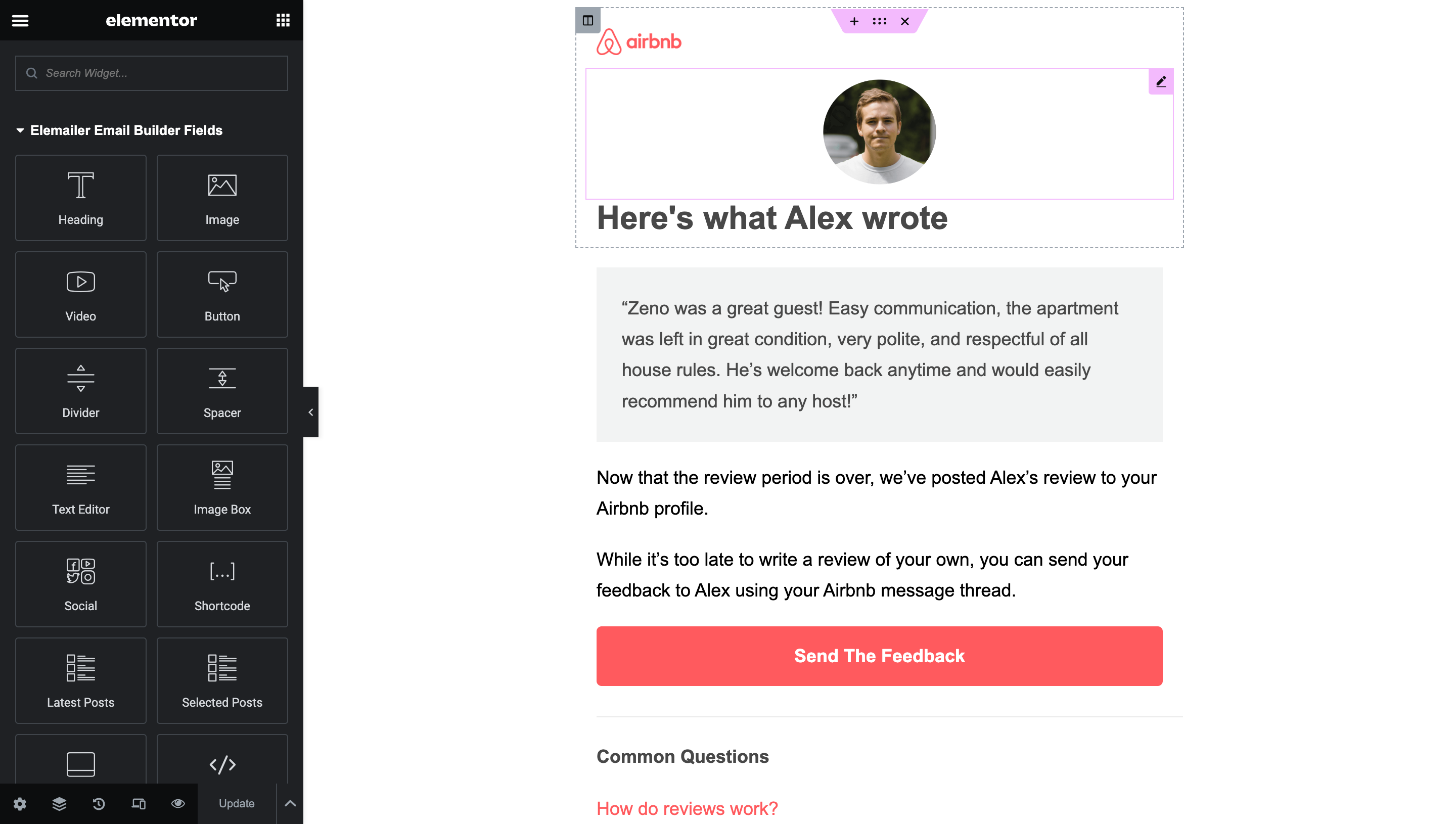
Some demonstration:
See the AI in action:
Details





Related plugins
Plugins that also contain the tag cf7
Contact Form 7 Multi-Step Forms

CF7 to Webhook

Date Time Picker for Contact Form 7

Void Contact Form 7 Widget For Elementor Page Builder

Contact Form 7 Shortcode Enabler

Multi Step for Contact Form 7


About
Plugin for that tries to help you find the WordPress plugin you are looking for.
| Please enjoy an image of Crush (this awesome turtle) and have a lovely day! |  |
We do not own any plugin listed on this site and do not work for or work with WordPress.com or it's associated companies. We simply provide a searchable list of the available WordPress plugins.