


EmojiCal comment with emoji
With this plugin your visitors will be able to easily add Emoji in their comments, and they will do this by just one click. This tool is lightweight and fast, so it has no effect on your pages load time and SEO.
How to use
- First Install and activate the plugin.
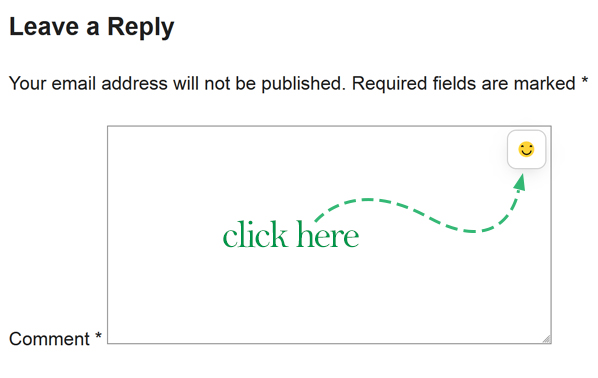
- Now your Users are able to see the emoji icon on the top-right corner of the textarea in the comments form.
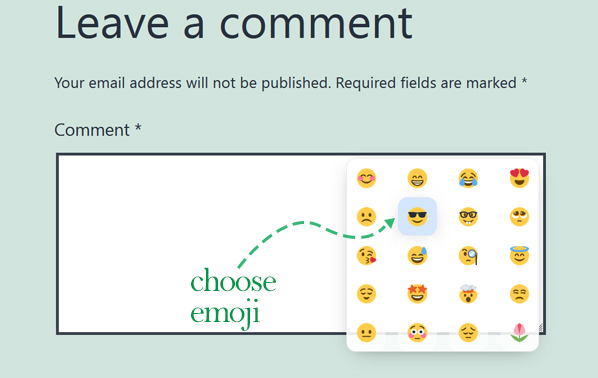
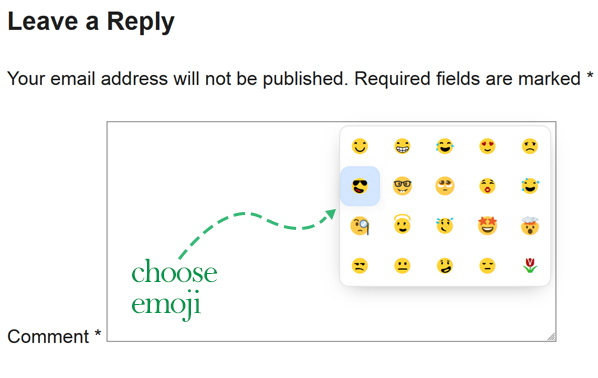
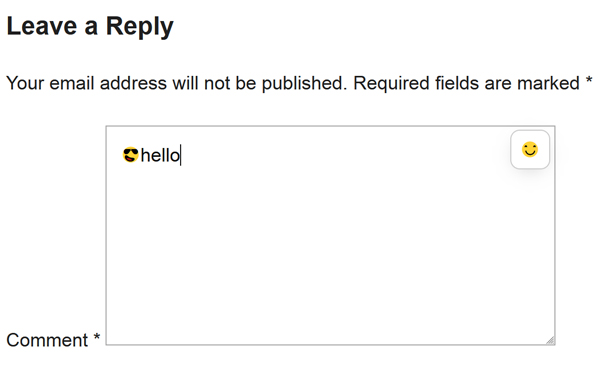
- You can Click the emoji icon and choose any emoji you want to put inside your comment.
Compatibility
-
This plugin uses pure javascript and css for it’s job, So this plugin is fully stand-alone and does NOT need any third-party js/css framework or library.
-
All css and js codes are inline and no extra files needed to load in your pages.
-
This plugin is compatilbe with the twEmoji js library.
How to edit css and js
- Inside the functions file you will be able to find all css and js codes used for this plugin.
if you need more help contact us here.
Live demo
For an online live demo of this plugin you can visit any post inside our website, for example:
Emojical
Happy users
Here you can see a list of satisfied websites which are installed this plugin:
If you also have installed this plugin and want to be on this list, feel free to contact us.
Details


Related plugins
Plugins that also contain the tag comment
Comments – wpDiscuz

Honeypot Anti-Spam

DCO Comment Attachment

Comments Like Dislike

One Click Close Comments
Bulk Delete Comments


About
Plugin for that tries to help you find the WordPress plugin you are looking for.
| Please enjoy an image of Crush (this awesome turtle) and have a lovely day! |  |
We do not own any plugin listed on this site and do not work for or work with WordPress.com or it's associated companies. We simply provide a searchable list of the available WordPress plugins.