

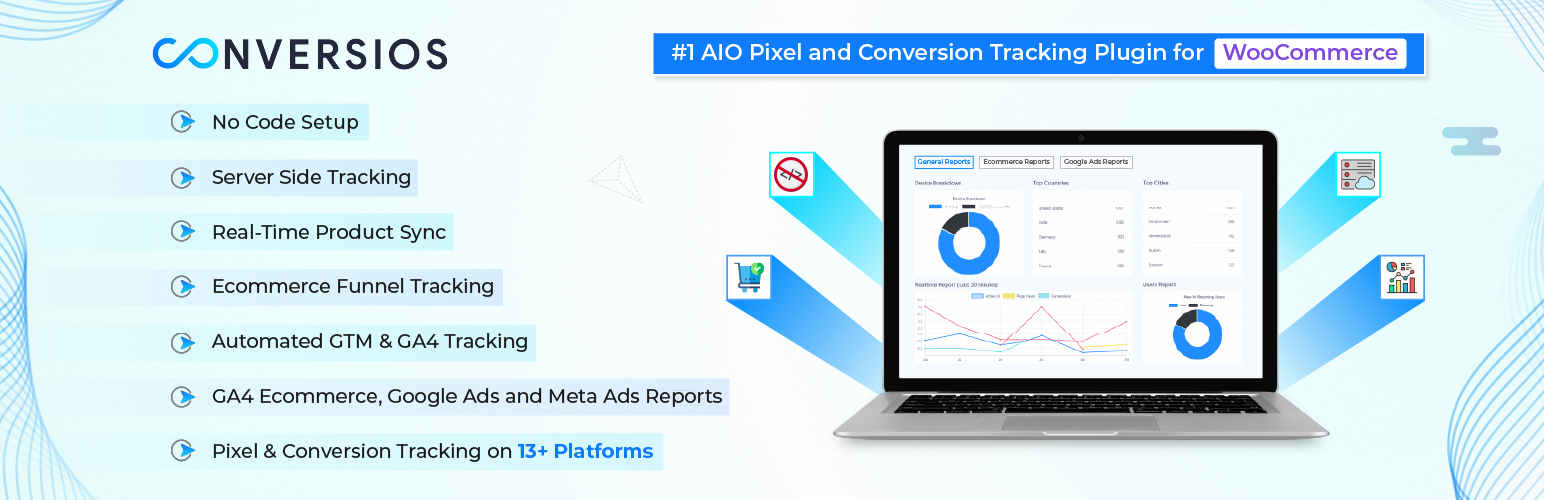

Conversios: Google Analytics (GA4), Google Ads, Conversion and Analytics Tracking for Multi-Channels
Improve conversion data accuracy and ad performance with unified tracking, product feeds, server-side tracking, and reporting for WooCommerce.
WooCommerce All-in-One Conversios Tracking Plugin helps store owners track accurate conversions across Google Analytics 4 (GA4), Google Ads, Microsoft Ads, Meta (Facebook), TikTok, and Snapchat, & manage multiple product feeds, and view reports in one place using a single plugin solution.
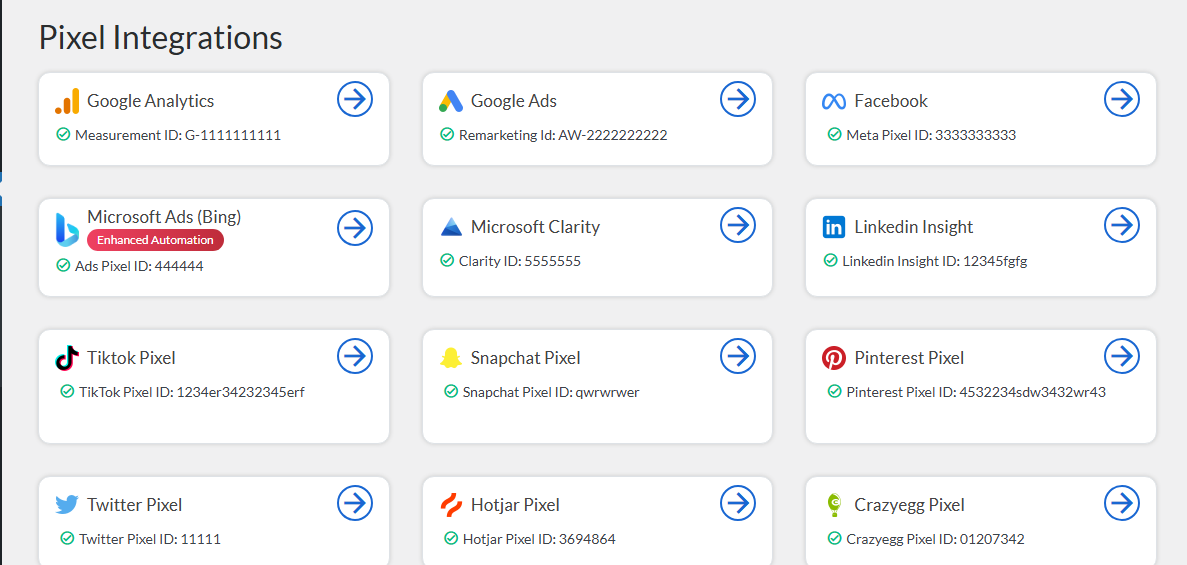
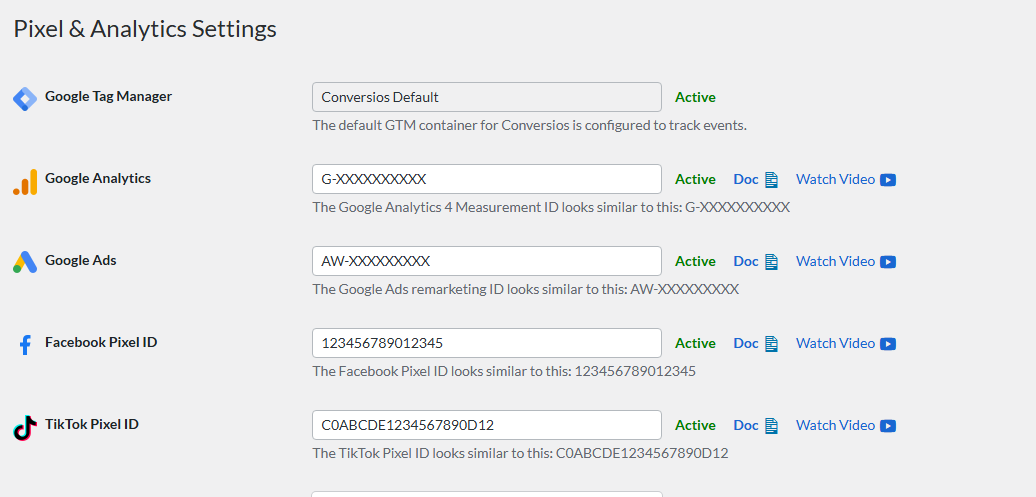
Track Add to Cart, Checkout, and Purchase events across supported advertising platforms. The plugin includes Conversion API (CAPI) support for Meta, TikTok, and Snapchat, along with pixel integrations for 12+ marketing and analytics tools.
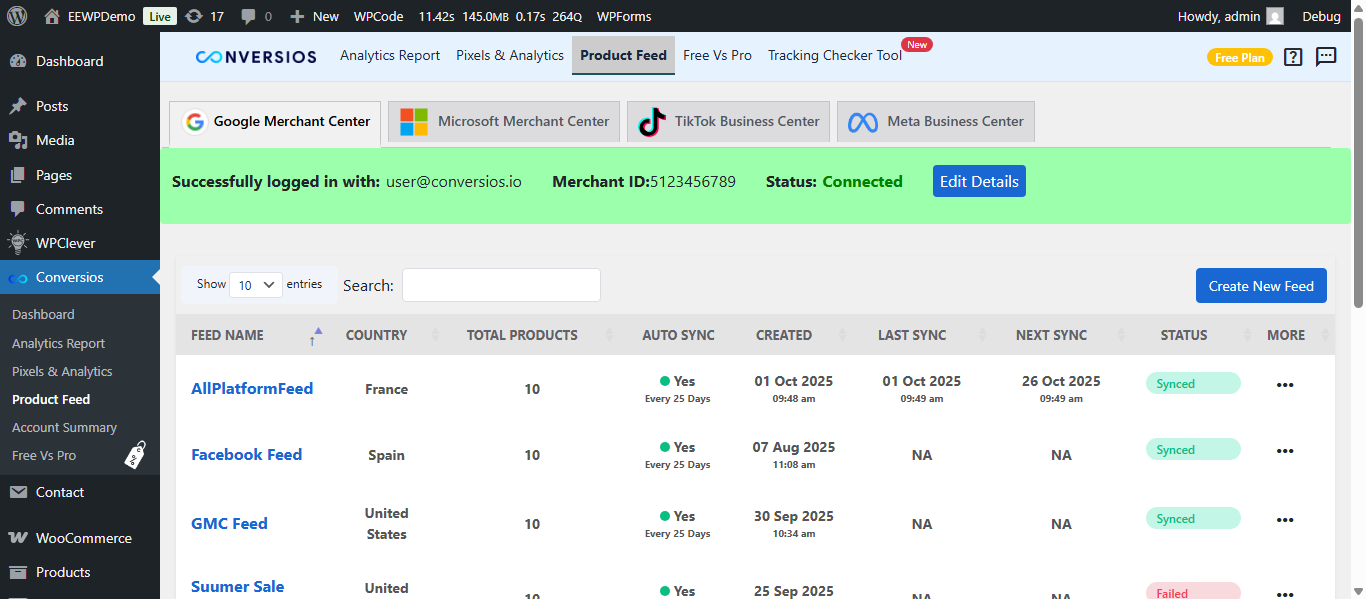
Sync WooCommerce products in real time to Google Merchant Center, Microsoft Merchant Center, Meta Catalog, and TikTok Catalog to keep product data up to date and improve Shopping feed approval and visibility.
Universal Commerce Protocol (UCP) (Pro) enables WooCommerce products to be discovered and purchased within Google Gemini shopping experiences. Conversios syncs products through Google Merchant Center and tracks purchases using server-side tracking to ensure accurate reporting in GA4 and connected ad platforms. (Requires approved Google Merchant Center account.)
Replace multiple plugins for pixels, server-side tracking, product feeds, and reporting with one unified WooCommerce solution to reduce costs, simplify setup, and manage marketing performance more efficiently.
Trusted by 60,000+ stores to improve attribution accuracy, reduce GA4 vs WooCommerce reporting gaps, and scale campaigns with more reliable data.
In a published WooCommerce case study, a global paint brand improved conversion tracking after implementing Conversios all-in-one plugin. Within weeks, they reported a 90% increase in Meta Ads conversions and a 50% uplift in Google Ads conversions, along with reduced GA4 vs WooCommerce reporting gaps. See the case study:
Global paint brand sees 90% lift in Meta Ads with Conversios
Walkthrough Video
Watch the full Conversios setup walkthrough covering GA4 tracking, Google Ads conversions, Meta Pixel + CAPI, Microsoft Ads UET, and product feed syncing.
What Problem We Solve
WooCommerce store owners often rely on multiple plugins to manage Google Analytics 4 (GA4) tracking, Google Ads conversions, Meta CAPI events, product feeds, and reporting. This increases setup complexity, costs, and ongoing management effort.
Sales and conversion data frequently becomes inconsistent between WooCommerce and advertising platforms due to browser restrictions, ad blockers, and fragmented tracking setups. Product feeds for Google, Meta, Microsoft, and TikTok require regular updates to avoid disapprovals and performance issues.
Marketing reports & insights are spread across multiple dashboards, making it difficult to identify gaps and optimize campaigns confidently.
This plugin unifies conversion tracking, server-side tracking, product feeds, and reporting in one no-code WooCommerce solution.
Store owners can manage everything from a single dashboard without developer support, saving time, reducing costs, and making marketing performance easier to measure and optimize.
Customer Feedback
“Outstanding support. Setup was quick and issues were resolved efficiently.”
@sajava
“Essential for e-commerce at scale; helped us move to managed first-party tracking and keep revenue reporting in sync across platforms and POS.”
@boomstudio
Features We Provide
Pixel & Conversion Tracking
- Google Analytics 4 (GA4) integration to track ecommerce and lead events
- Google Ads remarketing tag for audience building (Free)
- Google Ads purchase conversion tracking with Enhanced Conversions support (Pro)
- Meta (Facebook & Instagram) Pixel for ad tracking and conversion optimization
- TikTok Pixel and TikTok Conversions API (Pro)
- Snapchat Pixel and Snapchat Conversions API (Pro)
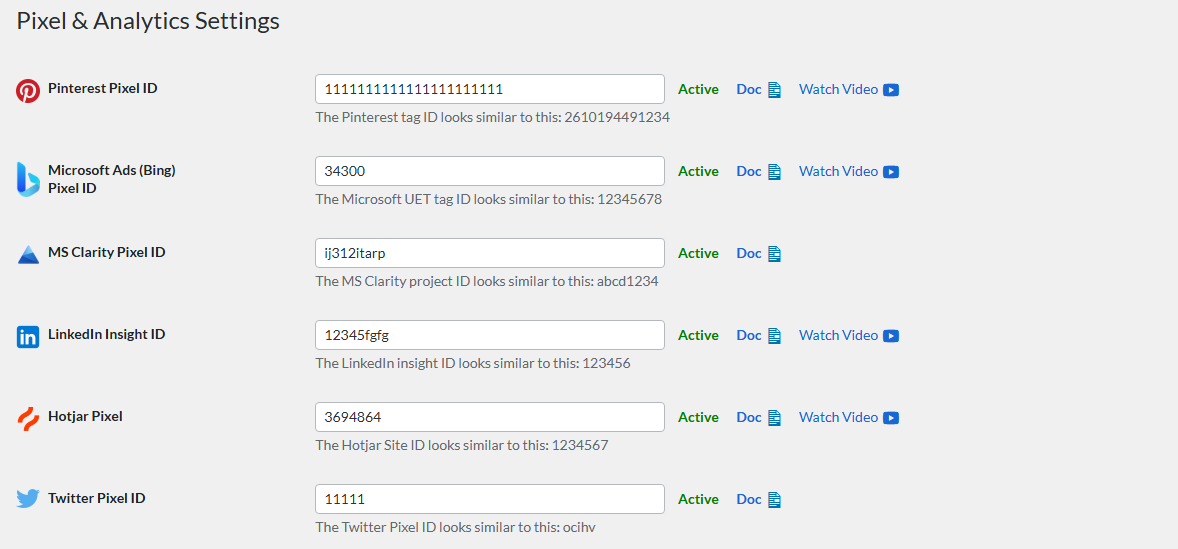
- Pinterest Tag to measure ad performance and user interactions
- LinkedIn Insight Tag for conversion tracking and audience insights
- Microsoft UET (Universal Event Tracking) for Microsoft Ads reporting and remarketing
- X (Twitter) Pixel for website tracking and audience creation
- Facebook Conversions API (Meta CAPI), TikTok Conversions API, and Snapchat Conversions API support (Pro)
Product Feed Management
- Sync WooCommerce products to Google Merchant Center for Shopping ads
- Automatic product feed sync with Microsoft Merchant Center (Bing Shopping)
- Product catalog sync to Meta (Facebook & Instagram Shops)
- Product feed sync to TikTok Catalog for ecommerce ads
- Real-time updates for product price, availability, and variants
- Universal Commerce Protocol (UCP) (Pro): Enable WooCommerce products to be discovered and purchased within Google Gemini shopping experiences, with server-side tracking for accurate GA4 and ad platform reporting (Requires approved Google Merchant Center account)
Reporting & Insights
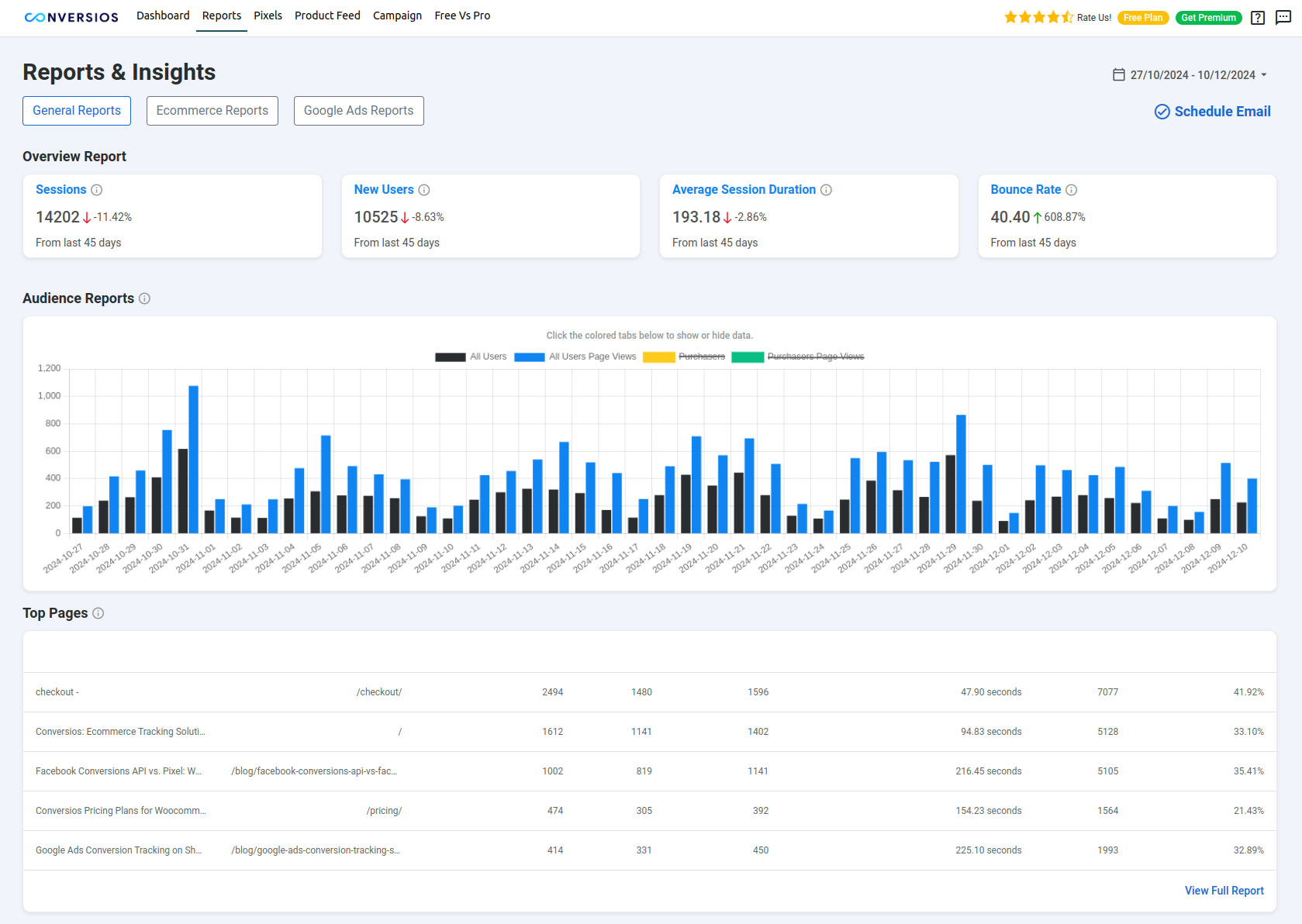
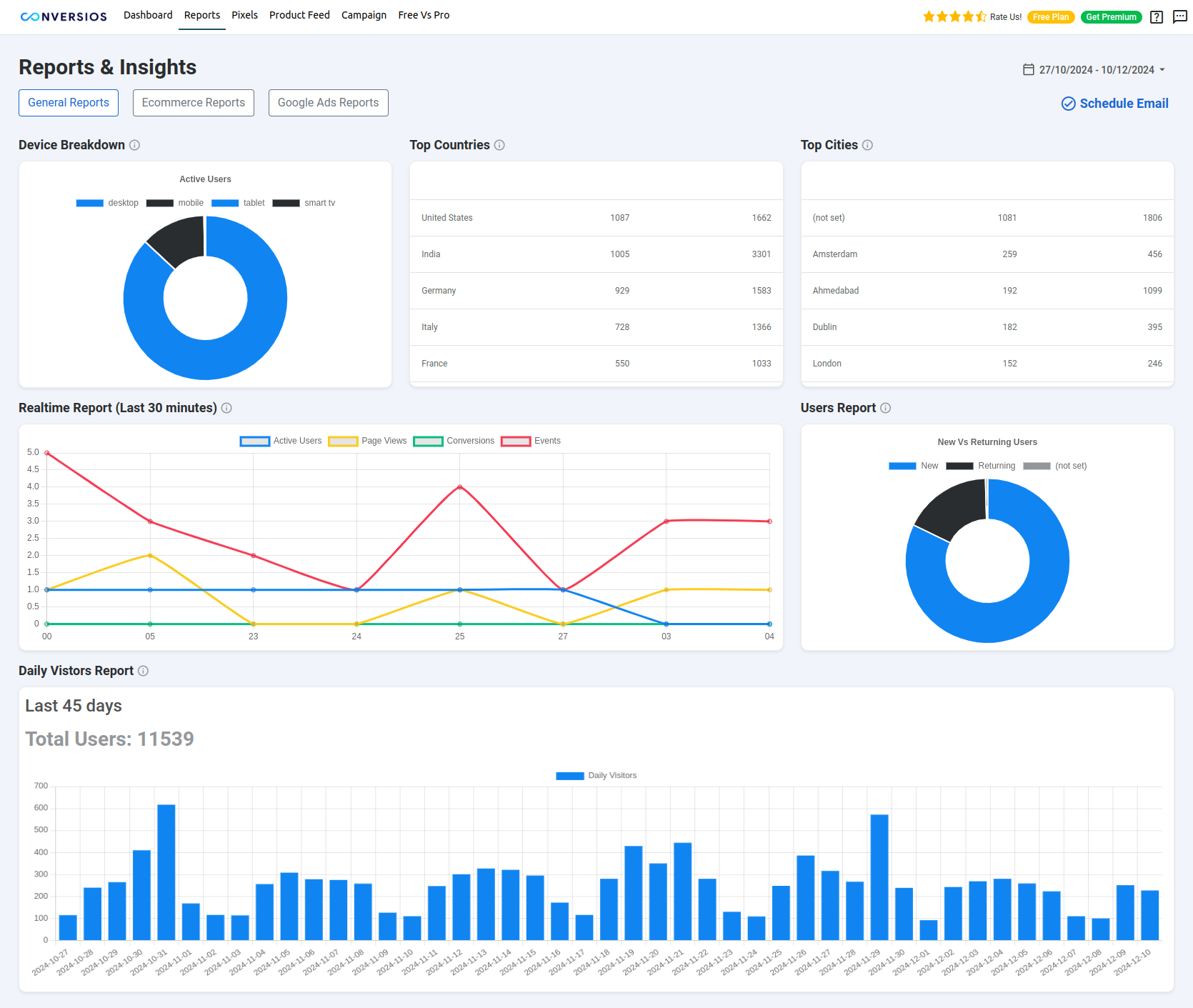
Most WooCommerce store owners need to check conversions in multiple places like GA4, Google Ads, Meta Ads, and WooCommerce separately, which makes reporting fragmented and time-consuming. Conversios centralizes key reports inside WordPress so you can validate tracking accuracy and monitor performance faster.
View and analyze your data using platform-specific reports, including:
- GA4 basic reporting for events and conversions
- GA4 Ecommerce Funnel reporting (Pro)
- Google Ads conversion reporting(Pro)
- Meta Ads conversion reporting(Pro)
These reports help validate tracking accuracy, compare platform data with WooCommerce orders, and identify optimization opportunities more confidently.
Have a look at the full feature list over here.
Supported Payment Methods
Purchase conversions work with common WooCommerce payment gateways, including:
– Stripe
– PayPal
– WooCommerce Payments
– Authorize.Net
– Razorpay
Important: Purchase tracking works when the payment flow redirects customers to the WooCommerce Order Received / Thank You page.
Any payment gateway that returns users to this page after successful payment will be tracked correctly.
Supported WooCommerce Events
Conversios tracks the complete WooCommerce shopping journey using standard GA4 ecommerce and engagement events.
Store and product browsing
– page_view (page visit)
– view_item_list (category or product list view)
– select_item (product click)
– view_item (product detail page)
Cart actions
– add_to_cart (add product to cart)
– remove_from_cart (remove product from cart)
– view_cart (cart page view)
Checkout steps
– begin_checkout (checkout started)
– add_shipping_info (shipping method selected)
– add_payment_info (payment method selected)
Orders/purchase
– purchase (order completed)
– refund (order refunded)
Other GA4 engagement events
– scroll (scroll depth tracking)
– form_submit (form submissions)
– signup (user sign-up)
– login (user login)
– email_click (email link clicks)
– phone_click (phone number clicks)
– address_click (address or map clicks)
– file_download (file download tracking)
– article_load (content or article load events)
Add to Cart works out of the box for standard WooCommerce themes. Stores using drawer carts, AJAX carts, or custom flows may require customization. Get help with us at info@conversios.io
Consent Mode v2 Support
Consent Mode v2 (works with your CMP): Conversios does not provide a consent banner. It sends or blocks tracking based on your existing CMP settings. To enable and configure Consent Mode, contact our support team at info@conversios.io.
Best Fit for Which Stores
- WooCommerce DTC brands and stores running paid ads that need more consistent purchase conversion reporting in GA4 and advertising platforms
- WooCommerce stores selling physical or digital products where purchase and checkout data is critical for ROAS and campaign optimization
- WooCommerce stores using multiple ad platforms and looking to track conversions and manage pixels from one place
- Stores that want to validate GA4 and ad platform conversions against WooCommerce orders
- Merchants who prefer a no-code setup for conversion tracking, product feeds, and reporting without developer dependency
Setup in Minutes & Faster Time to Value
- Get started in about 15 minutes with a simple no-code setup.
Conversios combines multi-platform conversion tracking,Feed and reporting in one plugin, so you don’t need to install or manage multiple plugins.
Support
Need help with setup, event validation, custom cart/checkout, payment gateways, or Consent Mode? Email info@conversios.io or chat with us on WhatsApp.
View step-by-step setup guides:
Setup Documentation
You can also use our free tool to quickly check if tracking is working or not on your site and overall website tracking score:
Website Tracking Checker Tool
Privacy Policy
You can view our detailed privacy policy here.
Compatibility
Conversios is compatible with the following major plugins:
- Perfect Brands for WooCommerce (for Product Feed)
- YITH WooCommerce Brands (for Product Feed)
- WooCommerce Brands (for Product Feed)
- YITH Multi-Currency Switcher for WooCommerce
- YITH Custom Thank You Page for WooCommerce
- Multi-currency plugins like WOOCS, CURCY, and WBW Currency Switcher
- Consent Management Platforms (CMPs) like CookieYes, GDPR Cookie Compliance, Real Cookie Banner, and Cookiebot (for Consent Mode v2)
- Lead generation plugins like Contact Form 7, Ninja Forms, Formidable Forms, WPForms, and Gravity Forms
Details
Related plugins
Plugins that also contain the tag conversion-tracking
Pixel Manager for WooCommerce – Conversion Tracking, Google Ads, GA4, TikTok, Dynamic Remarketing

CallRail Phone Call Tracking

Product Feed for Google Shopping, Microsoft Advertising and 40+ Channels for WooCommerce Merchant

Tracking Script Manager

TradeTracker Connect

Content Snippet Manager

About
Plugin for that tries to help you find the WordPress plugin you are looking for.
| Please enjoy an image of Crush (this awesome turtle) and have a lovely day! |  |
We do not own any plugin listed on this site and do not work for or work with WordPress.com or it's associated companies. We simply provide a searchable list of the available WordPress plugins.