



EC Intelligent Log Auditor
EC Intelligent Log Auditor records administrative activity on your site and gives administrators a searchable audit trail.
What gets logged
- Logins, logouts and failed login attempts
- Content created, updated and status changes (any post type; revisions and autosaves are skipped, the static homepage is flagged)
- Users created, deleted, profile updates, password and email changes, role changes (including added and removed roles and capabilities written directly to user meta), and application passwords created or revoked
- Plugin activation, deactivation and deletion; theme switches and deletion; saves from the built-in plugin and theme file editor
- Core, plugin, theme and translation updates and installs
- Changes to selected WordPress settings with before/after values (off by default; secret-looking options are never logged)
- Changes to EC Intelligent Log Auditor’s own settings and its deactivation (always logged, so the audit trail cannot be switched off unnoticed)
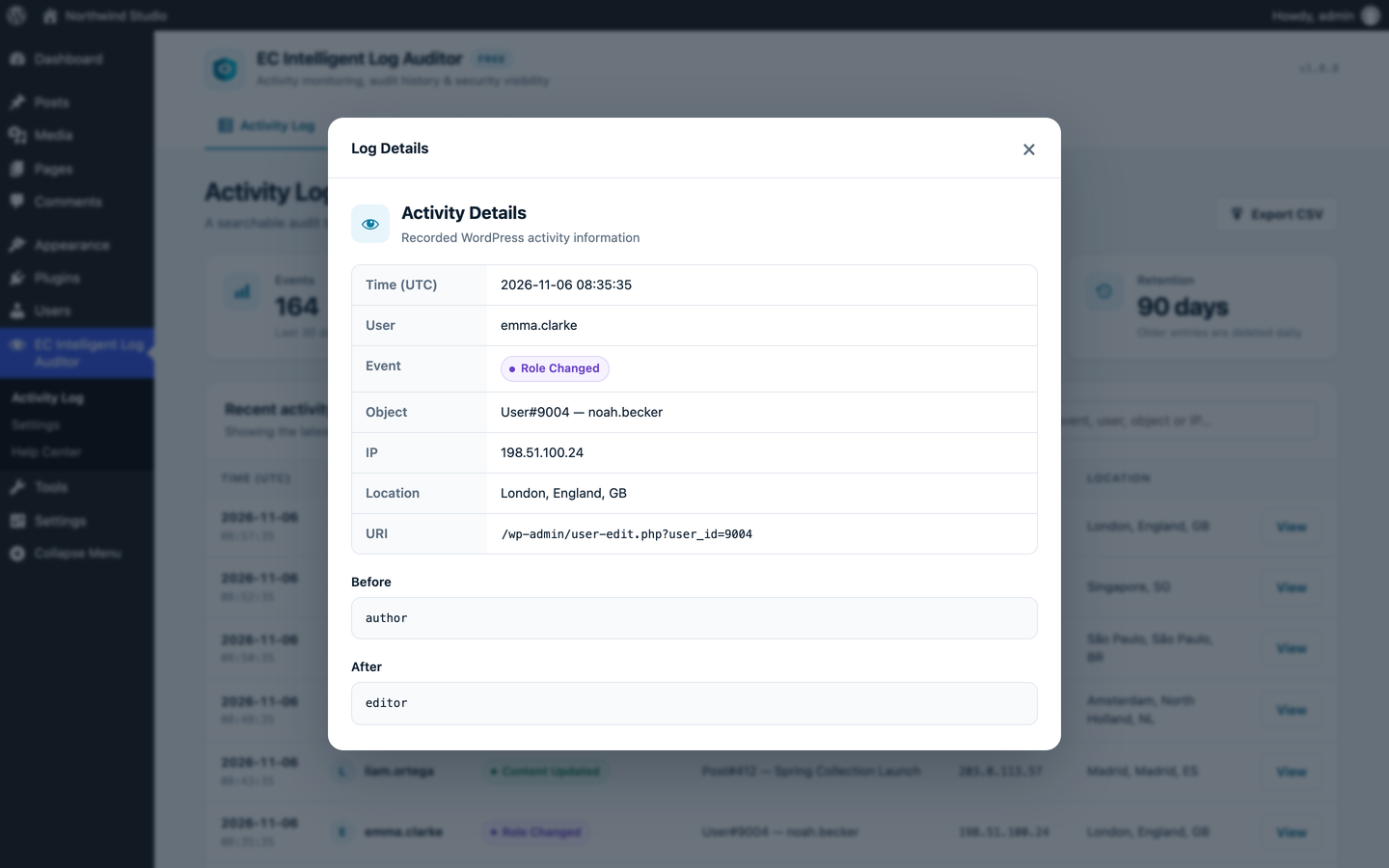
Each entry stores the time (UTC), user and role, event, object, IP address, location (with GeoIP), user agent and request URI. Secrets in the URL query string (nonces, tokens, passwords, keys) are redacted.
Activity Log screen
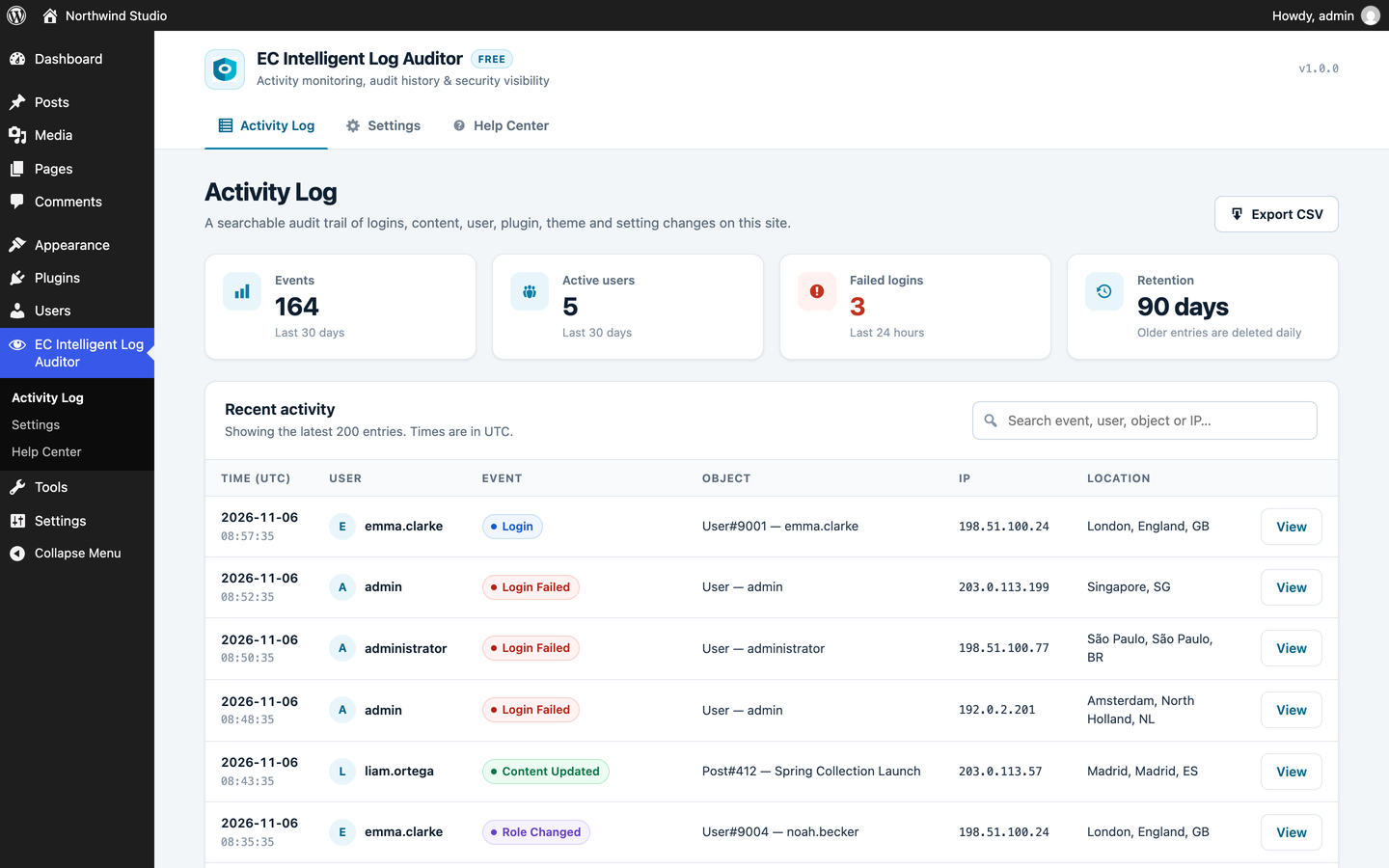
- Summary cards: events and active users in the last 30 days, failed logins in the last 24 hours, and the retention period
- The latest 200 entries, searchable by event, username, object or IP
- A details dialog for each entry
- CSV export of the latest 5,000 entries
Help Center
A built-in Help Center (EC Intelligent Log Auditor > Help Center) answers common questions about logging, privacy, proxies and GeoIP, with search.
Privacy and retention
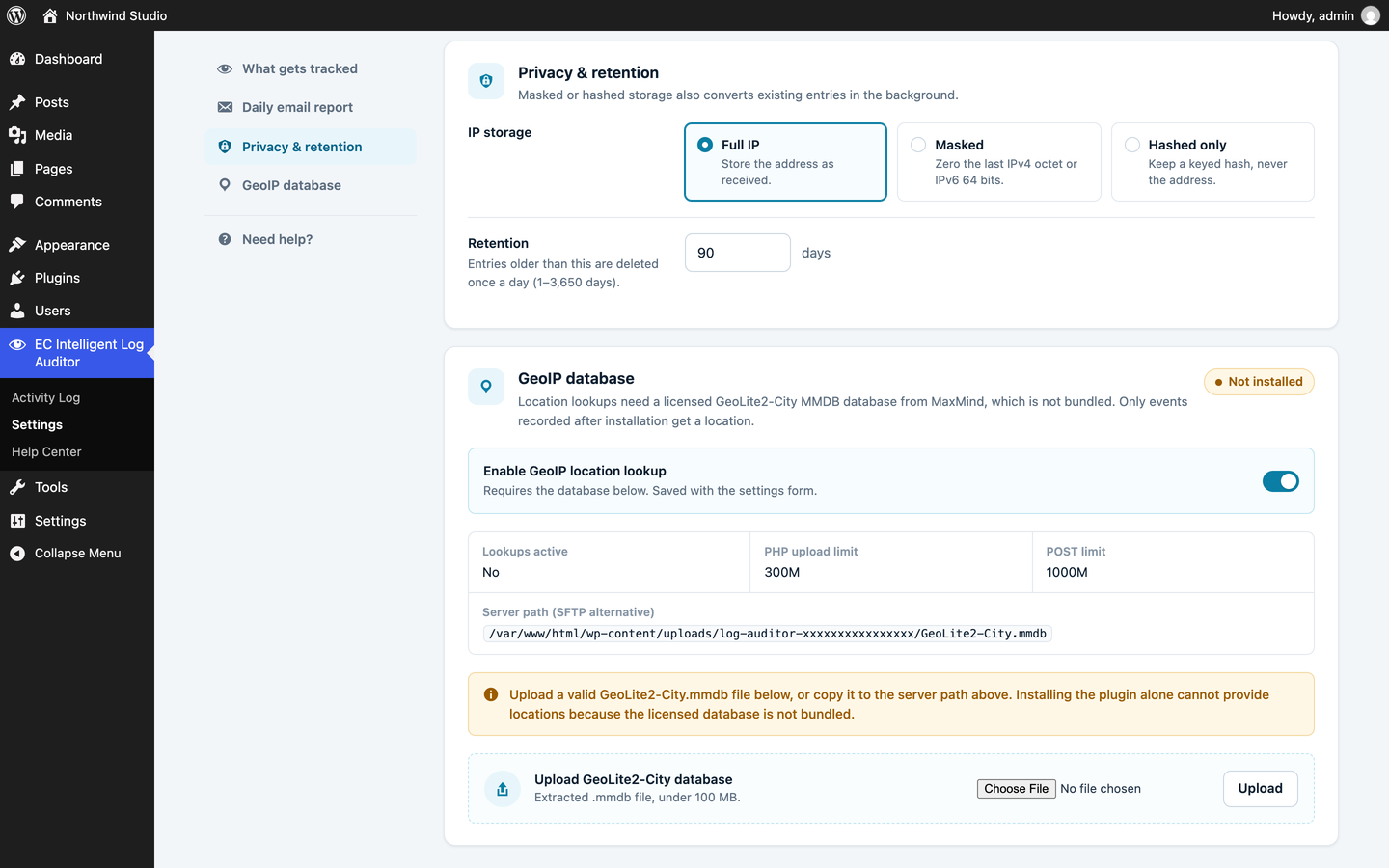
- IP storage: full, masked (last IPv4 octet / last 64 IPv6 bits zeroed) or a keyed HMAC-SHA256 hash only. Switching to masked or hashed also converts entries already stored, in the background.
- Automatic deletion after a configurable number of days (default 90)
- Failed logins are rate limited (10 per IP and 60 site-wide per minute by default), with a single summary entry when a limit is reached
- Integrates with Tools > Export / Erase Personal Data, and adds suggested text to the privacy policy guide
Sites behind a proxy or CDN
By default the IP address is taken from the connection (REMOTE_ADDR), because forwarding headers can be forged by any visitor. If your site sits behind a load balancer, reverse proxy or CDN, list the proxy addresses in wp-config.php:
define( 'LOG_AUDITOR_TRUSTED_PROXIES', '10.0.0.0/8, 2001:db8::/32' );
The client IP is then read from X-Forwarded-For, skipping trusted hops from the right. For Cloudflare, list Cloudflare’s IP ranges and also add:
define( 'LOG_AUDITOR_CLIENT_IP_HEADER', 'HTTP_CF_CONNECTING_IP' );
Both values can also be set with the log_auditor_trusted_proxies and log_auditor_client_ip_header filters.
GeoIP
Location lookups need a GeoLite2-City or GeoIP2-City MMDB database from MaxMind, which is not included. Upload it from Settings, or copy it over SFTP to the path shown there. Previously recorded entries are not backfilled.
Details




Related plugins
Plugins that also contain the tag activity-log
WP Activity Log

Activity Log – Monitor & Record User Changes

Shield: Blocks Bots, Protects Users, and Prevents Security Breaches

Activity Logs, User Activity Tracking, Multisite Activity Log from Logtivity
WP Admin Audit

Adminify Activity Logs


About
Plugin for that tries to help you find the WordPress plugin you are looking for.
| Please enjoy an image of Crush (this awesome turtle) and have a lovely day! |  |
We do not own any plugin listed on this site and do not work for or work with WordPress.com or it's associated companies. We simply provide a searchable list of the available WordPress plugins.