


EstudoBiblico Bíblia Digital
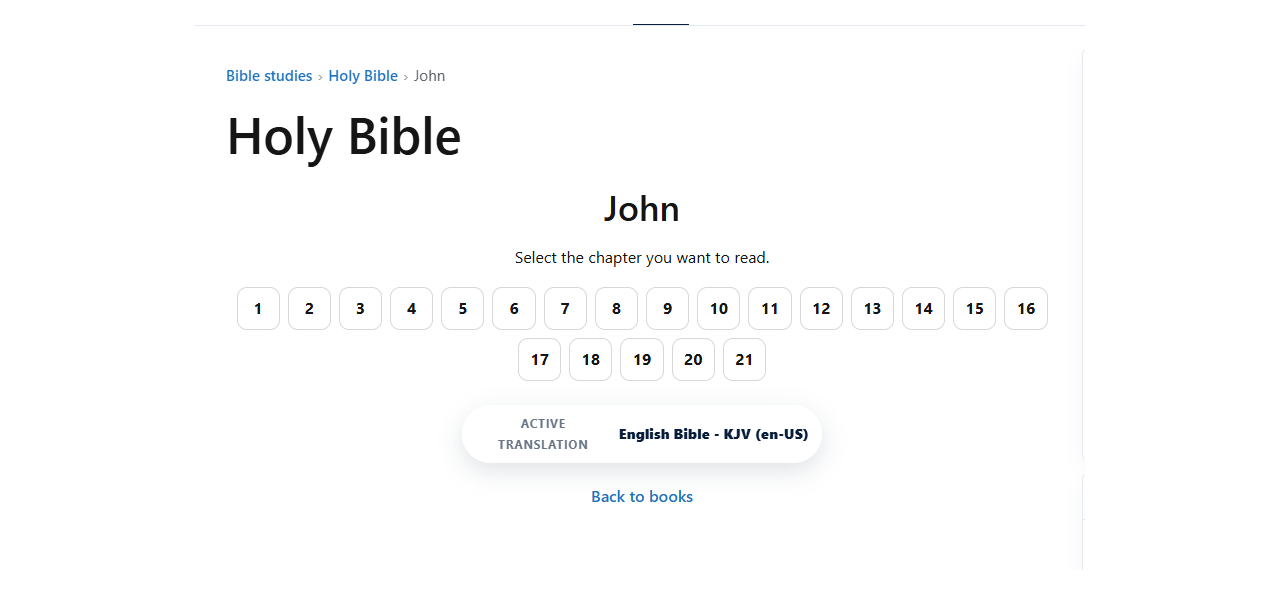
EstudoBiblico Bíblia Digital lets site administrators publish locally stored Bible content in WordPress using plugin-owned database tables, friendly URLs, shortcodes, widgets, and a search block.
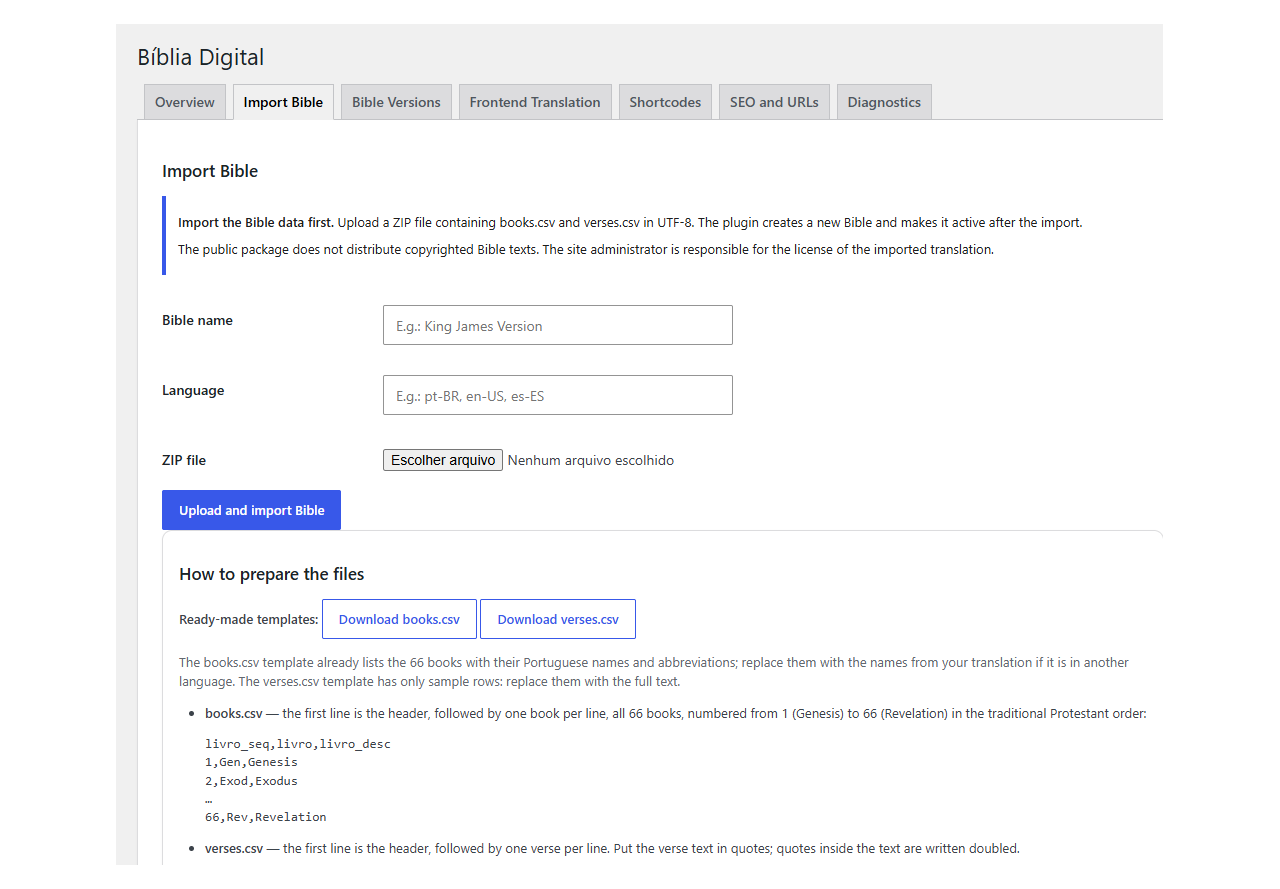
This public package does not include copyrighted Bible texts, SQL dumps, or proprietary translations. The site administrator imports licensed Bible data with a ZIP file that contains books.csv and verses.csv.
Main features:
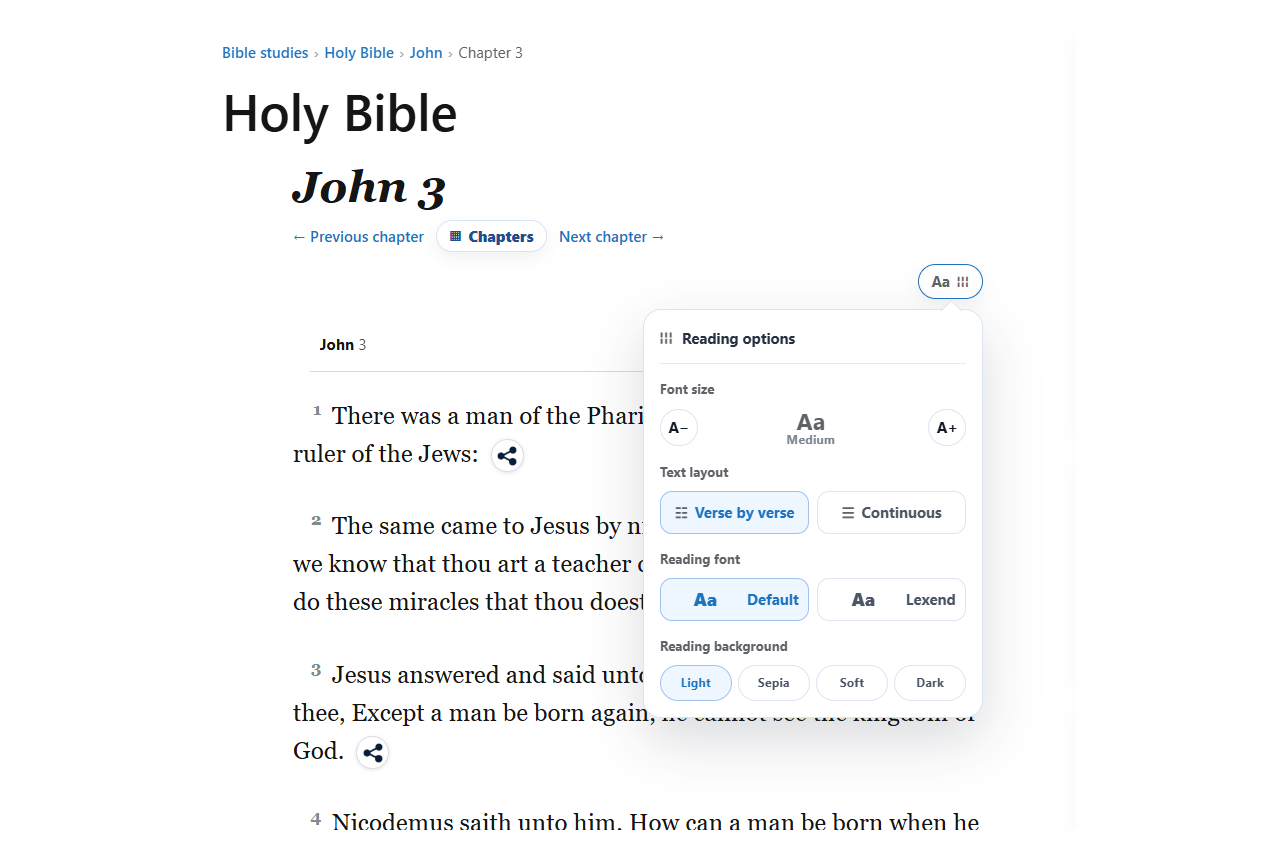
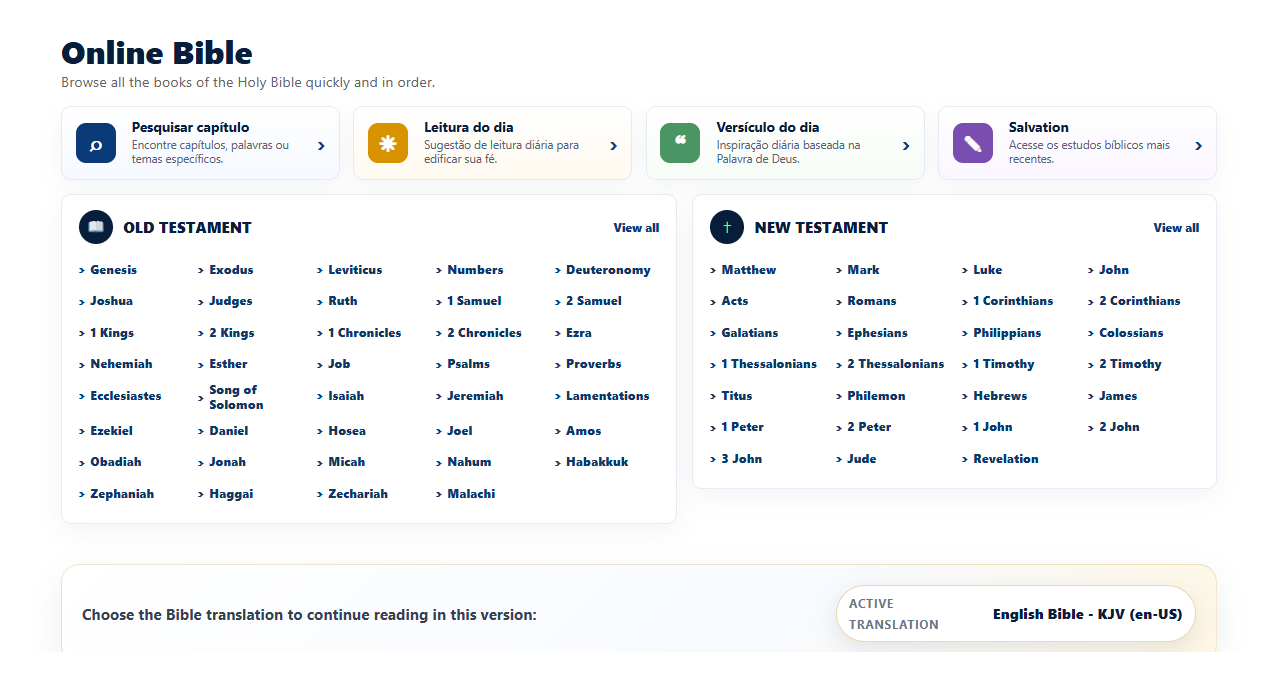
- Frontend Bible reader by book, chapter, and verse.
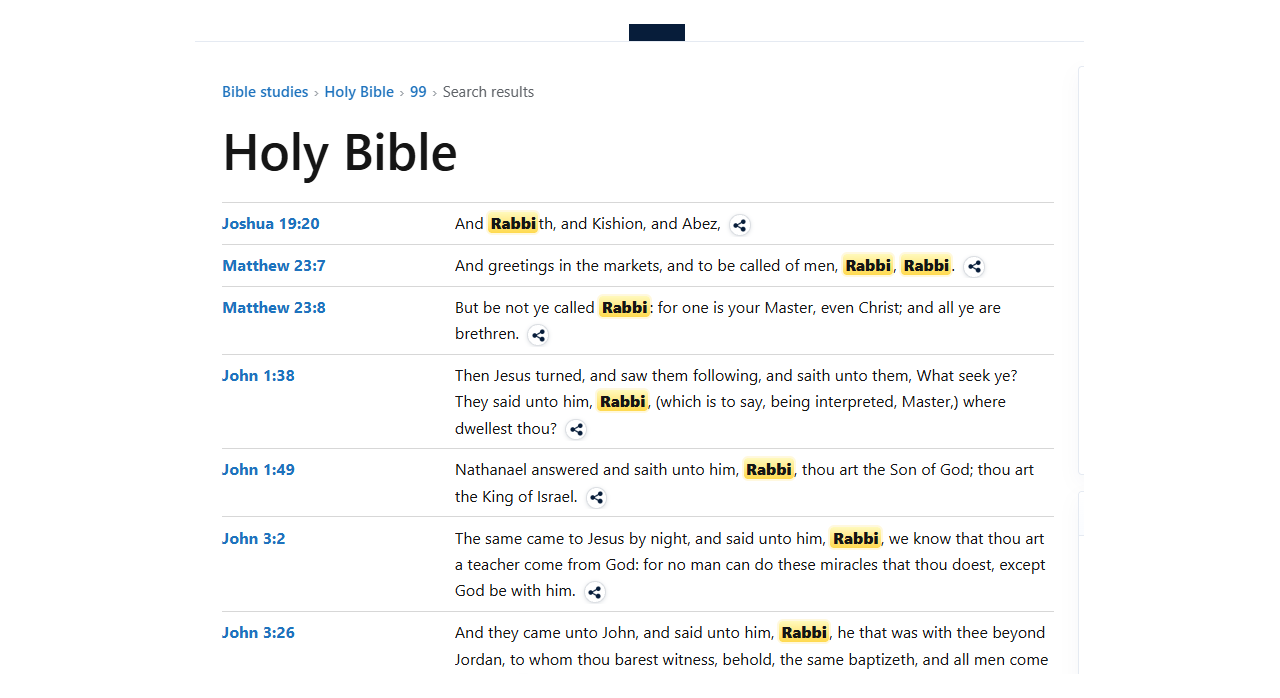
- Search by word, phrase, exact phrase, any word, or all words.
- Friendly URLs for books, chapters, verses, and version-aware paths.
- Backward compatibility with older query-string URLs.
- SEO metadata, canonical URL support, and local manifest endpoint.
- Gutenberg search block.
- Search widget and random verse widget.
- Shortcodes for the reader, search, random verses, specific verses, and chapters.
- Multisite-compatible structure.
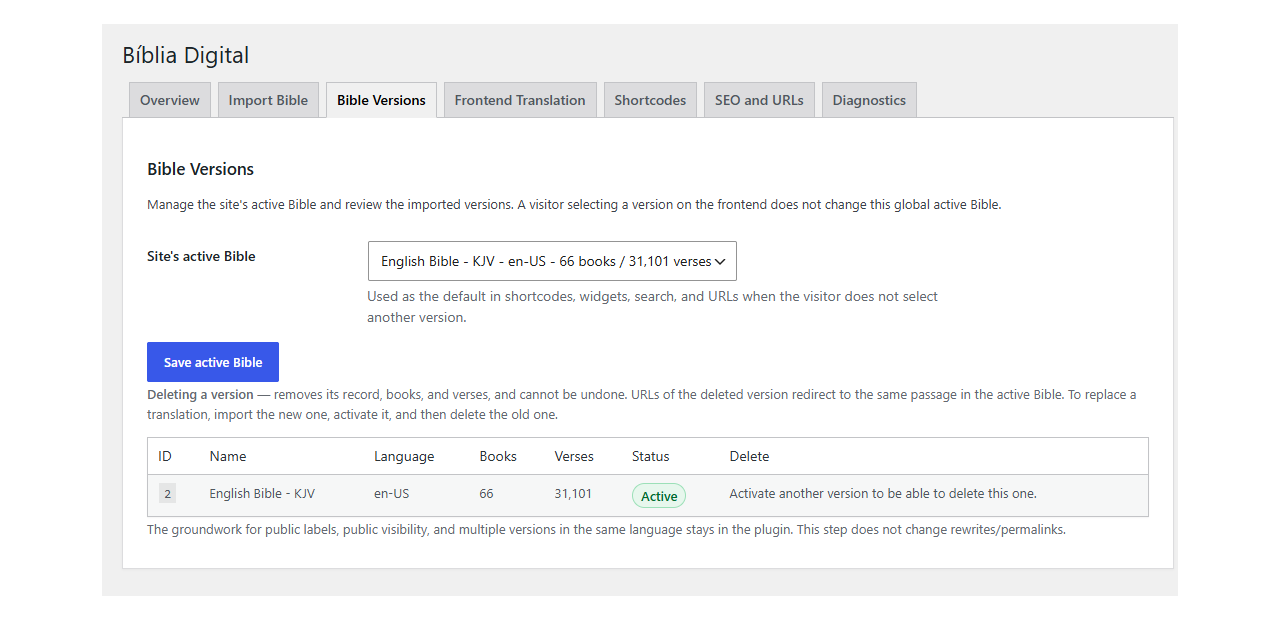
- Multiple Bible versions/translations per site.
- Optional upload of
.pot,.po, and.mofiles for plugin interface translation. - Admin tabs for overview, import, versions, frontend translation, shortcodes, SEO and URLs, and diagnostics.
- No required calls to external APIs.
Bible Data License
This plugin does not distribute Bible text. The site administrator is responsible for confirming that every imported translation is public domain, properly licensed, or used with permission from the rights holder.
Import Format
Import a ZIP file containing:
books.csvverses.csv
Both files must be encoded in UTF-8. Comma and semicolon separators are supported.
Required books.csv columns:
livro_seqlivrolivro_desc
Required verses.csv columns:
testamentolivroseqlivrocapituloversiculopalavra
Example books.csv:
livro_seq,livro,livro_desc
1,Gn,Genesis
43,John,John
Example verses.csv:
testamento,livroseq,livro,capitulo,versiculo,palavra
OT,1,Gn,1,1,In the beginning God created the heaven and the earth.
NT,43,John,3,16,For God so loved the world...
Book numbering should follow the traditional Protestant order from 1 to 66.
Shortcodes
All shortcodes are also documented inside the plugin admin area under Settings > Biblia Digital > Shortcodes.
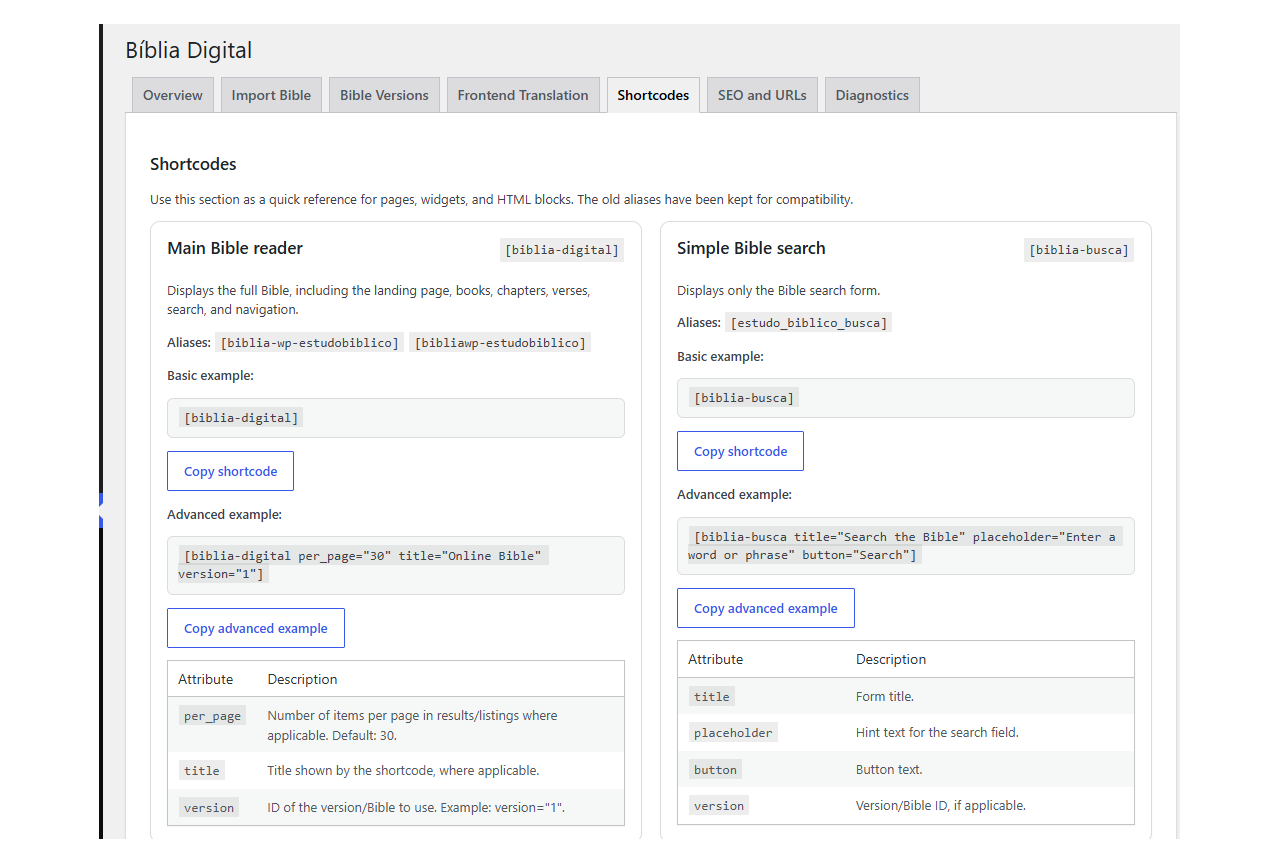
Main Bible Reader
Shortcode:
[biblia-digital]
Compatibility aliases:
[biblia-wp-estudobiblico][bibliawp-estudobiblico]
Description: displays the full Bible reader, including landing area, books, chapters, verses, search, breadcrumbs, and navigation.
Examples:
[biblia-digital]
[biblia-digital version="1"]
[biblia-digital per_page="30" title="Bible Reader" version="1"]
Attributes:
per_page: number of items per page when pagination is used. Default: 30.title: optional title displayed by the shortcode when applicable.version: Bible version ID. Example:version="1".
Simple Bible Search
Shortcode:
[biblia-busca]
Alias:
[estudo_biblico_busca]
Description: displays only the Bible search form.
Examples:
[biblia-busca]
[biblia-busca title="Search the Bible" placeholder="Type a word or phrase" button="Search"]
Attributes:
title: search form title.placeholder: placeholder text for the search field.button: submit button text.version: Bible version ID, when applicable.
Full Search Page
Shortcode:
[biblia-busca-pagina]
Alias:
[biblia-digital-busca]
Description: displays the search form, results, and pagination. This shortcode is recommended for a public search page.
Examples:
[biblia-busca-pagina]
[biblia-busca-pagina title="Search the Bible" per_page="30" show_book="1"]
Attributes:
title: search page or block title.per_page: number of results per page. Suggested default: 30.show_book: show the book selector. Accepts1or0.version: Bible version ID, when applicable.
Random Verse
Shortcode:
[biblia-versiculo-aleatorio]
Description: displays a random Bible verse.
Examples:
[biblia-versiculo-aleatorio]
[biblia-versiculo-aleatorio book="19"]
[biblia-versiculo-aleatorio title="Verse of the Moment" book="19" show_button="1" button_text="Read chapter"]
Attributes:
title: block title.book: book ID or book identifier. Example:book="19"for Psalms.version: Bible version ID.show_reference: show the Bible reference. Accepts1or0.link_reference: link the reference to the reader. Accepts1or0.show_button: show a chapter button. Accepts1or0.button_text: button label.
Specific or Random Verse
Shortcode:
[biblia-versiculo]
Description: displays one specific verse or a random verse.
Examples:
[biblia-versiculo livro="john" capitulo="3" versiculo="16"]
[biblia-versiculo book="43" chapter="3" verse="16"]
[biblia-versiculo livro="random" capitulo="random" versiculo="random"]
[biblia-versiculo livro="psalms" capitulo="23" versiculo="random"]
Attributes:
title: optional title.livro: book name, abbreviation, or ID.book: English alias forlivro.capitulo: chapter number orrandom.chapter: English alias forcapitulo.versiculo: verse number orrandom.verse: English alias forversiculo.version: Bible version ID.show_reference: show the reference. Accepts1or0.link_reference: link the reference to the reader. Accepts1or0.show_button: show a button. Accepts1or0.button_text: button label.
Accepted random values:
randomaleatorioaleatóriorand*
Specific or Random Chapter
Shortcode:
[biblia-capitulo]
Description: displays a specific chapter or a random chapter.
Examples:
[biblia-capitulo random="1" limite="15"]
[biblia-capitulo livro="john" capitulo="3"]
[biblia-capitulo livro="43" capitulo="3"]
Attributes:
title: optional title.livro: book name, abbreviation, or ID.book: English alias forlivro.capitulo: chapter number.chapter: English alias forcapitulo.random: enable random chapter mode. Accepts1or0.limite: limit the number of displayed verses.limit: English alias forlimite.version: Bible version ID.show_title: show the chapter title. Accepts1or0.show_button: show a button to open the full chapter. Accepts1or0.button_text: button label.
Friendly URLs
Biblia Digital supports friendly URLs and keeps compatibility with older query-string URLs.
Version-aware URL example:
/biblia-digital/versao/acf-pt-br/john/3/16/
Legacy URL example:
/biblia-digital/john/3/16/?bdwp_bible_id=1
After changing the Bible URL base in the plugin settings, go to Settings > Permalinks and click Save Changes once.
Privacy
Biblia Digital does not collect personal data, track visitors, or require calls to external APIs. Imported Bible content is stored locally in the WordPress database.
License
This plugin is licensed under GPLv2 or later. Imported Bible data must be public domain, properly licensed, or used with permission from the rights holder.
Details
Related plugins
Plugins that also contain the tag bible
Logos Reftagger

Bible Verse of the Day

Visual Bible Verse of the Day Widget
ESV CrossReference Tool

GoPrayer

BibleLink Multilingual


About
Plugin for that tries to help you find the WordPress plugin you are looking for.
| Please enjoy an image of Crush (this awesome turtle) and have a lovely day! |  |
We do not own any plugin listed on this site and do not work for or work with WordPress.com or it's associated companies. We simply provide a searchable list of the available WordPress plugins.