



Evenzo Events Manager for WooCommerce
Evenzo Events Manager for WooCommerce helps you create and manage events directly from your WooCommerce store. Sell tickets, track attendees, handle check-ins, and print PDF tickets without paying for expensive add-ons or third-party services.
This plugin works with your existing WooCommerce setup. That means you can use any payment gateway you already have configured, and all ticket sales appear in your regular WooCommerce orders.
How Ticket Sales Work
Create a WooCommerce product and mark it as an event ticket. The plugin adds a new tab in the product editor where you link the product to your event and configure ticket-specific settings like sales dates, minimum and maximum quantities, and attendee information fields. When customers purchase the product, the plugin automatically creates attendee records and generates unique ticket codes with QR codes.
Core Features
Event Management
- Single events, recurring events, and multi-day conferences.
- Event categories and tags for organization.
- Event status tracking (scheduled, ongoing, completed, cancelled, postponed).
- In-person, virtual, and hybrid event types.
- Registration deadlines and capacity limits.
Ticket Sales
- Turn any WooCommerce product into an event ticket.
- Works with simple and variable products.
- Set minimum and maximum tickets per order.
- Configure sales start and end dates.
- Collect custom attendee information at checkout.
- Group tickets with multiple persons per ticket.
Attendee Management
- Automatic attendee creation from completed orders.
- Unique ticket codes for each attendee.
- Custom fields stored with each attendee record.
- Search and filter attendees by event, status, or name.
- Export attendee lists to CSV.
Check-in System
- QR code scanning from any device with a camera.
- Manual ticket code entry.
- Real-time check-in statistics.
- Check-in and check-out tracking.
- Attendee search at the door.
PDF Tickets
- Printable tickets with QR codes.
- Event details, venue information, and attendee data.
- Download from My Account page.
- Bulk download all tickets for an event.
Calendar and Display
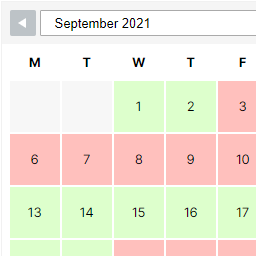
- Month view and list view calendars.
- AJAX navigation without page reloads.
- Category filtering.
- Event archive page with grid layout.
- Single event pages with full details.
Recurring Events
- Daily, weekly, monthly, and yearly patterns.
- Custom intervals (every 2 weeks, every 3 months).
- End by date or number of occurrences.
- Exclude specific dates.
- Edit or delete individual occurrences.
Email Notifications
- Registration confirmation emails.
- Ticket delivery with QR codes.
- Event reminder emails (configurable timing).
- Event update and cancellation notices.
- Admin notifications for new registrations.
Custom Event Attributes
- Add custom key-value details to any event (dress code, age limit, parking, etc.).
- Repeatable fields in the event editor.
- Displayed on event pages in a clean grid layout.
Venue and Organizer Profiles
- Save venue details for reuse across events.
- Address, capacity, and contact information.
- Organizer profiles with contact and social links.
- Google Maps integration for venue locations.
Speaker Management
- Speaker profiles with photos and bios.
- Social media links.
- Assign speakers to events.
Waitlist
- Automatic waitlist when events sell out.
- Position tracking.
- Automatic notification when spots open.
- Configurable expiration time.
Dynamic Pricing
- Early bird pricing based on dates.
- Last-minute pricing.
- Quantity-based discounts.
- Role-based pricing for members.
Seating Charts
- Visual seat selection for reserved seating.
- Sections, rows, and individual seats.
- Seat categories with different pricing.
- Accessible seating designation.
- General admission areas.
Import and Export
- Export events to CSV.
- Import events from CSV with field mapping.
- Export to iCal/ICS for calendar apps.
- Import from ICS files.
- Calendar feed URL for subscriptions.
- Add to Calendar button (Google, Outlook, Yahoo, Apple).
Blocks
- Event Calendar block with month and list views.
- Events List block with grid or list layout.
- Upcoming Events block for sidebars.
- Event Card block for embedding events in posts.
- Event Countdown block with live timer.
Shortcodes
[emwc_calendar]for calendar display.[emwc_events]for event lists and grids.[emwc_upcoming]for upcoming events.- Shortcode attributes for customization.
Widgets
- Upcoming Events widget.
- Mini Calendar widget.
SEO and Structured Data
- Schema.org Event JSON-LD markup on event pages.
- Rich snippets for Google search results.
- RSS feed for events at
/feed/emwc-events/. - Configurable via Settings > Display.
Privacy and GDPR
- WordPress Privacy API integration.
- Personal data exporter for attendee records.
- Personal data eraser (anonymization) for attendee records.
- Suggested privacy policy text.
- Configurable data retention period.
Accessibility
- Skip-to-content links on event pages.
- ARIA landmarks and labels for calendar and event content.
- Keyboard-navigable calendar with live region updates.
- Focus-visible outlines for keyboard users.
- Screen reader text for navigation controls.
Developer Features
- REST API for events, venues, organizers, and attendees.
- Webhooks for event and registration triggers.
- Template files that can be overridden in themes.
- Hooks and filters throughout the plugin.
- WordPress coding standards.
- Per-event timezone support with timezone display on frontend.
My Account Integration
Customers can view their tickets from their WooCommerce My Account page. Each ticket shows the event details, QR code, and a print button for the PDF version.
External Services
This plugin uses external services as described below.
QR Server API
The plugin requests QR code images from the QR Server API when customers view their tickets.
Data sent: Only the ticket code that gets encoded into the QR image. No personal information is transmitted.
When it happens: When a customer views or downloads their ticket QR code.
Provider: Foundata GmbH (Germany)
Terms of Service: goqr.me/de/rechtliches
Privacy Policy: goqr.me/de/rechtliches/datenschutz-qrserver.html
The API is free and does not require registration.
Webhooks (User-configured)
If the site admin configures webhook URLs in the plugin settings, the plugin sends HTTP POST requests to those user-specified endpoints when events are created, updated, or cancelled, when new registrations occur, or when attendees are checked in.
Data sent: Depending on the webhook topic, the plugin sends event data, attendee data, or registration data to the configured URL. The site admin controls which URLs receive data and which topics trigger notifications.
When it happens: Only when a site admin has explicitly added webhook URLs in the plugin settings. No data is sent to external servers unless the admin configures this feature.
Provider: Determined by the site admin. The plugin does not send data to any predefined third-party service through webhooks.
Google Maps Platform
If the site admin enables the Google Maps integration and provides an API key in the plugin settings, the plugin loads the Google Maps JavaScript API to display venue maps on event pages and for geocoding venue addresses.
Data sent: The Google Maps API key and venue address are sent to Google servers. No personal visitor information is transmitted by the plugin.
When it happens: Only when a site admin has explicitly entered a Google Maps API key in Settings > Maps, and a visitor views an event page with a mapped venue.
Provider: Google LLC
Terms of Service: cloud.google.com/maps-platform/terms
Privacy Policy: policies.google.com/privacy
Details


Related plugins
Plugins that also contain the tag calendar
The Events Calendar

LatePoint – Calendar Booking Plugin for Appointments and Events

Woo Store Vacation

SimplyBook.me – Booking and reservations calendar

The Events Calendar Shortcode & Block

WP Simple Booking Calendar

About
Plugin for that tries to help you find the WordPress plugin you are looking for.
| Please enjoy an image of Crush (this awesome turtle) and have a lovely day! |  |
We do not own any plugin listed on this site and do not work for or work with WordPress.com or it's associated companies. We simply provide a searchable list of the available WordPress plugins.