


Everybooking – Instant Quote & Booking for Rentals, Venues & Service Businesses
Turn “request a quote” into an instant quote your customer can book.
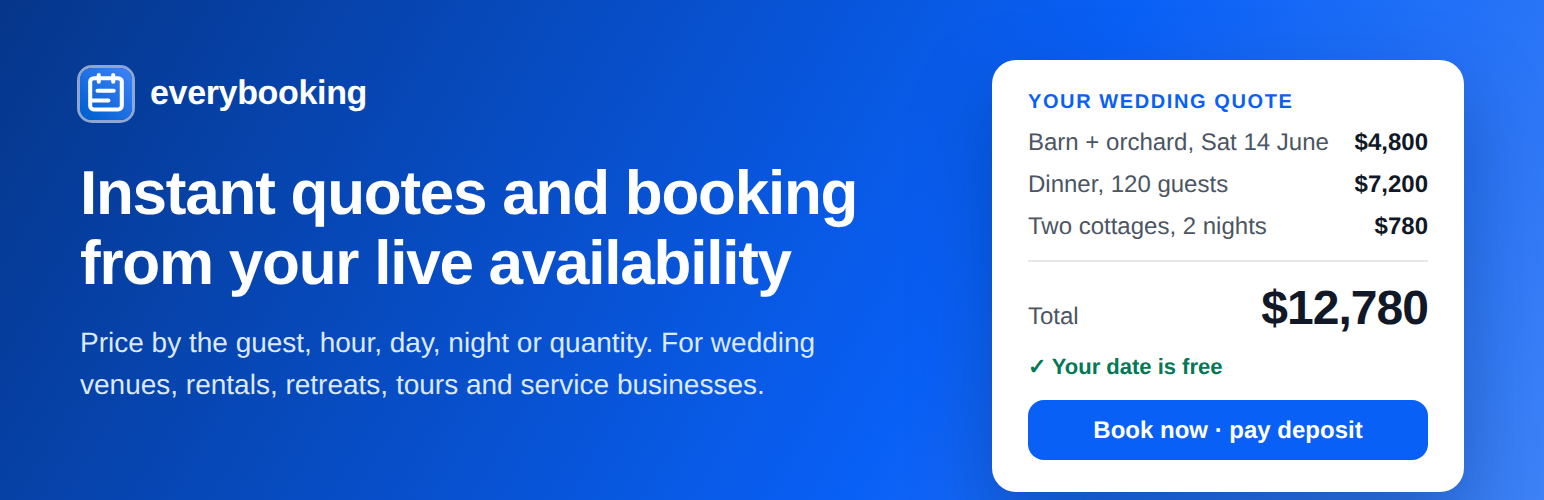
A couple planning a wedding wants to know what their day will cost. On most venue websites they fill in a contact form and wait days for a reply, and many book somewhere else in the meantime. With Everybooking they pick their date, guest numbers and extras on your website and see the full price straight away: the venue hire, the dinner, the rooms for the family. If the date is free, they can book it and pay the deposit in the same visit.
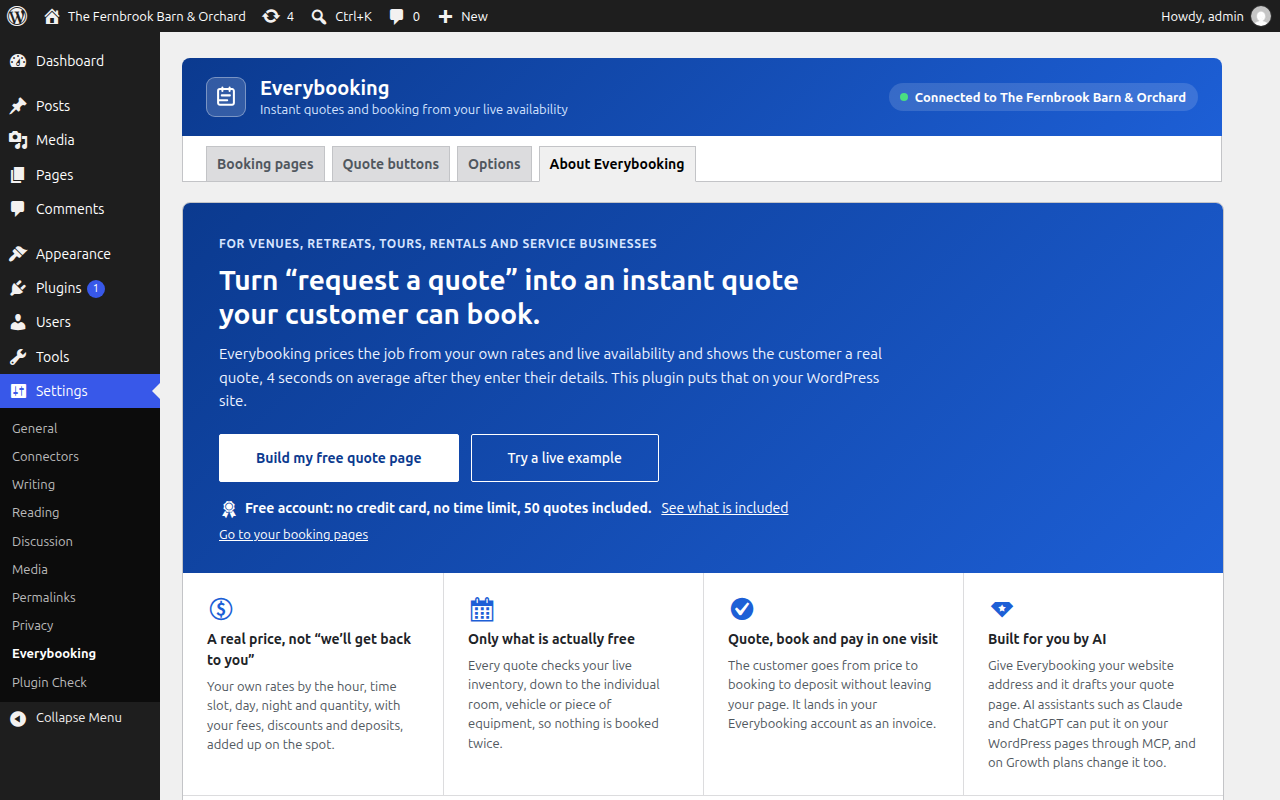
The same works for anyone whose price depends on dates, times, nights, headcount or quantity. Everybooking works out the price from your own rates and your live availability and shows the customer a real quote, 4 seconds on average after they have entered the details your pricing needs. This plugin puts that on your WordPress site: inside any page, or behind a “Get an Instant Quote” button that opens it over the page you are on.
It is free to start: an Everybooking account costs nothing, needs no credit card, has no time limit and includes 50 quotes. Build your free quote page.
Who it is for
- Wedding and event venues: the venue by date, dinner by guest, rooms by night, with your packages, minimums and deposits.
- Retreat centers and lodging: rooms, meals and meeting space priced by night and by head, with seasonal rates.
- Equipment and vehicle rentals: by the day or week, by quantity, with each unit tracked so nothing goes out twice.
- Tour and activity operators: by time slot and party size.
- Service businesses: caterers, builders, plumbers, removal firms and anyone else who quotes by the hour, the guest or the job.
See it working
Live example pages, each with a real booking page you can try (nothing is booked):
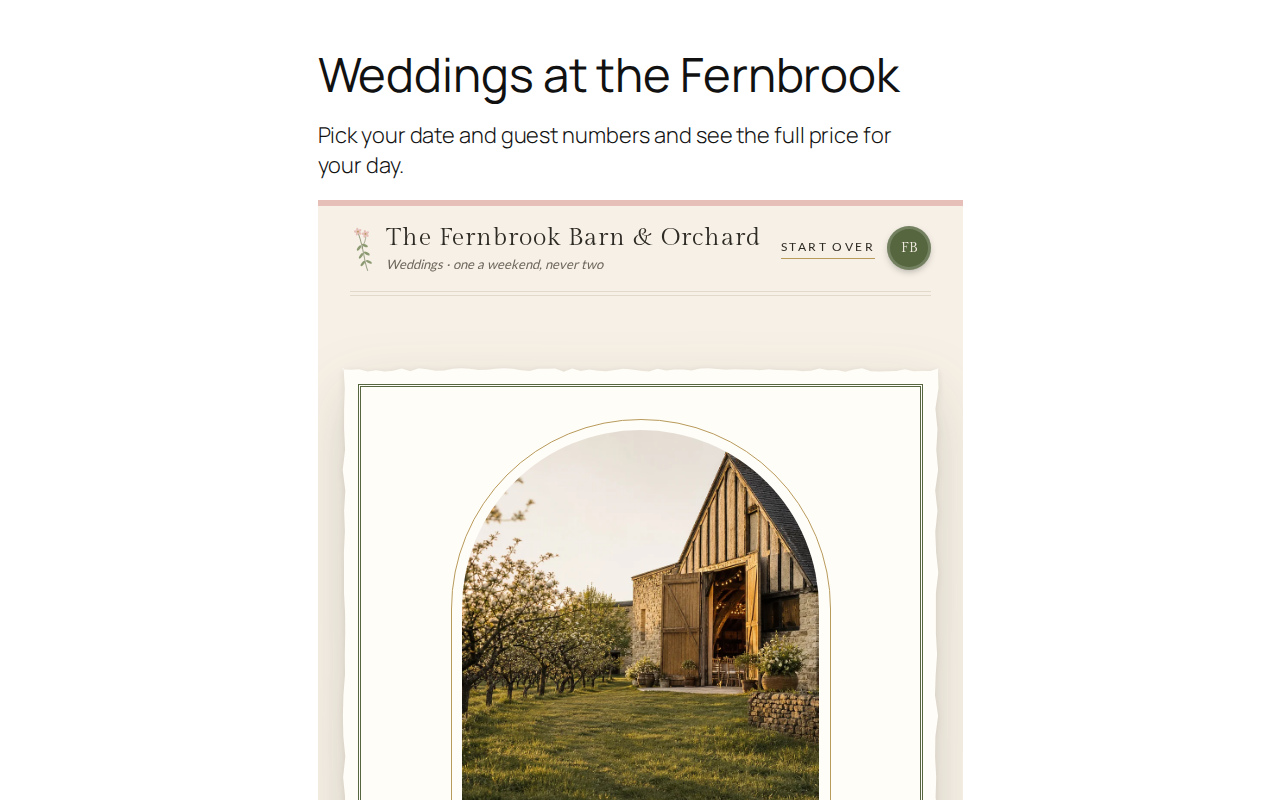
- A wedding venue: the barn and orchard, priced by date and guest numbers.
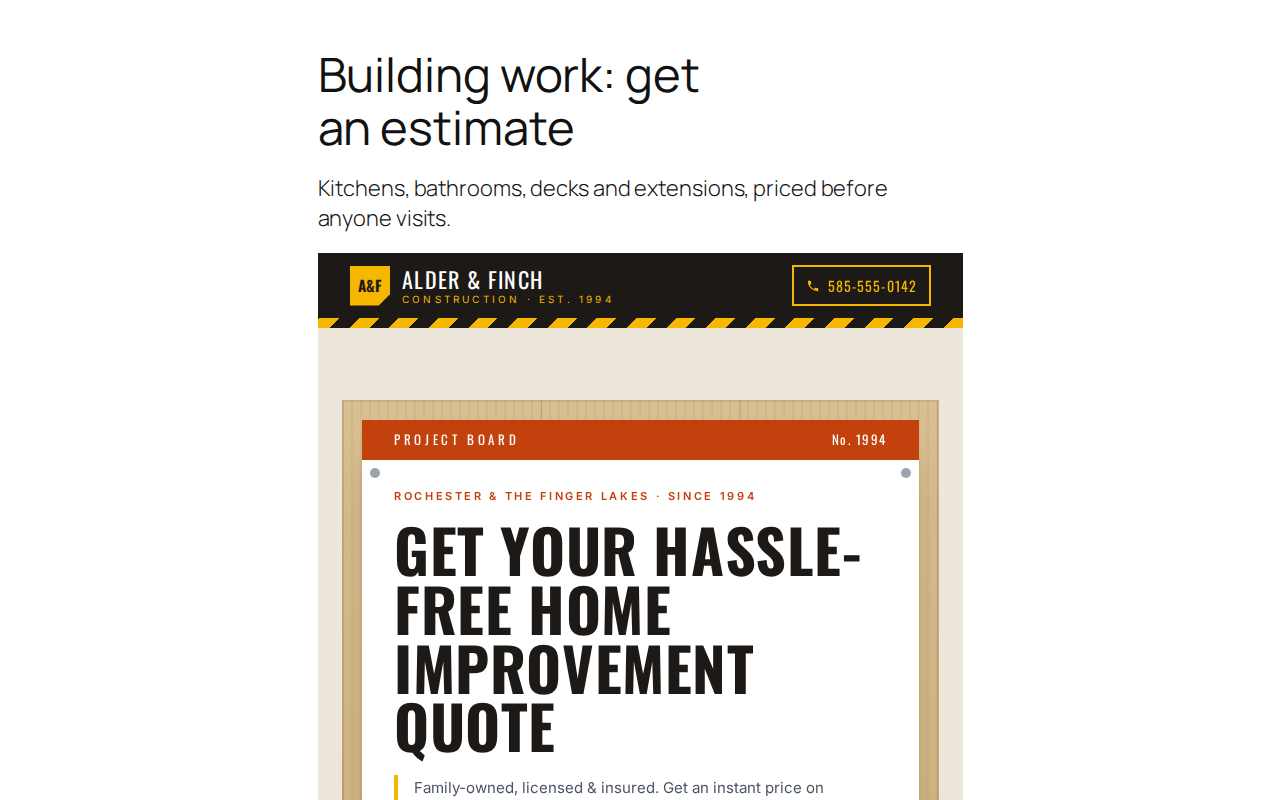
- A builder: kitchens, bathrooms and extensions estimated before anyone visits.
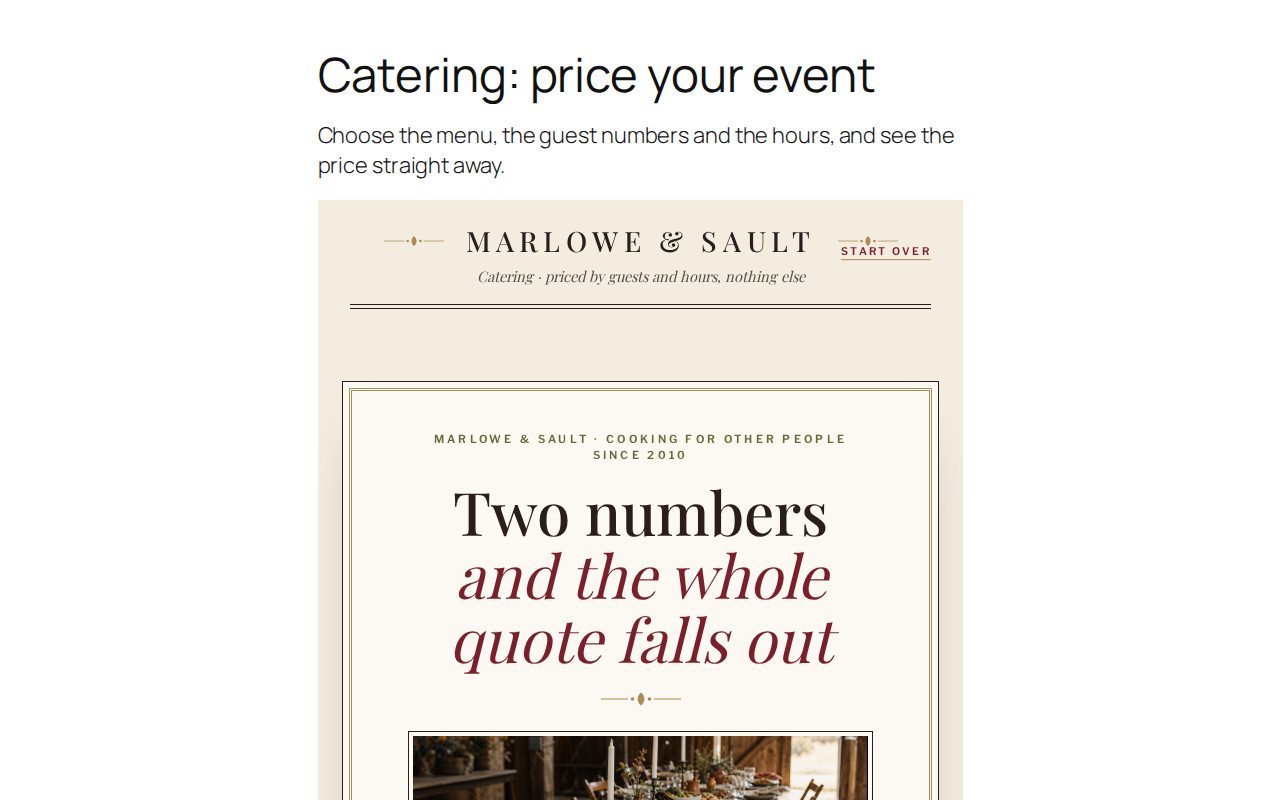
- A caterer: the menu, guest numbers and hours, priced straight away.
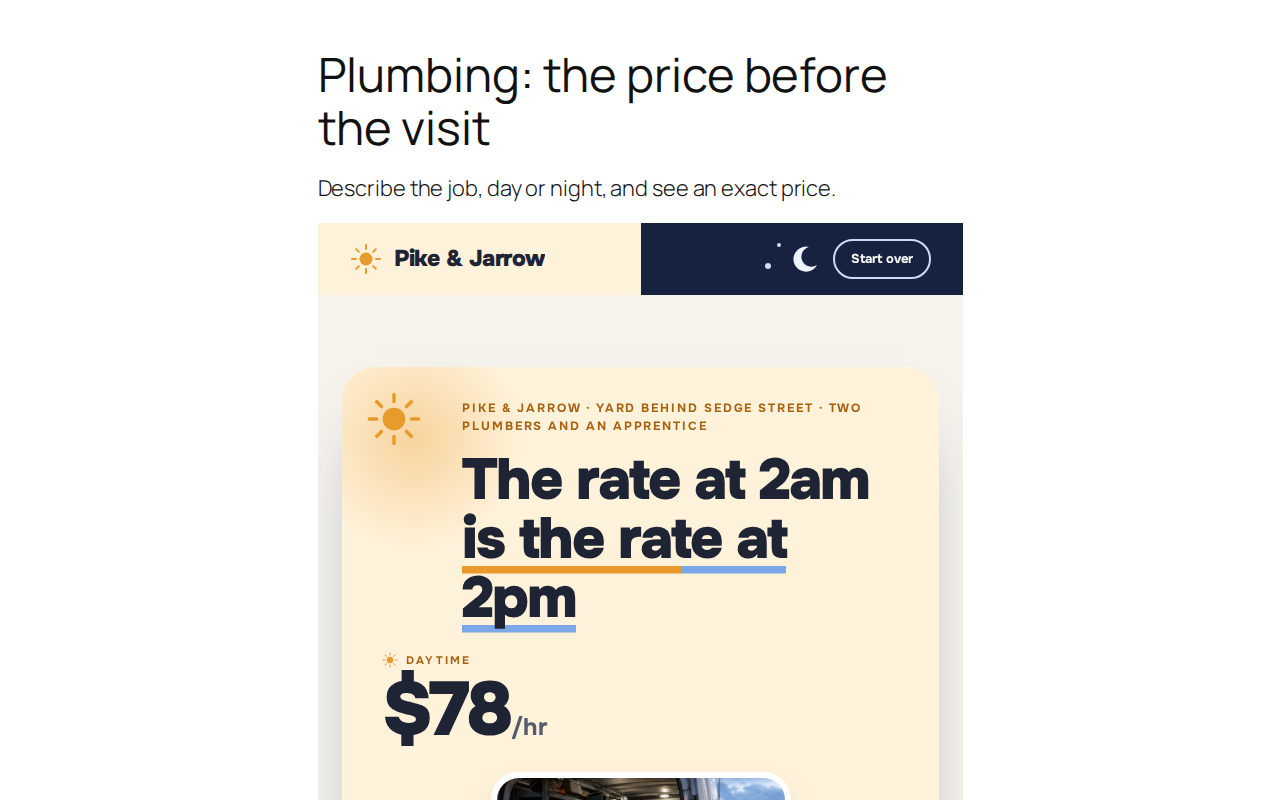
- A plumber: describe the job and see the price before the visit.
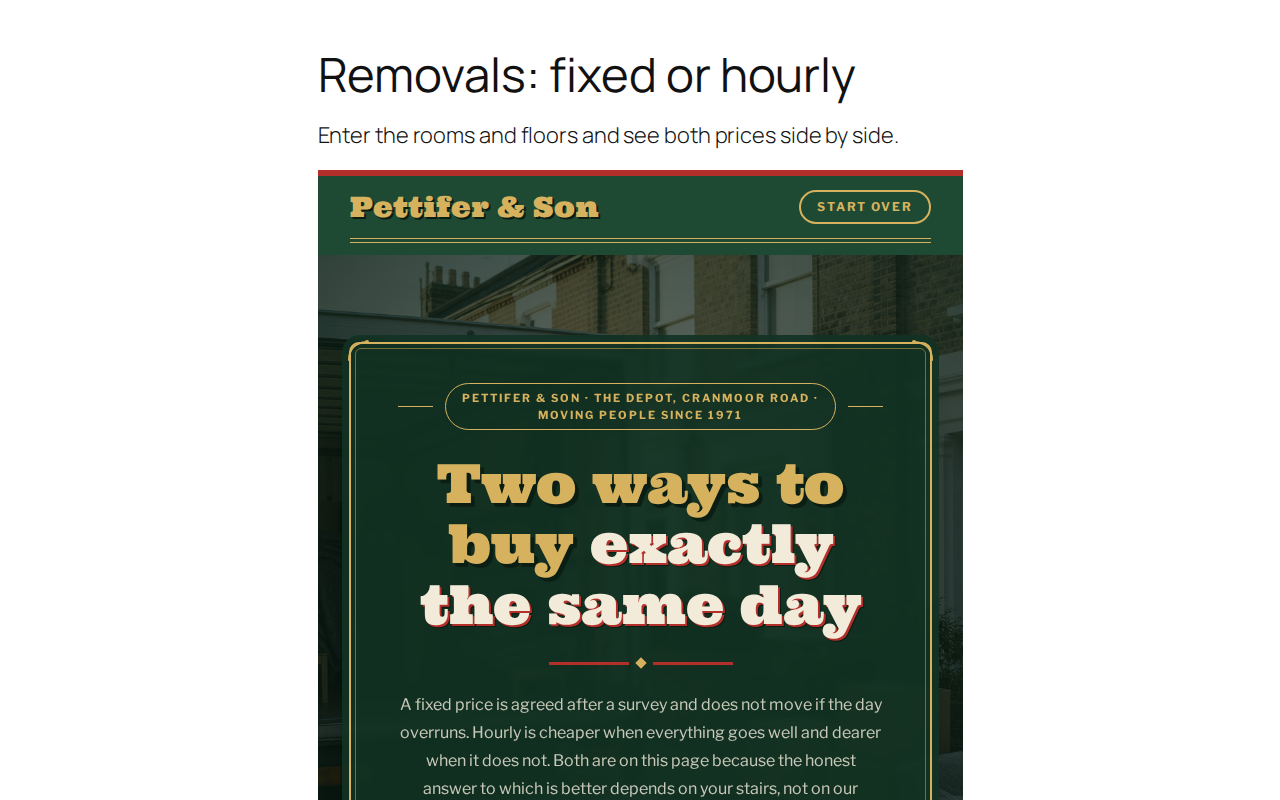
- A removal firm: fixed price or hourly, side by side.
- A theatre box office: pick a show and choose your seats.
The example site is built with Wix; this plugin puts the same booking pages and quote buttons on a WordPress site.
A quote button where your visitors already look
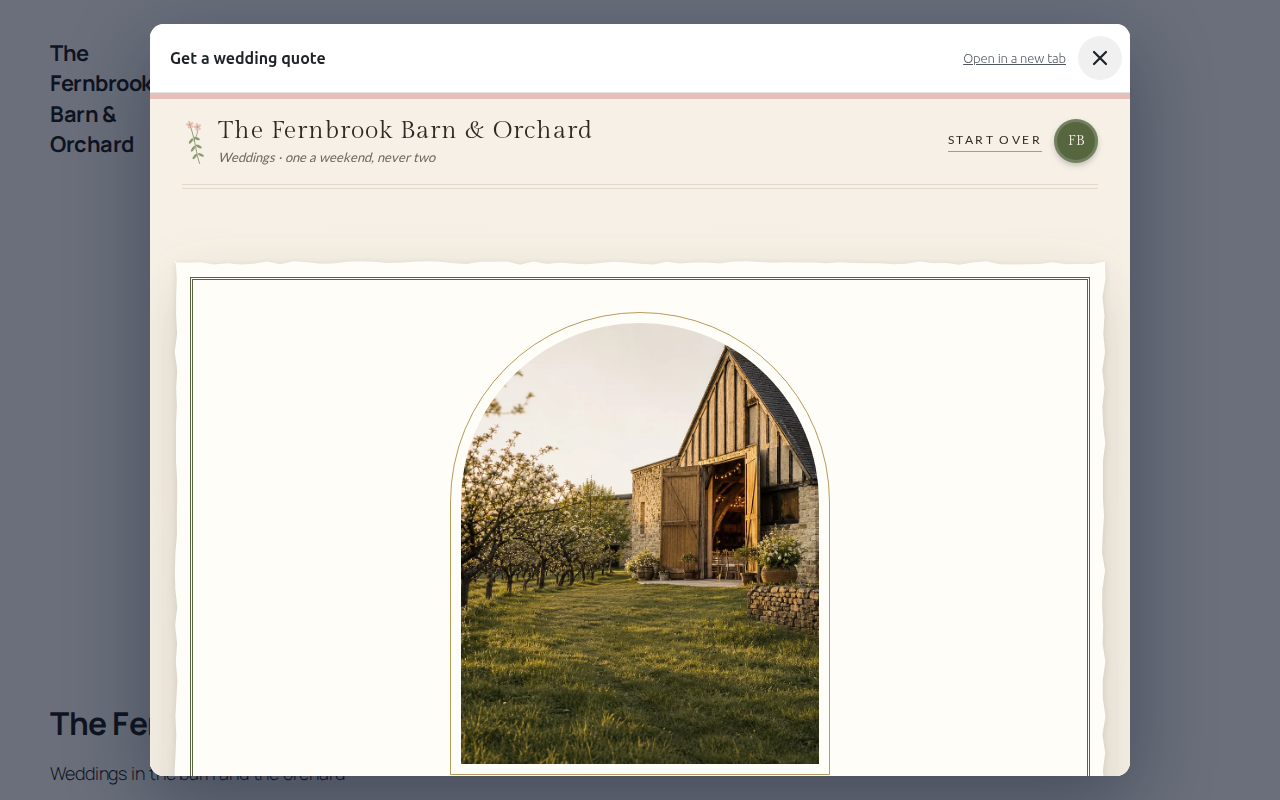
Most sites send people to a quote from a button near the top of the home page. Your theme or page builder made that button, so this plugin does not try to replace it. Instead, any of these opens your booking page in a full-screen pop-up, without the visitor leaving your site:
- Your own buttons. Set the link of any button or menu item to
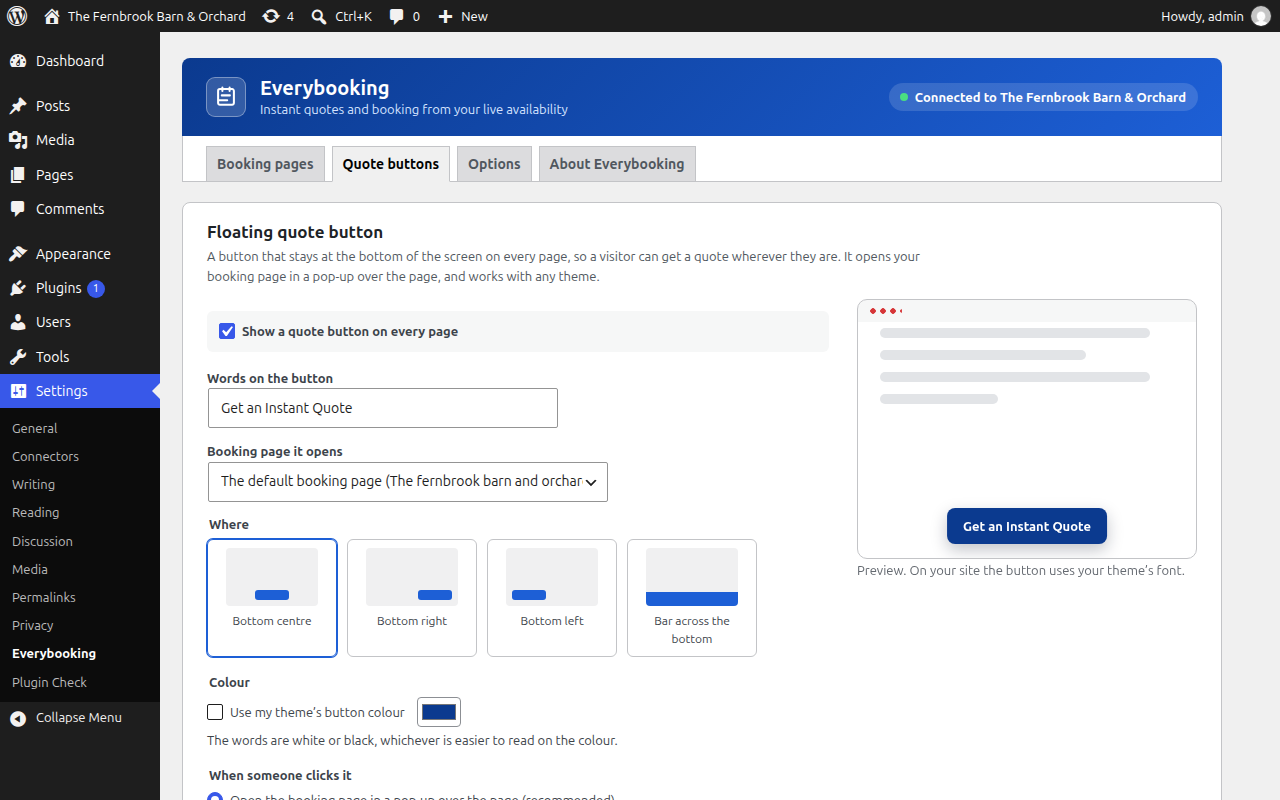
#instant-quote(or#everybooking-your-page). Works in Elementor, Divi, Beaver Builder, Astra, the block editor and menus, with no code. - A floating button on every page, at the bottom of the screen or as a bar across it, in your theme’s button colour or one you choose. One switch. On a page about one service it opens that service’s booking page.
- The Everybooking Quote Button block and the
[everybooking_button]shortcode, each opening the booking page you pick.
The pop-up fills the screen on phones, closes with the close button, Escape or the phone’s Back button, and keeps the visitor’s progress if they close it and come back.
As many booking pages as you like
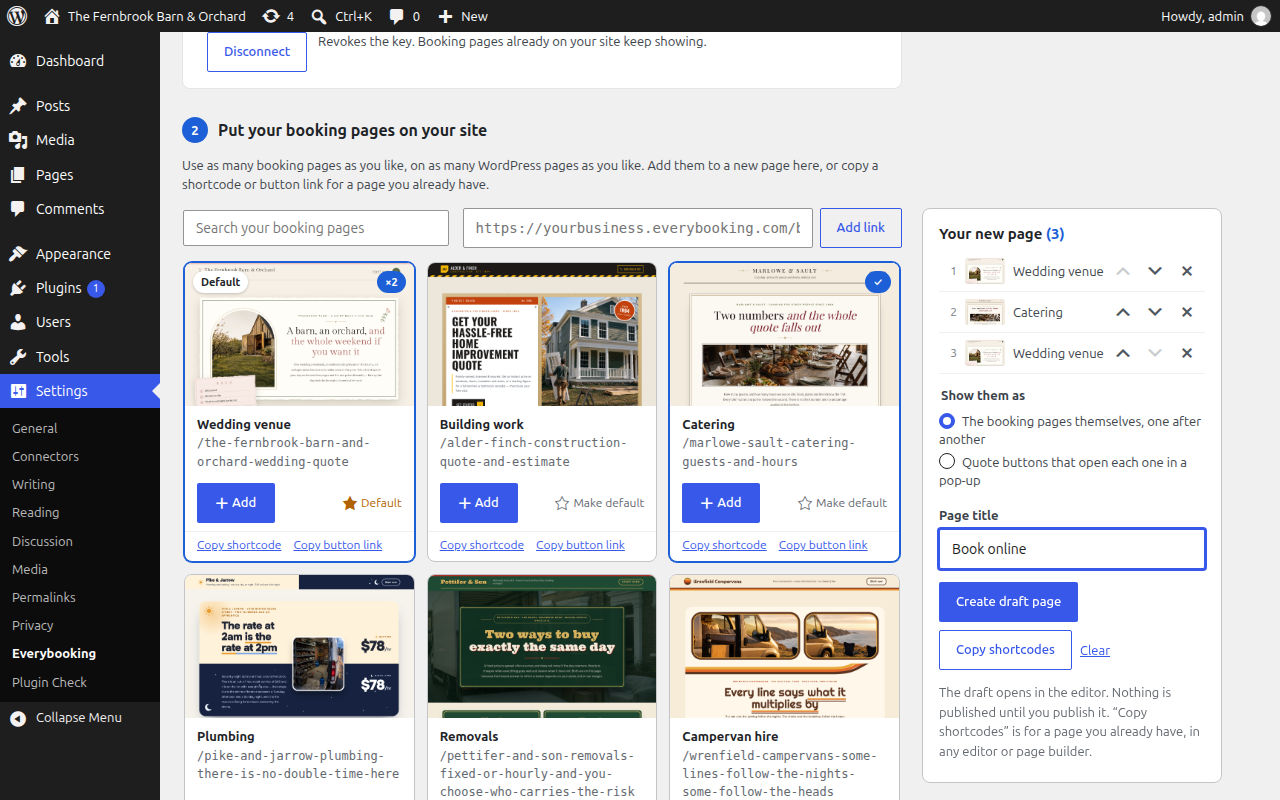
Show one booking page or fifty: weddings on one page, corporate events on another, a “Plan your wedding” and a “Book a venue tour” button side by side, or the same booking page at the top and the bottom of a long page. In Settings Everybooking, choose Add on each booking page you want, as many times as you want, put them in order and create the page in one click.
Ready for AI assistants (MCP)
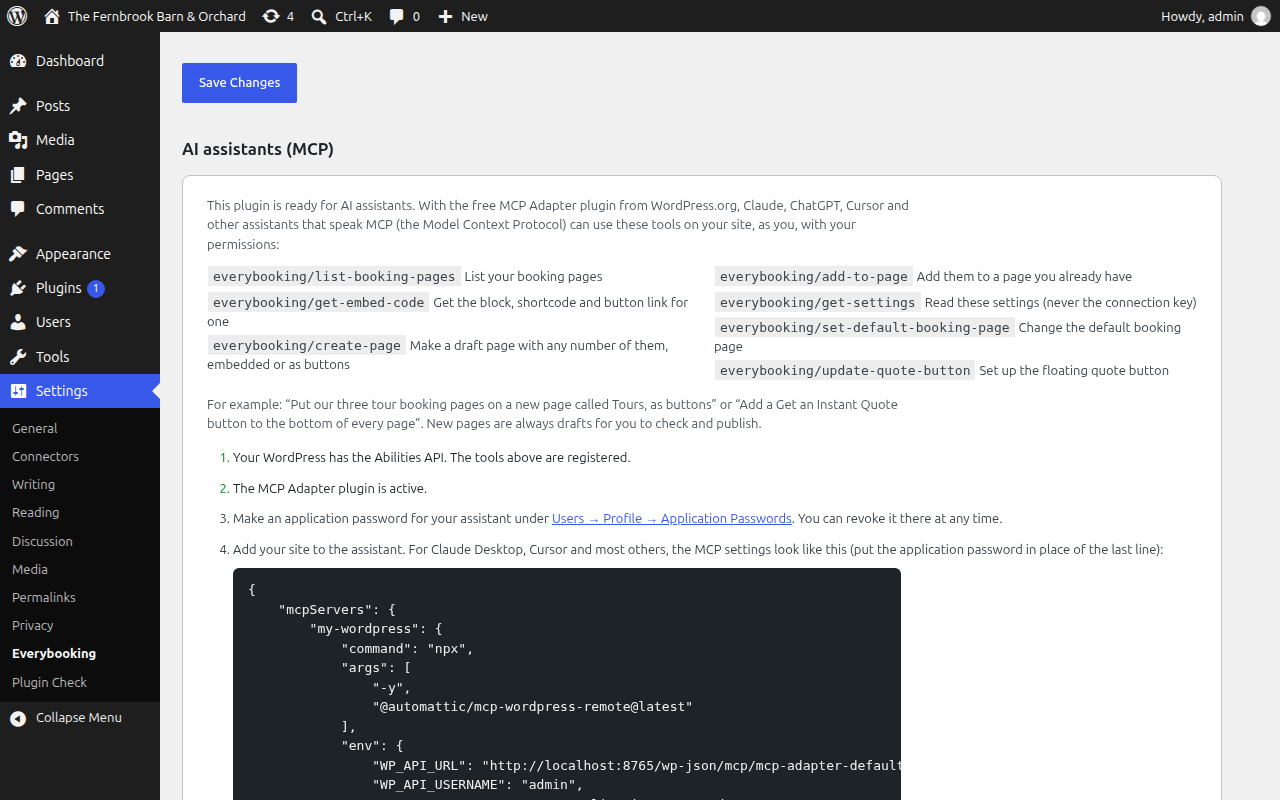
This plugin works with the WordPress MCP Adapter. Install it, and Claude, ChatGPT, Cursor or any assistant that speaks MCP (the Model Context Protocol) can work with your booking pages for you: list them, put any number of them on a new page or an existing one, set the default, and switch on the quote button. Ask “Put our three tour booking pages on a new page called Tours, as buttons”, and it is done as a draft for you to check. The assistant acts as you, with your WordPress permissions, and never sees your Everybooking connection key. Needs WordPress 6.9 or newer.
Why it is different from a booking calendar or a quote form
- A real price, not an estimate. Rates by the hour, time slot, day, night and quantity, with your fees, discounts and deposits, added up on the spot.
- Live availability. Every quote checks your actual inventory, down to the individual room, vehicle or piece of equipment.
- Quote, book and pay in one visit. The quote continues into booking and the deposit or payment options you have set up.
- Built for you by AI. Give Everybooking your website address and it drafts your quote page. On Growth plans you can change it by talking to Claude, ChatGPT or Grok through MCP (the Model Context Protocol), with no WordPress access needed.
- One source of truth. Prices, inventory, quotes and bookings live in your Everybooking account. Change a rate there and your WordPress page shows it. There is nothing to sync and no second calendar.
What you get
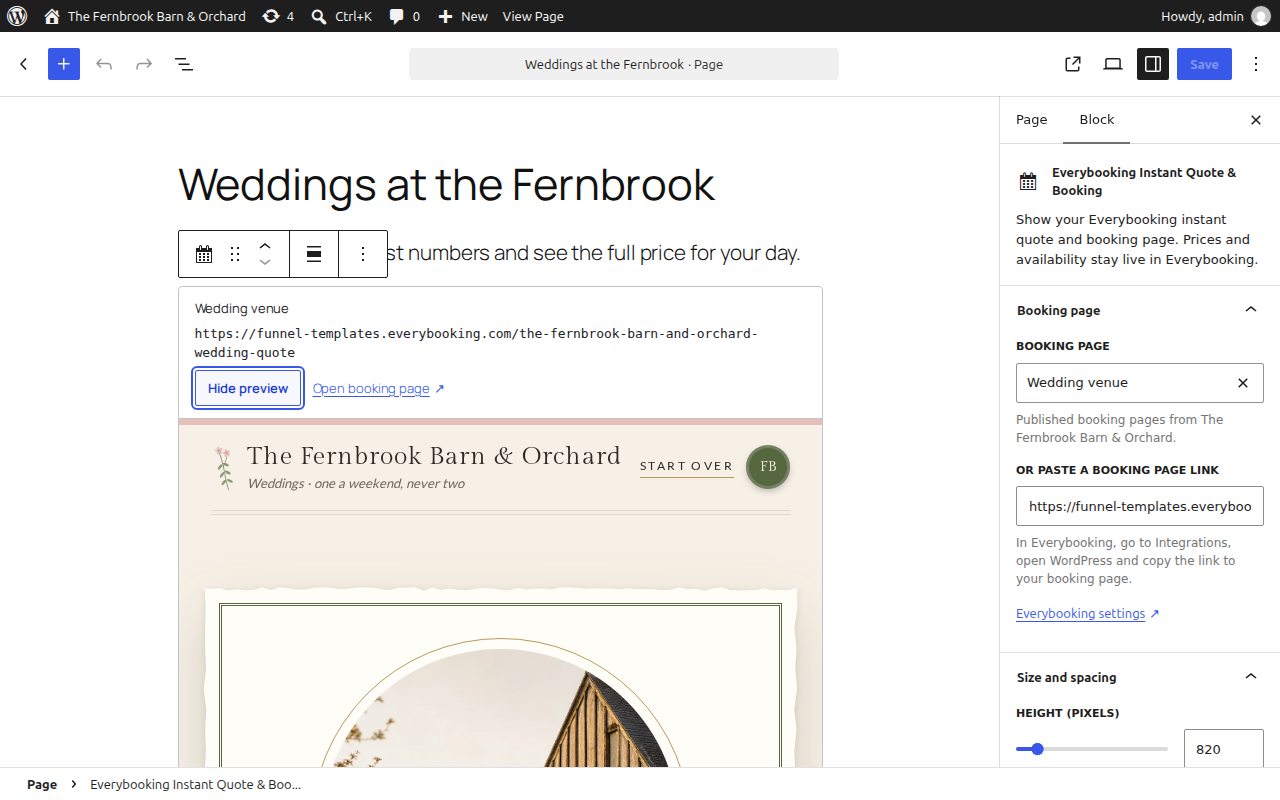
- An Everybooking Instant Quote & Booking block for the block editor, with a view-only preview.
- An Everybooking Quote Button block that opens a booking page in a pop-up.
[everybooking]and[everybooking_button]shortcodes for the Classic Editor, Elementor’s Shortcode widget and other page builders.- A floating quote button for every page, and
#instant-quotelinks that turn any button into a quote button. - As many booking pages as you like, on as many pages as you like, including the same one more than once.
- Your booking pages listed with pictures, to add to a new page in one click, or copy as a shortcode or button link.
- Seven tools for AI assistants through the WordPress MCP Adapter.
- Height, maximum width and spacing controls. Your booking page keeps its own Everybooking branding.
- An “Open booking page” link for visitors whose browser cannot show the embedded page.
What you need
An Everybooking account with at least one published booking page. The plugin shows nothing without one. An account is free, with no credit card and no time limit; paid plans add more quotes, users and features. See pricing.
What this plugin does not do
- It never asks for your Everybooking password. Connecting is optional and uses a connection key that can do one thing: list your published booking pages. The key cannot see bookings, customers or prices, is never shown on your website, and can be revoked in Everybooking at any time. Without a key, you paste the public link to your booking page.
- It is not a WooCommerce integration. It does not create WooCommerce orders, carts or payments.
- It does not include a pricing engine, an inventory database or a payment processor. Everybooking does that work.
External services
This plugin displays a page from Everybooking (everybooking.com, or your own domain if your Everybooking booking pages use one) inside an iframe. Without it the plugin shows nothing.
- When data is sent: when a visitor opens a WordPress page that contains the block or shortcode and the booking page scrolls near view, their browser loads the booking page directly from Everybooking. A quote button loads the same booking page in the same way, only when the visitor clicks it. In the editor, the same happens when you choose “Show preview”.
- What is sent: the visitor’s browser sends Everybooking the usual web request details (IP address, browser type) and the address of your site, without the page path. Everything the visitor then types into the booking page, such as dates, party size, contact details and payment details, goes directly from their browser to Everybooking and its payment processor. None of it passes through or is stored by WordPress or this plugin.
- Analytics on the booking page: Everybooking’s booking pages load Everybooking’s own analytics and error monitoring (Google Analytics, Google Ads conversion measurement, Hotjar and Sentry). Mention this in your site’s privacy and cookie notices as you would for any embedded third-party service.
-
What this plugin itself sends: nothing, unless you connect it. If an administrator pastes a connection key, your WordPress server asks Everybooking for the list of that business’s published booking pages (their names and public links) when the key is saved and whenever an Everybooking block’s page picker is shown in the editor or searched. The request carries the connection key, any search text typed into the picker, and what WordPress sends with every outgoing request (your server’s IP address, and your site address and WordPress version in the User-Agent). It carries nothing about your visitors. The list includes a preview picture of each booking page; the browser of the administrator or editor looking at the list loads those pictures from where Everybooking keeps them (currently images.nice-shot.io, a screenshot service), which sees that browser’s IP address and nothing about your site. Disconnecting sends one request asking Everybooking to revoke the key. The plugin has no telemetry and adds no tracking of its own. Its AI tools (for the MCP Adapter) run inside your WordPress site and send nothing anywhere beyond the booking page list request described here.
-
The example gallery: when an administrator opens the About tab of Settings Everybooking, your WordPress server asks everybooking.com for its public catalog of example booking pages (their names, categories, preview pictures and demo links) and keeps the answer for twelve hours. No key is involved and the request carries nothing beyond what WordPress sends with every outgoing request. The preview pictures are loaded by the administrator’s browser from where Everybooking keeps them (currently images.nice-shot.io).
Everybooking terms of service: https://everybooking.com/terms
Everybooking privacy policy: https://everybooking.com/privacy
Details
Related plugins
Plugins that also contain the tag booking
LatePoint – Calendar Booking Plugin for Appointments and Events

Booking for Appointments and Events Calendar – Amelia

Online Scheduling and Appointment Booking System – Bookly

Appointment Booking Calendar — Simply Schedule Appointments Booking Plugin

Fluent Booking – The Ultimate Appointments Scheduling, Events Booking, Events Calendar Solution

SimplyBook.me – Booking and reservations calendar


About
Plugin for that tries to help you find the WordPress plugin you are looking for.
| Please enjoy an image of Crush (this awesome turtle) and have a lovely day! |  |
We do not own any plugin listed on this site and do not work for or work with WordPress.com or it's associated companies. We simply provide a searchable list of the available WordPress plugins.