



Extonify Address Book for WooCommerce
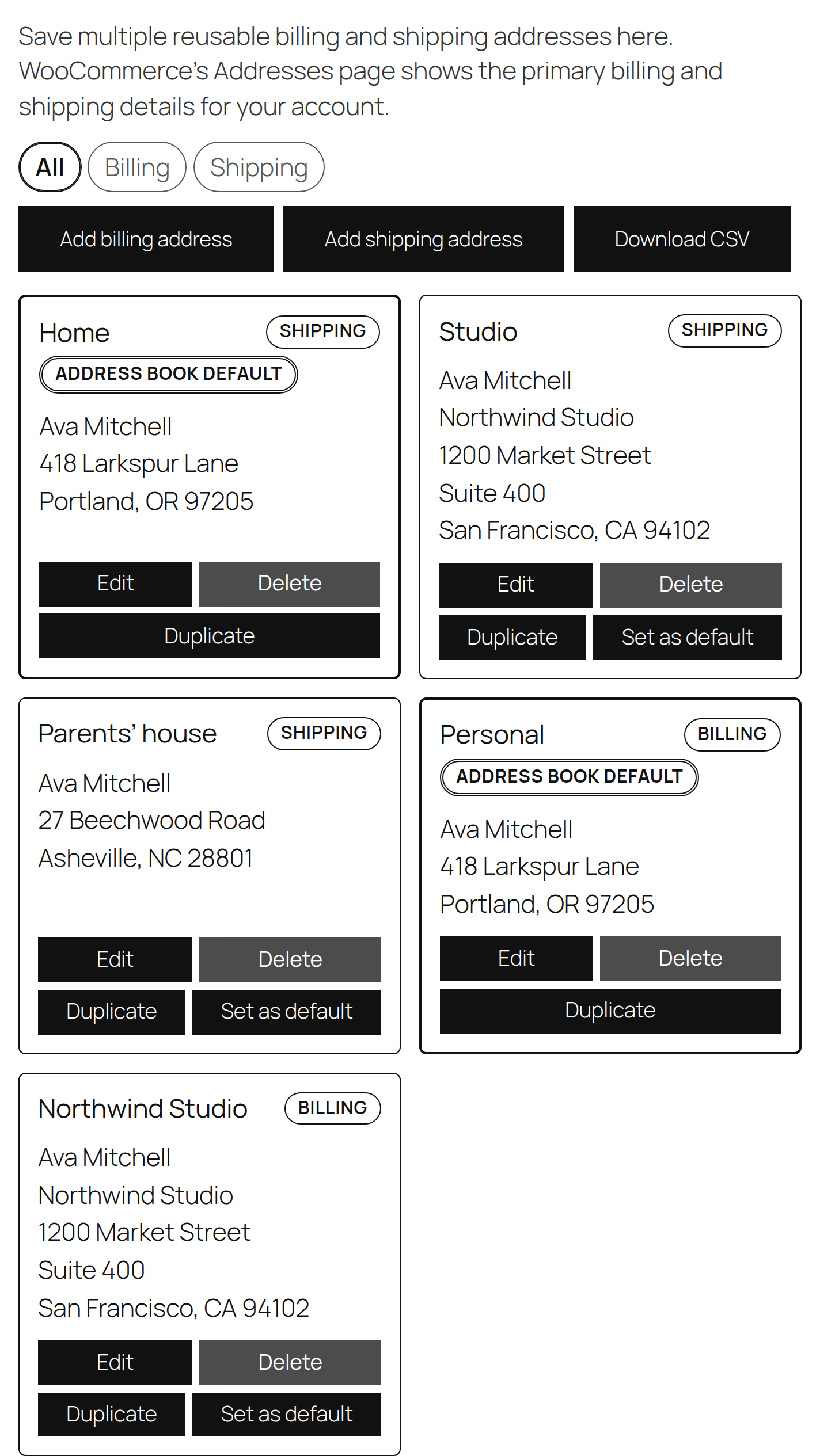
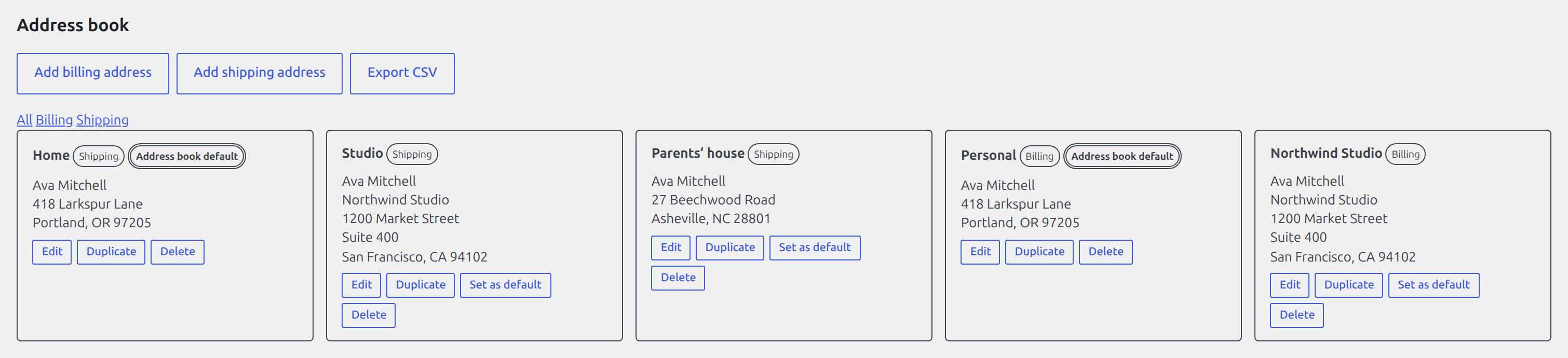
Extonify Address Book for WooCommerce is a modern address book for WooCommerce stores. Customers keep more than one billing and shipping address on file, give each a nickname, pick a default, and reuse them — in My Account, at the Classic Checkout, in the Checkout Block, and on admin order screens. Shop staff manage the same address book from the user profile and drop a saved address into any order with one click.
Everything runs on your own site. There are no external services, no API keys, and no telemetry — all data stays in your WordPress database.
Learn more at https://extonify.com/product/address-book-for-woocommerce/.
Free admin address management (the headline)
The full address book is manageable from wp-admin at no cost:
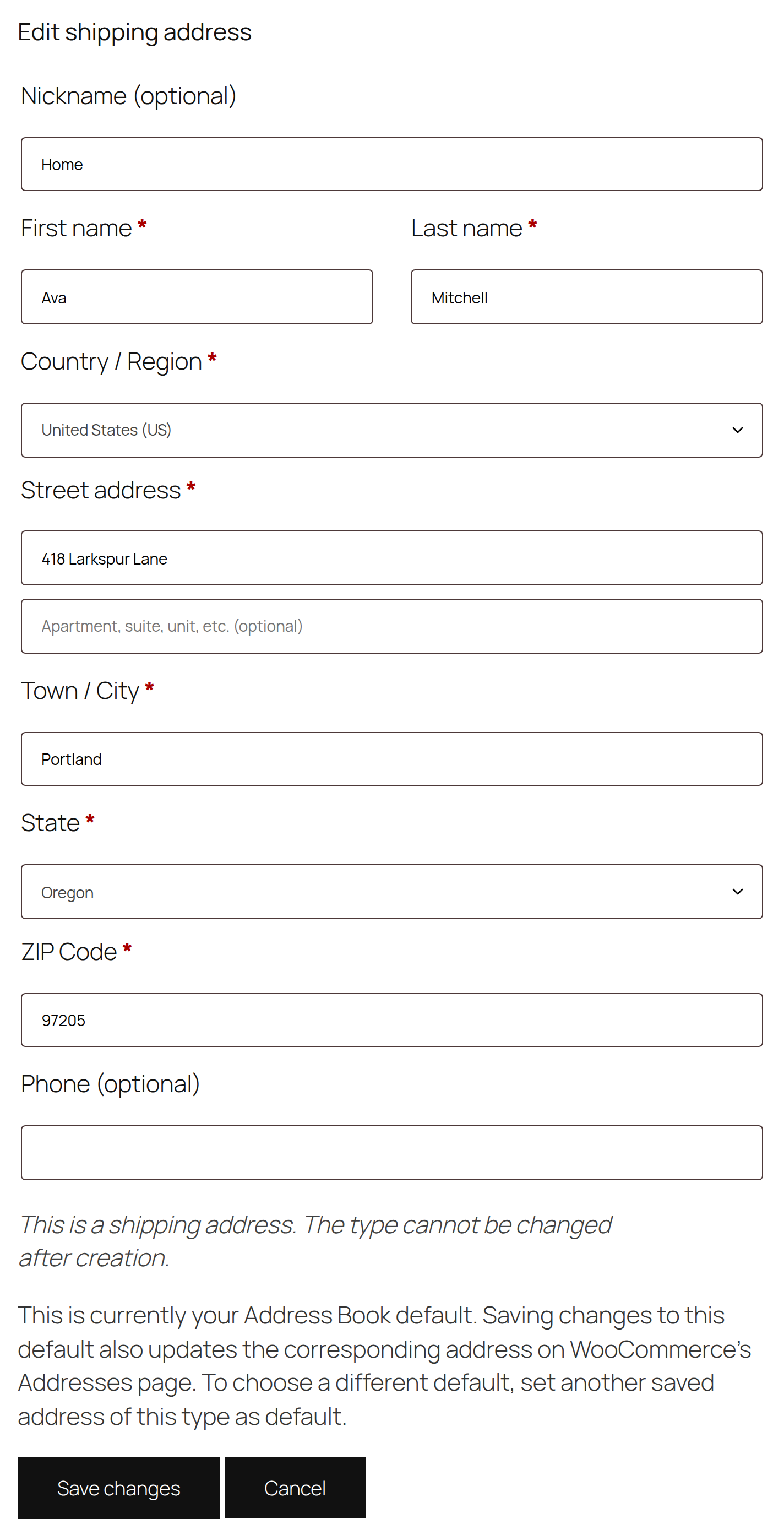
- User-profile CRUD — add, edit, and delete a customer’s saved billing and shipping addresses directly on their WordPress user-profile screen, with the normal WooCommerce country/state fields.
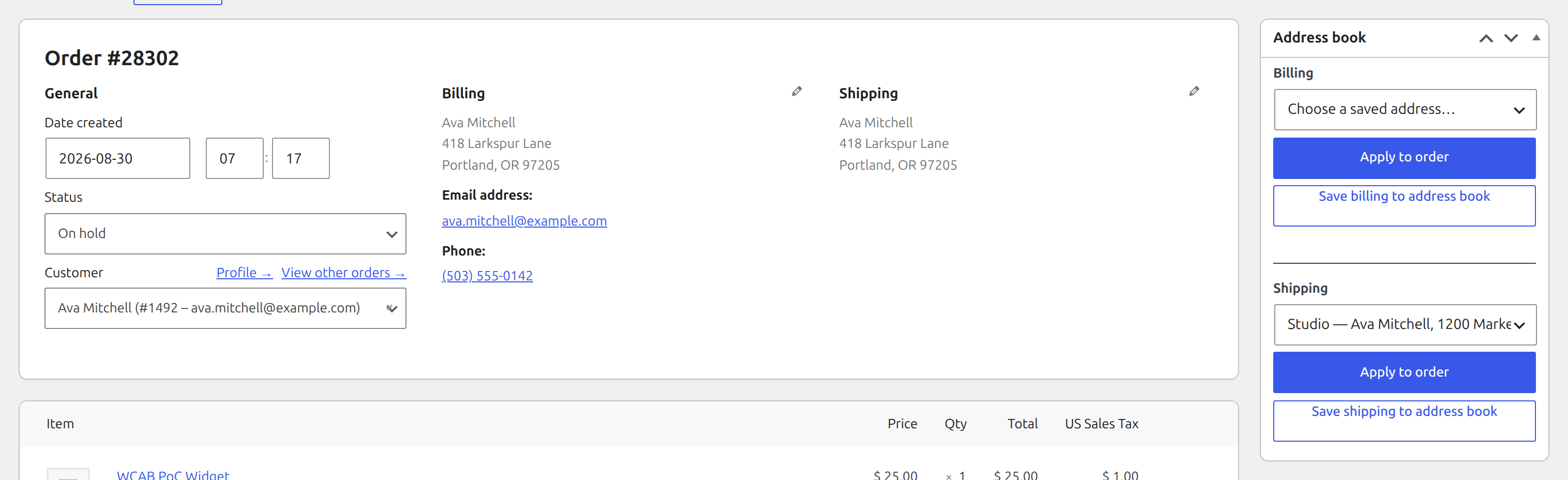
- Order-editor picker — on any order (HPOS or legacy), pick one of the customer’s saved addresses and apply it to the order’s billing address or shipping address fields, and copy an order’s address back into the customer’s book with a nickname.
What works where
- Save / edit / delete addresses in My Account — WooCommerce 8.9+
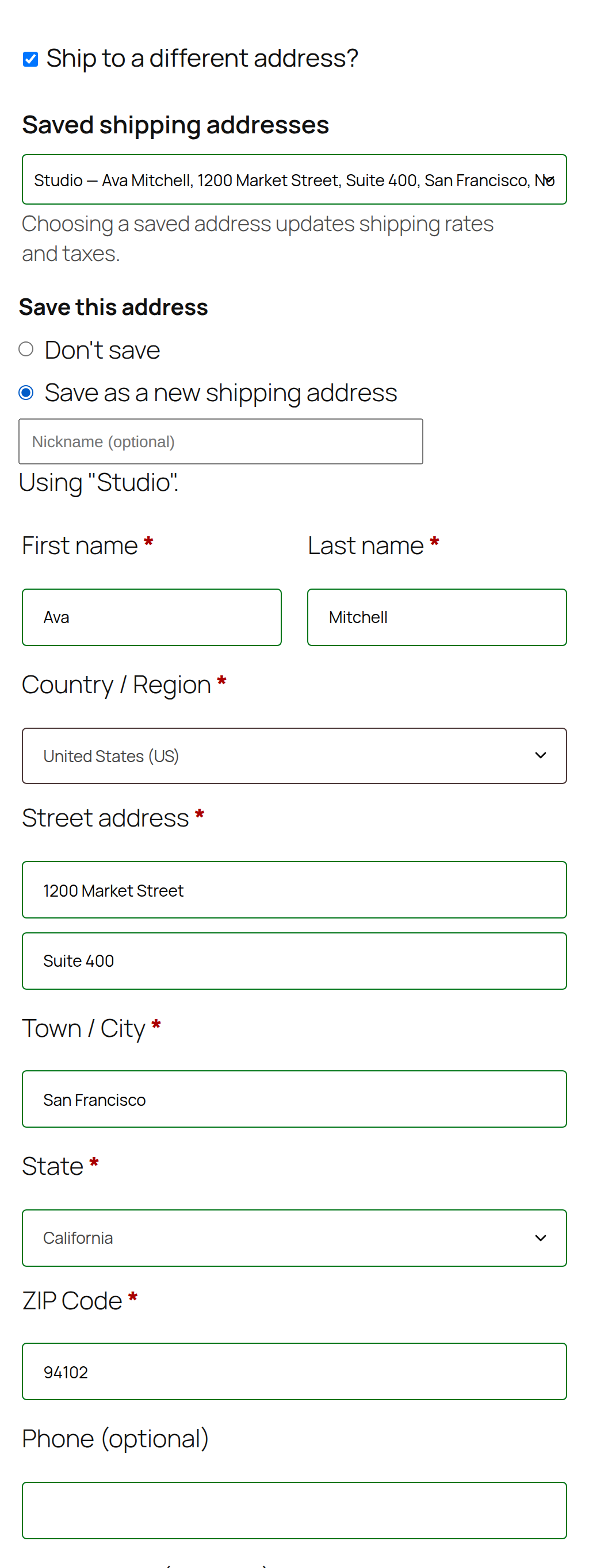
- Select a saved address at Classic Checkout (recalculates shipping + tax) — WooCommerce 8.9+
- Save a new or edited address from Classic Checkout — WooCommerce 8.9+
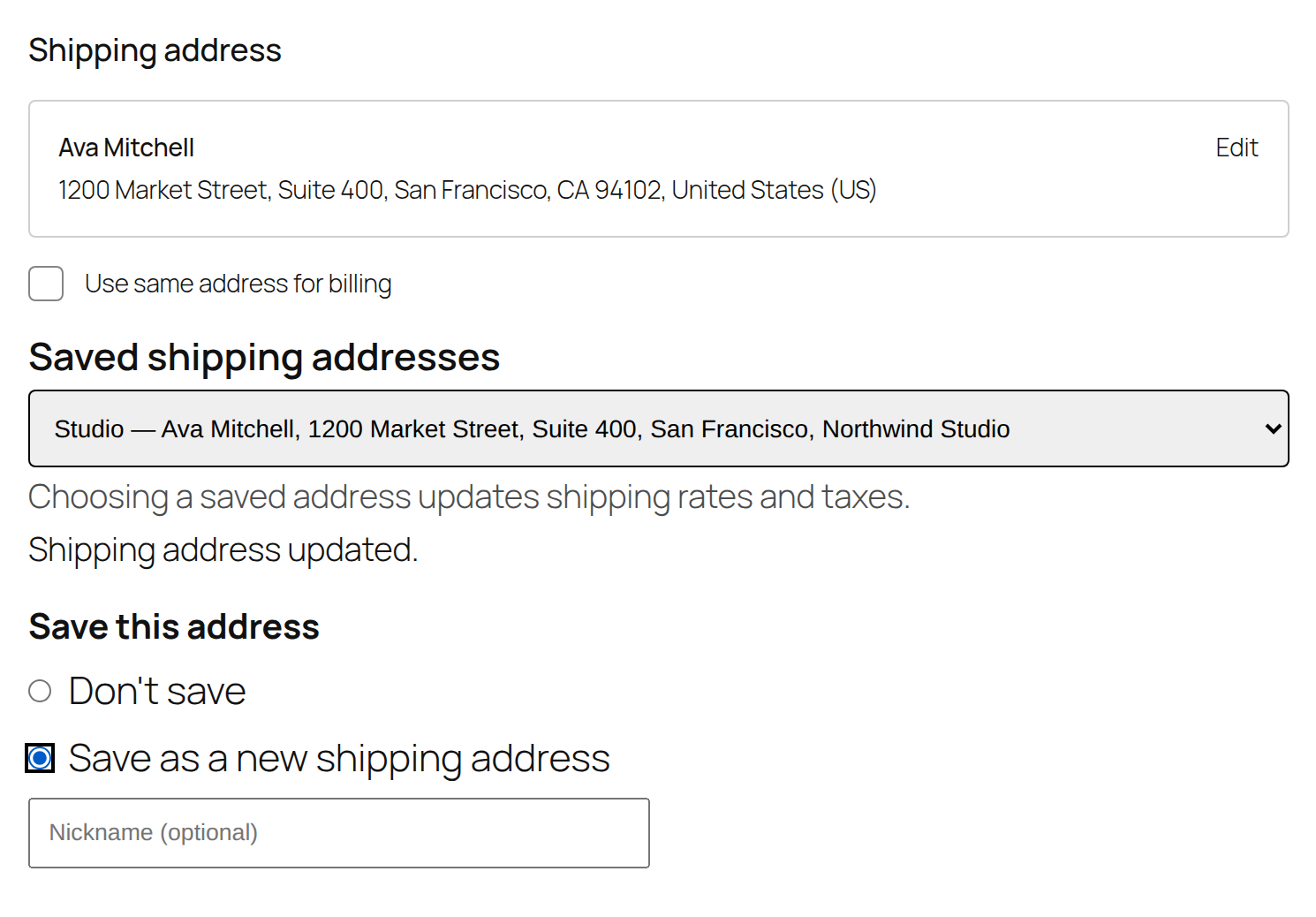
- Select a saved address in the Checkout Block — WooCommerce 8.9+
- Save a new or edited address from the Checkout Block — WooCommerce 9.9+ (auto-activates)
- Admin user-profile management + order-editor picker — WooCommerce 8.9+
- HPOS (High-Performance Order Storage) — fully compatible
Selecting saved addresses in the Checkout Block works from WooCommerce 8.9. Saving a new or edited address from the Block switches itself on automatically on WooCommerce 9.9 and newer — that is the first version where the public Checkout Block API the save flow needs actually exists, so on 9.9+ it just starts working with no setting to flip.
Address checks and formatting
The plugin performs local address checks and formatting — required-field and format checks and consistent formatting of what customers enter. It does not contact any external address service and does not check addresses against any postal or courier database; the checks are local only.
Privacy
All address data is stored only in your site’s database. The plugin makes no external requests. It integrates with WordPress core privacy tools: a customer’s saved addresses are included in the personal-data exporter and removed by the personal-data eraser. Our privacy policy is at https://extonify.com/privacy-policy/.
Support
Questions or problems: use the WordPress.org support forum for this plugin, or contact us at https://extonify.com/support/.
Multisite
This version supports per-site activation only. Activate it on each individual site that needs the address book; it intentionally does nothing (behind an explanatory notice) if network-activated, so nothing is ever half-configured.
Human-readable source
The four front-end/admin JavaScript bundles in build/ are compiled with @wordpress/scripts. Their readable sources are bundled under src-js/, and exact build instructions are in BUILD.md inside the plugin.
Configuration
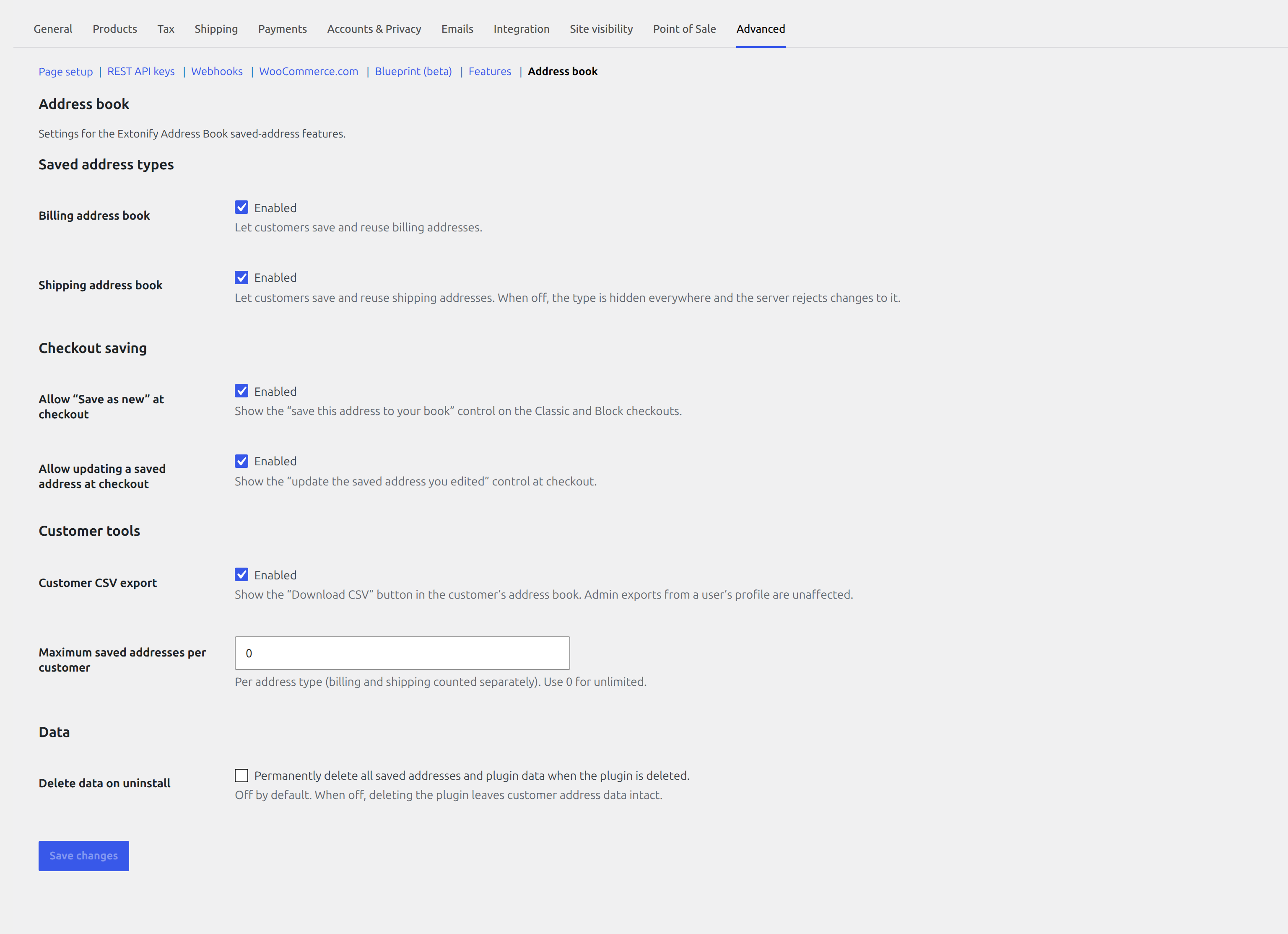
All settings are at WooCommerce Settings Advanced Address book: turn the billing and shipping address books on or off independently (a disabled type is hidden everywhere and the server rejects changes to it); allow or block saving a new address and updating an existing saved address from the Classic and Block checkouts; set a maximum number of saved addresses per customer per type (0 = unlimited); show or hide the customer CSV export button (admin exports from a user profile are unaffected); and choose whether to delete all plugin data on uninstall — off by default, and only a site administrator can change it.
Details
Related plugins
Plugins that also contain the tag address-book
Disable Flamingo Addressbook

WooCommerce Address Book

Multiple Shipping Addresses for WooCommerce (Address Book)

Contact List – Online Staff Directory & Address Book

Connections Business Directory Toolbar

Connections Business Directory Login


About
Plugin for that tries to help you find the WordPress plugin you are looking for.
| Please enjoy an image of Crush (this awesome turtle) and have a lovely day! |  |
We do not own any plugin listed on this site and do not work for or work with WordPress.com or it's associated companies. We simply provide a searchable list of the available WordPress plugins.