



FAZ Cookie Manager
Tired of cookie consent plugins that lock essential features behind paywalls, require cloud accounts, or send your visitors’ data to third-party servers?
FAZ Cookie Manager is a WordPress plugin that helps you implement cookie consent and privacy workflows for international regulations — completely free, with no strings attached.
No account to create. The plugin requires no cloud service connection. Basic features like consent logging and geo-targeting are included — no premium plan needed. Core consent features run on your own server, and you own all your data.
Why FAZ Cookie Manager?
Most cookie consent plugins follow the same pattern: a free version with crippled features, and a paid tier starting at $10-50/month that unlocks what you actually need (cookie scanning, consent logs, Google Consent Mode, IAB TCF). FAZ Cookie Manager breaks that model:
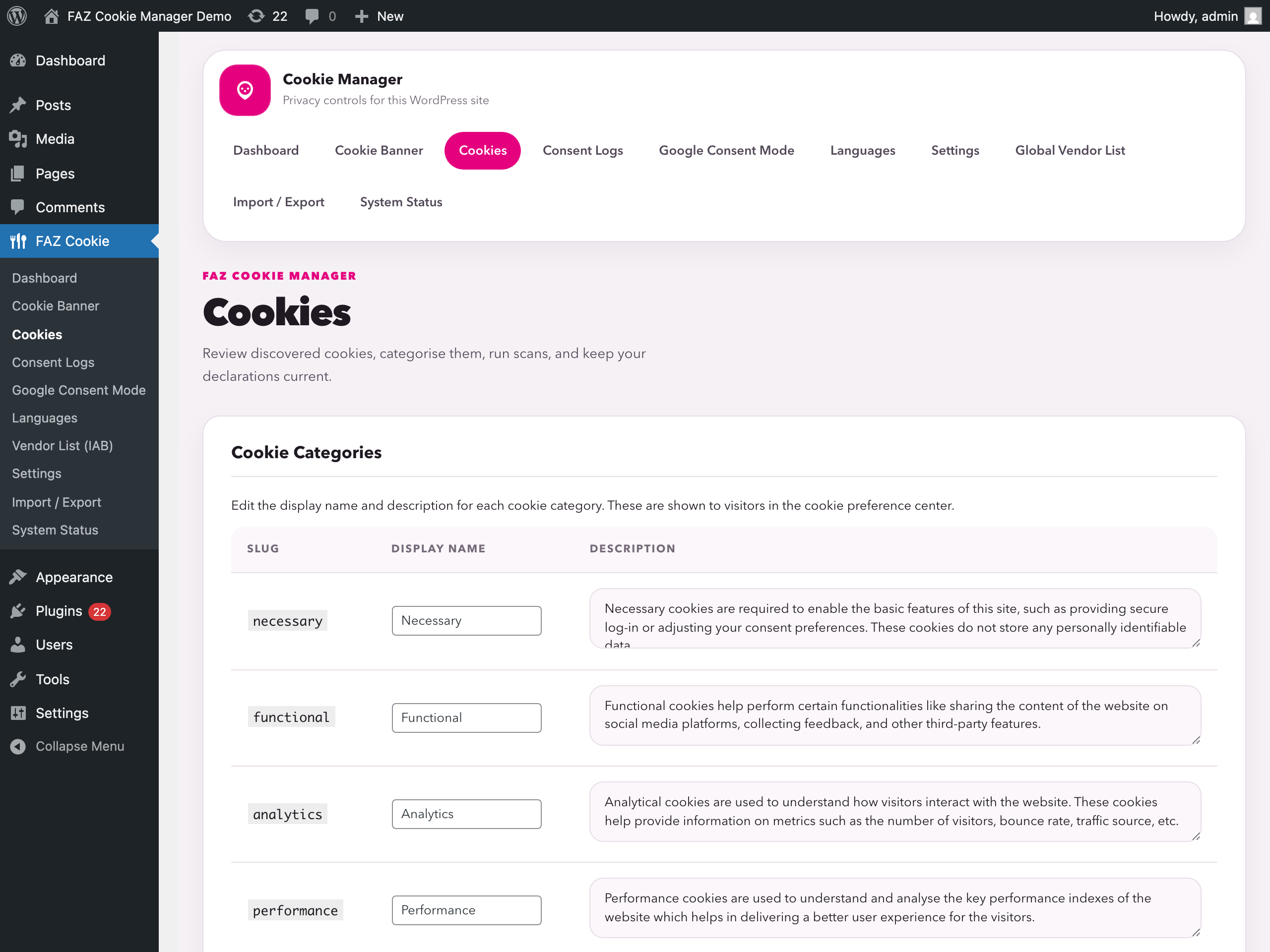
- Cookie scanner — Scans your site directly from your browser. No external service, no API limits, no waiting.
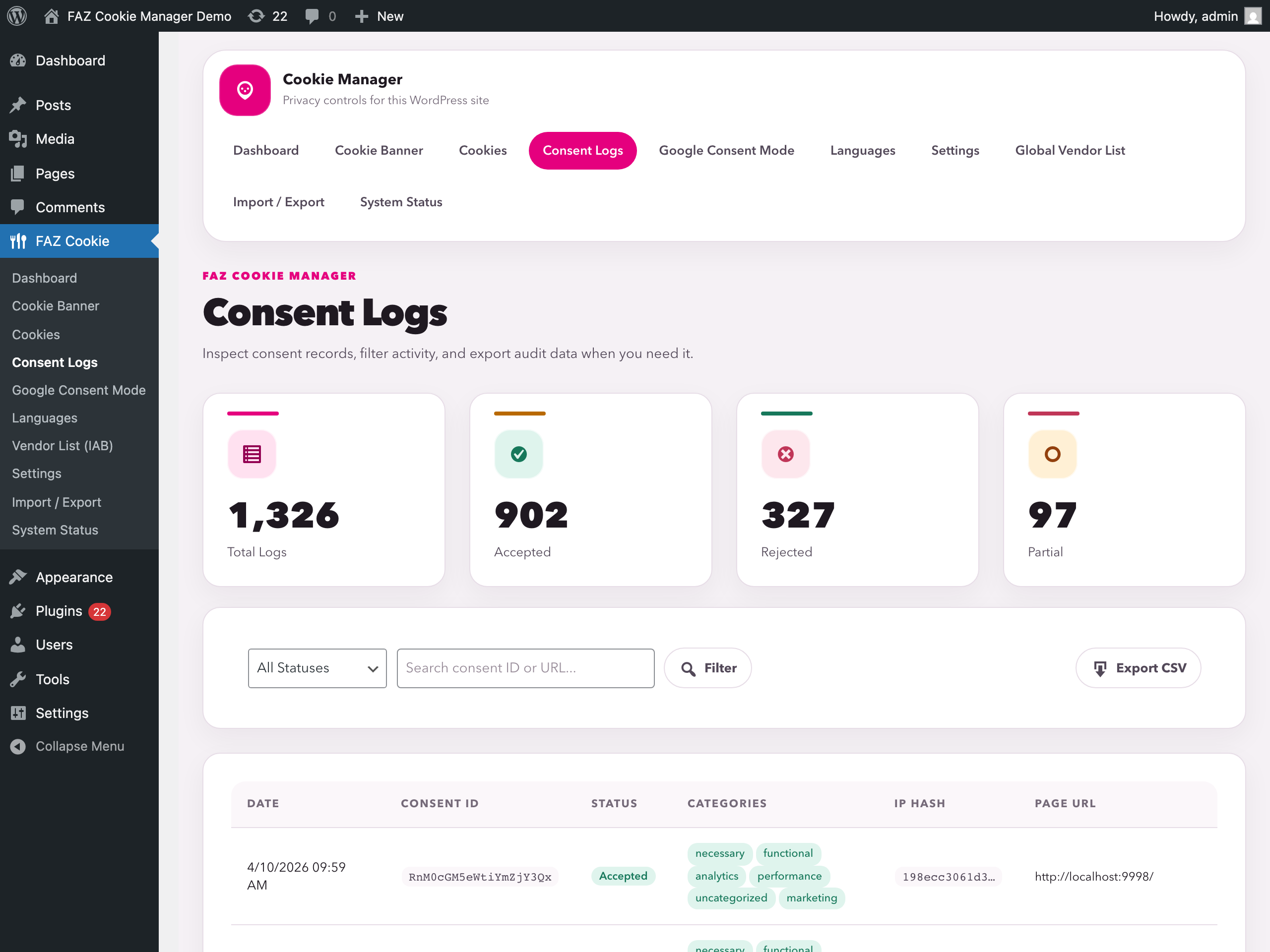
- Consent logging with CSV export — Every consent is recorded locally in your database. Export anytime for audits.
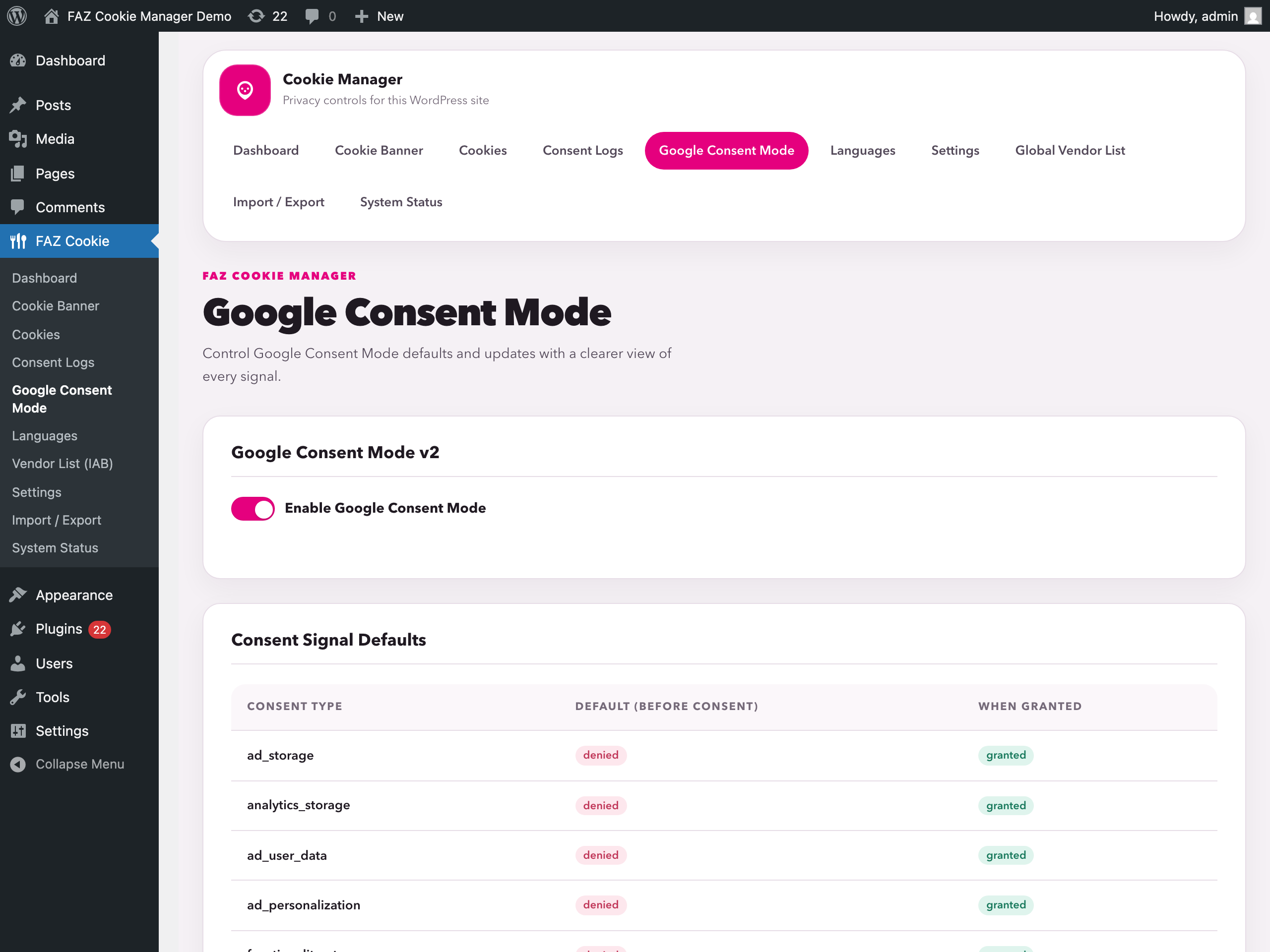
- Google Consent Mode v2 — Sends all 7 consent signals to Google tags. No premium required.
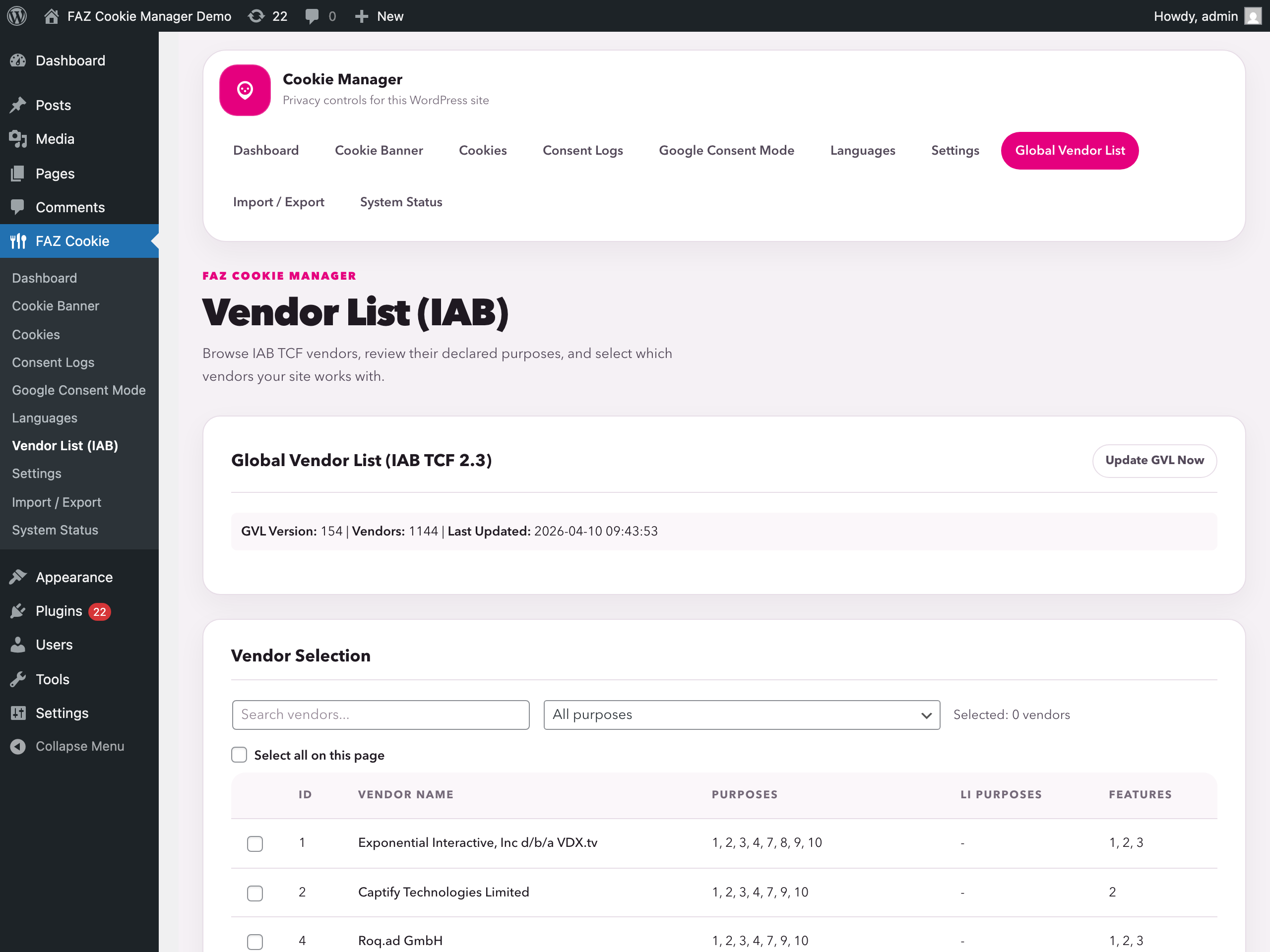
- IAB TCF v2.3 — Full Transparency and Consent Framework support, built in.
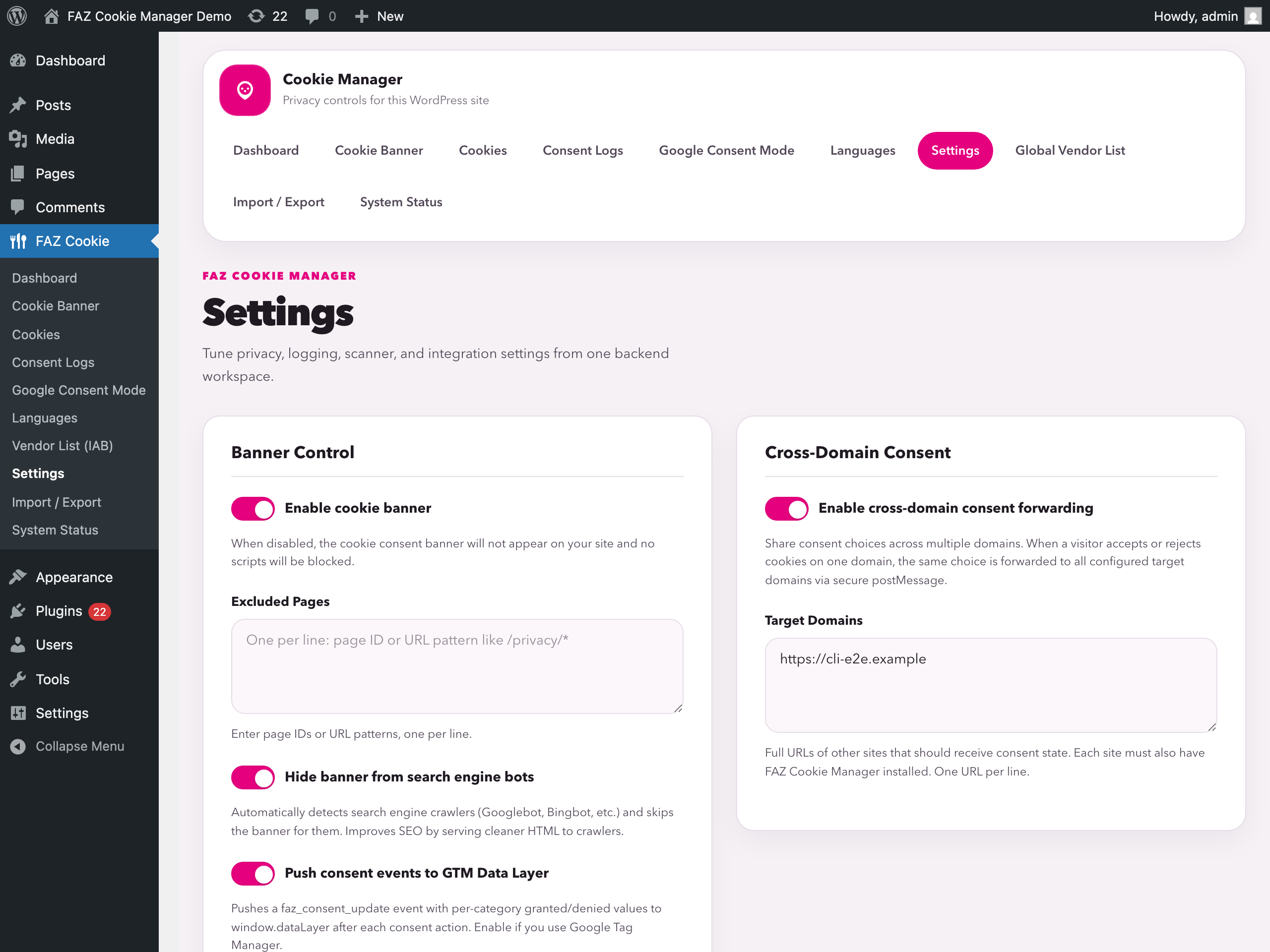
- Geo-targeting — Show banners only to visitors from regulated regions (EU, California, etc.).
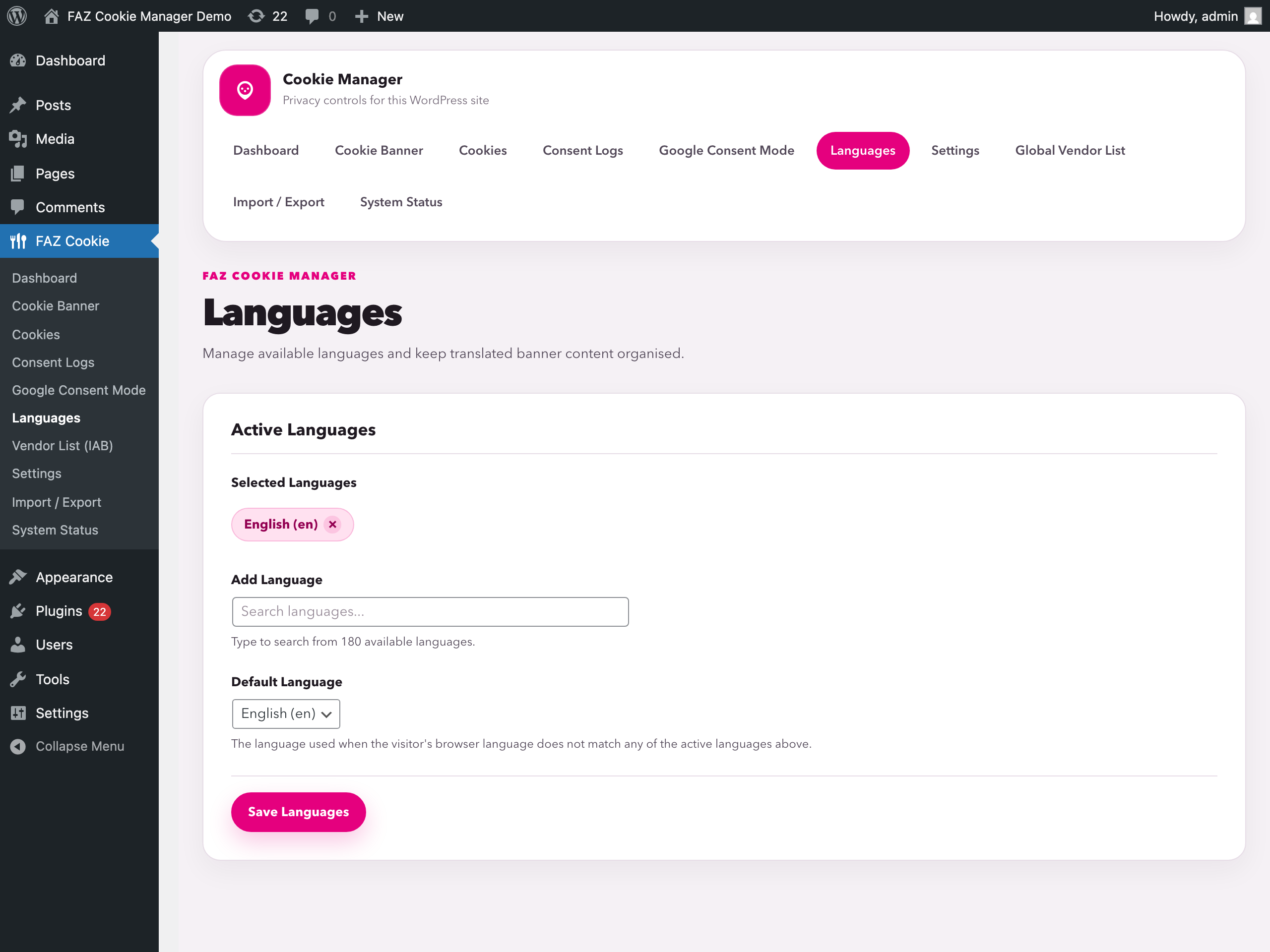
- 180+ languages — Translate every string in the banner, or use one of the built-in translations.
- Script blocking — Tag any script with
data-faz-tagto block it until the right category is accepted. - Microsoft UET/Clarity — Consent integration for Microsoft advertising and analytics tools.
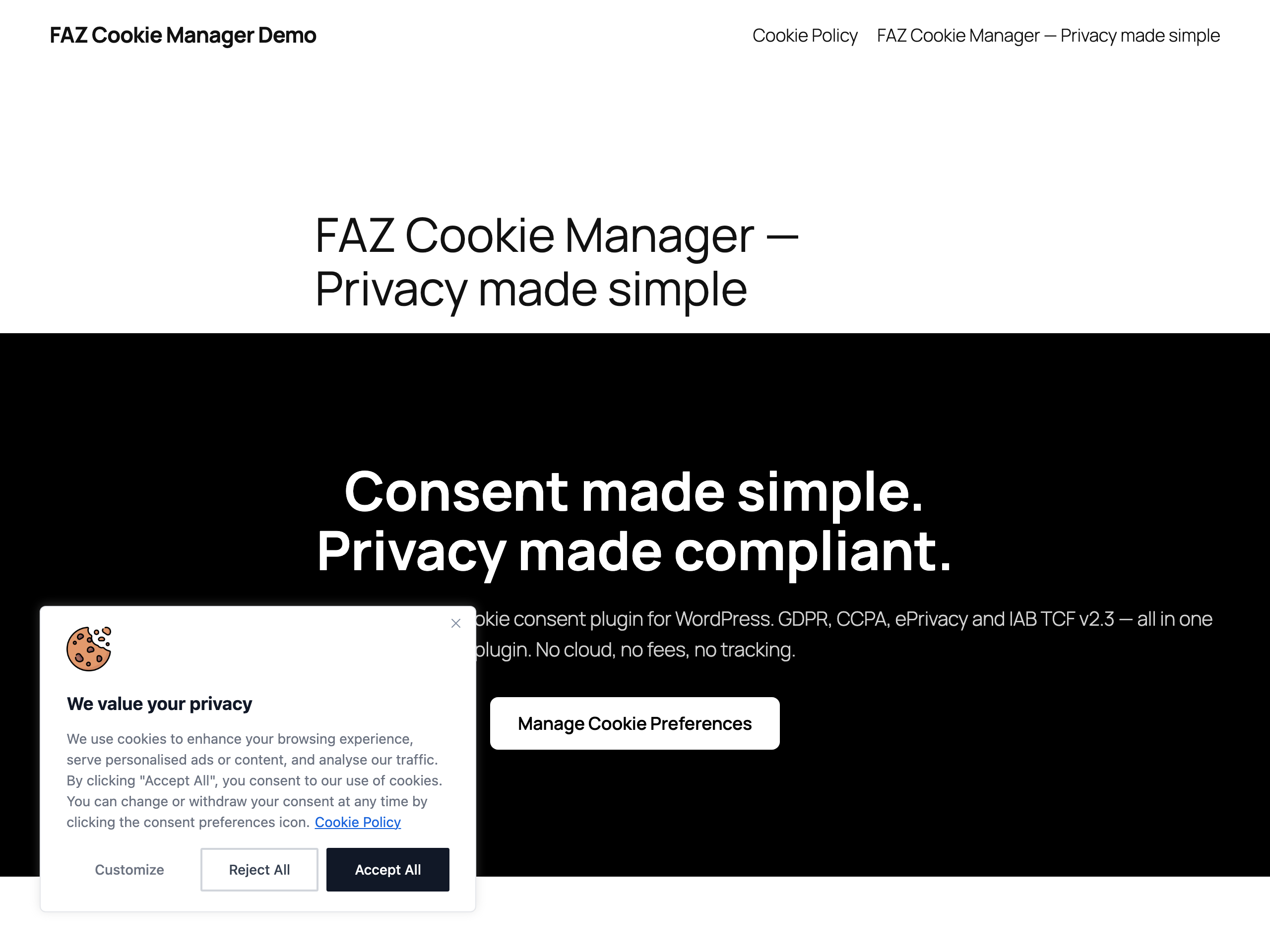
- Revisit consent widget — Floating button lets visitors change their preferences anytime.
- Accessibility-focused — Keyboard navigation (Tab, Enter, Escape), screen-reader support, mobile responsive.
Helps with these frameworks
This plugin assists consent and privacy workflows. It does not itself create, provide, or guarantee legal compliance, and you remain responsible for the final configuration for your site and jurisdiction.
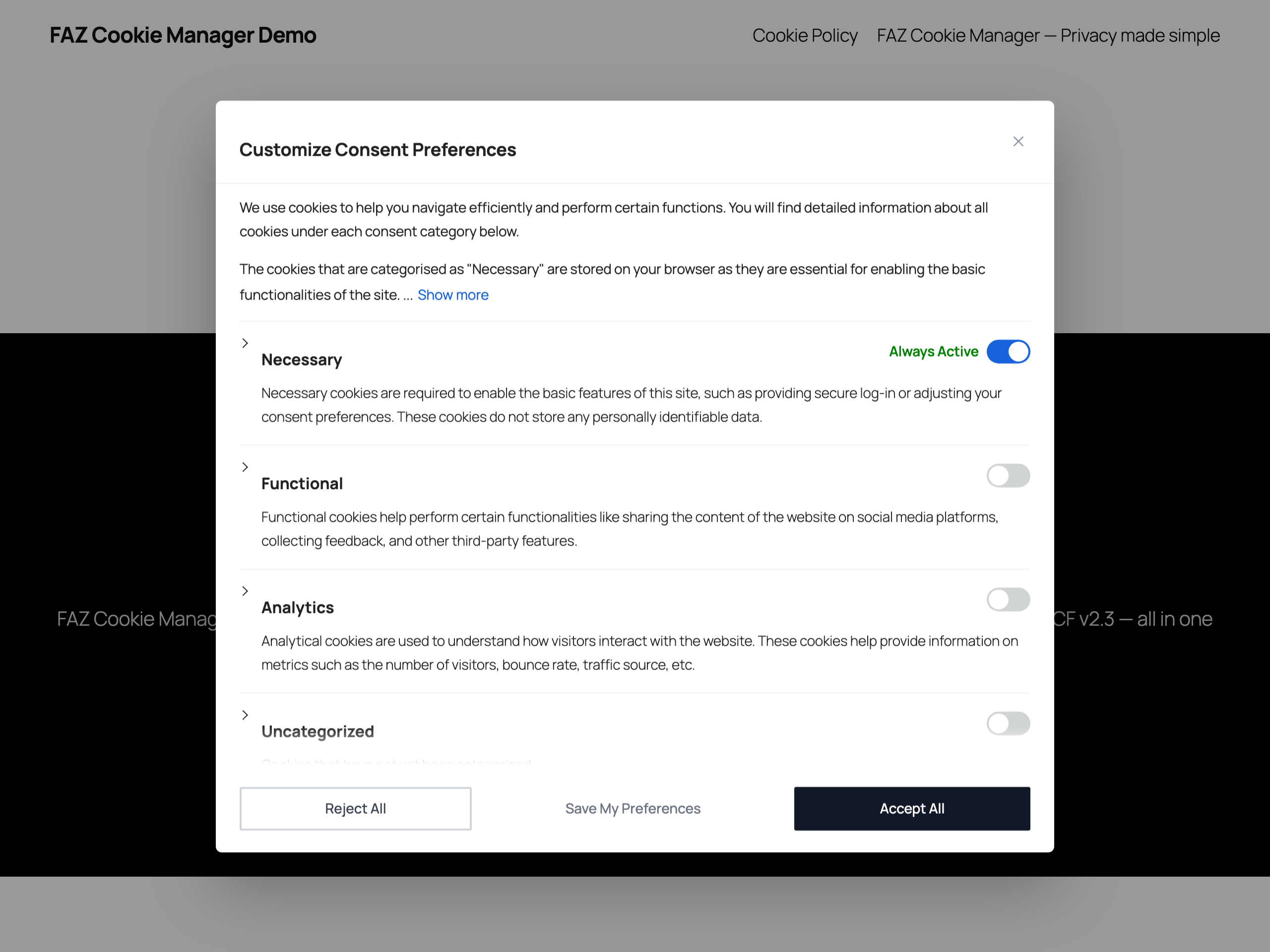
- GDPR (EU General Data Protection Regulation) — Opt-in consent, granular categories, right to withdraw
- CCPA / CPRA (California Consumer Privacy Act) — “Do Not Sell or Share” opt-out link
- ePrivacy Directive (EU Cookie Law) — Consent-based script blocking support
- Italian Garante Privacy — 6-month consent expiry setting and consent logging controls
- EDPB Guidelines — No scroll-as-consent, no pre-checked categories, equal button prominence options
- LGPD (Brazil General Data Protection Law) — Consent-based model
- POPIA (South Africa Protection of Personal Information Act) — Opt-in consent
How it works
- Install and activate — the cookie banner appears immediately with sensible defaults
- Scan your site to detect cookies automatically
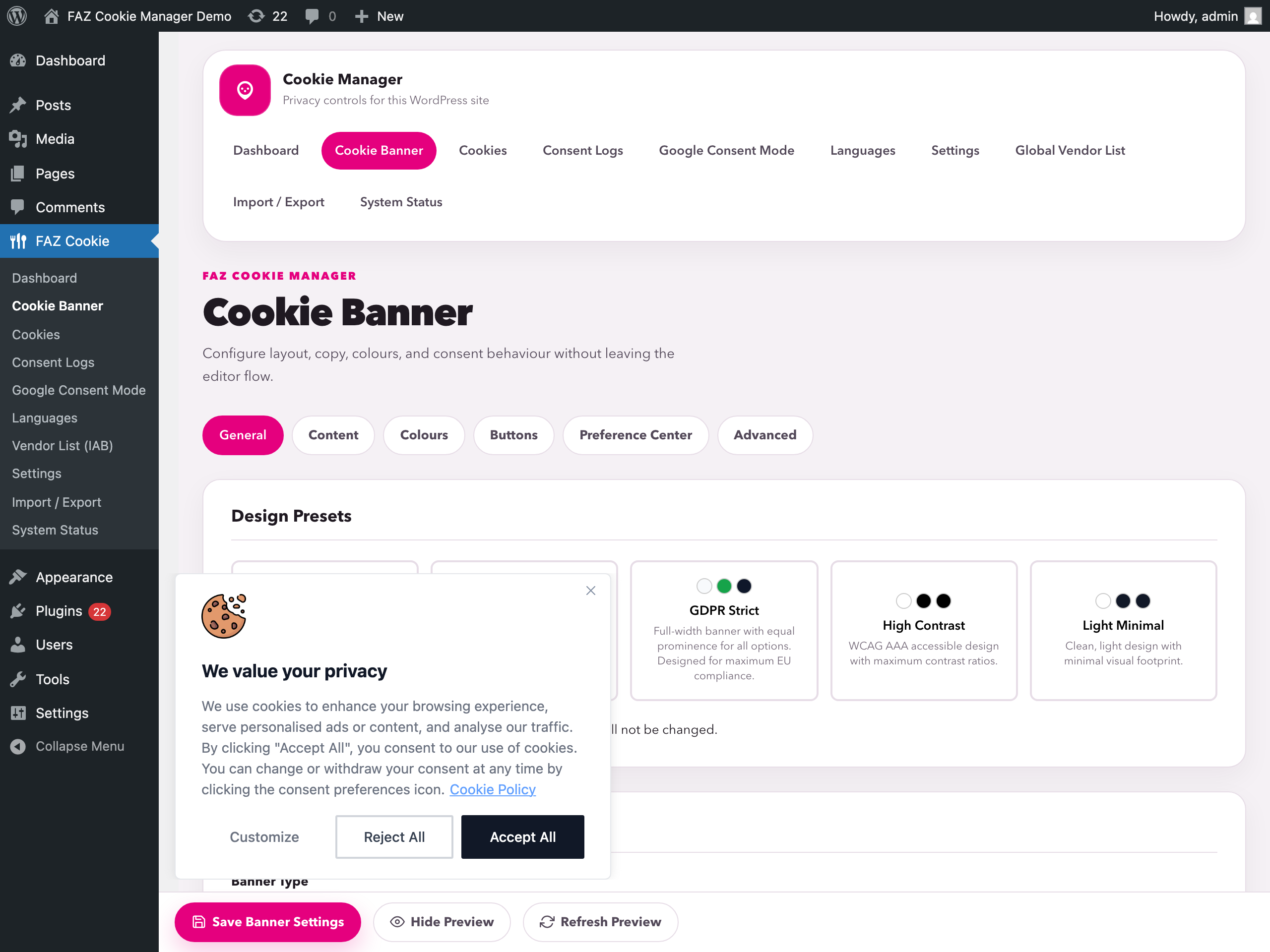
- Customize the banner design, text, and colors to match your brand
- Enable Google Consent Mode or IAB TCF if you use advertising tools
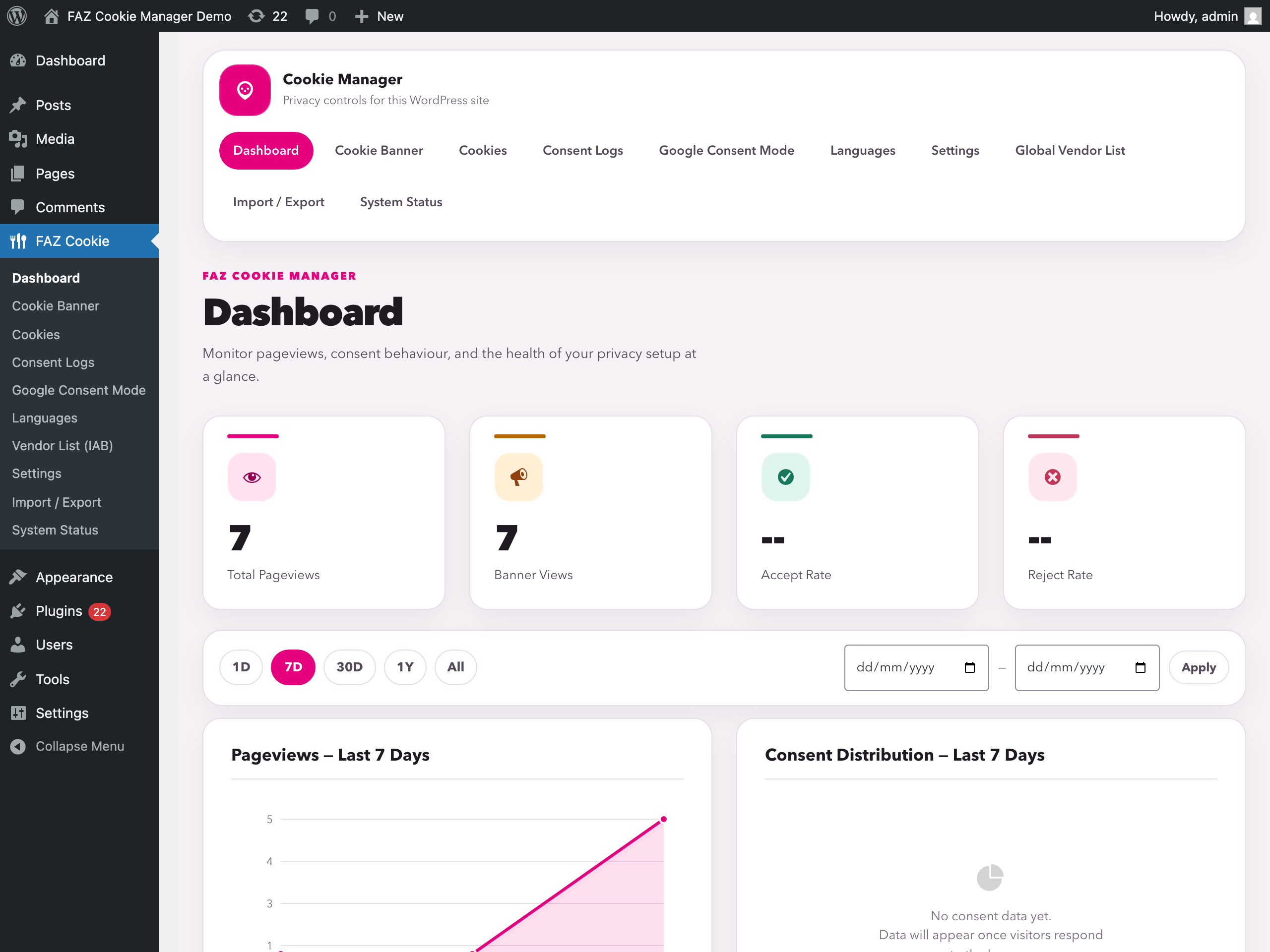
- Monitor consent analytics on the dashboard
Core banner functionality runs on your WordPress site. Optional update/download features may contact GitHub, IAB Europe, MaxMind, or the AMP CDN depending on which features you enable and use.
External Services
GitHub / Raw GitHubusercontent (Open Cookie Database)
Used to refresh the built-in cookie definitions snapshot for the optional auto-categorize feature.
Triggered when: you click the definitions update action in the Cookies screen.
Data sent: your server IP address and standard HTTP request headers.
Service URLs:
* https://raw.githubusercontent.com/fabiodalez-dev/Open-Cookie-Database/master/open-cookie-database.json
Terms of Service / Privacy Policy:
* https://docs.github.com/en/site-policy/github-terms/github-terms-of-service
* https://docs.github.com/en/site-policy/privacy-policies/github-privacy-statement
IAB Europe / vendor-list.consensu.org
Used to download the Global Vendor List and purpose translations for the optional IAB TCF feature.
Triggered when: you manually update the vendor list, and weekly while IAB TCF is enabled.
Data sent: your server IP address and standard HTTP request headers.
Service URLs:
* https://vendor-list.consensu.org/v3/vendor-list.json
* https://vendor-list.consensu.org/v3/purposes-en.json
Privacy Policy:
* https://iabeurope.eu/privacy-policy/
MaxMind
Used to download the GeoLite2 Country database for optional geo-targeting.
Triggered when: you enter a MaxMind license key in Settings and start the database download.
Data sent: your server IP address, the license key you provide, and standard HTTP request headers.
Service URL:
* https://download.maxmind.com/app/geoip_download
Terms of Service / Privacy Policy:
* https://www.maxmind.com/en/terms-of-use
* https://www.maxmind.com/en/privacy-policy
AMP Project CDN
Used only on AMP pages when the AMP consent integration is active, to load the official amp-consent component required by AMP.
Triggered when: an AMP page renders the AMP consent banner.
Data sent: the visitor IP address and standard browser request data to the AMP CDN.
Service URL:
* https://cdn.ampproject.org/v0/amp-consent-0.1.js
Documentation / Privacy:
* https://amp.dev/documentation/components/amp-consent
* https://policies.google.com/privacy
Note on third-party domain strings inside the plugin codebase
The plugin source includes several third-party domain names (e.g. js.stripe.com, connect.facebook.net, cdn.jsdelivr.net, unpkg.com, googletagmanager.com, etc.) as string patterns for two purposes:
- Script-blocking detection patterns — used to identify analytics, advertising, and tracking scripts that the site administrator’s other plugins may inject, so we can block them until the visitor has given consent. The plugin itself does not load any of these scripts.
- Whitelist defaults — domains such as
unpkg.com/,cdn.jsdelivr.net/,fonts.googleapis.com/,www.google.com/recaptcha/api, etc. are seeded as default whitelist entries so the script blocker leaves them alone unless the admin explicitly removes them. They are configuration data, not outbound HTTP calls.
The only outbound HTTP requests this plugin makes are the four documented above (Open Cookie Database, IAB GVL, MaxMind, AMP CDN). All four are gated behind explicit administrator action or an enabled feature.
Details
Related plugins
Plugins that also contain the tag ccpa
Cookie Notice & Compliance for GDPR / CCPA

GDPR Cookie Compliance – Cookie Banner, Cookie Consent, Cookie Notice for CCPA, EU Cookie Law

iubenda | All-in-one Compliance for GDPR / CCPA Cookie Consent + more

Termly – GDPR/CCPA Cookie Consent Banner

TermsFeed AutoTerms: Privacy Policy Generator, Cookie Consent, GDPR, CCPA, Terms & Conditions, Disclaimers, Cookies Policy, EULA

Pressidium Cookie Consent


About
Plugin for that tries to help you find the WordPress plugin you are looking for.
| Please enjoy an image of Crush (this awesome turtle) and have a lovely day! |  |
We do not own any plugin listed on this site and do not work for or work with WordPress.com or it's associated companies. We simply provide a searchable list of the available WordPress plugins.