

Back
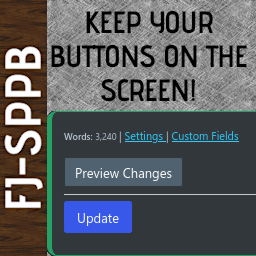
Sticky Preview and Publish Buttons by FibroJedi
Details
View on WordPress
Back
Stop scrolling back up to the Publishing buttons on large screens! Or stop having to scroll down a long way on smaller screens!
Take advantage of a Preview and Publish/Update Button in post editor that scrolls down the screen as you scroll, saving you time and annoyance.
Customise your tab to work your way, and even decide how the buttons function.
Other Features
- Normal or Compact Mode.
- Set the border colour of your tab, and slightly themes the options page.
- Choose post types and post formats you do not want the tab to appear on. For example, on a Video or an Aside format, where it doesn’t really help!
- Mastodon/Fediverse link on the plugin’s screen so you have a point of contact as I don’t publicise an email address.
Need Help or Have Ideas?
Known Issues
- [RankMath] If you update your Search Snippet (“SEO Data”) or your Facebook/Twitter card, sometimes my tab does not save these. I am actively looking at fixing this.
- As mentioned, this has not been tested with Gutenberg. If you want to do this and let me know what code changes I need to make, I’ll credit you once I implement it.
- When the editor moves to an IFRAME, this may cause issues with the word count. I’ll try to look out for it.
Details
Plugin code:
fibrojedi-sticky-preview-publish-buttons
Plugin version:
1.5.2
Author:
Outdated:
No
WP version:
6.0 or higher
PHP version:
7.0 or higher
Test up to WP version:
6.9
Total installations:
20
Last updated:
2025-12-02
Rating:
Times rated:
2
admin
back-office
classic-editor
editor
ui


Related plugins
Plugins that also contain the tag admin
Redux Framework

Loginizer

LightStart – Maintenance Mode, Coming Soon and Landing Page Builder

Admin Menu Editor

White Label CMS

InfiniteWP Client


About
Plugin for that tries to help you find the WordPress plugin you are looking for.
| Please enjoy an image of Crush (this awesome turtle) and have a lovely day! |  |
We do not own any plugin listed on this site and do not work for or work with WordPress.com or it's associated companies. We simply provide a searchable list of the available WordPress plugins.