

Field block for ACF PRO
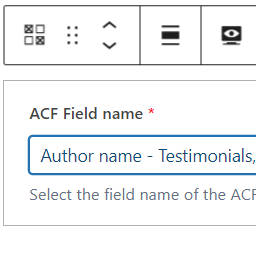
The ACF field block displays individual fields registered using ACF.
It supports the following field types:
- Basic: Text, Text Area, Number, Range, Email, URL, Password
- Content: Image, File, WYSIWYG Editor, oEmbed, Gallery
- Choice: Select, Checkbox, Radio Button, Button Group, True / False
- Relational: Link, Post Object, Page Link, Relationship, Taxonomy, User
- Advanced: Google Map, Date Picker, Date Time Picker, Time Picker, Color Picker
- Layout: Group, Clone, Repeater, Flexible Content
Features
- Uses a single block – ACF field
- The block can be used within the Query Loop
- Most field types are rendered in the block editor.
- Supports display of the field’s label, if required.
This plugin depends on Advanced Custom Fields PRO; it uses the plugin’s server side rendering block logic.
If ACF PRO is not activated then the ACF field block will not be registered.
For PHP developers
The extensible architecture allows:
– overrides to rendering logic by field type,
– rendering for custom field types,
– rendering for custom field names
If you want to alter the output from the acf-field-block/acf-field block
then you can either hook into the render_block_acf-field-block/acf-field filter to
modify the generated HTML,
or the acf_field_block_get_renderer filter to set your own callback function/method
for a field type or specific field.
Google Map fields use JavaScript from maps.googleapis.com.
The Google Map field requires an API key which you can obtain from
https://developers.google.com/maps/documentation/javascript/get-api-key
Details


Related plugins
Plugins that also contain the tag acf
Advanced Custom Fields (ACF®)

Advanced Custom Fields: Extended

ACF Content Analysis for Yoast SEO

Advanced Custom Fields: Font Awesome Field

ACF Photo Gallery Field

Table Field Add-on for ACF and SCF


About
Plugin for that tries to help you find the WordPress plugin you are looking for.
| Please enjoy an image of Crush (this awesome turtle) and have a lovely day! |  |
We do not own any plugin listed on this site and do not work for or work with WordPress.com or it's associated companies. We simply provide a searchable list of the available WordPress plugins.