



FP Site Security
FP Site Security is a self-contained WordPress security plugin. It runs entirely on your own site — no external dashboards, no license servers, no cloud sync.
Features:
- Login protection — brute-force lockout, optional TOTP two-factor authentication
- Firewall — built-in rules and request blocking
- DDoS rate limiting
- Near-real-time malware scanning with signature and heuristic detection
- File integrity monitoring
- Optional WordPress.org checksum verification
- Optional outdated plugin/theme/core checks
- Quarantine and guided cleanup
- Local + scheduled backups
- Activity log and reports
- Admin email alerts
External services
This plugin connects to a small number of third-party services. All of them are optional and only contacted when you turn them on, supply credentials, or opt in to a feature that explicitly depends on that service.
WordPress.org (checksum and update verification, optional) — Only contacted if you enable WordPress.org verification lookups in the plugin settings. When enabled, the plugin requests WordPress core checksums and update metadata from api.wordpress.org. No personal data is sent. wordpress.org Privacy: https://wordpress.org/about/privacy/.
Google reCAPTCHA (optional) — Only contacted if you enable reCAPTCHA on login/register/password-reset and supply your own site keys. The plugin loads https://www.google.com/recaptcha/api.js on the login page and submits responses to https://www.google.com/recaptcha/api/siteverify. Google reCAPTCHA Terms: https://policies.google.com/terms — Privacy: https://policies.google.com/privacy.
Slack (optional) — Only contacted if you enable Slack notifications and configure a webhook URL. Security events are posted to the webhook you supply.
Sentry (optional) — Only contacted if you enable Sentry notifications and configure a Sentry DSN. Critical events are posted to the Sentry endpoint encoded in your DSN.
Filesystem scope
The plugin only writes to the database and a small set of clearly named directories under wp-content/uploads/. It never asks users to edit plugin files, and it does not store runtime data in its own plugin folder. Every write below is gated behind an admin nonce or a WordPress cron event — there is no path that an unauthenticated visitor can use to write to disk.
wp-content/uploads/firssise-backups/— created by the local-backup feature when scheduled or manual backups are run. Contains the generated.ziparchives. Backups are NOT removed on uninstall (that’s your data); delete the folder manually if you don’t want them.wp-content/uploads/firssise-logs/— internal error log written by the plugin’s own error-capture handlers when the “Monitor PHP error log” option is enabled. The directory gets a blankindex.htmland a restrictive.htaccessfile when supported by the server.- Quarantine records are stored in the WordPress database. Flagged files are deleted from disk when quarantined instead of being copied into the plugin directory or a public uploads subfolder.
The plugin reads many other paths (WordPress core files, other plugins, themes, uploads) for integrity scanning and malware detection, but it does not write to them.
Details
Related plugins
Plugins that also contain the tag backups
Backup Migration

BackUpWordPress

WP Umbrella: Update Backup Restore & Monitoring

Clone

Modular DS: Monitor, update, and backup multiple websites

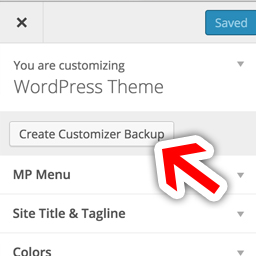
MP Customizer Backups

About
Plugin for that tries to help you find the WordPress plugin you are looking for.
| Please enjoy an image of Crush (this awesome turtle) and have a lovely day! |  |
We do not own any plugin listed on this site and do not work for or work with WordPress.com or it's associated companies. We simply provide a searchable list of the available WordPress plugins.