


Flexa FormFlow
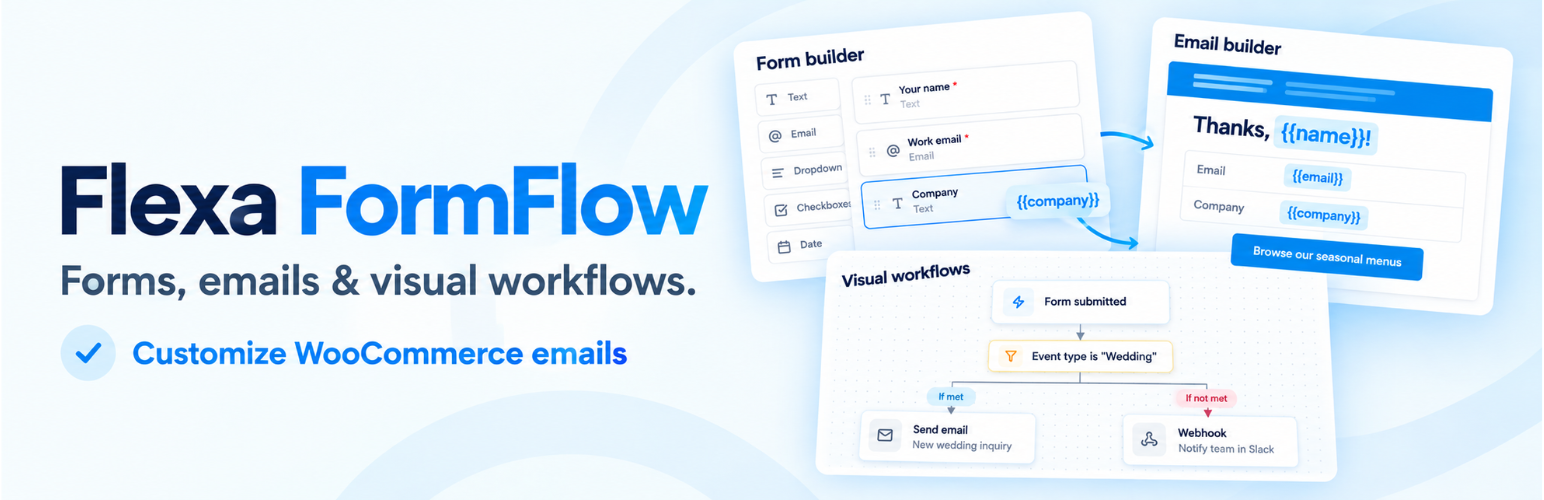
Flexa FormFlow joins two tools that usually live in separate plugins: a form builder and a visual email builder. A field you add to a form becomes a token you can drop into the notification email, so the message people receive matches the data they sent.
Form builder
Drag fields from the palette onto the canvas, reorder them, and edit each one in the inspector. Field types: text, email, paragraph, dropdown, radio, checkbox, number, date, and hidden. Every field carries a per-breakpoint width, so you can lay fields out in columns on desktop and let them stack on mobile without touching CSS.
Place a form with the [flexa_formflow id="123"] shortcode or the Flexa FormFlow block.
Spam protection
Every form is protected automatically by invisible built-in checks (a honeypot, timing checks and a per-visitor rate limit), with no setting to forget. For an extra layer, pick Cloudflare Turnstile or Google reCAPTCHA v2 on any form. Keys are entered once in Settings, secret keys are stored encrypted, and every CAPTCHA answer is verified on your server before an entry is saved or an email is sent.
Entries
Every submission is stored. Browse them in a list with a quick peek panel, open the full detail view, and mark entries read or unread. Nothing is locked behind an external service.
Visual email builder
Design the notification email with a block editor: headings, text, buttons, images, dividers, spacers, columns, and a fields table that renders the whole submission. Start faster from the pattern library: ready-made headers, intros, banners, calls to action, galleries, offers and footers (plus order and shipping sections on WooCommerce stores) that you preview, insert, and then edit like any other block. A global header and footer keeps branding in one place, and each email can use it, keep its own copy, or turn it off. Insert form data visually with {field:ID} tokens and headers like {form_title}, no shortcode syntax to memorize. Save designs to a template library, set global styles once, preview in desktop and mobile widths, and send yourself a test before going live.
Each form can send an admin notification and an optional confirmation to the person who filled it in. When no custom design is chosen, a clean default layout is used.
Delivery
FormFlow does not send mail in any special way; it hands the finished message to WordPress with wp_mail(). Pair it with a delivery plugin such as Flexa MailBridge (or any SMTP plugin) for routing, logs, and tracking.
Does not require WooCommerce. FormFlow runs on any WordPress site.
Source code and build tools
The admin screens are a React app compiled with Vite. The compiled, minified files in assets/dist/ are built from the human-readable source that ships in this plugin:
apps/admin/src/: the React and TypeScript source (entry pointapps/admin/src/main.tsx).apps/admin/vite.config.tsandapps/admin/tsconfig.json: the build and TypeScript config.package.jsonandpnpm-lock.yamlin the plugin root: the dependency list and exact versions.
The same source is also public on GitHub: https://github.com/flexatech/flexa-formflow
To rebuild the bundle you need Node.js 20+ and pnpm 9+. From the plugin folder (or a clone of the repository):
- Run
pnpm install. - Run
pnpm build. The output goes toassets/dist/.
The frontend form script (assets/frontend/form.js) and the block editor script (assets/blocks/form/editor.js) are plain, unminified JavaScript with no build step. Third-party libraries bundled into assets/dist/ (React, TanStack Query, dnd-kit, Radix UI, Zustand, Lucide icons, Tailwind CSS) are listed in the repository’s package.json and their source is available from npm.
External services
FormFlow stores your forms, entries, and templates in your own database and does not send them anywhere. Three optional features can send data off your site, described below. None is on by default.
AI assistant (optional). This only works after you add an AI provider API key in Settings, and a request is sent only when an admin clicks one of the AI tools in the builder. Nothing is sent automatically or on the front end. What each tool sends to the provider you selected:
- Generate a form: the form description you typed.
- Writing assistant (rewrite, shorten, change tone, subject ideas): the text you asked it to work on, the chosen tone, and your site name (so the copy can mention it).
Each request also carries your API key and the model name, which the provider needs to authenticate and answer. No visitor data, entries, or submitted field values are sent. You choose the provider:
- Anthropic (Claude): sent to
https://api.anthropic.com. See the Anthropic Commercial Terms and Privacy Policy. - OpenAI: sent to
https://api.openai.com. See the OpenAI Business Terms and Privacy Policy. - Google Gemini: sent to
https://generativelanguage.googleapis.com. See the Gemini API Terms and Google Privacy Policy.
Your API key is stored encrypted and is never shown in the browser after you save it.
FormFlow calls these providers directly with wp_remote_post() instead of the WordPress AI Client (wp_ai_client_prompt()). The AI Client only exists in WordPress 7.0 and later, and FormFlow supports WordPress 6.5 and later, so a direct request is the only way to offer the same AI tools on every supported version. The request goes from your server straight to the provider you picked, using your own API key; there is no FormFlow server or proxy in between.
CAPTCHA (optional). Only a form you set to use a CAPTCHA, after you add that provider’s keys in Settings, uses one. On pages showing such a form, the visitor’s browser loads the provider’s script and talks to the provider to show the challenge. When the form is sent, your server sends the provider your secret key, the visitor’s answer token and the visitor’s IP address to check the answer. No form field values are sent. Pages without a CAPTCHA form load nothing from either provider.
- Cloudflare Turnstile: script from
https://challenges.cloudflare.com, checks sent tohttps://challenges.cloudflare.com/turnstile/v0/siteverify. See the Cloudflare Website and Online Services Terms and Privacy Policy. - Google reCAPTCHA v2: script from
https://www.google.com/recaptcha/, checks sent tohttps://www.google.com/recaptcha/api/siteverify. See the Google Terms of Service and Privacy Policy.
The “Test keys” button in Settings sends your secret key and a dummy token to the selected provider to confirm the key works; no visitor data is involved.
Workflow webhooks (optional). A workflow can include a “Send webhook” action. It only runs if you add it to a workflow yourself and enter a URL. Each time that workflow runs (for example, when a form is submitted), FormFlow sends a POST request to the URL you entered with the form ID, form title, entry ID, submission time, and the submitted field values as JSON. There is no fixed third-party service: the data goes only to the address you choose, and the terms and privacy policy of that endpoint apply. Local and private-network addresses are refused.
Details


Related plugins
Plugins that also contain the tag contact-form
Contact Form 7

WPForms – Easy Form Builder for WordPress – Contact Forms, Payment Forms, Surveys, & More

Akismet Anti-spam: Spam Protection

Fluent Forms – Customizable Contact Forms, Survey, Quiz, & Conversational Form Builder

Forminator Forms – Contact Form, Payment Form & Custom Form Builder

Ninja Forms – The Contact Form Builder That Grows With You


About
Plugin for that tries to help you find the WordPress plugin you are looking for.
| Please enjoy an image of Crush (this awesome turtle) and have a lovely day! |  |
We do not own any plugin listed on this site and do not work for or work with WordPress.com or it's associated companies. We simply provide a searchable list of the available WordPress plugins.