



Flux AI Alt Text & Accessibility Audit by Flux Plugins
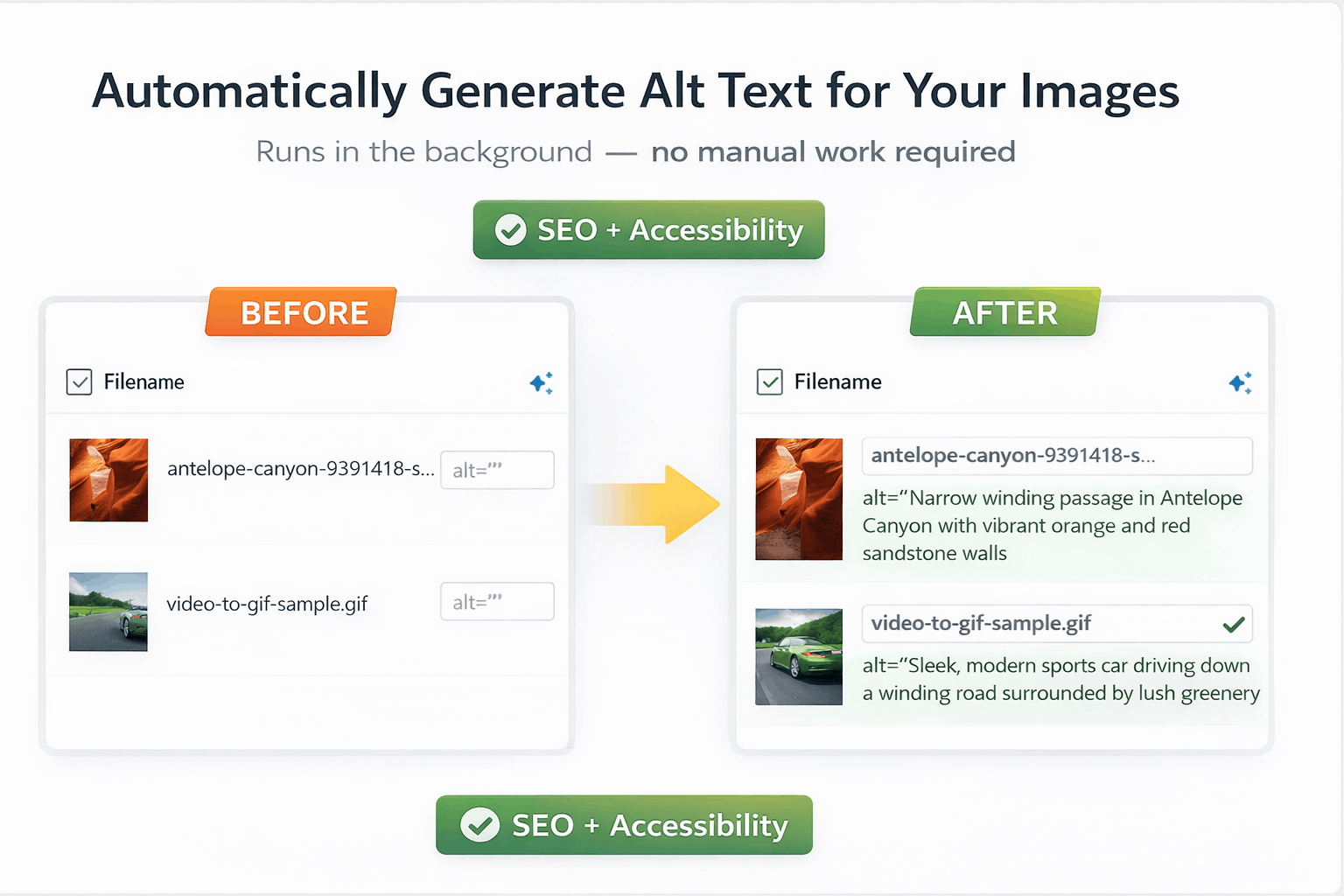
Missing or weak alt text on images hurts both SEO and accessibility. Flux AI Alt Text & Accessibility Audit helps you find and fix those gaps across your entire media library with an on-demand Compliance Audit Dashboard and AI-generated alt text.
NEW – Compliance Dashboard
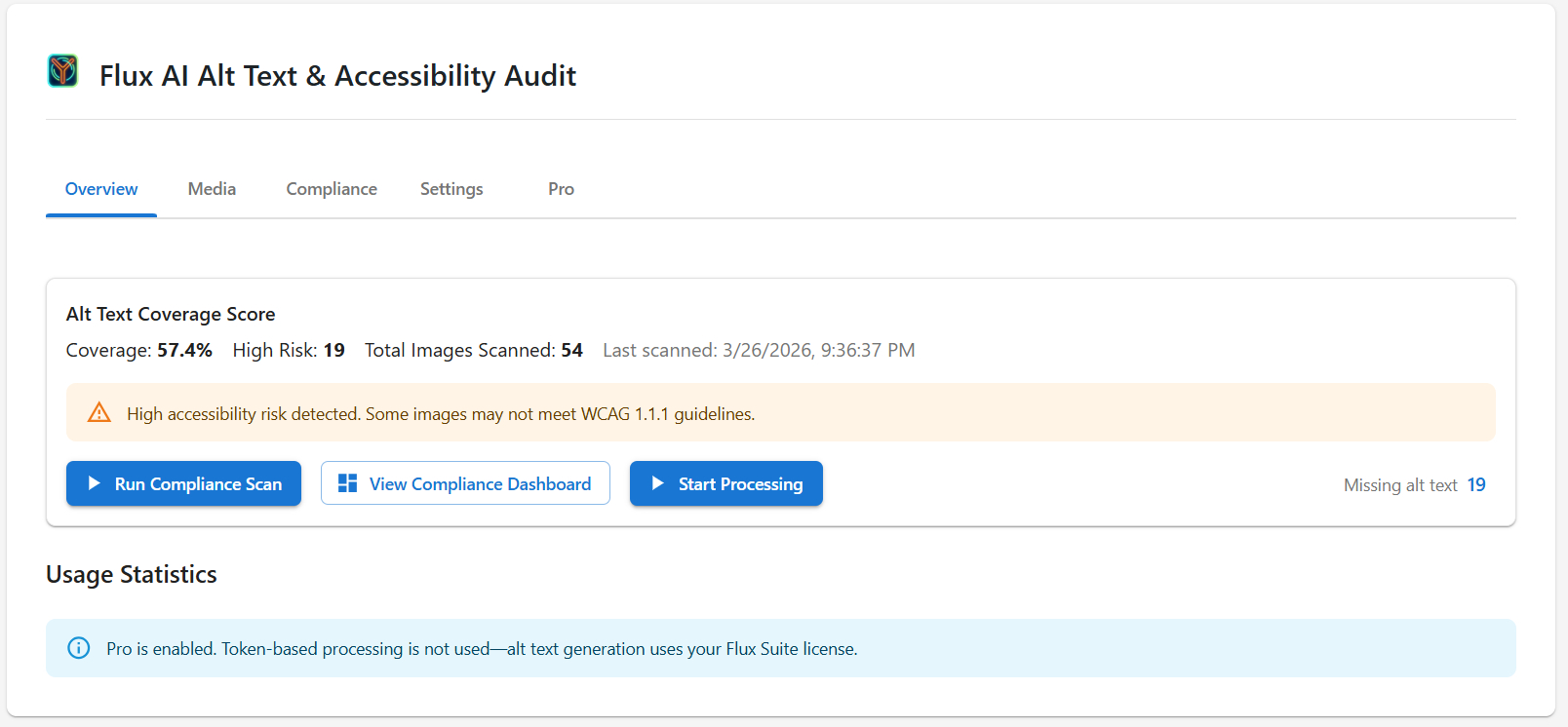
Scan your entire media library on demand. The Compliance Dashboard shows a coverage score and categorizes images by risk: missing alt text, placeholder or generic text, duplicates, and descriptive or contextual alt. Filter by category and fix issues in bulk. Run a full scan to see which images need attention, which are marked decorative, and which already have solid alt text—then generate, apply, or mark decorative in one place.
AI Alt Text Generation
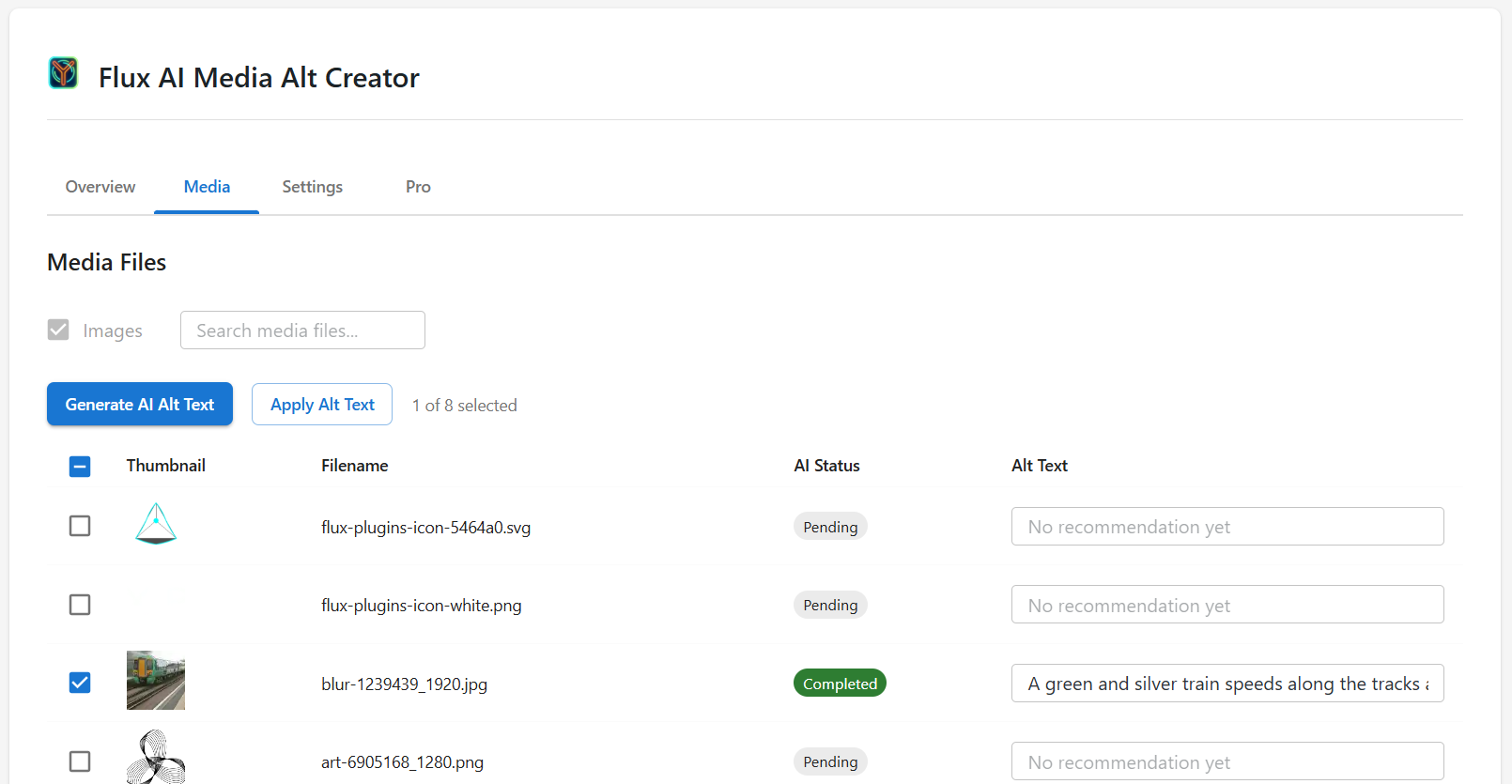
Generate descriptive, context-aware alt text in bulk using your choice of OpenAI, Google Gemini, or Anthropic Claude. Review each recommendation before applying. The plugin can use post or product context when available. WooCommerce product images are supported; alt text can include product name and attributes. Bring your own API key for the provider you choose. Get keys: OpenAI, Google Gemini, Anthropic Claude.
Built for Agencies & Site Owners
Fix hundreds or thousands of images quickly. Reduce accessibility risk exposure and improve media SEO coverage with bulk generation, risk-based filtering, and one-click mark-as-decorative. The plugin aligns with WCAG 2.1 guidance for non-text content; it does not provide legal certification or guarantee full WCAG compliance.
Works With
- WooCommerce (product images)
- Any WordPress theme
- Major SEO plugins
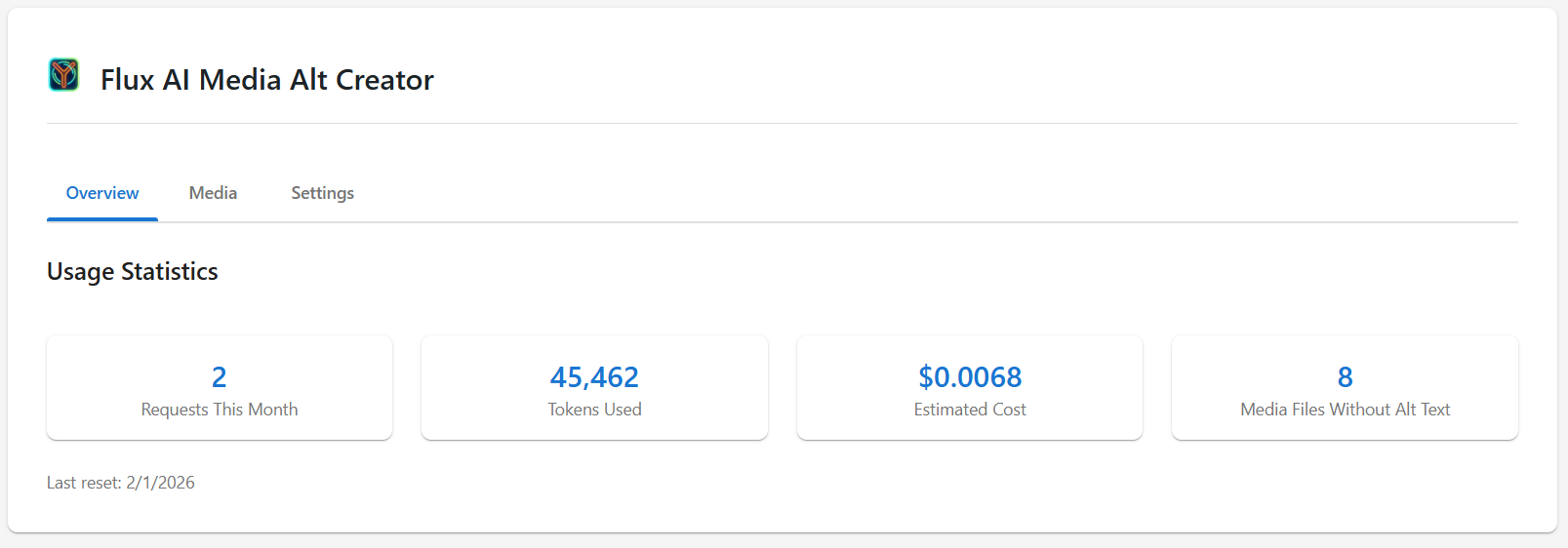
Looking for automated alt text without managing API keys? Flux AI Alt Text & Accessibility Audit Pro includes automation and requires only a Flux Suite license.
Core Features
- On-demand media library scan
- Alt Text Coverage Score
- Missing, Placeholder, and Duplicate detection
- AI-generated descriptive alt text
- Bulk generate and apply
- Mark images as decorative (WCAG best practice)
- WooCommerce product image support
- Context-aware generation using post/product data
- Lightweight and WordPress-native
Privacy
External Service Integration:
This plugin can integrate with OpenAI, Google (Gemini), or Anthropic (Claude) vision APIs to analyze images and generate alt text. You choose one provider in Settings. The selected integration is required for the plugin to function.
What Data is Sent:
When you generate alt text, the following data is sent to the selected provider’s servers:
* Image files or URLs (for analysis via the provider’s vision API)
* Your API key for authentication (stored in WordPress options, transmitted only during API requests)
When Data is Sent:
Data is only sent when you explicitly request alt text generation. No automatic background transmission.
Service Providers (one chosen in Settings):
* OpenAI – Terms: https://openai.com/policies/terms-of-use | Privacy: https://openai.com/policies/privacy-policy | API keys: https://platform.openai.com/settings/organization/api-keys
* Google Gemini – API keys: https://aistudio.google.com/apikey
* Anthropic Claude – API keys: https://console.anthropic.com/settings/keys
Important Notes:
* An API key for your chosen provider is required
* Image data is transmitted to that provider when you request generation
* You can remove or change the API key at any time
* No data is sent in the background
Privacy Policy
Flux AI Alt Text & Accessibility Audit integrates with one of OpenAI, Google Gemini, or Anthropic Claude (your choice in Settings) to analyze images and generate alt text. When you generate alt text, image data is sent to the selected provider for processing.
View our full privacy policy: https://fluxplugins.com/privacy-policy/
Key points:
* One vision API (OpenAI, Gemini, or Claude) is used based on Settings
* Image data is transmitted to that provider when you request generation
* API key stored in WordPress options; no automatic background transmission
* Full compliance with WordPress.org guidelines and privacy regulations
Developer Notes
This plugin follows WordPress coding standards and community best practices. For detailed information on contributing, development setup, coding standards, and architecture, please see the Contributing Guide on GitHub.
Details
Related plugins
Plugins that also contain the tag accessibility
Ally – Web Accessibility & Usability
Auto Image Attributes From Filename With Bulk Updater (Add Alt Text, Image Title For Image SEO)

Accessibility by UserWay

WP Dark Mode – Improve Accessibility with AI Powered Dark Theme

AccessibleWP – Accessibility Toolbar
Alt Text AI – Automatically generate image alt text for SEO and accessibility


About
Plugin for that tries to help you find the WordPress plugin you are looking for.
| Please enjoy an image of Crush (this awesome turtle) and have a lovely day! |  |
We do not own any plugin listed on this site and do not work for or work with WordPress.com or it's associated companies. We simply provide a searchable list of the available WordPress plugins.