



FormLedger – Entries for Contact Form 7
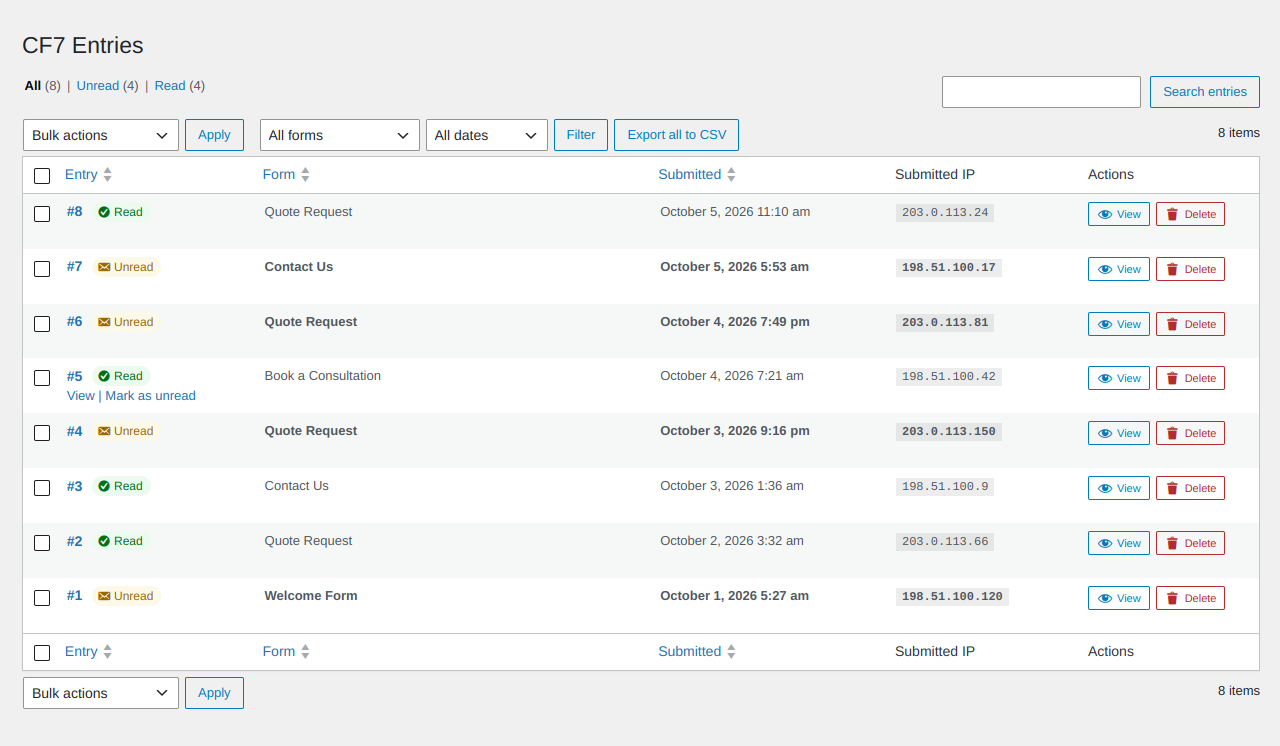
FormLedger saves every successful Contact Form 7 submission to your site’s own database, so a submission is never lost when an email fails to arrive. Entries are managed from a native WordPress admin screen under Contact CF7 Entries.
The plugin works entirely inside your WordPress site. It does not send submission data to any external service, it contains no tracking or telemetry, and there are no limits on the number of forms or entries.
Requires Contact Form 7. FormLedger is an add-on for Contact Form 7, which must be installed and active. WordPress will ask you to install Contact Form 7 first if it is missing.
This is an independent plugin. It is not affiliated with or endorsed by the Contact Form 7 project.
Features
- Automatic storage of successful Contact Form 7 submissions, including when mail sending fails
- Unlimited forms and unlimited entries
- Supports text, email, tel, textarea, number, URL, date, select, checkbox, radio, acceptance, hidden, quiz and file fields
- Clean entries list (entry, form, submitted date, view and delete buttons) with pagination, sorting and screen options
- Search across entry ID, form title, field names and field values
- Filter by form (including deleted forms) and by date: today, yesterday, last 7 days, last 30 days, this month, last month or a custom range
- Read/unread status with bulk mark as read or unread
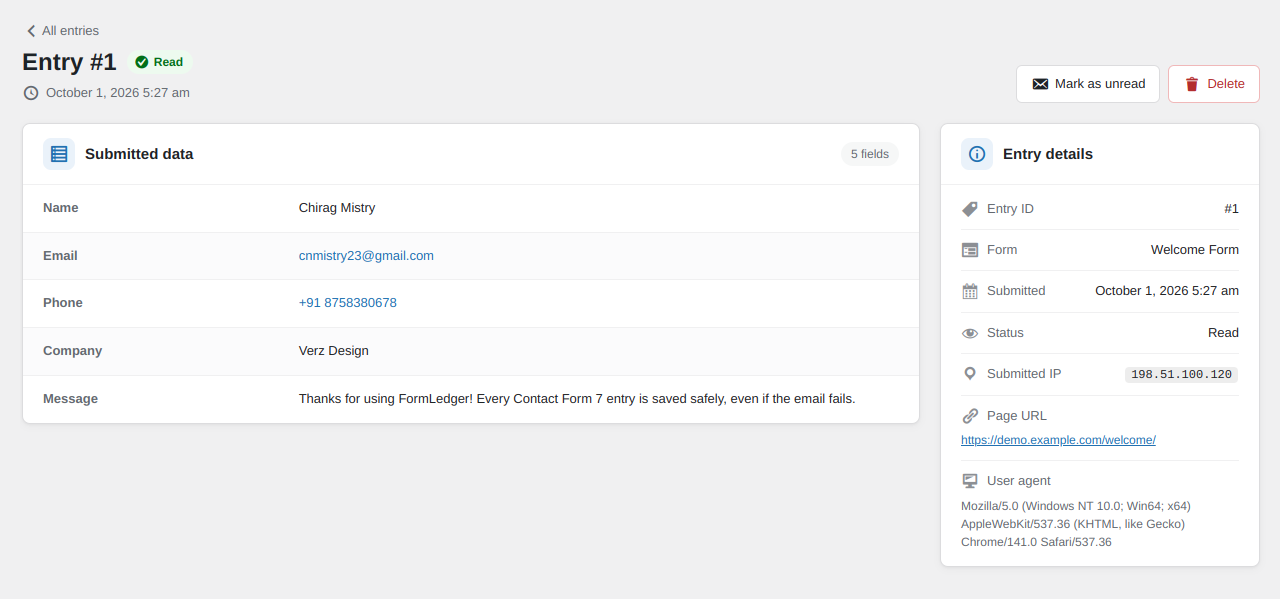
- Detailed entry screen showing every submitted field
- Individual and bulk delete
- CSV export of all, filtered or selected entries (with Form ID, Form Name, page URL and full file download links), UTF-8 encoded, with protection against spreadsheet formula injection
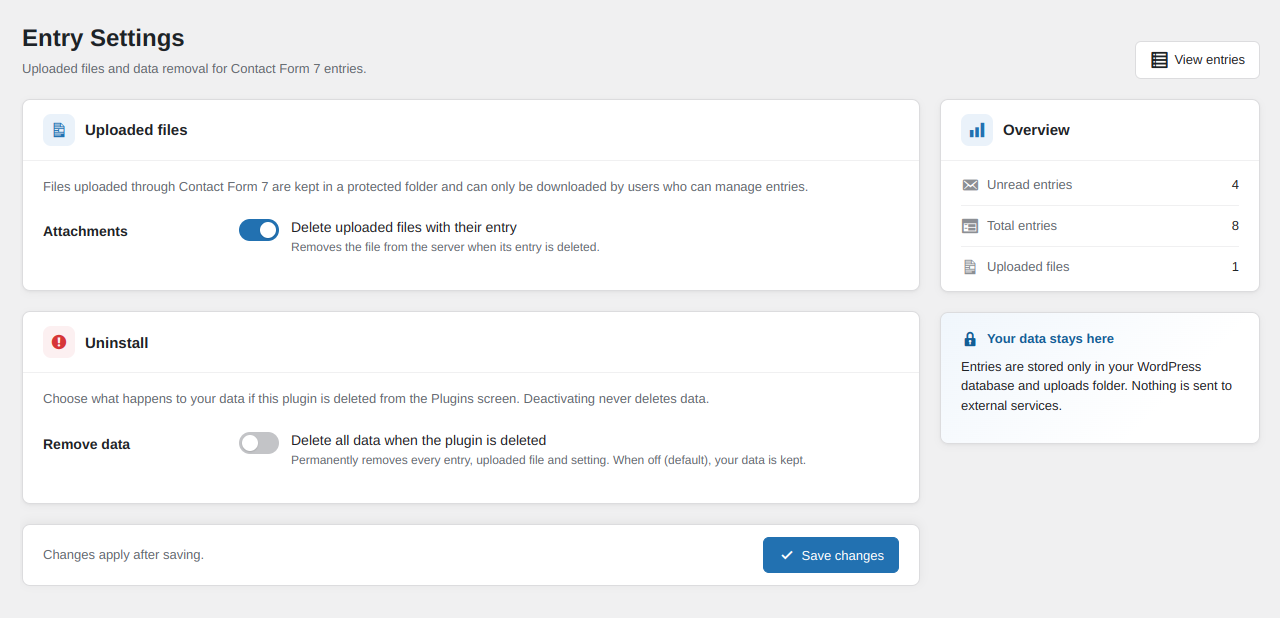
- Uploaded files are copied to a protected folder and can be downloaded securely by authorized users
- Privacy-friendly by default: IP addresses are never collected, and user agent storage is optional
- Integrates with the WordPress personal data exporter and eraser
- Multisite compatible: each site keeps its own entries
- Translation ready
FormLedger Pro
Need IP address logging or automatic deletion of old entries? These features are planned for FormLedger Pro, a separate add-on. The free plugin is complete on its own and does not require it.
Privacy
FormLedger stores form submissions in your own WordPress database. Nothing is sent to external services, and there is no tracking.
- Stores what visitors enter in your forms, any uploaded files, and the page the form was submitted from.
- IP addresses are not collected. Browser user agent storage is optional and off by default.
- Delete entries one at a time or in bulk whenever you like.
- Works with the WordPress personal data export and erase tools (Tools Export Personal Data / Erase Personal Data).
- Adds suggested text to your privacy policy guide (Settings Privacy).
This plugin does not by itself make your site compliant with GDPR or any other law. You remain responsible for your own privacy policy and how long you keep data.
Details
Related plugins
Plugins that also contain the tag contact-form-7
ReCaptcha v2 for Contact Form 7

Contact Form 7 Captcha

Contact Form 7 – Dynamic Text Extension

Conditional Fields for Contact Form 7

Image CAPTCHA for Contact Form 7 and WPForms by HookAndHook (DSGVO/GDPR)

Database for Contact Form 7, WPforms, Elementor forms


About
Plugin for that tries to help you find the WordPress plugin you are looking for.
| Please enjoy an image of Crush (this awesome turtle) and have a lovely day! |  |
We do not own any plugin listed on this site and do not work for or work with WordPress.com or it's associated companies. We simply provide a searchable list of the available WordPress plugins.