

FormThrottle Logger
FormThrottle Logger helps reduce spam and repeated form abuse by limiting how many submissions a single IP address can make within a chosen time period for Gravity Forms and Contact Form 7.
Features:
* Monitors submissions by IP address for Gravity Forms and Contact Form 7
* Blocks repeat offenders once the configured threshold is reached
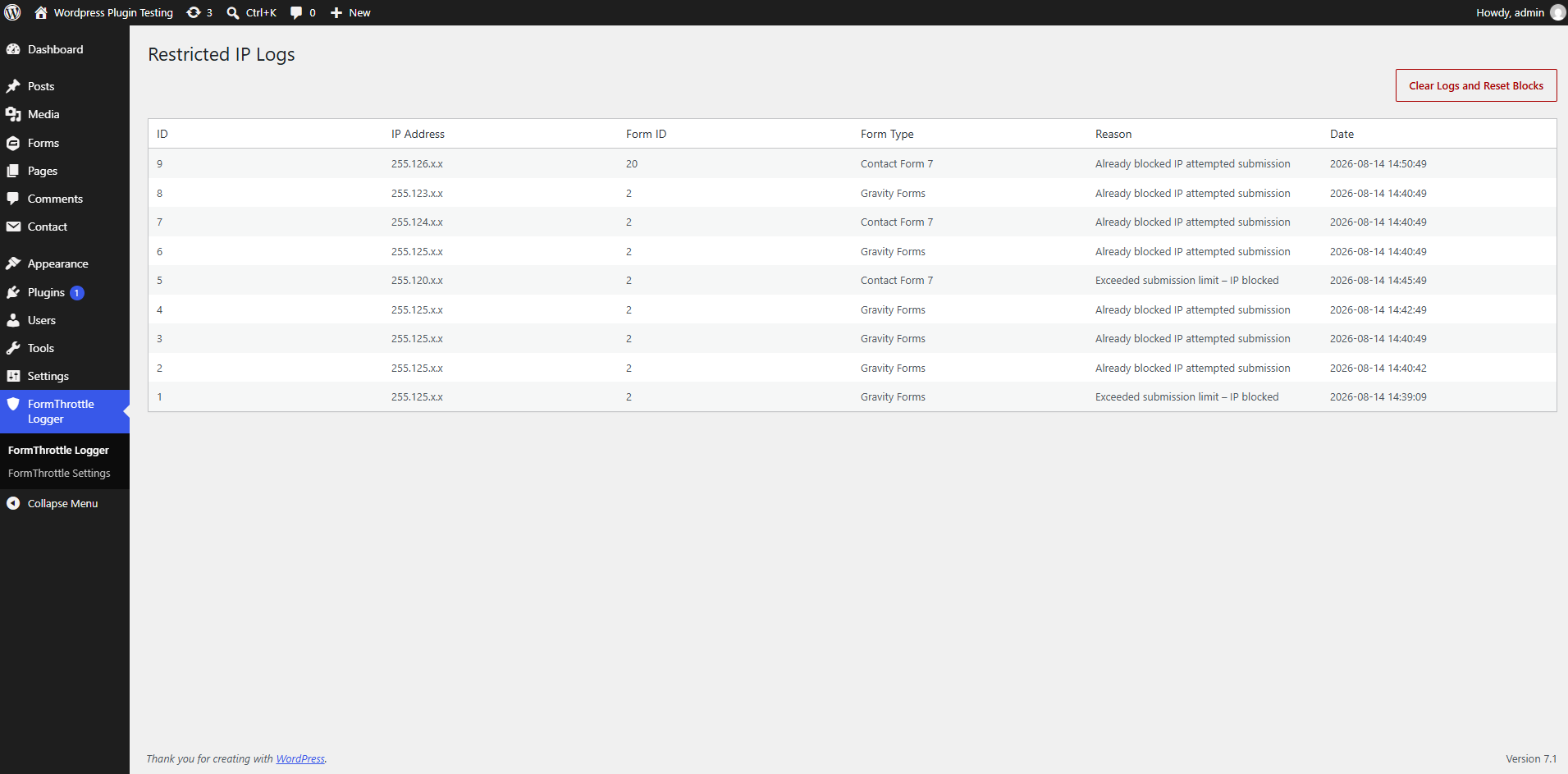
* Logs the IP address, form ID, source type, reason, and timestamp
* Adds a log screen in the plugin admin menu for reviewing blocked attempts
* Lets you choose which integrations are protected and configure the threshold and time window
Configuration
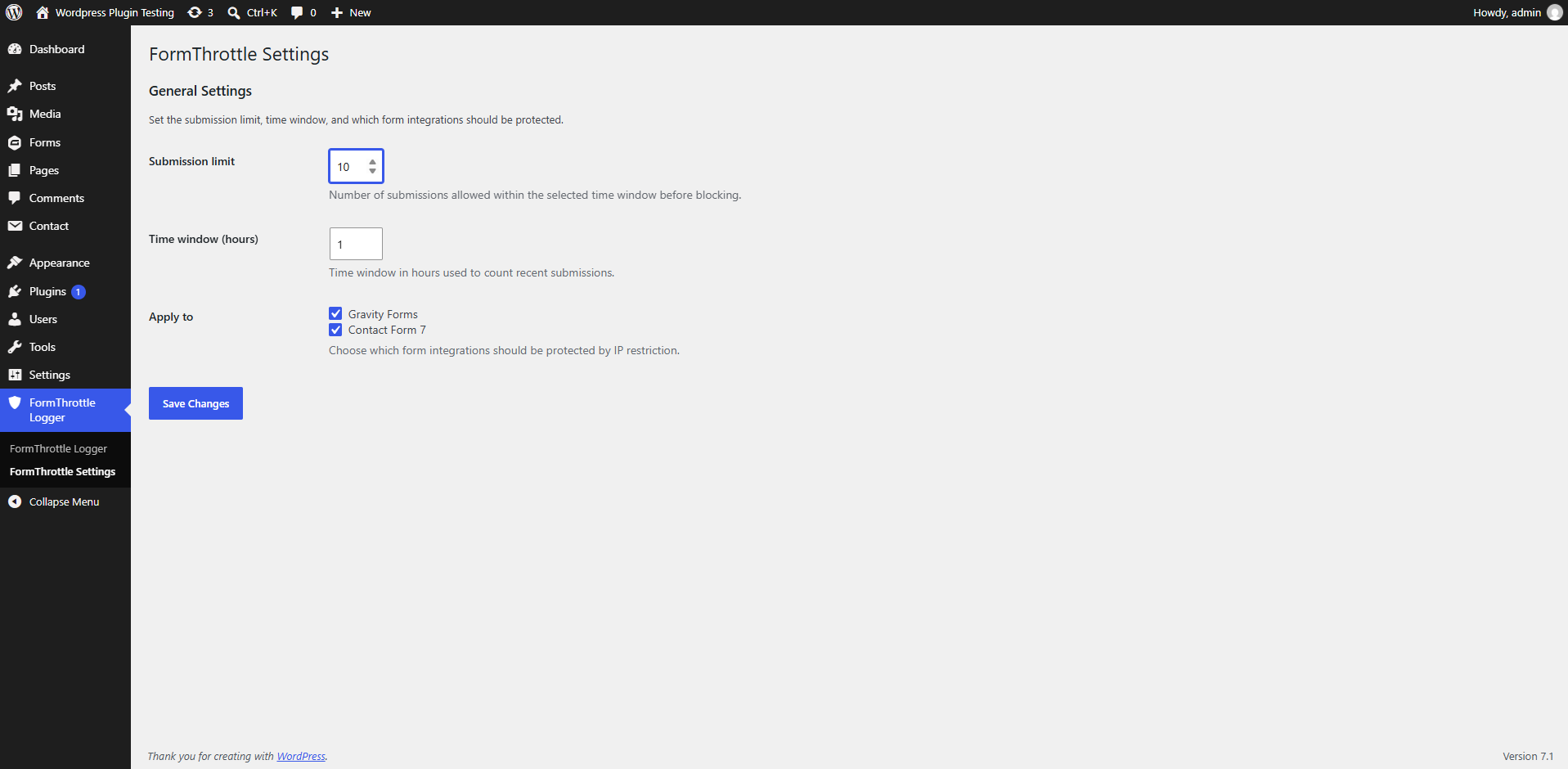
By default, the plugin allows 10 submissions within a 1-hour window. Both Gravity Forms and Contact Form 7 are enabled by default in the “Apply to” settings.
To change this:
- Open the FormThrottle Logger Settings page from the admin menu.
- Set the submission limit and the time window in hours.
- Select which integrations should be protected.
- Save your changes.
Details
Related plugins
Plugins that also contain the tag contact-form-7
ReCaptcha v2 for Contact Form 7

Contact Form 7 Captcha

Contact Form 7 – Dynamic Text Extension

Conditional Fields for Contact Form 7

Image CAPTCHA for Contact Form 7 and WPForms by HookAndHook (DSGVO/GDPR)

Database for Contact Form 7, WPforms, Elementor forms


About
Plugin for that tries to help you find the WordPress plugin you are looking for.
| Please enjoy an image of Crush (this awesome turtle) and have a lovely day! |  |
We do not own any plugin listed on this site and do not work for or work with WordPress.com or it's associated companies. We simply provide a searchable list of the available WordPress plugins.