


Fosia Crowdfunding Lite
Fosia Crowdfunding Lite is a free crowdfunding and donation plugin for WordPress and WooCommerce, made for Mobile Money. It turns your site into a fundraising page for the causes communities actually raise money for: a church roof, school fees, medical bills, a funeral, a wedding, a tontine, a small business, an emergency. Churches, schools, associations, charities and families use it to collect donations from people who pay with MTN MoMo (MTN Mobile Money), M-Pesa, Airtel Money, Orange Money, Wave or Moov Money, as well as by card through any WooCommerce gateway.
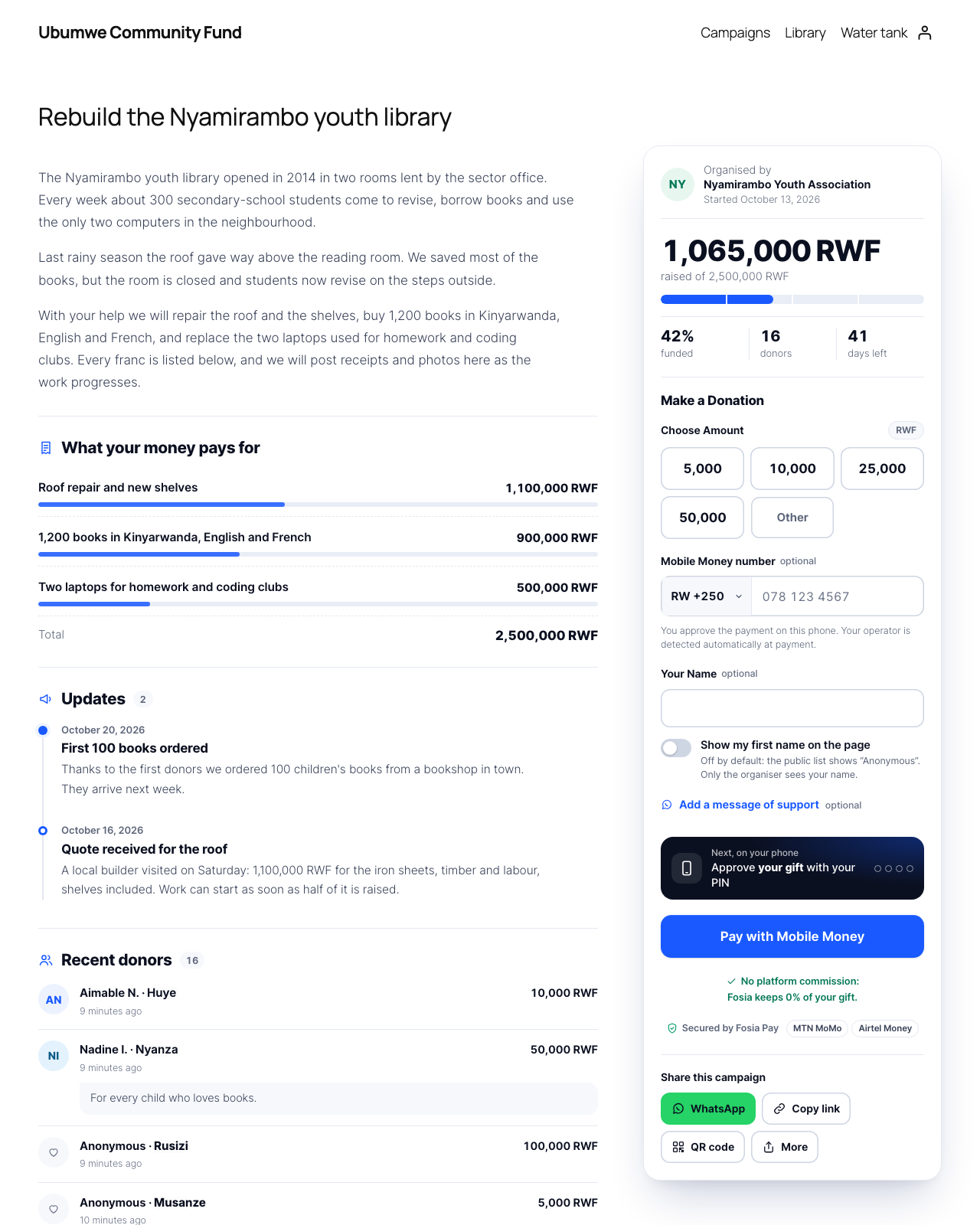
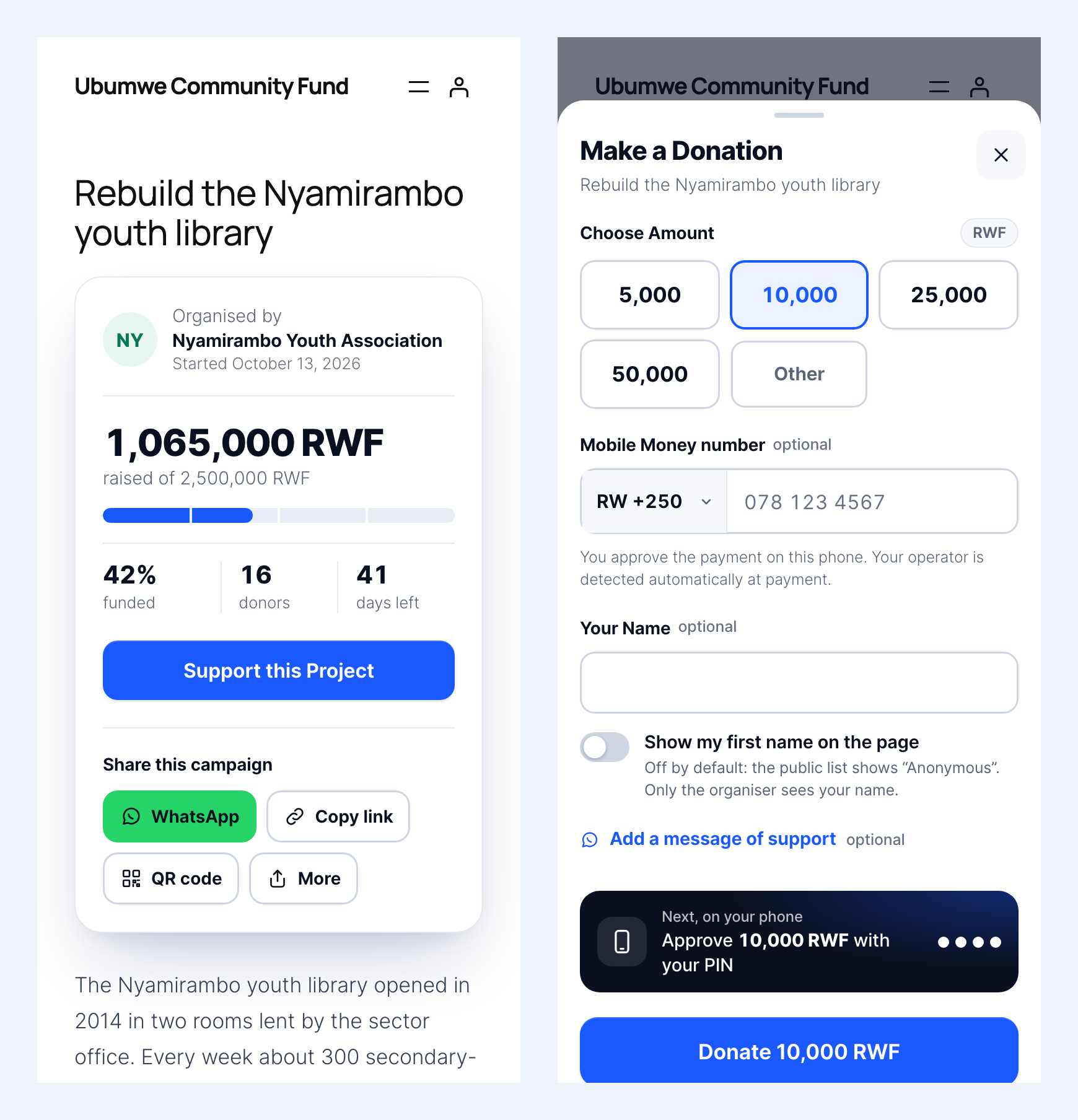
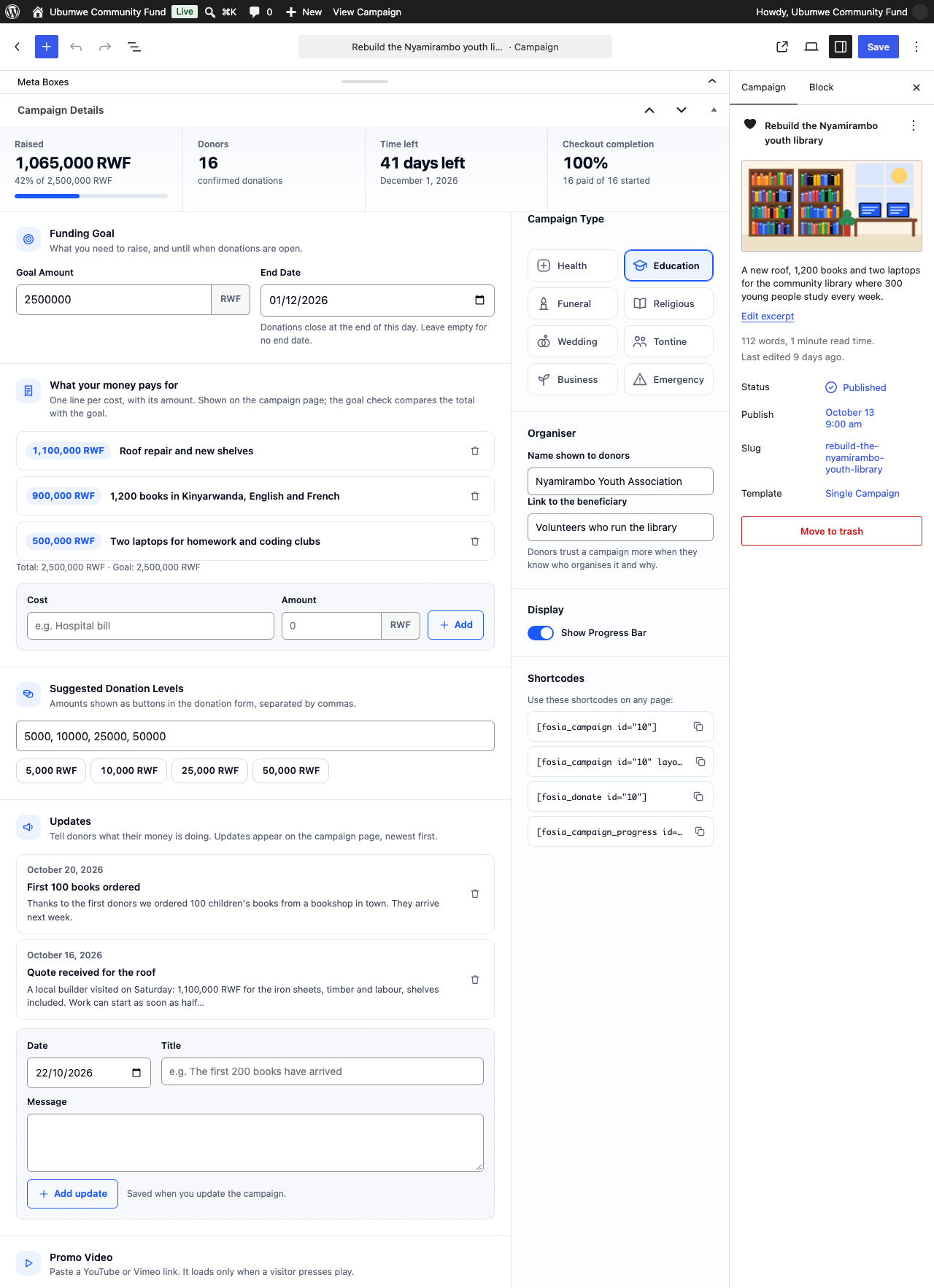
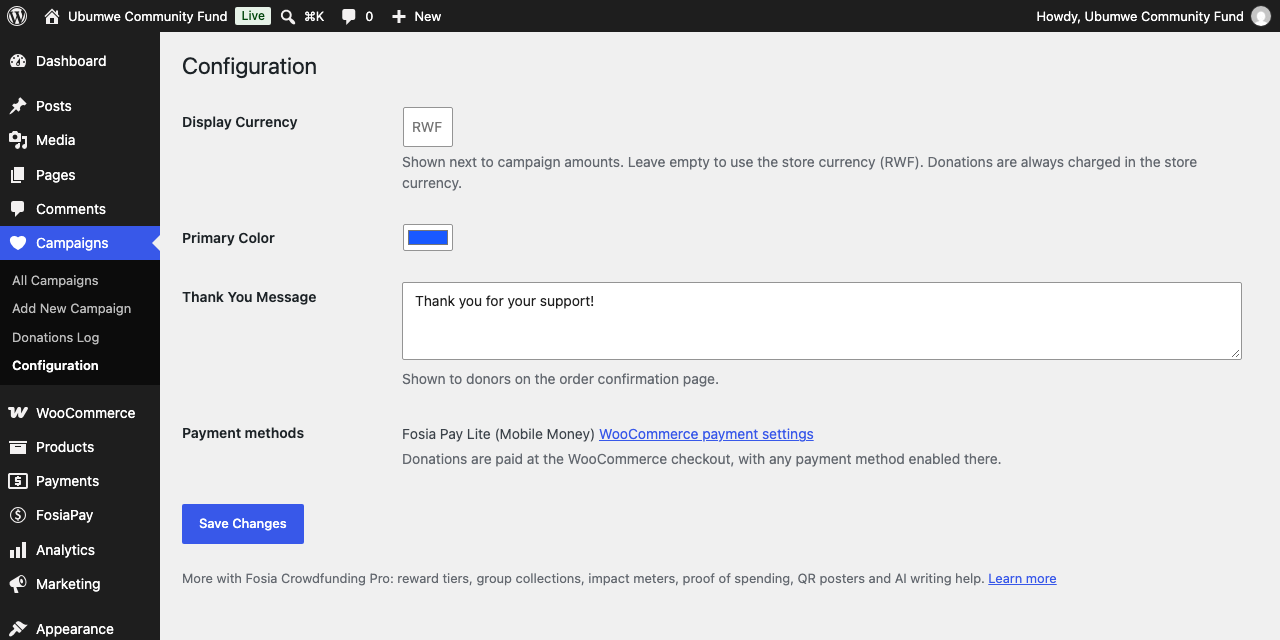
Every campaign gets a page with a goal, an end date, a live progress bar, quick amounts and a donation form designed for phones. Donors pay through the normal WooCommerce checkout, with any payment method enabled in your shop: for Mobile Money (MTN MoMo, Airtel Money, Orange Money, M-Pesa…), the free Fosia Pay Lite gateway connects your own PawaPay account. Totals and donor counts update when the payment is confirmed, and go back down on refunds.
Requires WooCommerce. Donations are ordinary WooCommerce orders: the money goes straight from the donor to your own payment account.
En français : Fosia Crowdfunding : collectez des dons par Mobile Money
What is included
- Unlimited campaigns, no limit on donations
- Campaign page with cover, story, goal, end date, progress, days left and donor count
- Quick amount buttons, custom amount, Mobile Money number pre-filled at checkout
- “What your money pays for”: budget lines shown on the campaign page
- Campaign updates timeline
- Recent donors list — anonymous by default; a donor’s first name appears only if they tick “Show my first name”
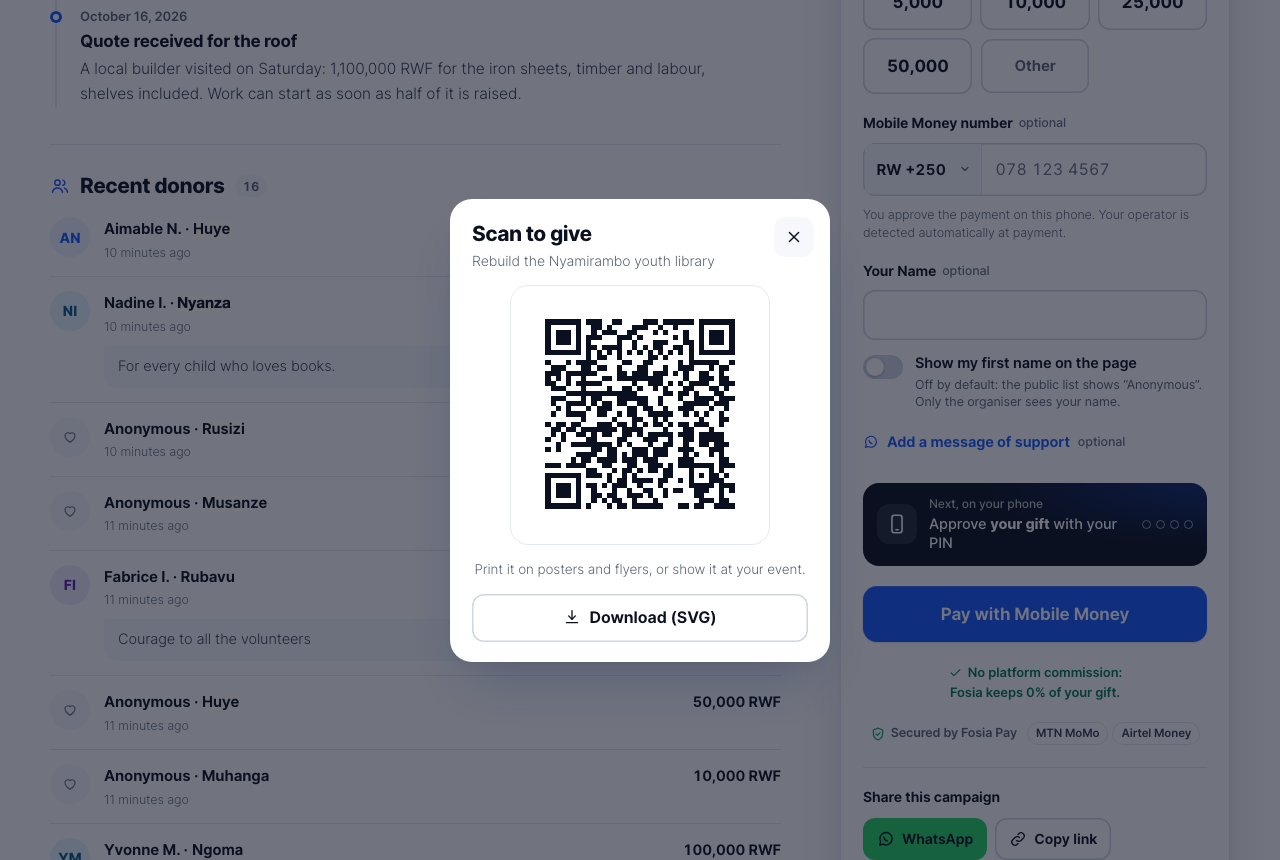
- Share by WhatsApp, copy link or QR code (drawn in the browser, nothing is sent to a QR service)
- Shortcodes for any theme or page builder:
[fosia_campaign id="123"],[fosia_campaign id="123" layout="full"],[fosia_donate id="123"],[fosia_campaign_progress id="123"],[fosia_campaign_grid] - Donations log for the organiser and CSV export
- Light, dark and automatic themes, right-to-left languages, reduced motion, keyboard and screen-reader friendly
- WooCommerce HPOS compatible
Mobile Money donations in 21 African countries
With the free Fosia Pay Lite gateway and your own PawaPay merchant account, donors can give by Mobile Money in Benin, Burkina Faso, Cameroon, Congo, DR Congo, Côte d’Ivoire, Ethiopia, Gabon, Ghana, Kenya, Lesotho, Malawi, Mozambique, Nigeria, Rwanda, Senegal, Sierra Leone, Tanzania, Uganda, Zambia and Zimbabwe, with the operators enabled on your account. The donor approves the payment on their phone, and the campaign total updates when the payment is confirmed.
Free and complete
Fosia Crowdfunding Lite works fully on its own: nothing is locked, limited or time-limited. Fosia Crowdfunding Pro is a separate plugin by the same team.
External services
The plugin does not call any outside service in the background. Two optional features open a third-party service only after the visitor’s own action, and one optional form sends an answer to Fosia only after the administrator’s own action:
- YouTube / Vimeo — if the organiser adds a video link to a campaign, the page shows a “Watch the video” button. Nothing is requested from the video host until the visitor presses it; the player is then loaded from youtube-nocookie.com or player.vimeo.com, which receive the visitor’s IP address and browser details like any embedded video. YouTube: Terms, Privacy. Vimeo: Terms, Privacy.
- YouTube (setup video) — the Welcome step of the guided setup shows a picture of the how-to video, stored in the plugin. Nothing is requested from YouTube until the administrator clicks it; the video then plays from youtube-nocookie.com (Google), which receives the IP address and browser details like any embedded video. YouTube Terms of Service and Google Privacy Policy.
-
WhatsApp — the “WhatsApp” share button is a link to wa.me with the campaign title and address. It is opened only when the visitor taps it. Terms, Privacy.
-
Fosia (pay.fosiarw.com), “Quick feedback” when you deactivate — clicking “Deactivate” on Fosia Crowdfunding Lite in Plugins opens a short window asking why. Nothing is sent on “Skip & Deactivate”, the × or Escape. Only if you pick a reason and click “Submit & Deactivate”, your site (not your browser) sends once to
https://pay.fosiarw.com/wp-json/fosia/v1/feedback: the reason, the text you typed (optional, 500 characters at most), the product and edition, the plugin, WordPress and PHP versions and the site language. Your site address and e-mail address are sent only if you tick “You may email me about this” (unticked by default). No donor, order or payment data is ever sent. Fosia keeps the answers 12 months; no IP address is stored. Fosia Terms of Service and Privacy Policy.
The guided setup that opens after activation loads nothing from outside your site.
Payments are handled by the WooCommerce payment method you choose (for example Fosia Pay Lite, which documents its own use of PawaPay), not by this plugin.
Details

Related plugins
Plugins that also contain the tag charity
Donation Platform for WooCommerce: Fundraising & Donation Management

ActBlue Contributions

Fundraising Thermometer by CouponBirds

Charitable – Instamojo Payment Gateway

Charitas Lite

Kudos Donations: Easy Donations with Mollie | One-off & Recurring | PDF Invoices | Buttons & Forms


About
Plugin for that tries to help you find the WordPress plugin you are looking for.
| Please enjoy an image of Crush (this awesome turtle) and have a lovely day! |  |
We do not own any plugin listed on this site and do not work for or work with WordPress.com or it's associated companies. We simply provide a searchable list of the available WordPress plugins.