


Gatewell — Image Upload Rules & Required Alt Text
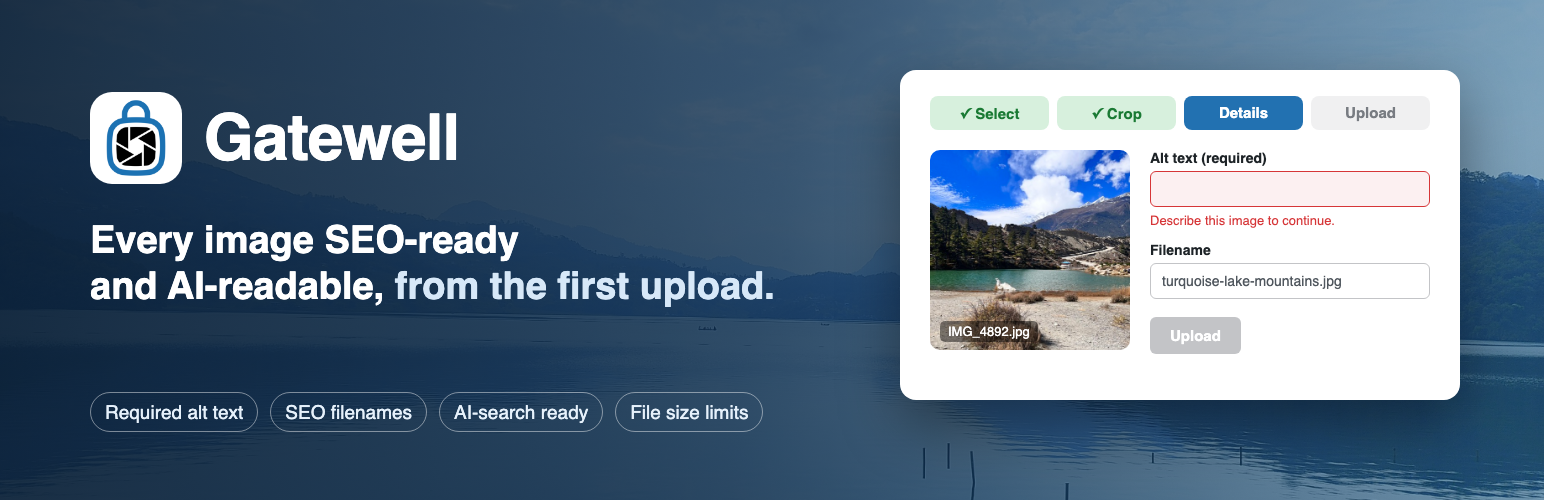
Someone on your team uploads IMG_4892.jpg. It is 4,032 pixels wide, it weighs 5 MB, and it has no alt text. They were not being careless. They were writing a blog post and the uploader accepted the file, so as far as they knew, they were done.
Six months later that image is one of eight hundred like it, and cleaning it up means a bulk rename that breaks links, an alt text audit nobody has time for, and a conversation about standards that should have happened at the point of upload.
Gatewell has one job: nothing gets through the uploader until it meets your standards.
Every other image plugin works one of two ways. Either it fixes the file after it is already saved (renamers, alt text auditors, SEO reports, bulk optimizers), or it fixes the file silently in the background, so the person who uploaded it never learns anything and does the same thing again tomorrow. Both approaches accept the bad upload first and deal with it later.
Gatewell stops the file at the door and asks the person who is standing right there.
How it works
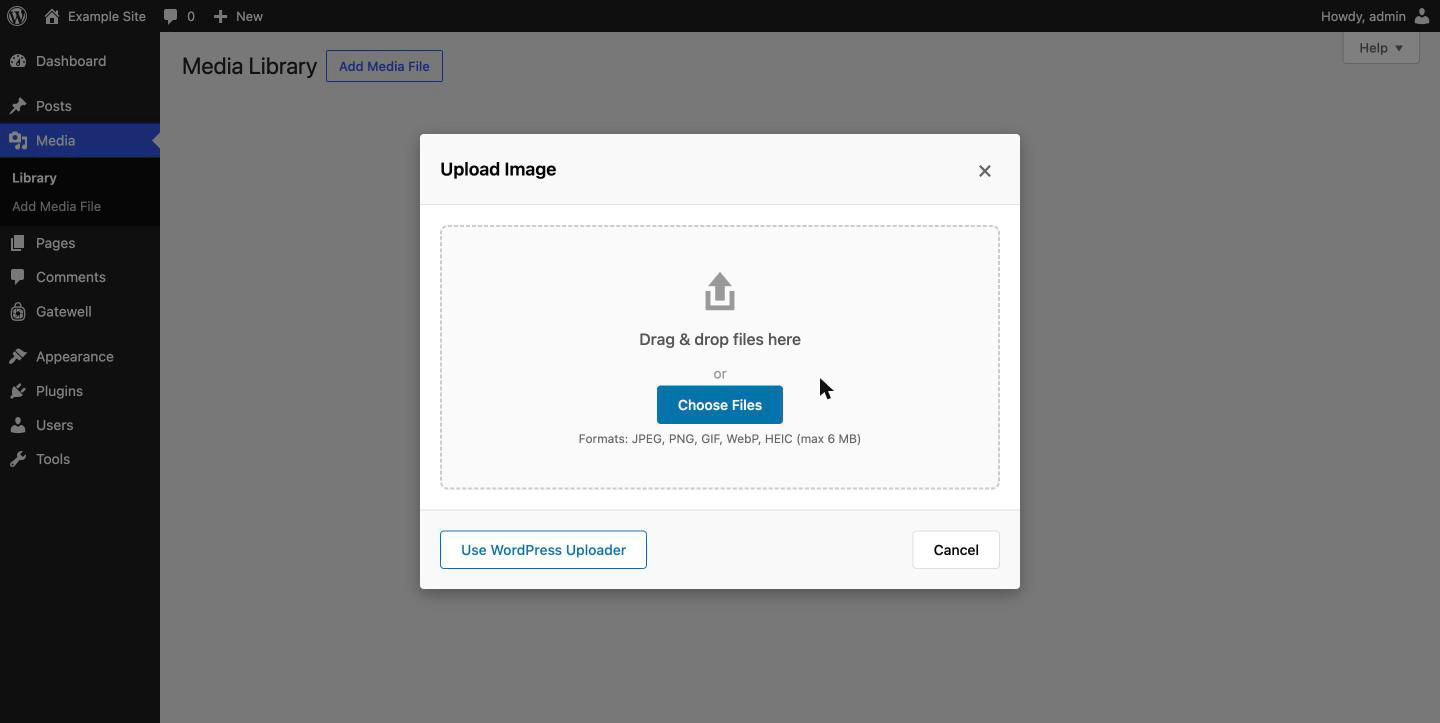
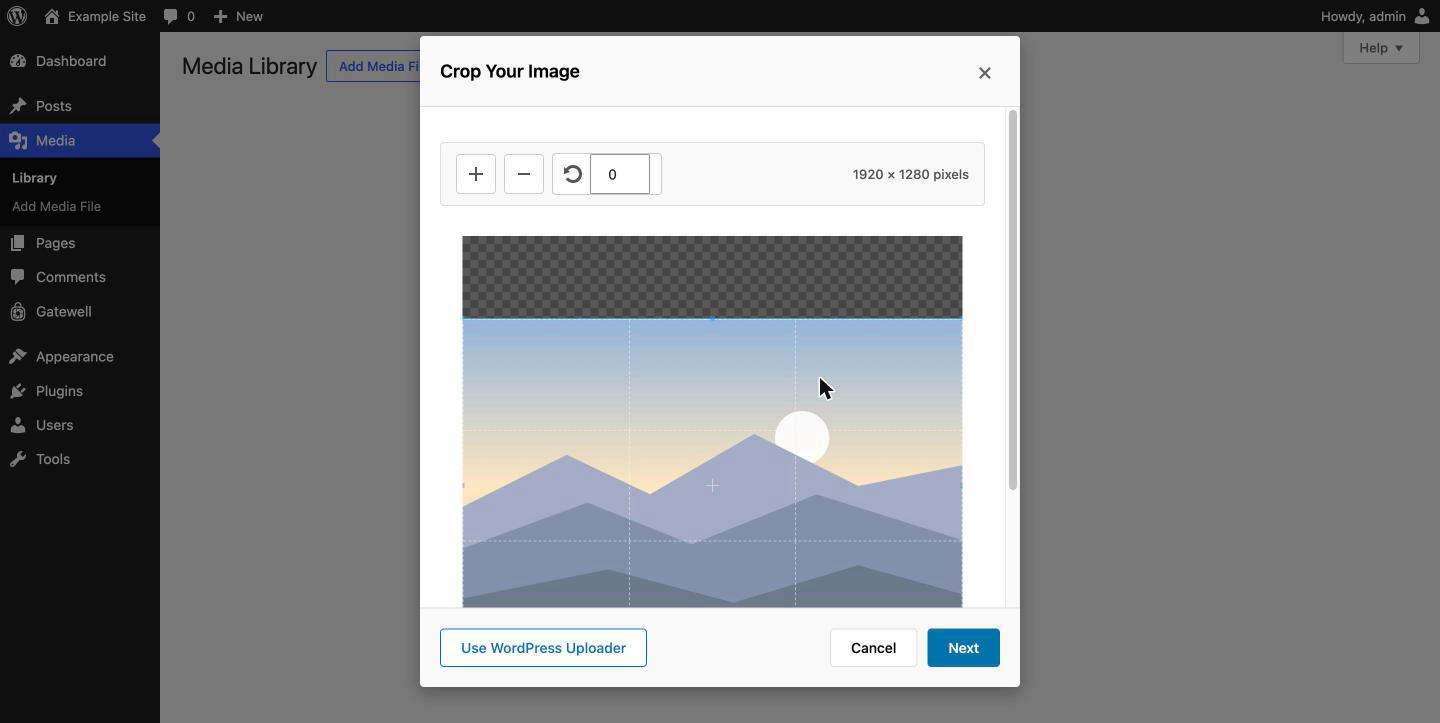
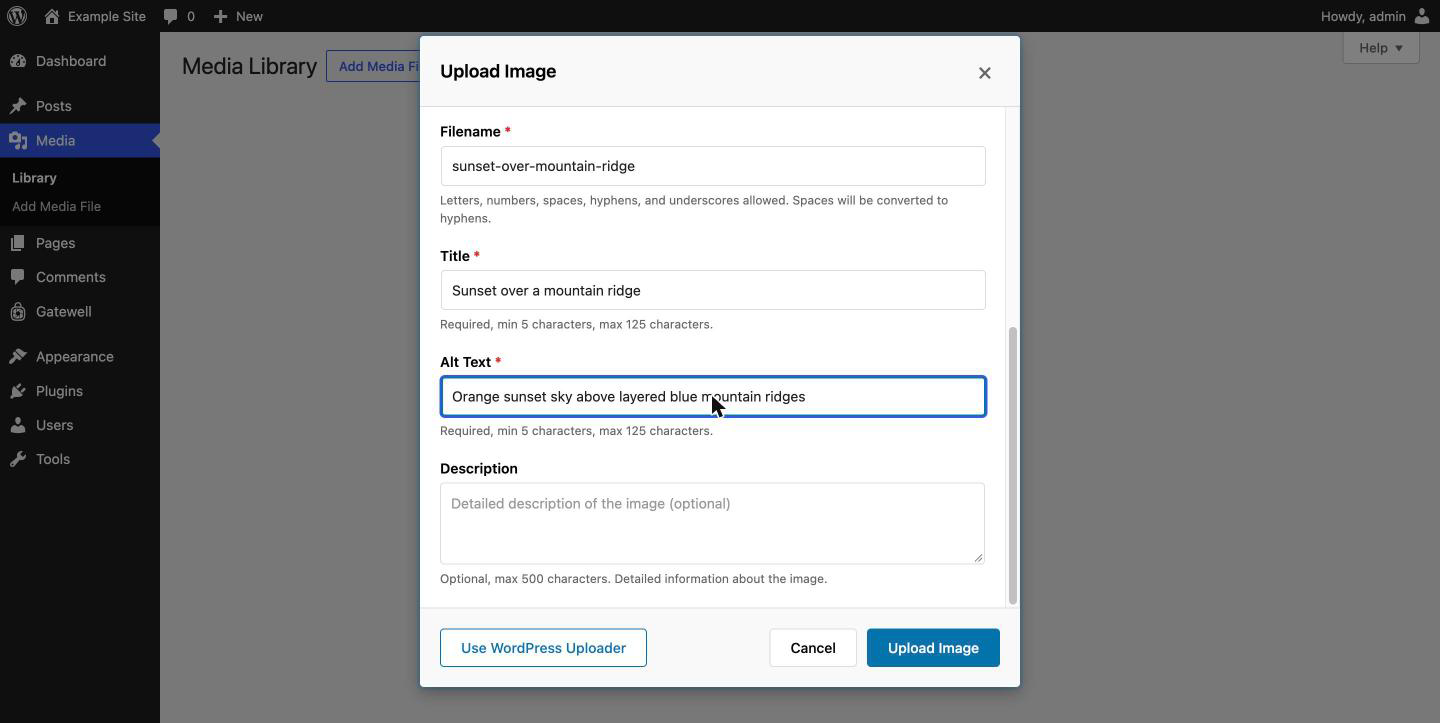
Gatewell replaces the WordPress media modal with a guided modal. When someone opens it — the Media Library “Add New” button, “Add Media” in the classic editor, “Set featured image” in either editor, or “Media Library” on a block placeholder — they get this instead:
- Select the file.
- Crop it, with optional aspect ratio locking.
- Name it. A descriptive filename is required.
IMG_4892will not pass. - Describe it. Alt text is required by default, with a minimum character count, and a similarity check that refuses alt text copy-pasted from the title or description.
- Upload. The file is compressed, resized to your caps, converted if you have asked for that, and only then written to disk.
Select multiple files and they go through a queue, one at a time, each with its own filename and alt text. There is no “apply to all” shortcut, because that is how you get eight hundred images described as “product photo”.
The escape hatch
Overriding a core WordPress screen is a big thing to do to someone’s site, so there is always a way out.
Every Gatewell modal has a “Use WordPress Uploader” button. One click drops the user into the stock WordPress media uploader for that upload, with no restrictions applied. Nothing is trapped, nothing is unrecoverable, and no one is ever stuck.
Site owners who want the gate to be absolute can hide that button in Settings. It is visible by default. Deactivating the plugin restores the stock uploader everywhere, immediately.
What it enforces
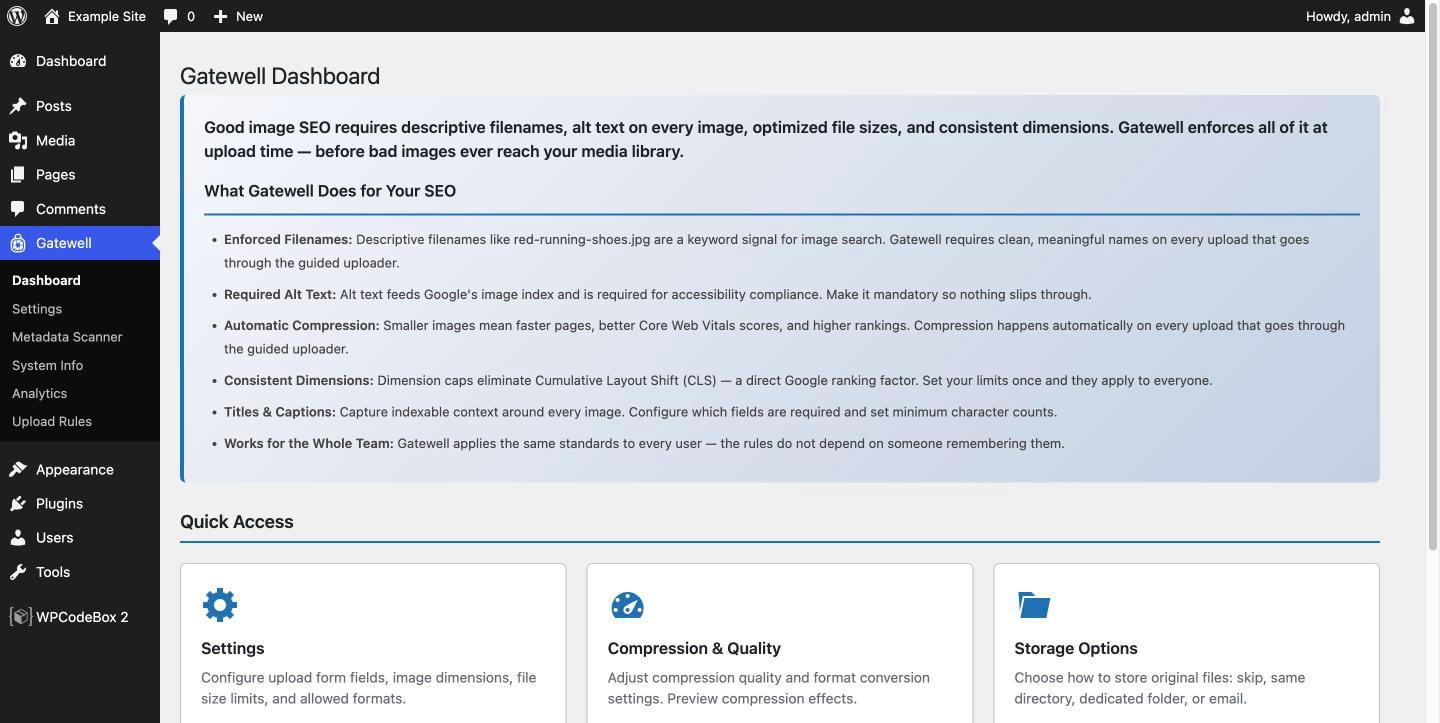
- Required descriptive filenames. Validated characters, length limits, and optional per file type naming patterns.
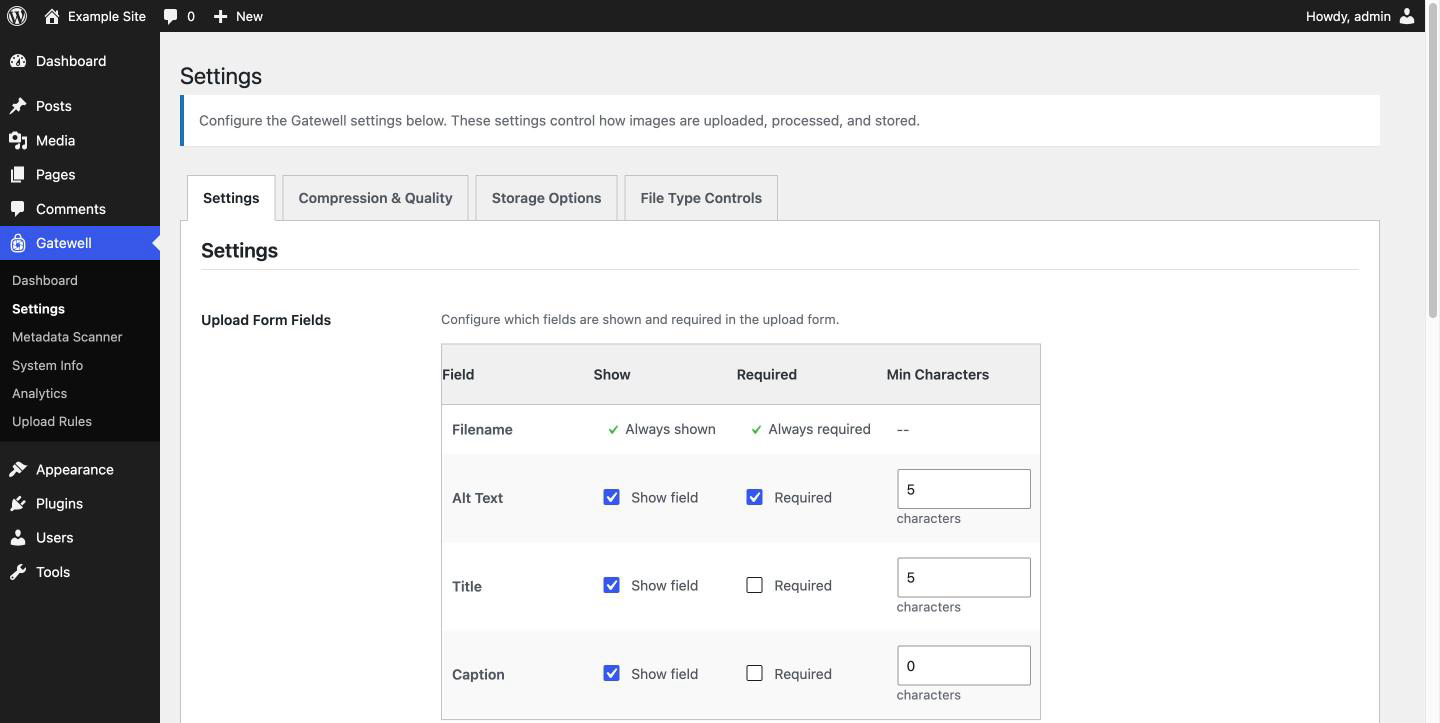
- Required alt text, with a configurable minimum character count. Title and caption can also be shown and made required, each with their own minimum.
- Duplicate metadata detection. Alt text, title and description are compared against each other, and the upload is blocked if any pair is too similar. The threshold defaults to 75% and is configurable.
- Dimension caps and floors. Maximum and minimum width and height, all configurable. Defaults are 1920×1920 max and 300×300 min.
- File size limits, per file type category. Default is 6 MB for images.
- Server-side compression at a quality you set. Default is 85.
- Format control. JPEG, PNG, GIF and WebP on by default; AVIF and SVG available and off by default. Optional output conversion: preserve the original format, or convert everything to JPEG, WebP or AVIF, or use Smart Conversion, which picks per image based on whether it has transparency. WebP and AVIF need an encoder on your server; the setting says so next to the option when yours cannot, and Gatewell > System Info lists what your server supports.
- HEIC and HEIF conversion to JPEG, so photos straight off an iPhone stop being a support ticket. This one needs the ImageMagick PHP extension with HEIC support; the System Info screen tells you whether your server has it.
- SVG sanitization. Off by default. When enabled, every SVG is parsed against an element and attribute allowlist, with scripts, event handlers and unsafe URL schemes stripped, and the parser hardened against XXE and entity expansion attacks.
- MIME allow and block lists, so you can be stricter than WordPress is.
- Original file retention. Keep an untouched copy of every upload, either beside the compressed file in the same folder, or in a dedicated
gatewell-originals/folder that the plugin protects with a.htaccessdeny rule and anindex.phpstub so the originals are not part of the media library and are not reachable from the web.
Beyond the upload gate
- Advanced Upload Rules. Different requirements per post type, per upload context and per user role, working the moment you activate the plugin. Products can demand a locked square crop while blog posts stay looser, and contributors can face a higher alt text minimum than editors do.
- Analytics. Upload volume, rejection reasons, metadata quality scores by upload context, and quality averages per user, so you can see which contributor needs a five minute conversation.
- Metadata Scanner. Finds images already in your library that are missing alt text, captions or descriptions, and lets you fix them inline without leaving the page. Gatewell guards the door; the scanner deals with what got in before you installed it.
- System Info. PHP version, memory limits, GD and ImageMagick capabilities, and which formats your server can actually encode, so a failed upload has an explanation.
- Coexistence with optimizers. Gatewell detects Smush, EWWW, Imagify, ShortPixel, Optimole, TinyPNG and Jetpack, and by default steps back from compression and format conversion when one of them is already handling it. The gate stays; the duplicated work does not. If ImageAudit is installed, Gatewell also defers image size generation to it and links across. Both integrations are optional and do nothing when those plugins are absent.
Who this is for
Agencies and marketing teams where more than one person uploads images and not everyone has read the style guide. If you are the only author on your site, you probably do not need a gate. If you have six contributors and a client who notices, you do.
Everything runs on your server
There is no API key, no account, no per-image cost and no usage quota. Cropping, compression, format conversion, HEIC decoding and SVG sanitization all happen in PHP on your own hosting. Your images never leave your server. See the External Services section below.
About the paid version
A separate paid build exists. It adds things that depend on outside services or heavy client libraries: AI-generated alt text, cloud archiving of originals, previews for PDF, audio and video files, agency white-labelling, and a few additional rule types.
None of that code is in this plugin. It is not disabled, gated or locked behind a license check. It is physically removed at build time and is not in this ZIP. Everything described above this paragraph works with no paid version and no license key.
External Services
This plugin does not connect to any external service.
All image processing happens on your own server using PHP’s GD and ImageMagick extensions. Cropping, compression, resizing, format conversion, HEIC decoding and SVG sanitization are local operations. Every AJAX request the plugin makes goes to your own site’s wp-admin/admin-ajax.php. No file, filename, alt text, URL, site address, user information or usage statistic is transmitted anywhere.
There is no API key to enter, no account to create, no cloud conversion fee, no per-image credit, no monthly quota and no third-party watermark. The plugin works identically with the server offline from the public internet.
Cropper.js and Chart.js are bundled with the plugin and loaded from your own server. They are not fetched from a CDN.
Credits
- Cropper.js v2.2.0, https://fengyuanchen.github.io/cropperjs/ , MIT licensed, bundled locally and used for the crop step.
- Chart.js v4.5.1, https://www.chartjs.org/ , MIT licensed, bundled locally and used for the Analytics screen.
- Image processing uses the GD and ImageMagick extensions provided by your server.
Details
Related plugins
Plugins that also contain the tag accessibility
Ally – Web Accessibility & Usability

Auto Image Attributes From Filename With Bulk Updater (Add Alt Text, Image Title For Image SEO)

Accessibility by UserWay

WP Dark Mode – Improve Accessibility with AI Powered Dark Theme

AccessibleWP – Accessibility Toolbar

Alt Text AI – Automatically generate image alt text for SEO and accessibility


About
Plugin for that tries to help you find the WordPress plugin you are looking for.
| Please enjoy an image of Crush (this awesome turtle) and have a lovely day! |  |
We do not own any plugin listed on this site and do not work for or work with WordPress.com or it's associated companies. We simply provide a searchable list of the available WordPress plugins.