


Glossary Tooltip – Build a Smart Knowledge Base with Tooltips
Glossary Tooltip is a lightweight yet powerful plugin that automatically highlights glossary terms in your content and displays tooltips when users hover over them.
It helps improve internal linking, user engagement, and SEO while providing a better reading experience for your visitors.
Turn Technical Terms into Informative Links and Build a Powerful Knowledge Base with Tooltips
Many websites use technical words that beginnner visitors may not understand easily.
Glossary Tooltip helps solve this problem by automatically turning important words into informative glossary links with helpful tooltips.
When a visitor moves their mouse over a highlighted word, a small tooltip popup appears showing the meaning of that term.
This helps your readers understand content faster without leaving the page, and its reduce your website bounce rate.
It also improves your SEO, internal linking, and user engagement.
Whether you run a website, blog, documentation site, educational website, or online knowledge base, this plugin helps organize your content and explain important terms clearly.
🚀 What This Plugin Can Do?
Glossary Tooltip helps you build a smart glossary tooltip system on your website.
With this plugin you can:
• Automatically highlight glossary terms inside posts and pages
• Show helpful definitions of terms using tooltips
• Create a complete glossary index page with all terms
• Improve internal linking across your website
• Help visitors understand technical words easily
• Increase readers time spent on your website
The plugin is lightweight, fast, and beginner-friendly.
No coding knowledge is required.
✨ Main Features
📖 Automatic Glossary Highlighting
Once you create a glossary term, the plugin will automatically detect that word across your website content.
It will highlight the term and turn it into a glossary link.
Visitors can hover over the word to see the explanation instantly.
Features include:
- Highlight glossary terms automatically
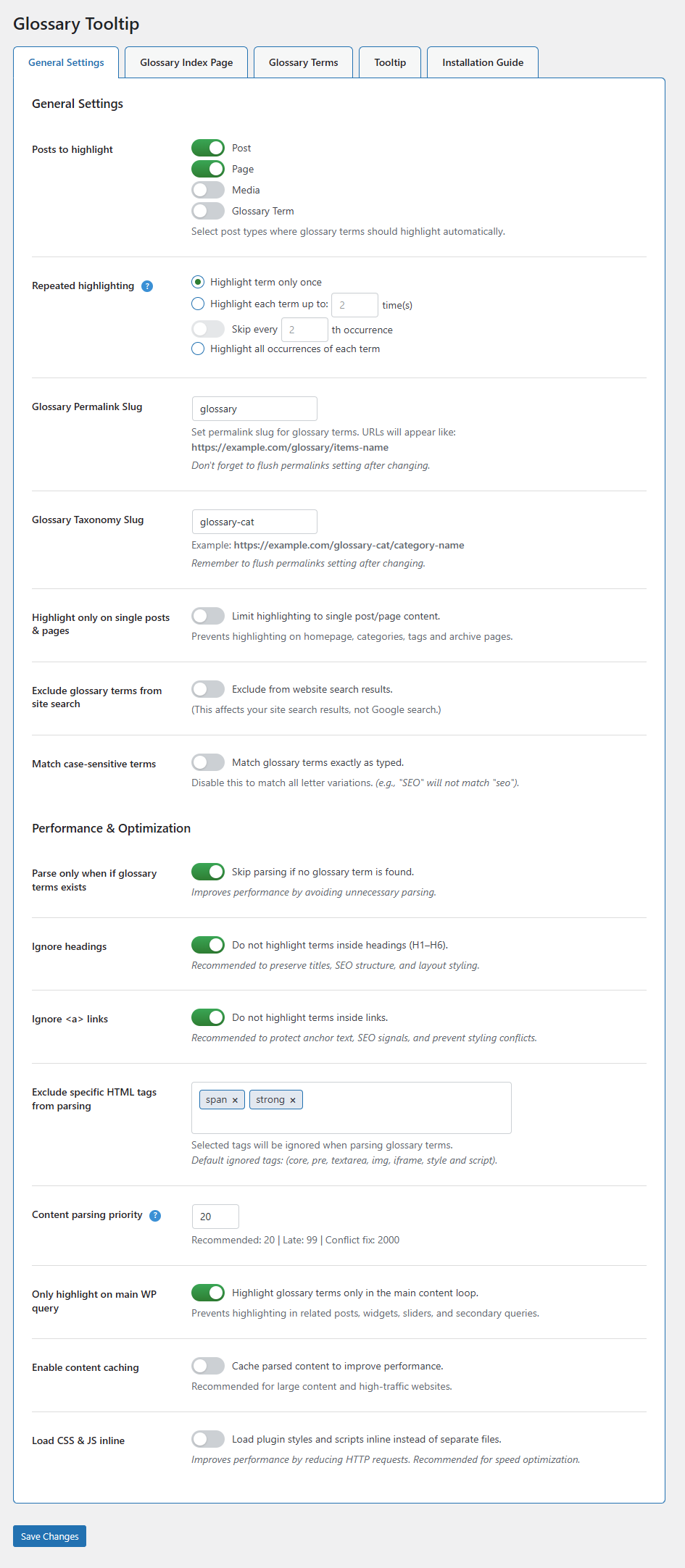
- Highlight terms once or multiple times
- Case-sensitive or case-insensitive matching
- Ignore headings and links to auto linking
- Ignore specific HTML elements while parsing
- Match case-sensitive and unsensitive terms
- Parse only when if glossary terms exists
- Enable cache and inline assets (optional)
💡 Smart Tooltip System
When a visitor hovers over a glossary word, a tooltip appears with the term definition.
This makes your content easier to understand.
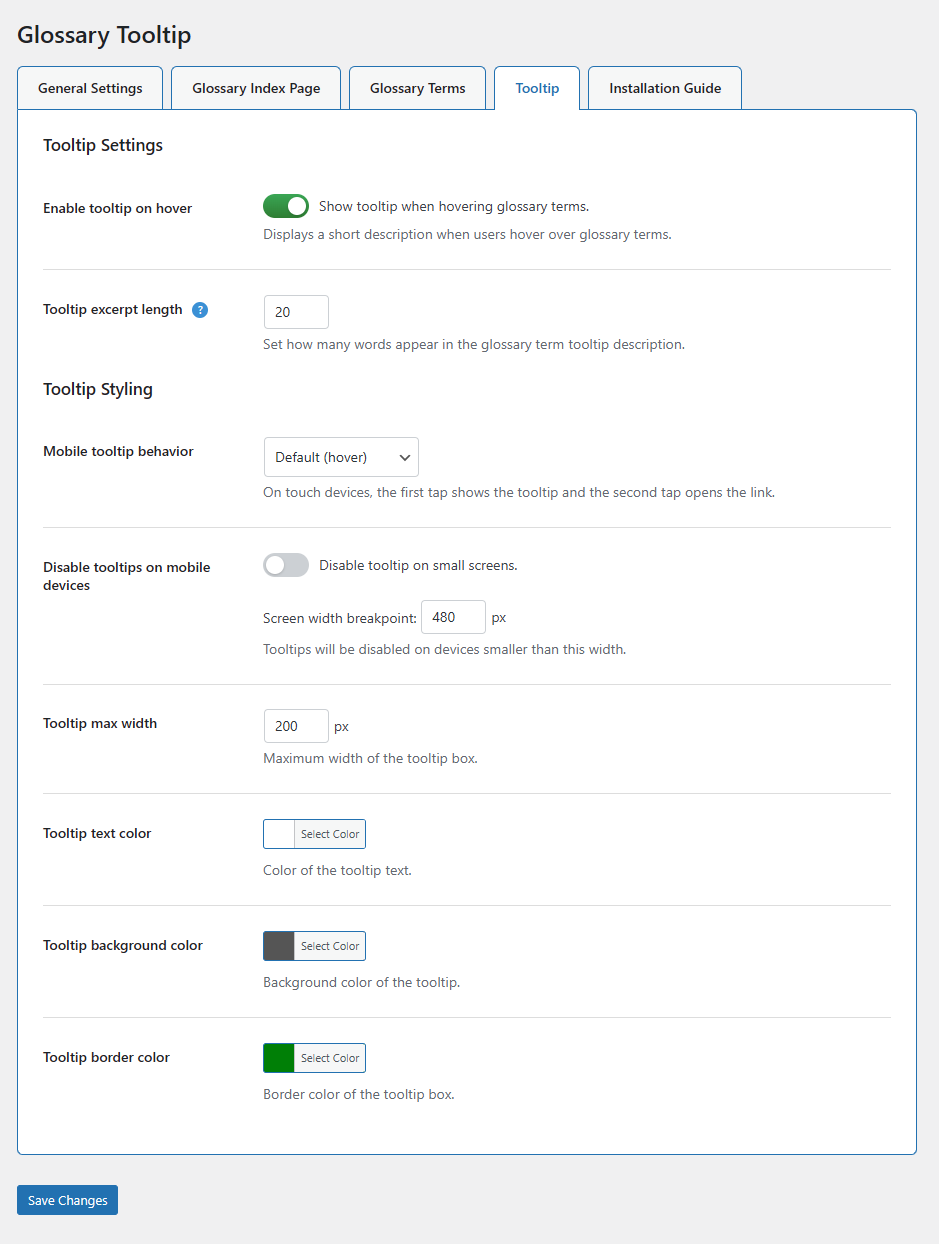
Tooltip options include:
- Enable or disable tooltips globally
- Custom tooltip width
- Tooltip text color customization
- Tooltip background color
- Tooltip border color
- Mobile tooltip behavior control
📚 Dedicated Glossary Index Page
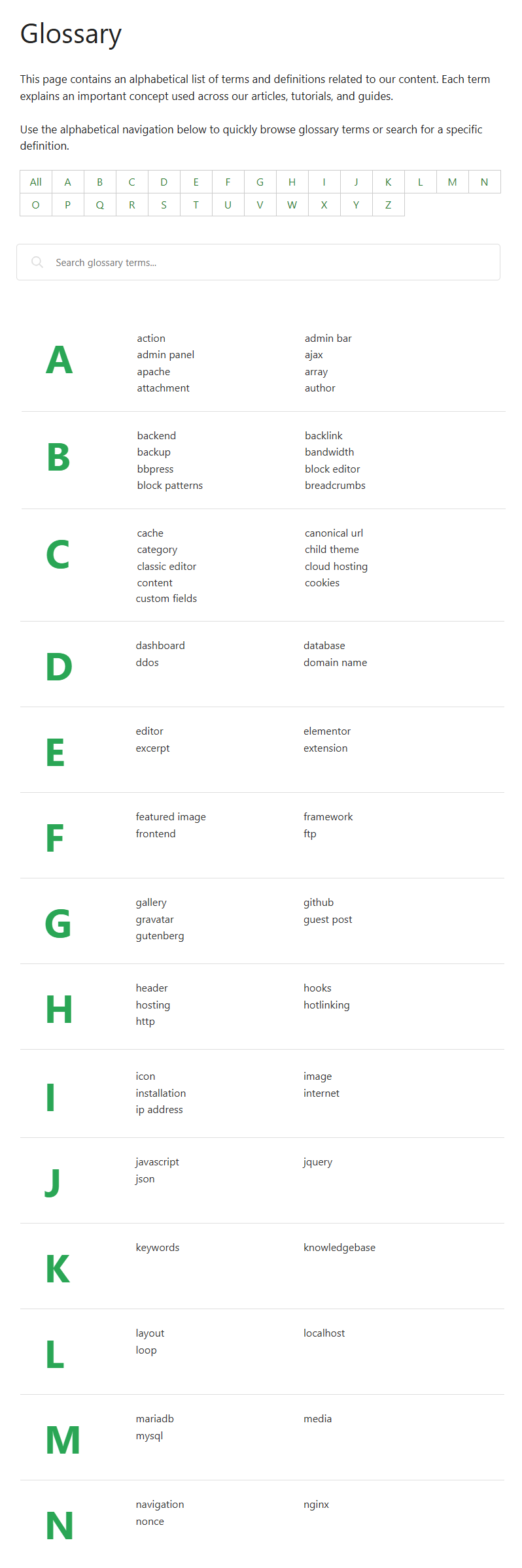
You can create a glossary index page that lists all your terms in alphabetical order.
Visitors can easily browse all glossary entries from one place.
Features include:
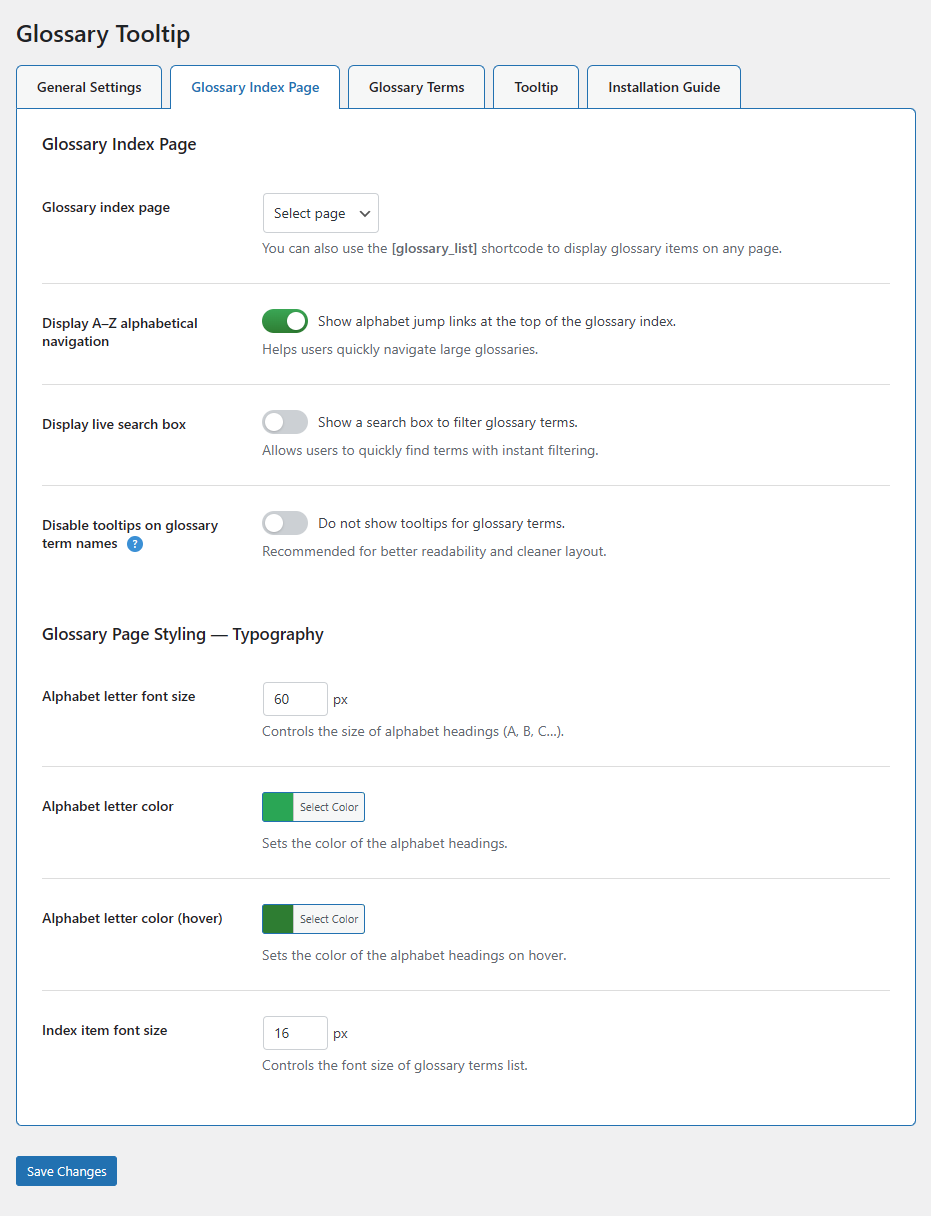
- Alphabetical glossary navigation (A–Z)
- Live glossary item search
- Clean and simple glossary layout
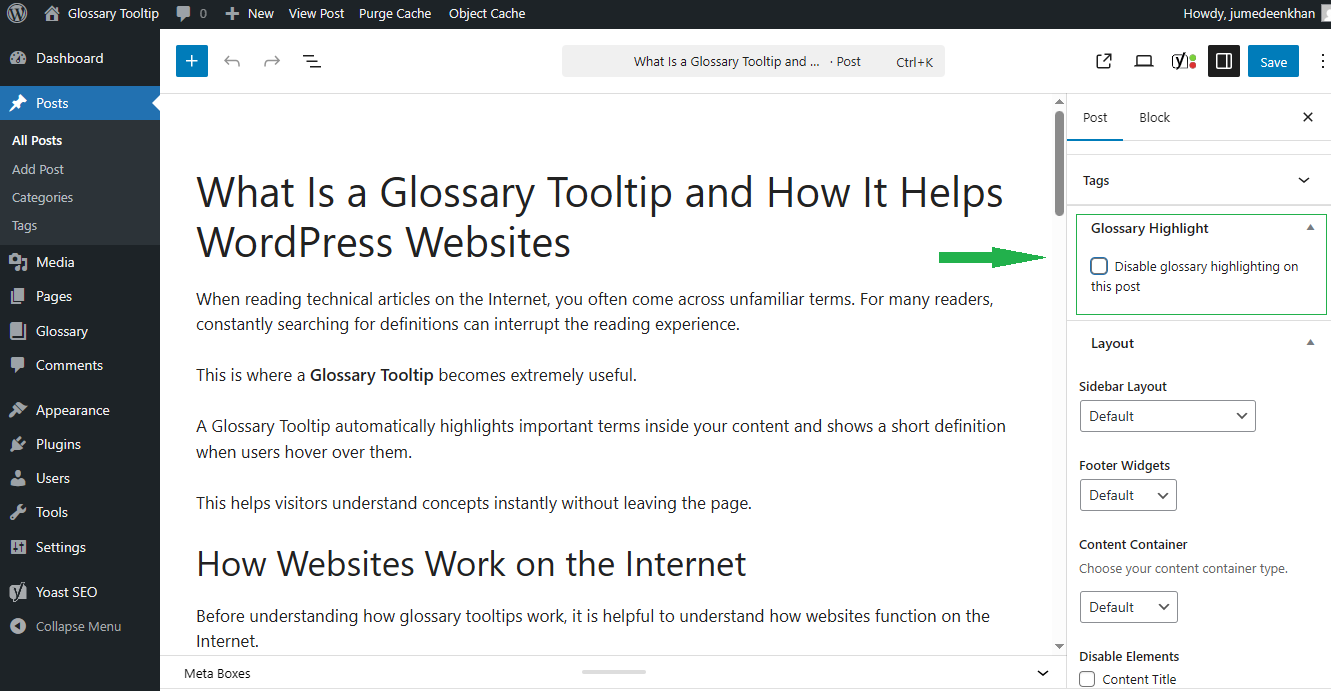
- Option to disable tooltips on glossary page
- Customize letters, items size, and colors
⚙️ Flexible Settings & Controls
Glossary Tooltip gives you full control over how glossary terms behave on your website.
You can customize:
- Which post types should highlight glossary terms
- Glossary permalink structure
- Highlighting behavior
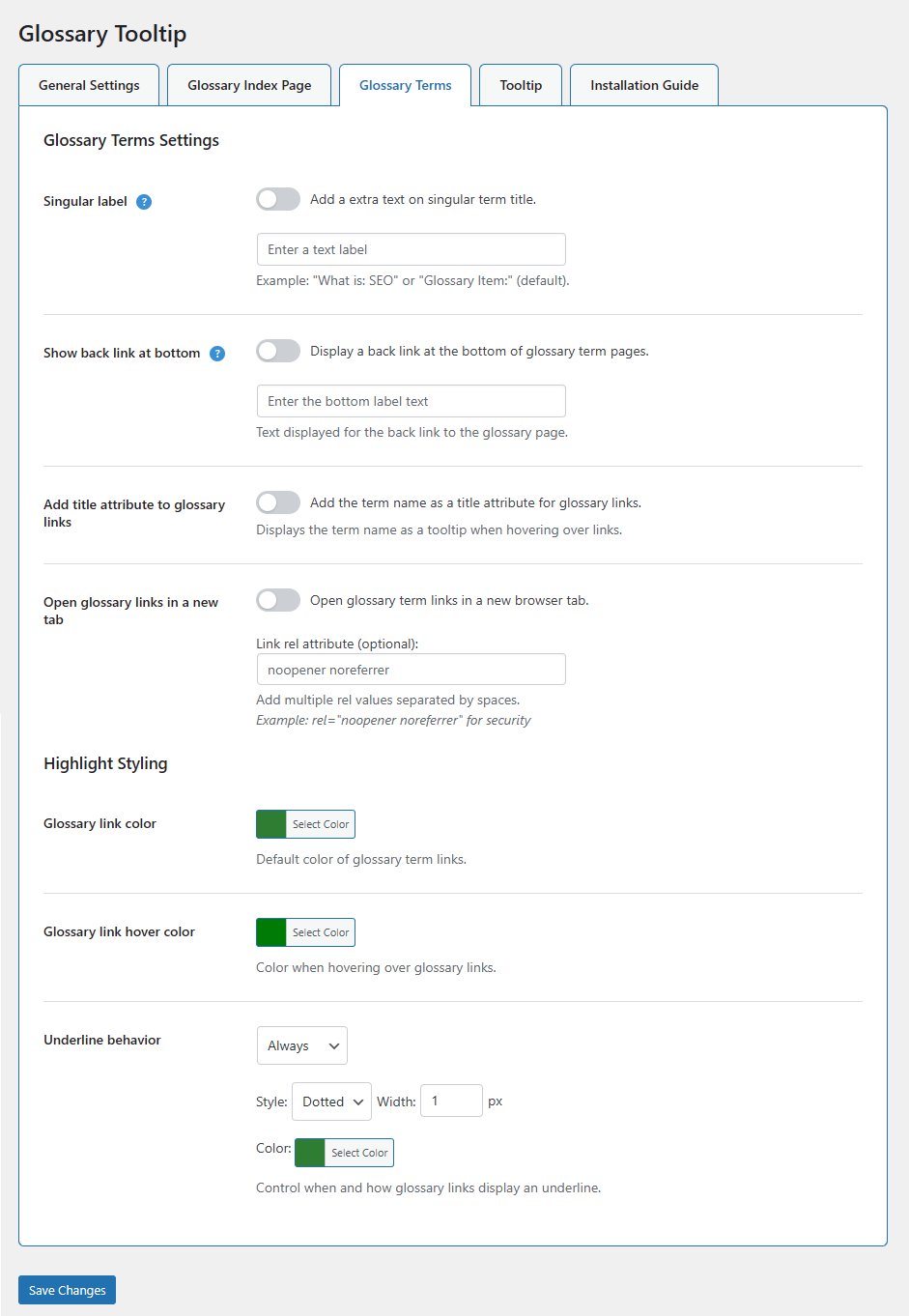
- Glossary link styling
- Tooltip appearance
All settings are available in a simple admin interface.
⚡ Performance Optimized
The plugin is designed to be lightweight and fast.
It only processes content when glossary terms exist.
Performance features include:
- Smart content parsing
- Optional content caching
- Ignore headings and links while parsing
- Minimal JavaScript usage
This ensures your website stays fast and responsive.
🔧 How It Works?
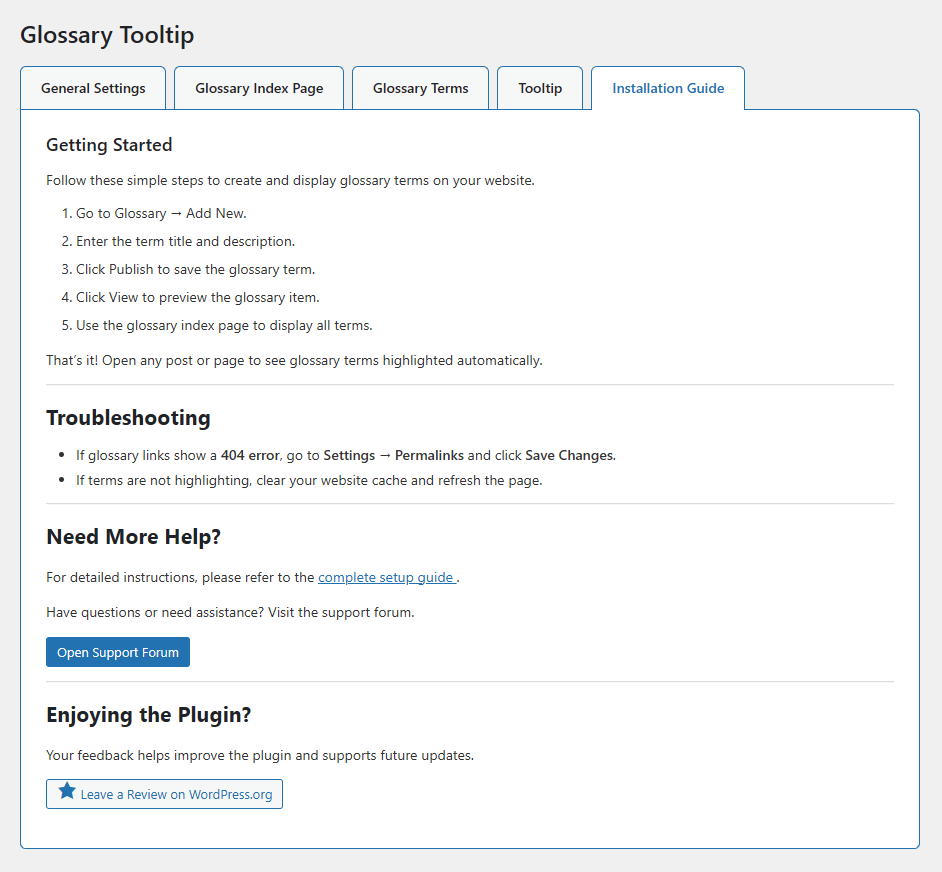
Using the plugin is very simple.
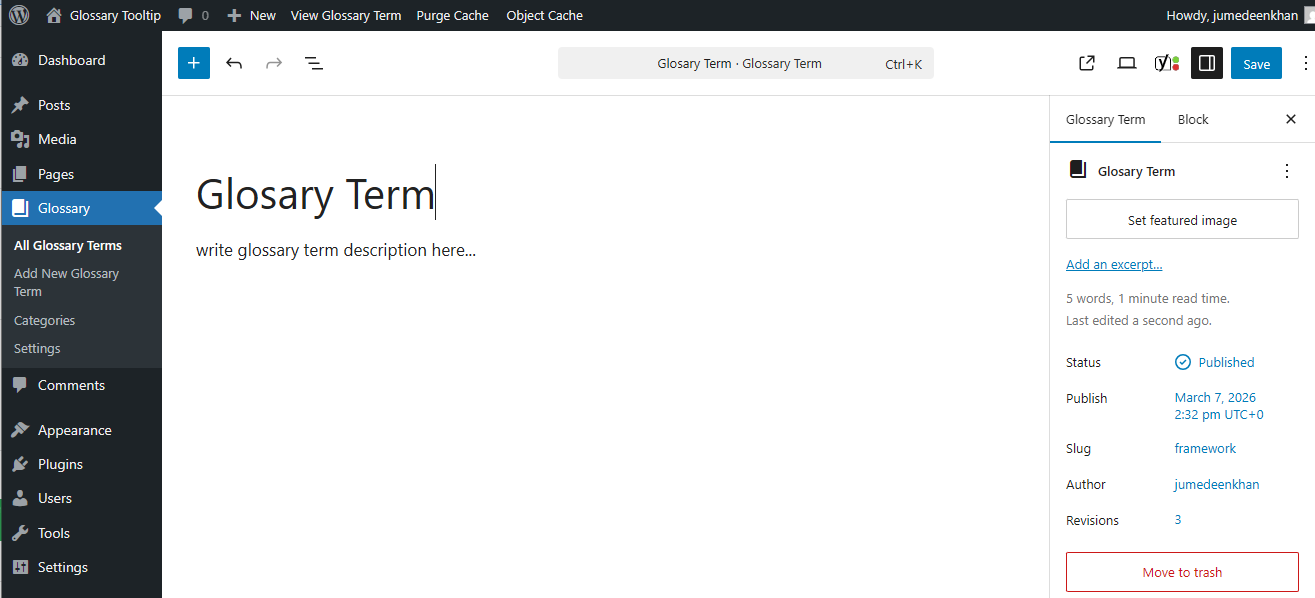
1️⃣ Go to Glossary Add New
2️⃣ Enter the glossary term as the title
3️⃣ Write the definition in the content area
4️⃣ Publish the term and Enjoy!
Now the plugin will automatically highlight that term across your website.
When visitors hover over the word, the tooltip definition will appear instantly.
🧩 Shortcode
You can display the glossary list anywhere on your site using this shortcode:
[glossary_list]
This will show an alphabetical glossary list of all terms.
Details
Related plugins
Plugins that also contain the tag dictionary
CM Tooltip Glossary

Heroic Glossary – Block for building Glossaries, Dictionaries and more

Glossary

Encyclopedia / Glossary / Wiki

Library

xili-dictionary


About
Plugin for that tries to help you find the WordPress plugin you are looking for.
| Please enjoy an image of Crush (this awesome turtle) and have a lovely day! |  |
We do not own any plugin listed on this site and do not work for or work with WordPress.com or it's associated companies. We simply provide a searchable list of the available WordPress plugins.