


Governance Guardrails
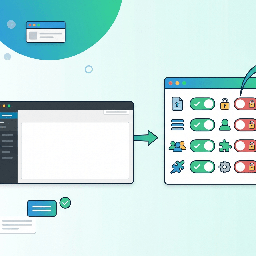
Governance Guardrails is a file-based WordPress governance plugin for site owners, agencies, and managed WordPress teams that want important operational rules to live in code instead of scattered database settings.
You define a policy in a PHP configuration file. Governance Guardrails reads that file on each request and applies the configured rules. This makes the policy easy to review, version-control, and deploy consistently across environments or multiple sites.
Governance Guardrails can help you manage:
- Feature toggles such as XML-RPC, comments, feeds, the Customizer, widgets, application passwords, user registration, WP-Cron, and related admin features.
- Admin UI cleanup, including admin bar nodes, dashboard widgets, menu pages, and admin footer text.
- Runtime capability denials by role without changing stored role definitions in the database.
- Upload governance, including allowed MIME types and per-file size limits.
- Content behavior such as revisions, autosave intervals, oEmbed, and emoji loading.
- Login behavior such as password reset restrictions, generic login errors, and post-logout redirects.
- HTTP security headers and other hardening options such as pingback removal, author archive handling, file editing restrictions, and staging noindex headers.
- Head cleanup for RSD, WLW manifest, shortlinks, feed links, and REST API discovery links.
- Locked options so selected
wp_optionsvalues are pinned from code. - Custom governance callbacks for site-specific rules.
This plugin does not claim to secure a site by itself. It is intended as a governance and consistency tool that helps keep selected WordPress settings and behaviors aligned with your site’s operational policy.
Must-use plugin support
Governance Guardrails was originally built for must-use plugin deployment. It can still be installed that way by copying governance-guardrails.php and the governance-guardrails/ directory into wp-content/mu-plugins/.
For WordPress.org installation, it can also be installed and activated as a normal plugin. In that case, the included sample config is used from the plugin directory unless you define a custom config path.
To use a custom config file, add this to wp-config.php:
define( 'GOVGUARD_CONFIG', '/absolute/path/to/governance-guardrails-config.php' );
The shipped sample config lives at governance-guardrails/governance-guardrails-config.php.
Config loading is fail-open. If the config file is missing, unreadable, has a syntax error, or does not return an array, Governance Guardrails does not enforce governance rules and logs a warning instead of crashing the site.
WP-CLI
When WP-CLI is available, Governance Guardrails registers the wp governance command set.
Examples:
wp governance statuswp governance checkwp governance auditwp governance audit --severity=highwp governance diffwp governance get features --format=jsonwp governance mimes
Details
Related plugins
Plugins that also contain the tag admin
Redux Framework

Loginizer

LightStart – Maintenance Mode, Coming Soon and Landing Page Builder

Admin Menu Editor

White Label CMS

InfiniteWP Client


About
Plugin for that tries to help you find the WordPress plugin you are looking for.
| Please enjoy an image of Crush (this awesome turtle) and have a lovely day! |  |
We do not own any plugin listed on this site and do not work for or work with WordPress.com or it's associated companies. We simply provide a searchable list of the available WordPress plugins.