



Grey Rock Block Synchroniser for Wordfence and Cloudflare
Grey Rock Block Synchroniser for Wordfence and Cloudflare sends qualifying Wordfence firewall blocks to Cloudflare so hostile traffic can be stopped at Cloudflare’s network edge before it reaches the WordPress server.
Why Grey Rock?
The name Grey Rock is inspired by the grey rock method: becoming uninteresting and unrewarding to someone seeking attention or a reaction.
Grey Rock applies that concept to hostile website traffic. Wordfence identifies qualifying blocked IP addresses, and Grey Rock synchronises them with Cloudflare. Cloudflare can then stop those addresses at the network edge before their requests reach WordPress.
The objective is simple: make your website boring to repeat attackers. Instead of allowing the same hostile traffic to keep reaching the server, Grey Rock helps the site respond with less exposure, less interaction and fewer consumed server resources.
Grey Rock does not replace Wordfence, Cloudflare or a layered security program. It connects them so qualifying Wordfence blocks can be enforced earlier, closer to the source of the traffic.
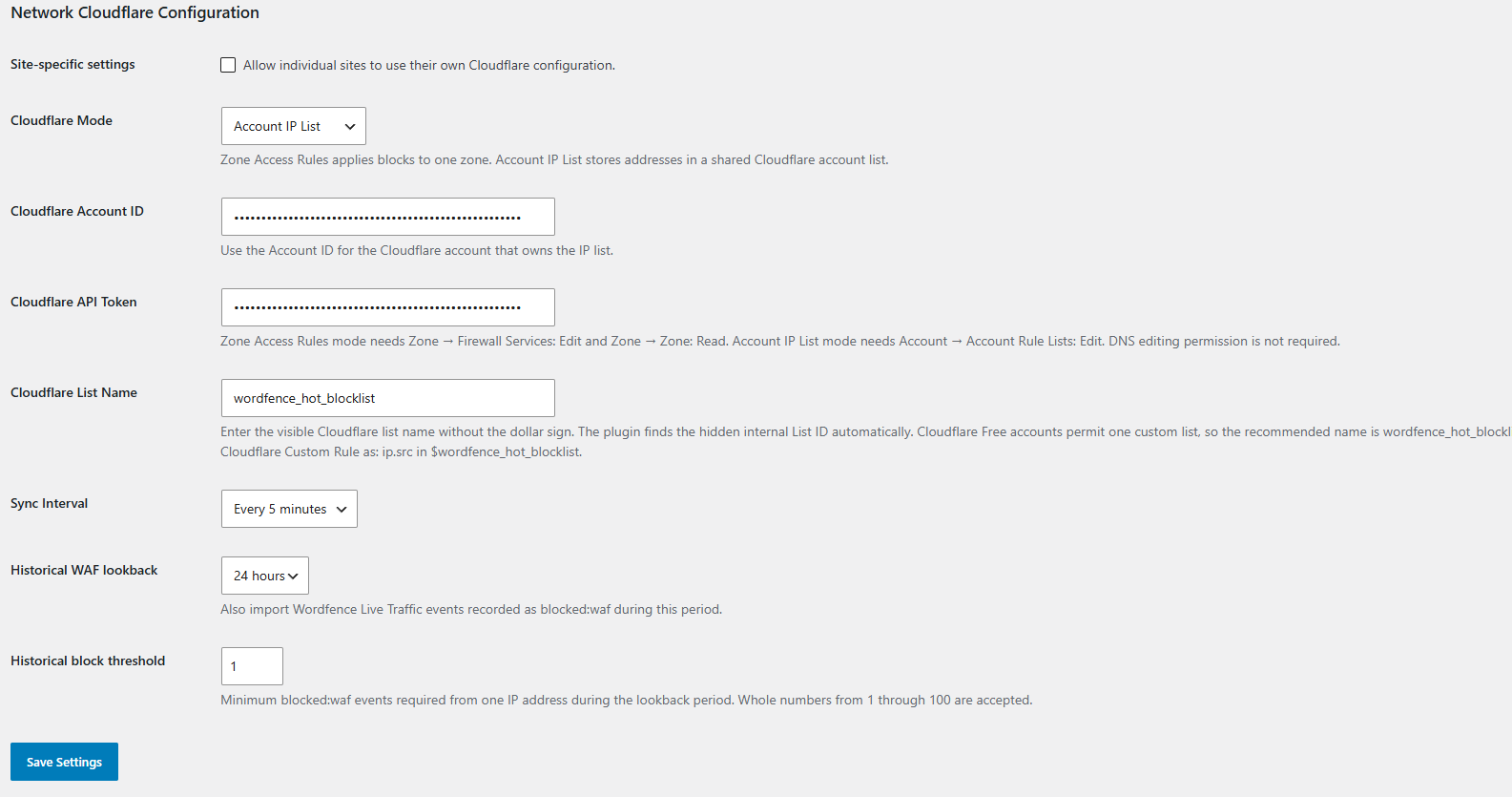
The plugin supports two Cloudflare destinations.
Zone Access Rules
Creates Cloudflare IP block rules for one zone.
Use this mode when Wordfence blocks should protect one Cloudflare zone.
Account IP List
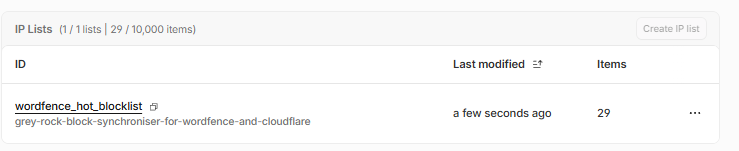
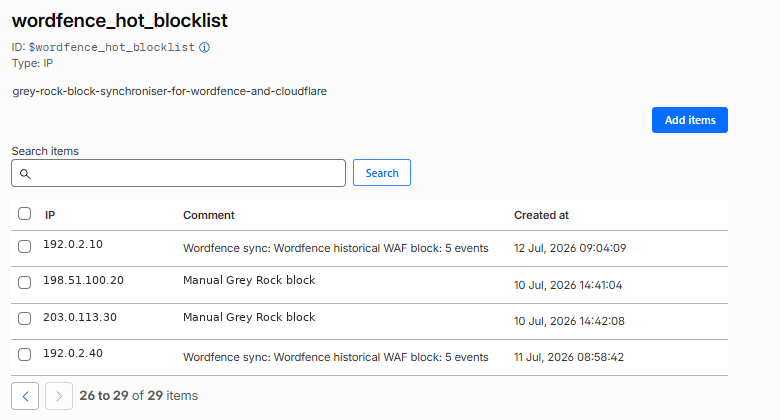
Adds IP addresses to a reusable Cloudflare account-level IP list.
Use this mode when several domains or Cloudflare zones should share the same list.
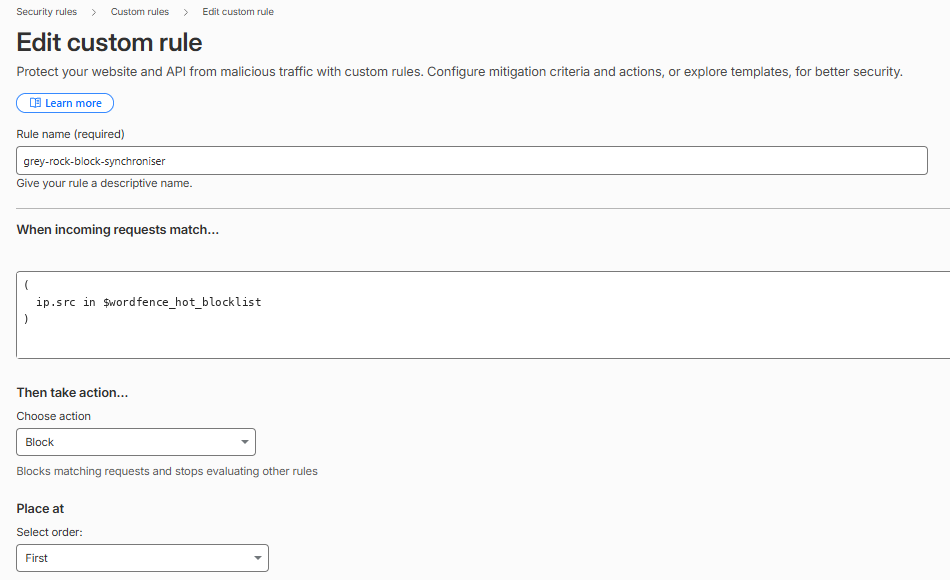
An Account IP List does not block traffic by itself. You must create a Cloudflare Custom Rule with the Block action in every zone that should use the list.
Example rule:
ip.src in $wordfence_hot_blocklist
The recommended list name is:
wordfence_hot_blocklist
Current and historical Wordfence blocks
The plugin can synchronise:
- Current Wordfence blocks when the installed Wordfence version exposes its active-block interface.
- Historical Wordfence Web Application Firewall events recorded as
blocked:waf.
Historical synchronisation is configurable:
- Lookback period: 1, 3, 6, 12 or 24 hours.
- Minimum blocked events per IP address: 1 through 100.
- Default lookback: 24 hours.
- Default threshold: 1 event.
Repeated events from the same address are deduplicated before synchronisation.
Invalid, private and reserved IP addresses are rejected during historical-event processing.
Multisite support
When network activated:
- Network Admin can provide shared Cloudflare settings.
- Individual sites may inherit the network configuration.
- Site-specific overrides can be permitted by Network Admin.
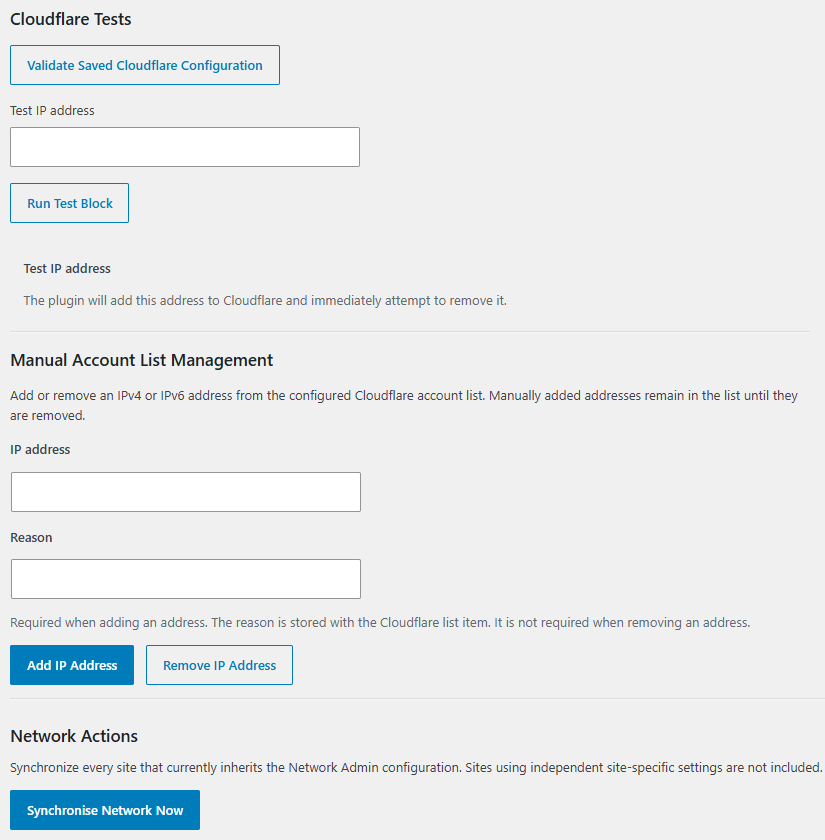
- Network Admin provides a Synchronise Network Now action.
- Network Admin provides a combined Synchronisation Log.
- Individual sites retain their own synchronisation logs and manual IP block pages.
- Sites using independent settings retain their own site-level controls.
Manual management and diagnostics
The plugin provides:
- Cloudflare configuration validation.
- A diagnostic add-and-remove test.
- Manual account-list add and remove controls.
- A required reason for manually added account-list entries.
- Manual site-level IP blocking.
- Synchronisation logs.
- Cleanup and reconciliation where Cloudflare-entry ownership is isolated to one site.
Wordfence compatibility
Wordfence does not provide a stable public API for every block source used by this plugin.
Grey Rock checks whether the installed Wordfence active-block interface is available before using it. When that interface is unavailable, historical WAF synchronisation continues through the Wordfence event table.
A future Wordfence release could change its internal class or database schema. Such a change may require a Grey Rock compatibility update.
Independence and trademarks
Grey Rock Block Synchroniser for Wordfence and Cloudflare is developed independently by Greyscale Zone.
This plugin is not affiliated with, endorsed by or sponsored by Wordfence or Cloudflare. Wordfence and Cloudflare are trademarks of their respective owners.
External services
This plugin connects to the Cloudflare API when an administrator:
- Validates saved Cloudflare settings.
- Runs a diagnostic block test.
- Manually adds or removes an IP address.
- Runs synchronisation, cleanup or reconciliation.
- Allows a scheduled synchronisation or cleanup event to run.
The Cloudflare API is required because the plugin’s purpose is to create and remove Cloudflare firewall entries.
Depending on the configured mode and operation, the plugin sends some or all of the following data to Cloudflare:
- The Cloudflare API token in an HTTPS Authorization header.
- Cloudflare Account ID.
- Cloudflare Zone ID.
- Cloudflare account-list name or internal list identifier.
- Public IPv4 or IPv6 addresses blocked by Wordfence.
- A short comment describing the Wordfence or manual block reason.
- Cloudflare list-item or firewall-rule identifiers when removing entries.
The plugin retrieves Cloudflare account lists, list items and firewall access rules so it can validate settings, avoid duplicates, reconcile state and remove entries.
Communication is sent directly from the WordPress server to Cloudflare over HTTPS using the WordPress HTTP API.
The plugin does not send WordPress post content, user passwords, email addresses or the Cloudflare token to Greyscale Zone. It does not provide Greyscale Zone with telemetry or usage analytics.
By configuring and using Cloudflare functions in this plugin, the administrator directs the plugin to transmit the described information to Cloudflare.
Cloudflare Terms of Service:
https://www.cloudflare.com/terms/
Cloudflare Privacy Policy:
https://www.cloudflare.com/privacypolicy/
Cloudflare API documentation:
https://developers.cloudflare.com/api/
Privacy
The plugin stores its configuration in the WordPress database. This includes the Cloudflare API token and Cloudflare identifiers entered by an administrator.
The plugin stores synchronised public IP addresses, block reasons, timestamps, expiration information and retry state in a site-specific WordPress database table.
IP addresses may constitute personal data under some privacy laws. Site administrators are responsible for establishing a lawful basis, retention policy and appropriate disclosure for their use of Wordfence, Cloudflare and this plugin.
Historical entries receive an expiration based on the configured lookback period. Temporary active Wordfence blocks may use the Wordfence expiration time.
Manually added Cloudflare account-list entries remain until an authorised administrator or another authorised Cloudflare operation removes them.
Uninstalling the plugin removes its local plugin options and tables according to the included uninstall routine. It does not automatically remove every entry previously sent to Cloudflare. Administrators should review the Cloudflare destination when permanently discontinuing the plugin.
Details

Related plugins
Plugins that also contain the tag cloudflare
Cloudflare

Simple CAPTCHA Alternative with Cloudflare Turnstile

Super Page Cache

Login Security Captcha

Media Cloud for Bunny CDN, Amazon S3, Cloudflare R2, Google Cloud Storage, DigitalOcean and more

Advanced Media Offloader


About
Plugin for that tries to help you find the WordPress plugin you are looking for.
| Please enjoy an image of Crush (this awesome turtle) and have a lovely day! |  |
We do not own any plugin listed on this site and do not work for or work with WordPress.com or it's associated companies. We simply provide a searchable list of the available WordPress plugins.