


GrowthHive – Front Editor
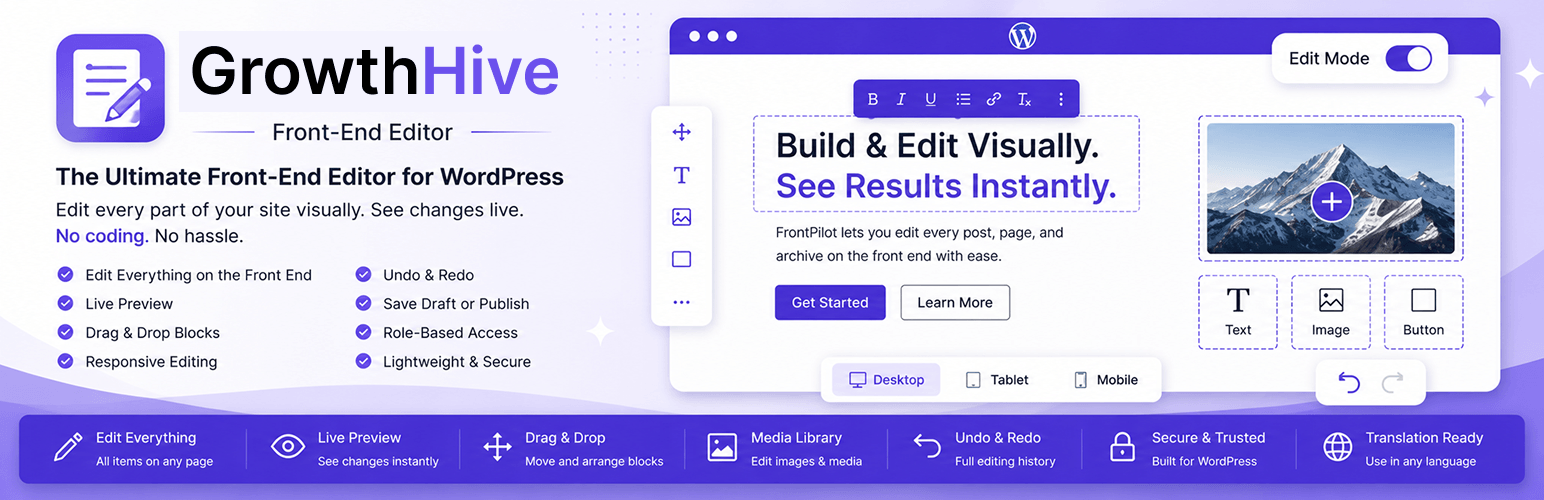
GrowthHive brings content editing to the front end of your WordPress site. Instead of switching to wp-admin and the block or Classic editor, eligible users can click “Edit with GrowthHive” right on the page and start editing in place, with a clean floating toolbar, live preview, and one-click save or publish.
Key Features
- Edit every post and page item on the front end — not just a single item’s content, but every eligible post/page rendered on the current page (singular views, archives, home, and search listings).
- A floating “Edit Mode” toggle switch turns inline editing on or off across the whole page at once.
- Inline text editing with a clean floating toolbar.
- Live preview while editing.
- Drag & drop content blocks.
- Edit images and media through the native WordPress media library.
- Responsive editing preview (Desktop, Tablet, Mobile).
- Undo & Redo history.
- Save Draft or Publish instantly.
- Role-based access control.
- Keyboard shortcuts (Ctrl+S save, Ctrl+Z undo, Ctrl+Y redo).
- Lightweight, no jQuery dependency.
- Works alongside Classic Editor and Gutenberg.
- Compatible with most WordPress themes.
- Fully translation-ready.
- Built with security in mind: nonce verification, capability checks, and complete sanitization/escaping.
Admin Settings
- A modern, tabbed settings dashboard with toggle switches and chip selectors — no cluttered checkbox tables.
- Enable or disable the front-end editor globally.
- Choose which post types are editable.
- Choose which user roles may use the editor.
- Choose whether every item on a page is editable, or only a single queried item.
- Choose whether the Edit Mode toggle starts on or off.
- Customize the floating toolbar buttons.
- Configure keyboard shortcuts.
- Reset all settings to their defaults with one click.
Developer Friendly
GrowthHive is built with namespaced, PSR-4 autoloaded, object-oriented PHP, follows the WordPress Coding Standards, and exposes both a REST API and an admin-ajax fallback for saving content.
Details
Related plugins
Plugins that also contain the tag content-editing
BU Versions

Outranking Plugin Options

Raptor Editor for WordPress

Taxonomy Note
FrontPilot – Front-End Editor

M7tawa Instant Edit


About
Plugin for that tries to help you find the WordPress plugin you are looking for.
| Please enjoy an image of Crush (this awesome turtle) and have a lovely day! |  |
We do not own any plugin listed on this site and do not work for or work with WordPress.com or it's associated companies. We simply provide a searchable list of the available WordPress plugins.