


HB FreshDesk
This plugin is used for connect your FreshDesk account in your wordpress site. You can easily to get your FreshDesk FAQs and Ticket, And also create a new ticket in your FreshDesk account directly using this plugin, And also check your ticket conversation.
FreshDesk Terms of Service
https://www.freshworks.com/terms/
Usage
Place this shortcode in page, post or text widget where you’d like to display Data.
[freshdesk-create-ticket]

[get_all_ticket]

[freshdesk-faq]
Templates
Place this shortcode in any template parts of your theme.
<?php echo do_shortcode('[freshdesk-create-ticket]'); ?>
<?php echo do_shortcode('[get_all_ticket]'); ?>
<?php echo do_shortcode('[freshdesk-faq]'); ?>
Installation
- Upload “hb_freshdesk” to the “/wp-content/plugins/” directory.
- Activate the plugin through the “Plugins” menu in WordPress.
How to Use
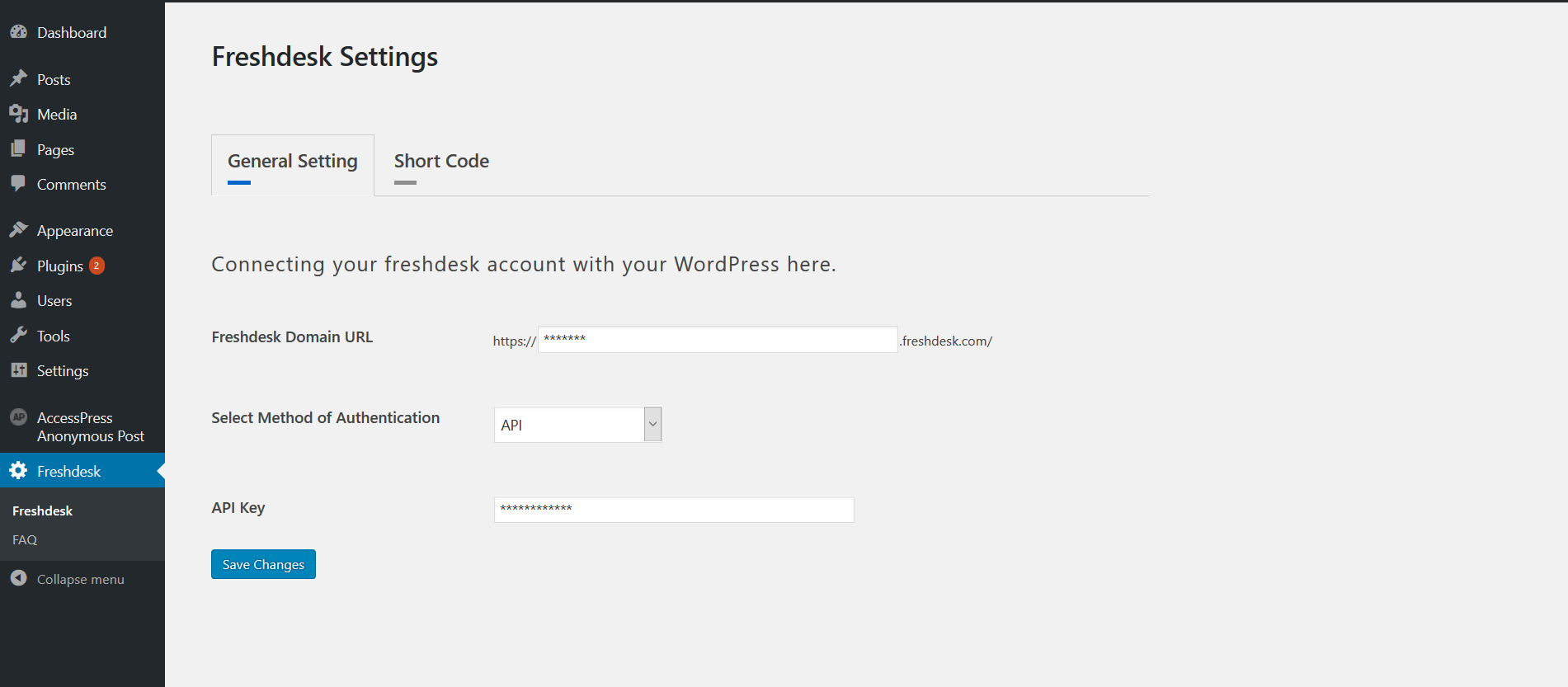
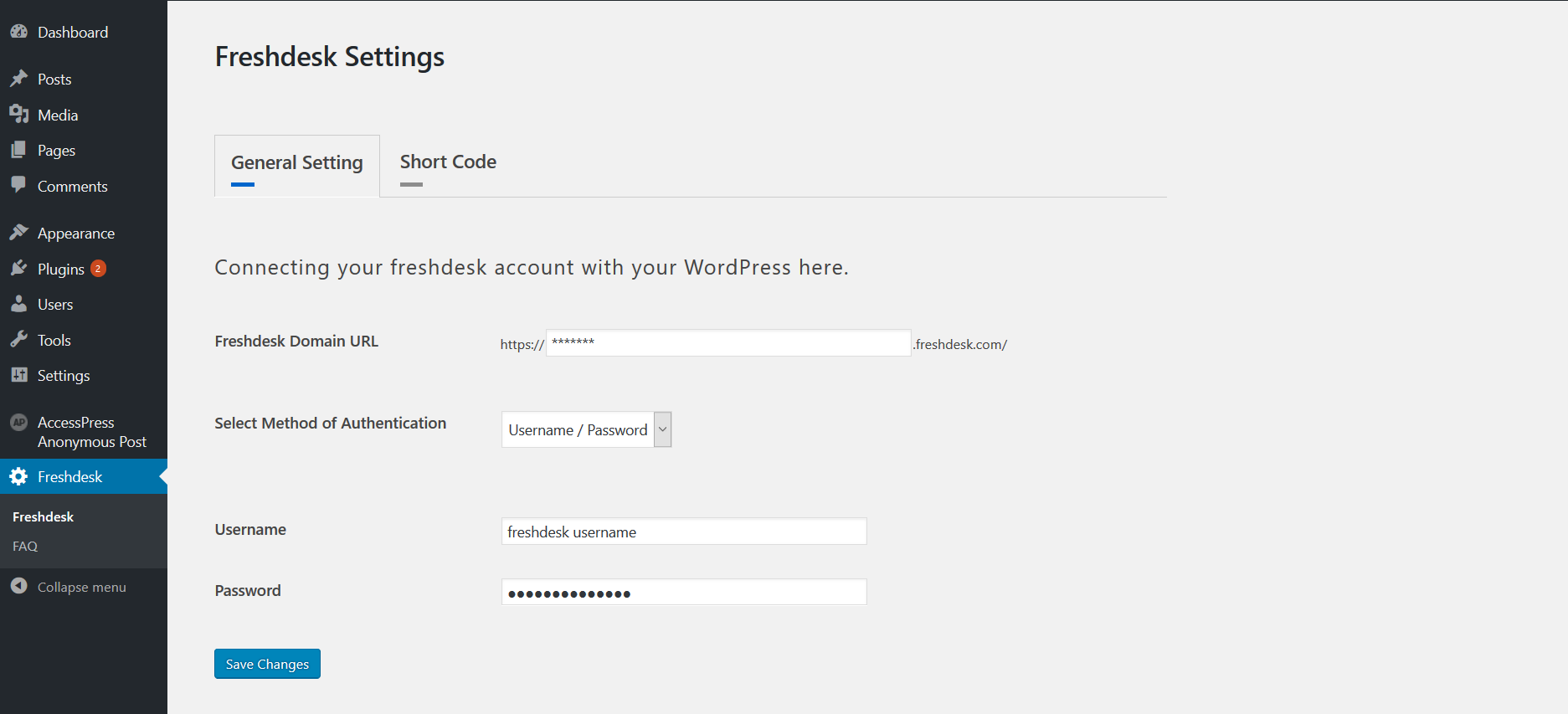
- Place Add your Fresh-desk account detail in Freshdesk Settings -> General Setting tab.
- You can connect two way in our account 1. API Key 2. User-name and Password.
- Place Go to Faq page and select our FAQ’s which is display in your front end.
- Place Use Above Shortcode.
Details


Related plugins
Plugins that also contain the tag freshdesk
Freshchat

Freshdesk (official)

WP Gravity Forms FreshDesk Plugin

CRM Perks – WordPress HelpDesk Integration – Zendesk, Freshdesk, HelpScout


About
Plugin for that tries to help you find the WordPress plugin you are looking for.
| Please enjoy an image of Crush (this awesome turtle) and have a lovely day! |  |
We do not own any plugin listed on this site and do not work for or work with WordPress.com or it's associated companies. We simply provide a searchable list of the available WordPress plugins.