



HDWebmobile Gift Cards
HDWebmobile Gift Cards turns any simple WooCommerce product into a digital gift card. Flag a product as a gift card, and completing an order for it issues a unique, randomly generated code by email — one code per unit purchased. Customers redeem a code exactly the way they already redeem a discount coupon: by typing it into WooCommerce’s own “Have a coupon?” field at checkout. There is no new redemption screen to learn, and it works on both the classic cart/checkout and the Block Checkout.
Arbitrary file upload is one of the most severe vulnerability classes a store plugin can have. This plugin has zero file-upload surface at all — every gift card code is generated server-side with PHP’s cryptographically secure random_bytes(), never accepted as user-supplied input for the code’s value, closing off that entire vulnerability class by construction.
Key Features
- Turn any simple product into a gift card with a single checkbox — automatically forced virtual, no shipping involved
- Completing an order issues one unique, cryptographically random code per unit purchased, emailed to the purchaser
- Redemption reuses WooCommerce’s own native “Apply coupon” field — works on classic Cart/Checkout and Block Checkout, no custom UI to build or maintain
- Partial redemption: if a cart total is smaller than the gift card’s balance, only the amount actually used is deducted, leaving the correct remainder for next time
- Optional expiry, set in days from issuance, checked at redemption time
- “My Gift Cards” section on the customer’s My Account dashboard showing remaining balance on any gift card they’ve purchased
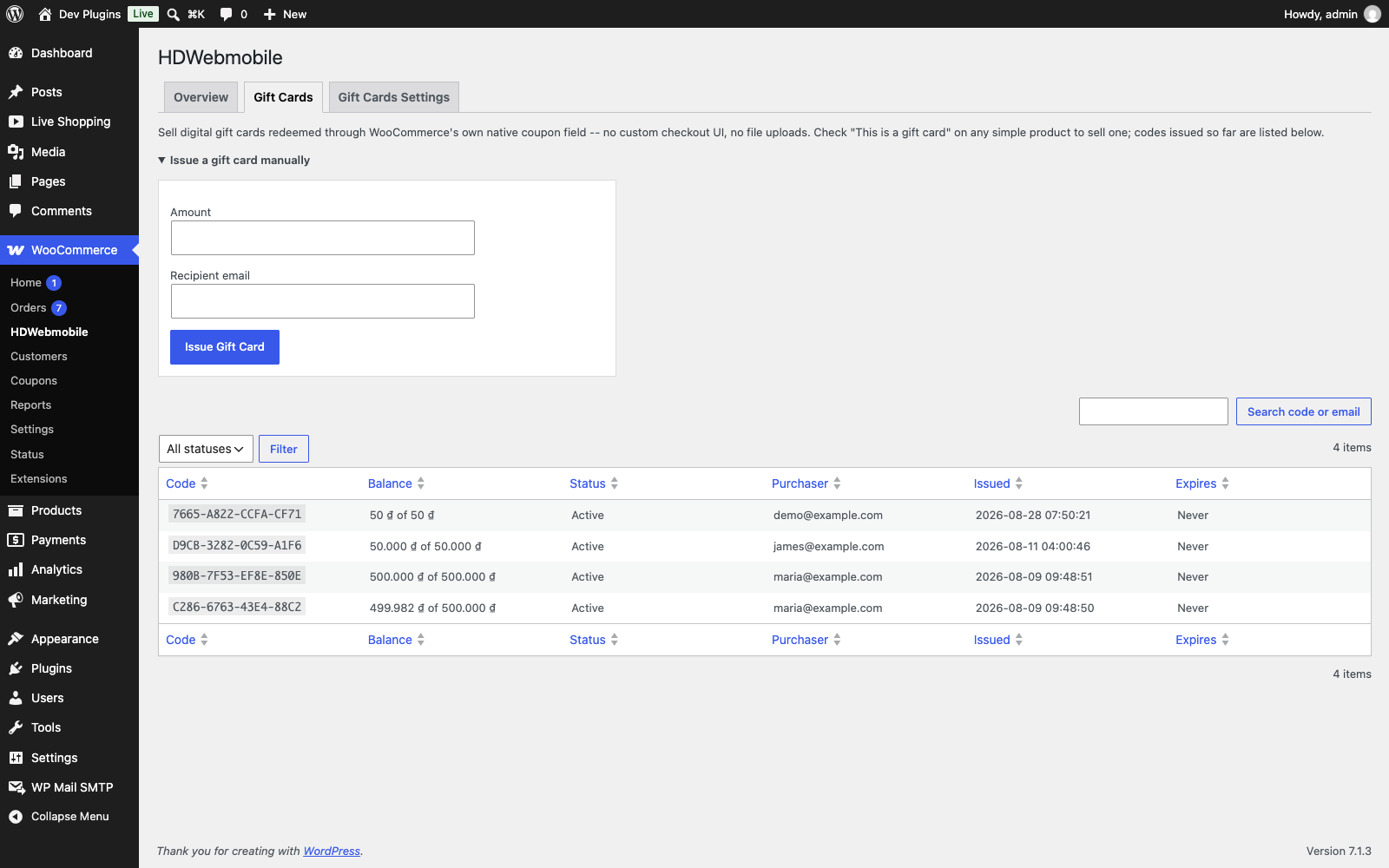
- Admin list of every issued gift card (code, balance, status, purchaser, issued/expiry dates), with search and status filter
- Admin can manually issue a gift card of any amount to any email, for customer-service or refund scenarios
- Zero file-upload surface — codes are always generated server-side, never accepted as arbitrary input
Limitations (please read before installing)
- Fixed value only — a gift card’s value is the product’s own price; there is no customer-selectable/variable amount at purchase in this version
- No separate recipient-delivery flow — the code is emailed to the purchaser only, with no “send to a friend’s email with a gift message” field; the purchaser can forward the email themselves
- No redemption audit ledger — only the current balance is stored, not a history of every order that redeemed against a code
Enjoying this plugin?
If it helps your site, please consider leaving an honest review on WordPress.org — it helps other WordPress users find it. Found a problem or have an idea? Please open a support topic first so it can be fixed.
How to Use
1. Create a gift card product
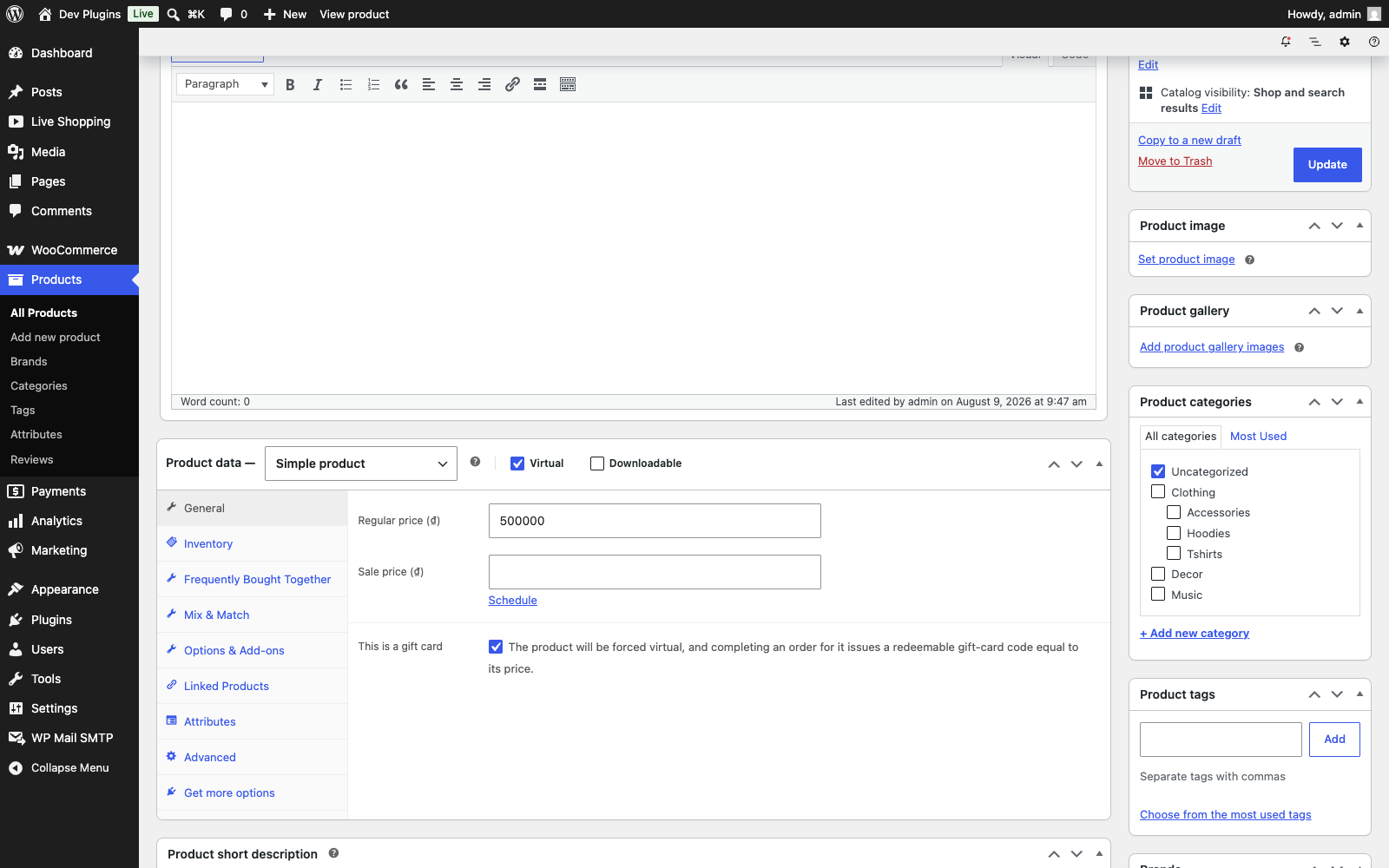
Create (or edit) a simple product, check “This is a gift card” in the General tab of Product Data (Screenshot 1), and set its price — that price becomes the gift card’s value. Save; the product is automatically set to virtual.
2. A customer buys it
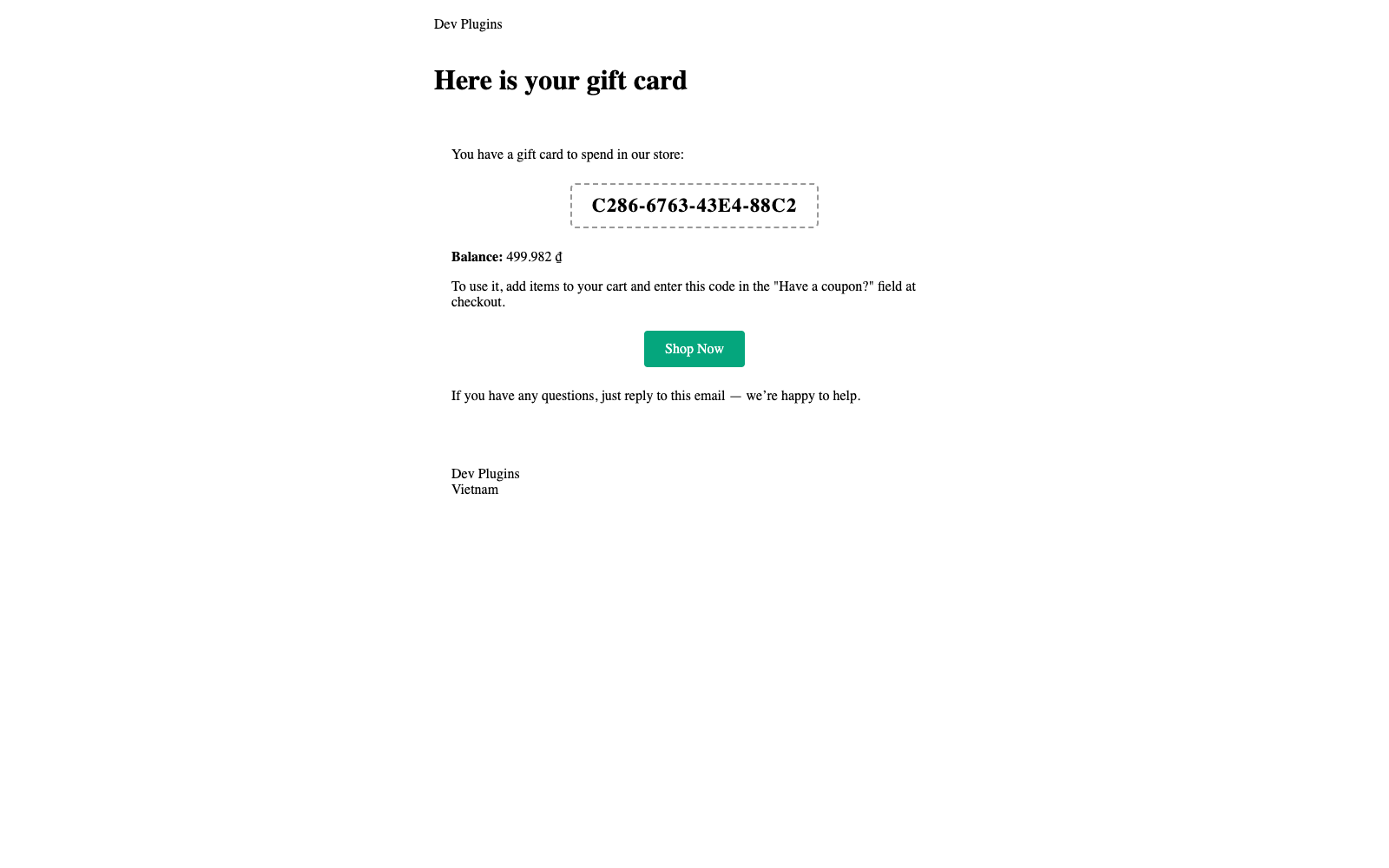
When an order containing a gift-card product is marked Completed, this plugin issues one code per unit purchased and emails each one to the purchaser (Screenshot 2).
3. The code is redeemed like any coupon
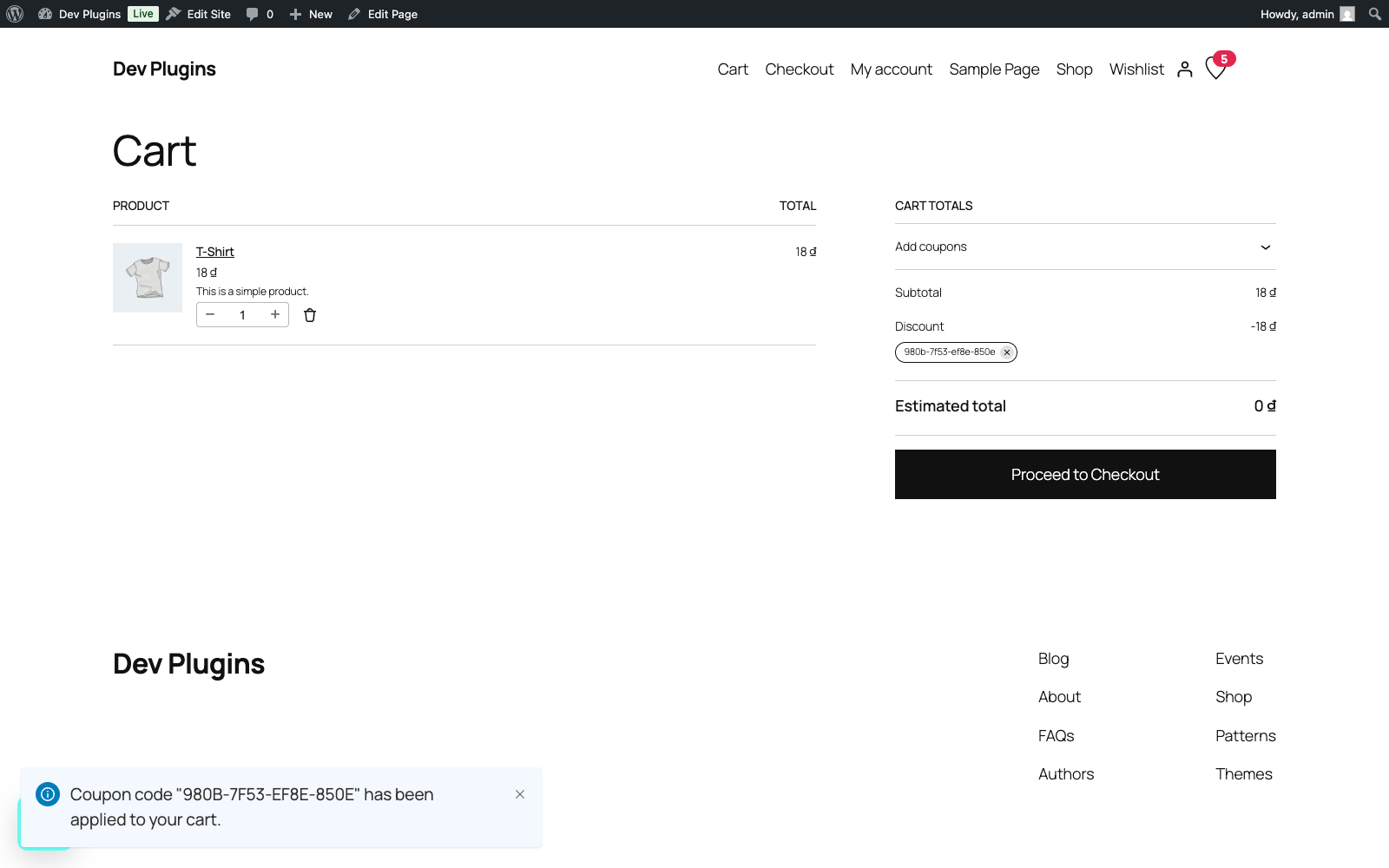
At checkout, the recipient enters the code in the “Have a coupon?” field (Screenshot 3) — no separate gift-card field, no new page to learn.
4. Balances update automatically
When the redeeming order completes, the gift card’s balance is reduced by exactly the amount that order actually used. A card with balance remaining can be reused on a later order.
5. Manage gift cards from the admin
Go to WooCommerce > Gift Cards (Screenshot 4) to search issued codes, filter by status, or manually issue a new gift card to any email address.
Details
Related plugins
Plugins that also contain the tag coupon
Discount Rules and Dynamic Pricing for WooCommerce

Photo Reviews for WooCommerce

YayPricing – WooCommerce Dynamic Pricing & Discounts

Coupon Creator

WP Coupons and Deals – WordPress Coupon Plugin

WPC Coupon Listing for WooCommerce


About
Plugin for that tries to help you find the WordPress plugin you are looking for.
| Please enjoy an image of Crush (this awesome turtle) and have a lovely day! |  |
We do not own any plugin listed on this site and do not work for or work with WordPress.com or it's associated companies. We simply provide a searchable list of the available WordPress plugins.