



HDYHaus Identity Verification
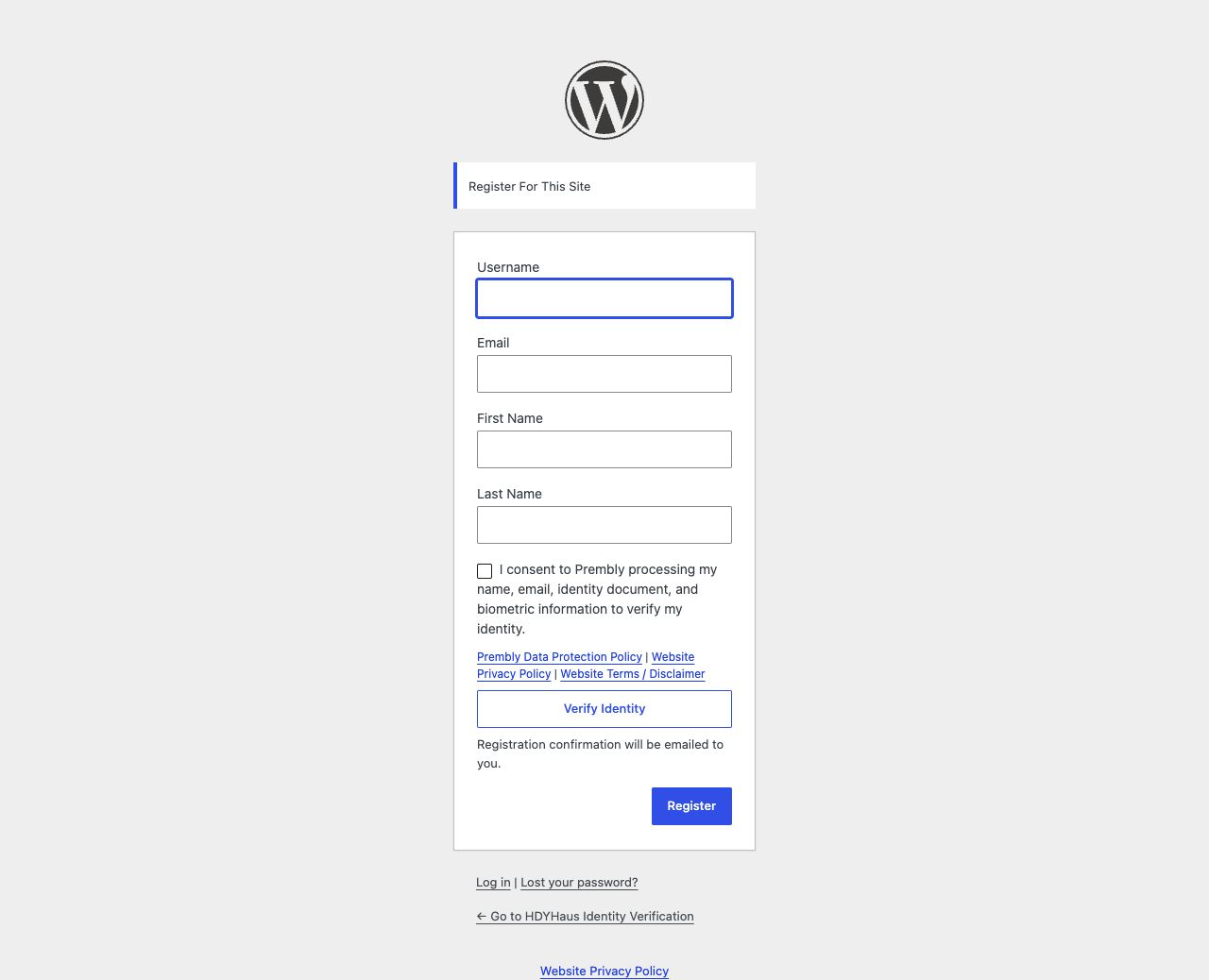
HDYHaus Identity Verification adds identity verification to the default WordPress registration page. When a provider is enabled, WordPress creates the account only after the provider confirms a successful verification.
HDYHaus Identity Verification is a verification gate, not a membership suite. It does not replace the registration form, add payment processing, restrict content, or create membership levels.
Features
- Adds identity verification to
wp-login.php?action=register. - Confirms the result server-side before allowing account creation.
- Binds each verification to the submitted email, configured widget, and one-time registration attempt.
- Prevents a completed verification session from being reused for another account.
- Prevents the same verified identity document from creating another account, even after account deletion.
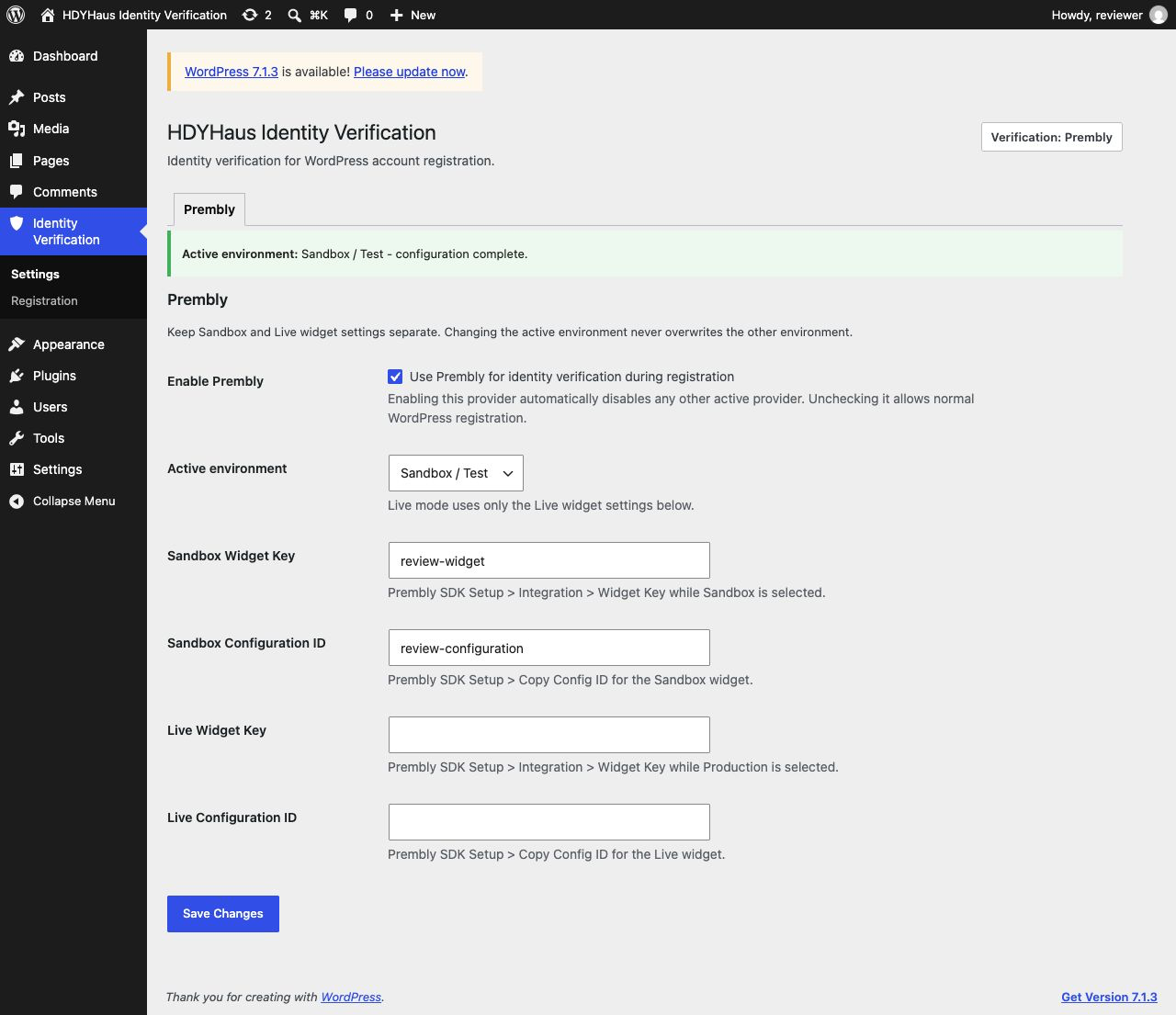
- Keeps Sandbox and Live Prembly credentials separate.
- Supports an optional same-site success redirect with email activation instructions.
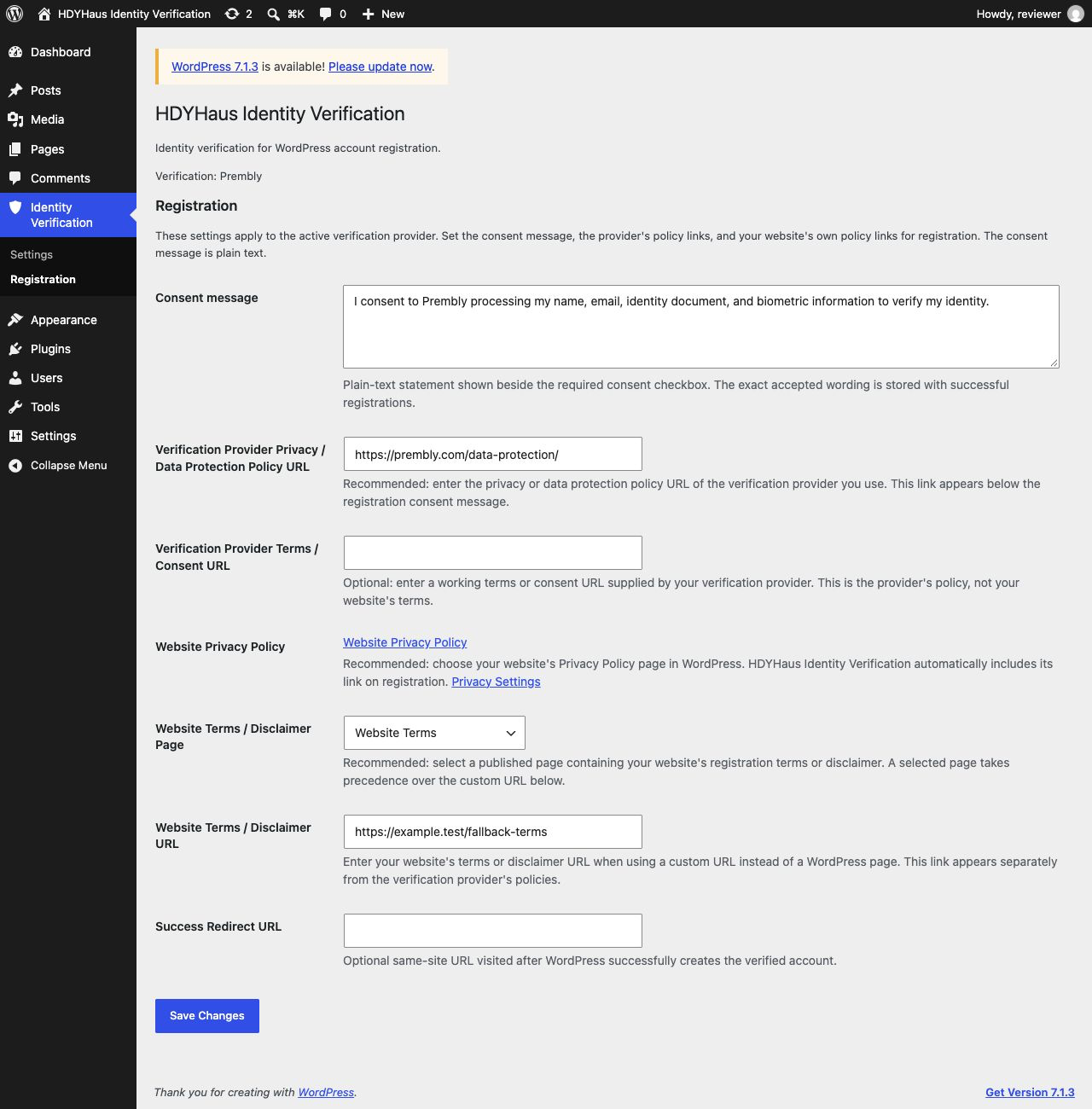
- Lets site owners customize the plain-text consent message, provider policy links, and a website terms/disclaimer page or URL.
- Stores normalized verification metadata in the WordPress user account.
- Integrates with WordPress personal data export and erasure tools.
- Uses a provider adapter architecture, with Prembly as the first provider.
HDYHaus Identity Verification supports identity verification and KYC workflows. Installing it does not by itself make a website compliant with any law or regulatory framework. Site owners remain responsible for their verification policy, lawful basis, privacy notice, retention period, and provider configuration.
External Service: Prembly
This plugin connects to Prembly, an external identity verification service, when Prembly is enabled by a site administrator.
The Prembly browser SDK is loaded from https://js.prembly.com/v1/inline/widget-v3.js on the default WordPress registration page. When a registrant selects Verify Identity, HDYHaus Identity Verification sends their first name, last name, email address, a temporary user reference, the configured Widget Key, and Configuration ID to Prembly. Prembly’s verification interface may collect identity document images, selfies, biometric information, device information, and IP-derived location information according to the checks selected by the site administrator.
After the verification interface reports completion, the site’s WordPress server requests the corresponding session from https://backend.prembly.com/api/v1/checker-widget/sdk/sessions/{session_id}/. HDYHaus Identity Verification uses that response to confirm the session status, email address, widget configuration, session ID, and verified document identity. The complete Prembly report remains available in the site owner’s Prembly dashboard; HDYHaus Identity Verification stores only normalized verification metadata and site-specific one-way fingerprints in WordPress.
This service is provided by Prembly Inc:
- Prembly: https://prembly.com/
- Prembly Data Protection Policy: https://prembly.com/data-protection/
The Data Protection Policy is the default provider policy link. Site administrators can replace it and optionally add a working provider terms or consent URL under Identity Verification > Registration. When WordPress has a website Privacy Policy configured, HDYHaus Identity Verification displays that link separately. Website terms or a disclaimer can also be linked by selecting a published WordPress page or entering a custom URL.
Details
Related plugins
Plugins that also contain the tag identity-verification
iDenfy | Identity verification service

Konfirmi Plugin

Trust Swiftly — Identity Verification for WooCommerce

Tractis Identity Verifications plugin for WordPress

Didit Verify

The Goldens Cards KYC Gate


About
Plugin for that tries to help you find the WordPress plugin you are looking for.
| Please enjoy an image of Crush (this awesome turtle) and have a lovely day! |  |
We do not own any plugin listed on this site and do not work for or work with WordPress.com or it's associated companies. We simply provide a searchable list of the available WordPress plugins.