


Holographic Client Lockdown
Holographic Client Lockdown helps website designers, freelancers, developers and agencies hand WordPress sites over to clients with safer admin access controls.
Client handover can be awkward. Clients often need access to their website, but full administrator access can expose plugin settings, themes, users, updates, site URLs, permalink settings and other areas that can break a live site. Holographic Client Lockdown gives you a practical way to reduce that risk while keeping normal WordPress behaviour intact for real administrators.
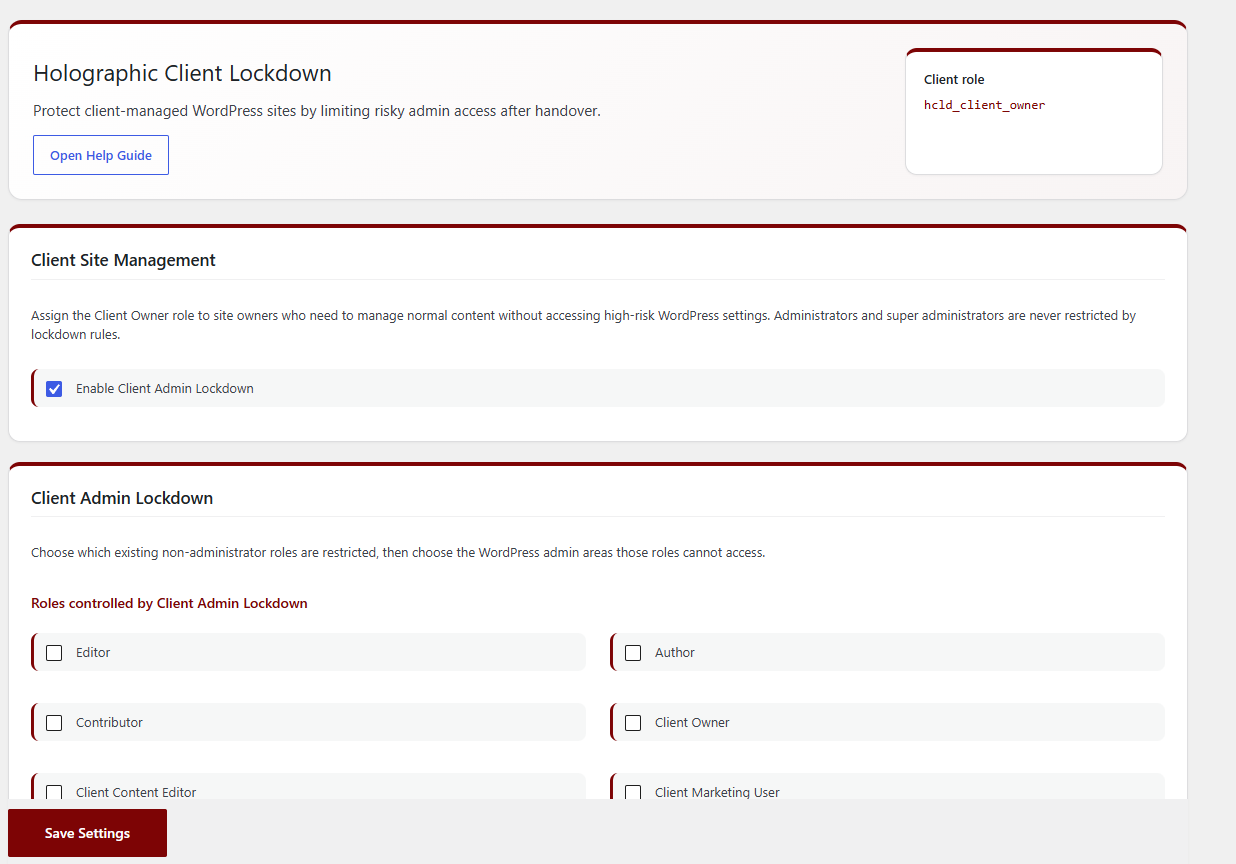
The plugin adds a dedicated Client Owner role and includes Client Admin Lockdown controls for selected non-administrator roles. You can choose which roles should be restricted, then control access to common high-risk WordPress areas including posts, pages, media, comments, Appearance, plugins, users, tools, settings, updates, the Customizer, Site Health and profile editing.
HoloLock also protects critical site settings such as search engine visibility, Site URL, Home URL and permalink settings from restricted users. Admin menu items are hidden for restricted roles, and direct URL access to blocked admin pages is stopped as well.
For client support and handover, the plugin includes a dashboard support card that can appear for all logged-in users, including administrators. You can enter support details directly or select a WordPress page as the source for the support card content, giving you more flexibility when creating client-facing help material.
The plugin also includes useful handover branding options, including a login logo, login colours, WordPress toolbar logo replacement, branded HoloLock settings header logo and custom admin footer text. Developer update alert emails can notify your chosen address when WordPress core, plugin or theme updates are available.
Holographic Client Lockdown is designed for client-managed WordPress sites where the developer, designer or agency still needs a safer recovery path. Administrators are not restricted by lockdown rules, so authorised developers and site owners can retain full access.
Features
- Dedicated Client Owner role for safer client handover.
- Client Admin Lockdown for selected non-administrator roles.
- Choose which existing roles should be restricted.
- Keep normal administrator accounts outside lockdown restrictions.
- Restrict access to posts, pages, media and comments.
- Restrict access to Appearance, plugins, users, tools and settings.
- Restrict access to WordPress updates.
- Restrict access to the Customizer.
- Restrict access to Site Health.
- Restrict access to profile editing.
- Hide restricted admin menu items from selected client roles.
- Block direct URL access to restricted admin pages.
- Protect search engine visibility from restricted users.
- Protect Site URL and Home URL settings from restricted users.
- Protect permalink settings from restricted users.
- Dashboard support card for logged-in users.
- Support card can be shown to administrators as well as client users.
- Optional support card page ID, so support content can be managed with the WordPress editor.
- Developer update alert emails for WordPress core, plugin and theme updates.
- Optional login logo.
- Optional login background colour.
- Optional login button colour.
- Optional WordPress toolbar logo replacement.
- Optional branded logo on the HoloLock settings screen.
- Optional admin footer text for logged-in users.
- Built-in HoloLock help page explaining the main settings.
- Safer default setup with lockdown options disabled until you choose them.
- Optional cleanup on uninstall.
Details

About
Plugin for that tries to help you find the WordPress plugin you are looking for.
| Please enjoy an image of Crush (this awesome turtle) and have a lovely day! |  |
We do not own any plugin listed on this site and do not work for or work with WordPress.com or it's associated companies. We simply provide a searchable list of the available WordPress plugins.