



Image Picker For Gravity Forms
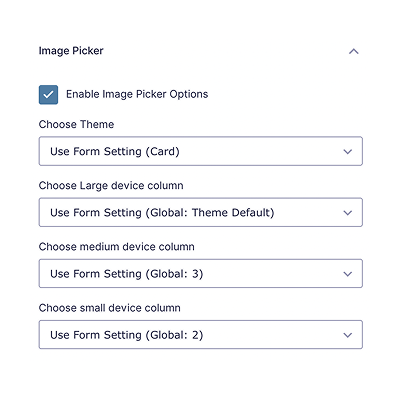
A simple and nice plugin to add images easily on gravity forms radio and checkbox field. It helps to add uploaded images for radio and checkbox fields with a few clicks. It also adds a nice design on the radio and checkbox field. If the installation is okay, go to gravity forms dashboard. Add a checkbox/radio field on your form. Open the checkbox/radio field and you will see a tab called the Image Choices. After clicking that tab, an option will be shown to enable Image choice. Click that checkbox and configure it as your choice. And save the form. You’re done!
Features
- Awesome radio/checkbox design
- Pick custom color
- Add column in radio/checkbox
- Added responsive option (new)
- Global Settings (new)
- Form Settings (new)
- And more comming…
Premium Features
- Single product field support
- Product option support
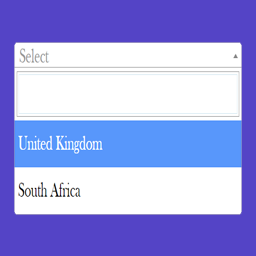
- Dropdown field support
- Multiple choice, polls, survey, shipping support
- 7+ beautiful themes
- Responsive options
- Show images in Entry / Notification
- Image Options
- Upcoming more options…
Requirements
- PHP 5.6
- Gravity Forms 2.0.0 or higher
Details


Related plugins
Plugins that also contain the tag dropdown
Min Max Step Quantity Limits Manager for WooCommerce

Cities Shipping Zones for WooCommerce

Navigation menu as Dropdown Widget

RY City Select for WooCommerce

Select and Multi-Select Field for Contact Form 7
Shipping Method Display Style for WooCommerce


About
Plugin for that tries to help you find the WordPress plugin you are looking for.
| Please enjoy an image of Crush (this awesome turtle) and have a lovely day! |  |
We do not own any plugin listed on this site and do not work for or work with WordPress.com or it's associated companies. We simply provide a searchable list of the available WordPress plugins.