


ImageFX
ImageFX allows you to add filters to your WordPress images uploaded through the normal media uploader.
For more information:
http://ottopress.com/2011/customizing-wordpress-images-with-a-plugin-imagefx/
Example:
http://demo.wpsmiththemes.com/minfolio/all-image-styles-example/
Default filters:
- Greyscale with except Blue, Red, Green
- Sepia tone with 6 alternatives
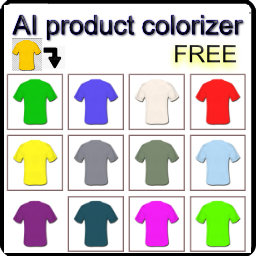
- Colorize with red, yellow, green, blue, purple
- Photonegative
- Emboss & Emboss Edge
- Brighten (50, 100)
- Gaussian Blur & Selective Blur
- Mean Removal
- Smooth
- Negative
- Contrast Negative and Positive
- Rounded Corners
ImageFX is expandable and retractable, so removing and adding other filters using your own customized image manipulation functions is easy.
Register new filters with:
- Individually: imagefx_register_filter( ‘filter_name’, ‘cb_function’); //Note: cb_function defaults to imagefx_filter_{filter_name}
- Bulk: imagefx_register_filters( array( ‘filter_name’, ‘filter_name’ ) );
Unregister existing filters with:
- Individually: imagefx_unregister_filter( ‘filter_name’ );
- Collectively: imagefx_unregister_filters( array( ‘filter_name’, ‘filter_name’) );
- Specifically: imagefx_unregister_colorize_filters(); & imagefx_unregister_greyscale_filters(); & imagefx_unregister_sepia_filters(); imagefx_unregister_rounded_filters();
Want regular updates? Become a fan of my sites on Facebook!
http://www.facebook.com/ottopress
http://www.facebook.com/pages/Nothing-to-See-Here/241409175928000
Or follow us on Twitter!
http://twitter.com/otto42
http://twitter.com/ottodestruct
http://twitter.com/wp_smith
Details
Related plugins
Plugins that also contain the tag colorize
Easy Image Filters

Colorize Admin

ACF Stylizer

Brozzme Colorize Bar

Tools for color variations.

About
Plugin for that tries to help you find the WordPress plugin you are looking for.
| Please enjoy an image of Crush (this awesome turtle) and have a lovely day! |  |
We do not own any plugin listed on this site and do not work for or work with WordPress.com or it's associated companies. We simply provide a searchable list of the available WordPress plugins.