

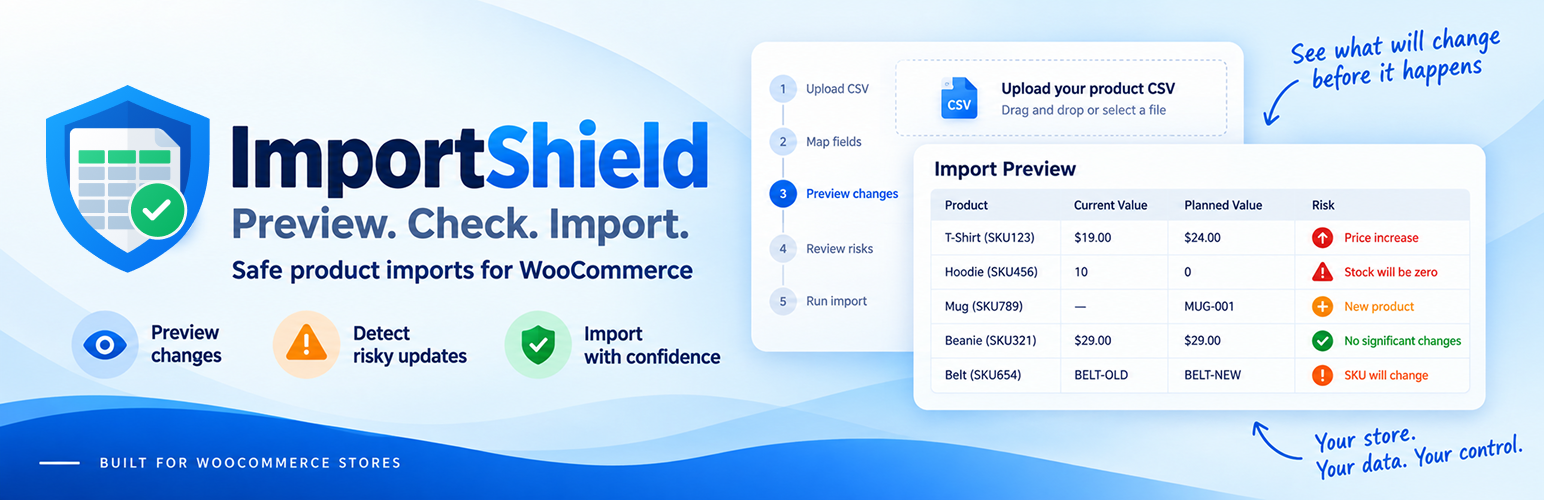

ImportShield – Safe Product Imports for WooCommerce
A WooCommerce CSV import can change hundreds of products at once. An incorrect value or column mapping can unexpectedly clear prices, alter stock, duplicate a SKU, or update the wrong product.
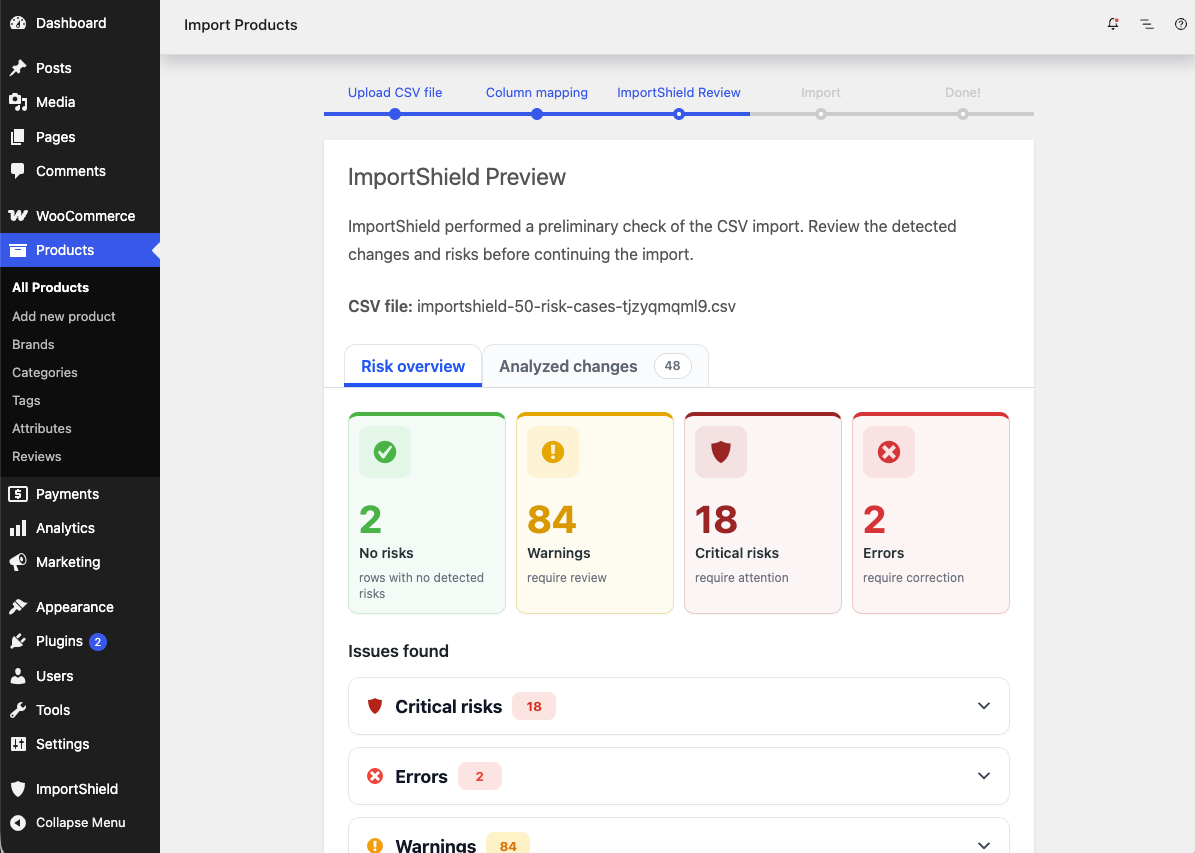
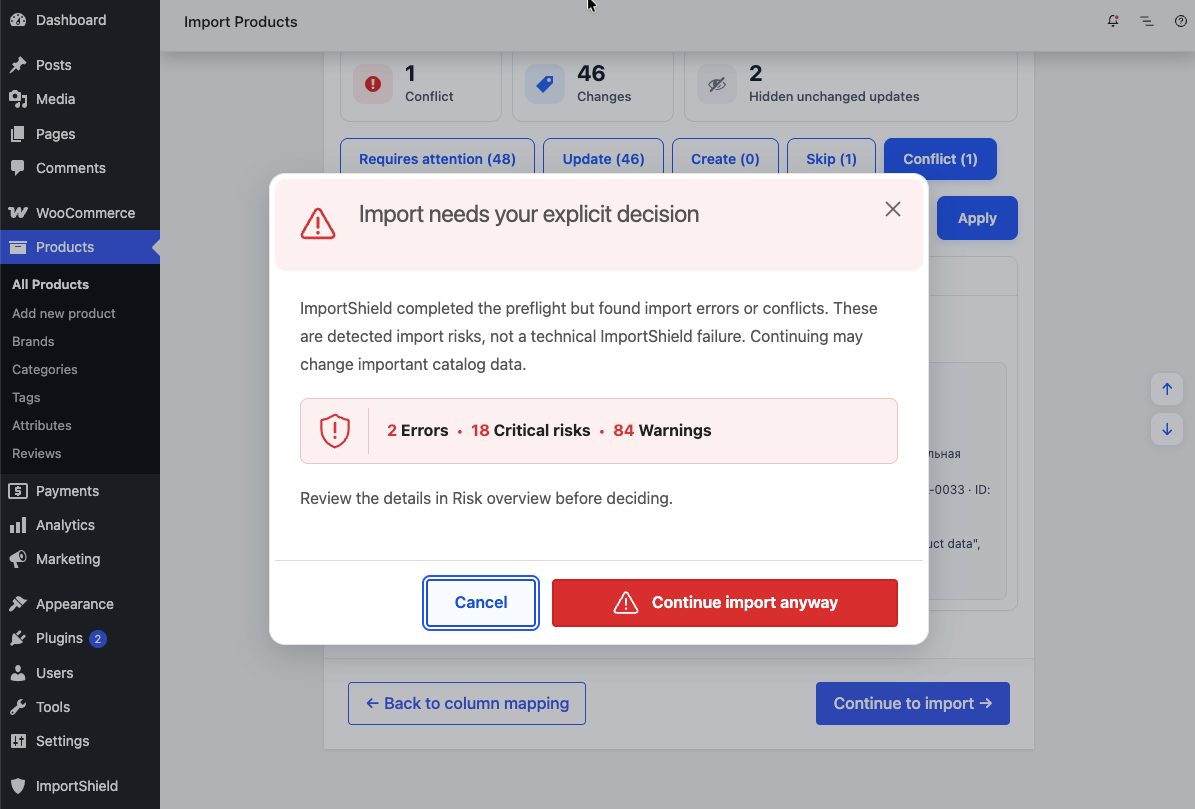
ImportShield adds an import preview before the built-in WooCommerce product CSV importer runs. It shows the catalog changes WooCommerce is expected to make and highlights potentially risky changes before anything is imported.
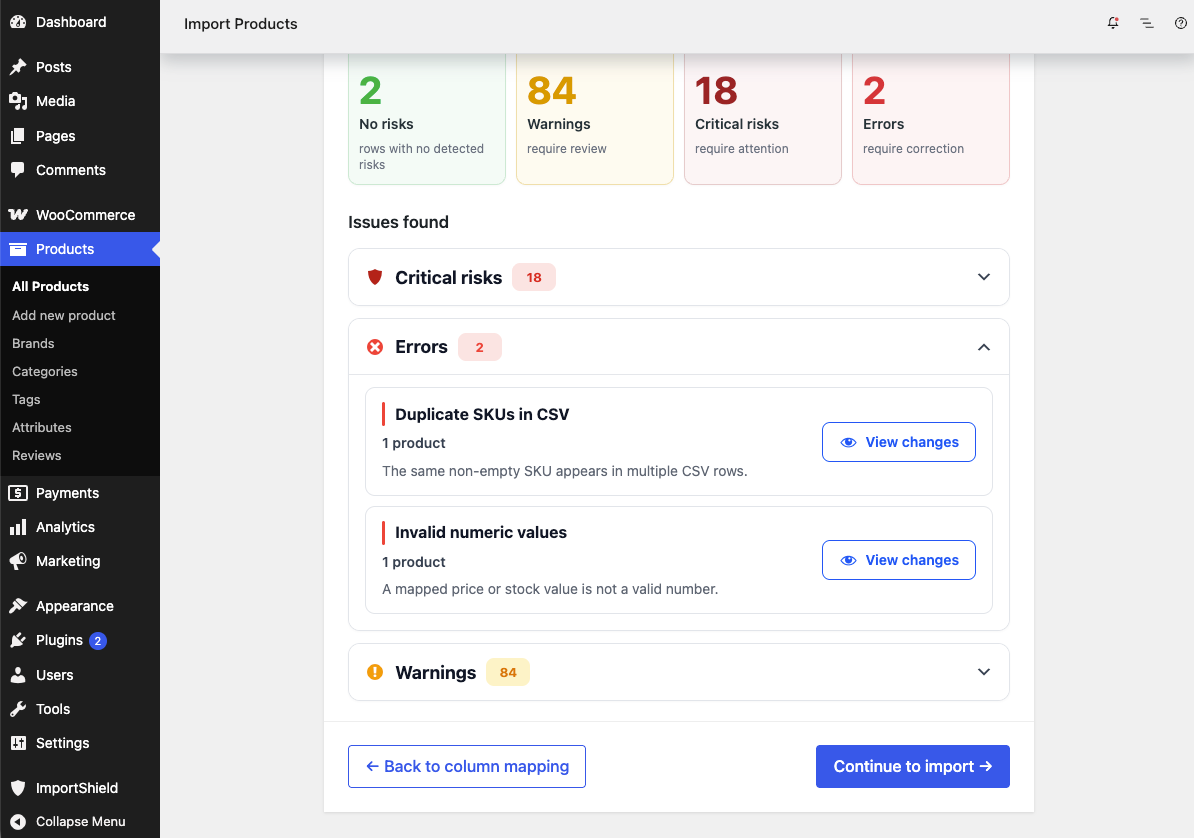
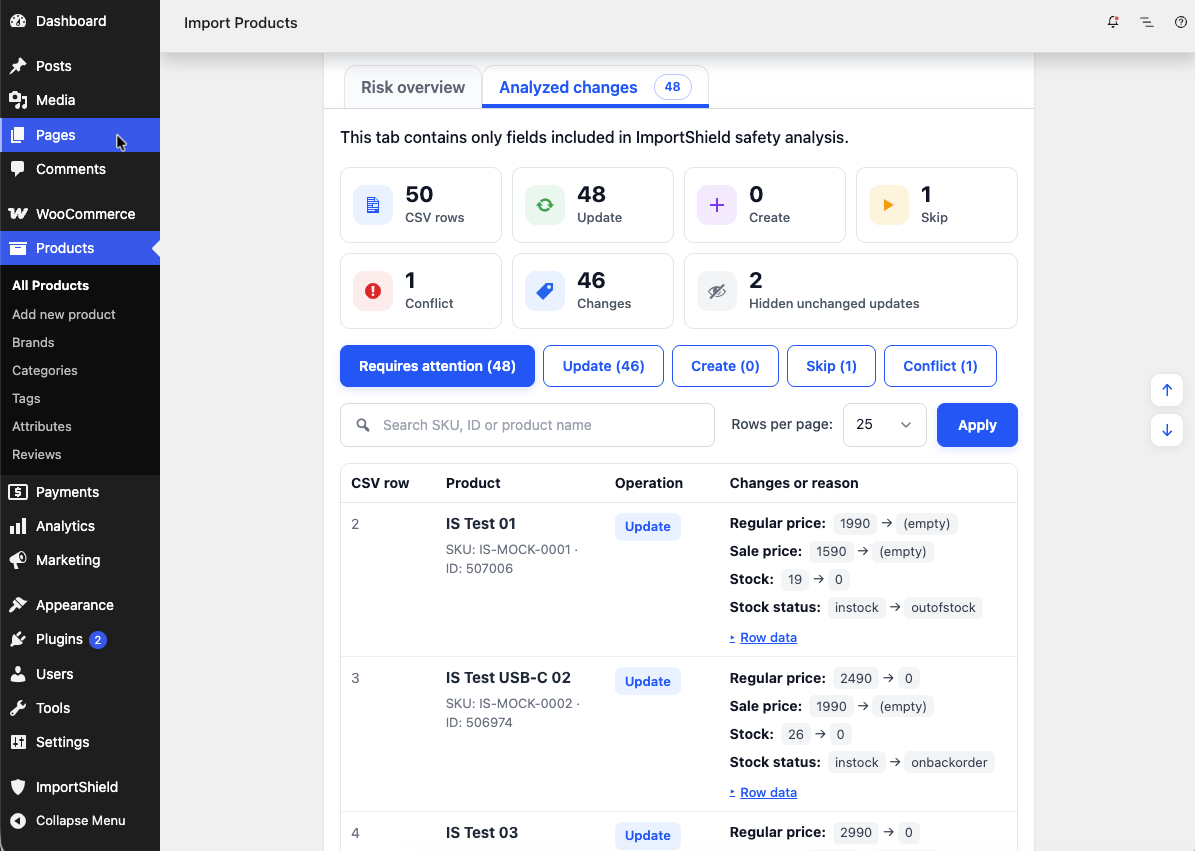
Review which products are expected to be created, updated, or skipped, see identifier conflicts, and compare current and planned values. You can fix the CSV or mapping, go back without importing, or continue with the standard WooCommerce import.
Use ImportShield for supplier files, bulk price or stock updates, and other product imports where an unexpected change could affect many products.
What ImportShield helps you catch
- Unexpected price changes, including prices being cleared or set to zero.
- Stock quantities becoming zero or products becoming out of stock.
- Duplicate SKUs within the CSV and conflicts between product IDs and SKUs.
- Important product data being cleared or replaced, including names, descriptions, categories, tags, brands, and images.
- Risky changes to supported visibility, tax, shipping, sale, and purchasing settings.
- Suspicious bulk changes affecting many existing products.
How it works
- Upload the product CSV and map its columns in Products Import.
- Review planned changes and grouped risks before the import starts.
- Correct the CSV or mapping if needed, or choose to continue.
- WooCommerce performs the actual product import.
Supported scope
ImportShield works with the built-in WooCommerce product CSV importer. It provides field-level analysis for simple products, variable products, and variations when a supported mapped field applies to that product type.
Supported fields cover product identification, prices, stock, content and visibility, categories, tags and brands, images and linked products, tax and shipping data, and product measurements. Mapped fields outside the analysis scope remain available to WooCommerce and are identified as not analyzed where applicable.
Parent and Attribute relationships for variable products and variations are not analyzed. Changes between product types, grouped products, external products, and other unsupported product types are left to the standard WooCommerce importer.
Important limitations
- ImportShield does not perform the actual import or replace the WooCommerce importer.
- The preflight does not modify the CSV or product catalog.
- ImportShield does not provide rollback, automatic repair, or a guarantee that every possible problem will be detected.
- Unsupported fields and product structures may be handled by WooCommerce without field-level ImportShield analysis.
- Detected business risks require explicit confirmation rather than automatically blocking the import. A technical failure that prevents reliable analysis blocks the protected flow before the import starts.
Optional usage analytics are disabled by default. ImportShield works normally without analytics, and telemetry delivery never changes a preflight or import result.
External services
When an authorized administrator explicitly enables usage analytics, ImportShield sends server-side HTTPS requests to PostHog after selected preflight, risk, confirmation, cancellation, failure, and successful native-import lifecycle points. PostHog receives event names; coarse row, change, affected-row, and duration buckets; aggregate risk counts, severities, and stable rule keys; the ImportShield, WordPress, WooCommerce, and PHP versions where applicable; locale; and random installation and flow identifiers. Person-profile processing is disabled for every event.
ImportShield does not intentionally send CSV contents or filenames, product names, SKUs, product IDs, prices, stock values, descriptions, categories, tags, images, customer or order data, the site URL/domain, account details, filesystem paths, database content, approval/security tokens, SQL, stack traces, or arbitrary error text. As with any direct network request, network providers and PostHog may process connection metadata such as the originating IP address.
Analytics can be enabled or disabled at ImportShield Settings. Disabling stops future telemetry and deletes the local random installation ID; enabling it again creates a new ID. Deactivation preserves this choice. Uninstall removes the analytics options with ImportShield’s other owned state.
This service is provided by PostHog:
- Service information: https://posthog.com/
- Privacy policy: https://posthog.com/privacy
- Terms: https://posthog.com/terms
Privacy
ImportShield registers suggested privacy-policy text through WordPress’s standard privacy-policy guide. No analytics request is sent before explicit opt-in.
Details
Related plugins
Plugins that also contain the tag csv-import
WP All Import – Import Add-On for ACF
Product Import for WooCommerce
Content Egg – Affiliate Product Importer & Price Comparison

Product Editor Pro – WooCommerce Bulk Edit: Prices, Stock, Images, Titles, CSV Import & More

URL Image Importer

Gravity Forms Mass Import


About
Plugin for that tries to help you find the WordPress plugin you are looking for.
| Please enjoy an image of Crush (this awesome turtle) and have a lovely day! |  |
We do not own any plugin listed on this site and do not work for or work with WordPress.com or it's associated companies. We simply provide a searchable list of the available WordPress plugins.