



Ironfang Security
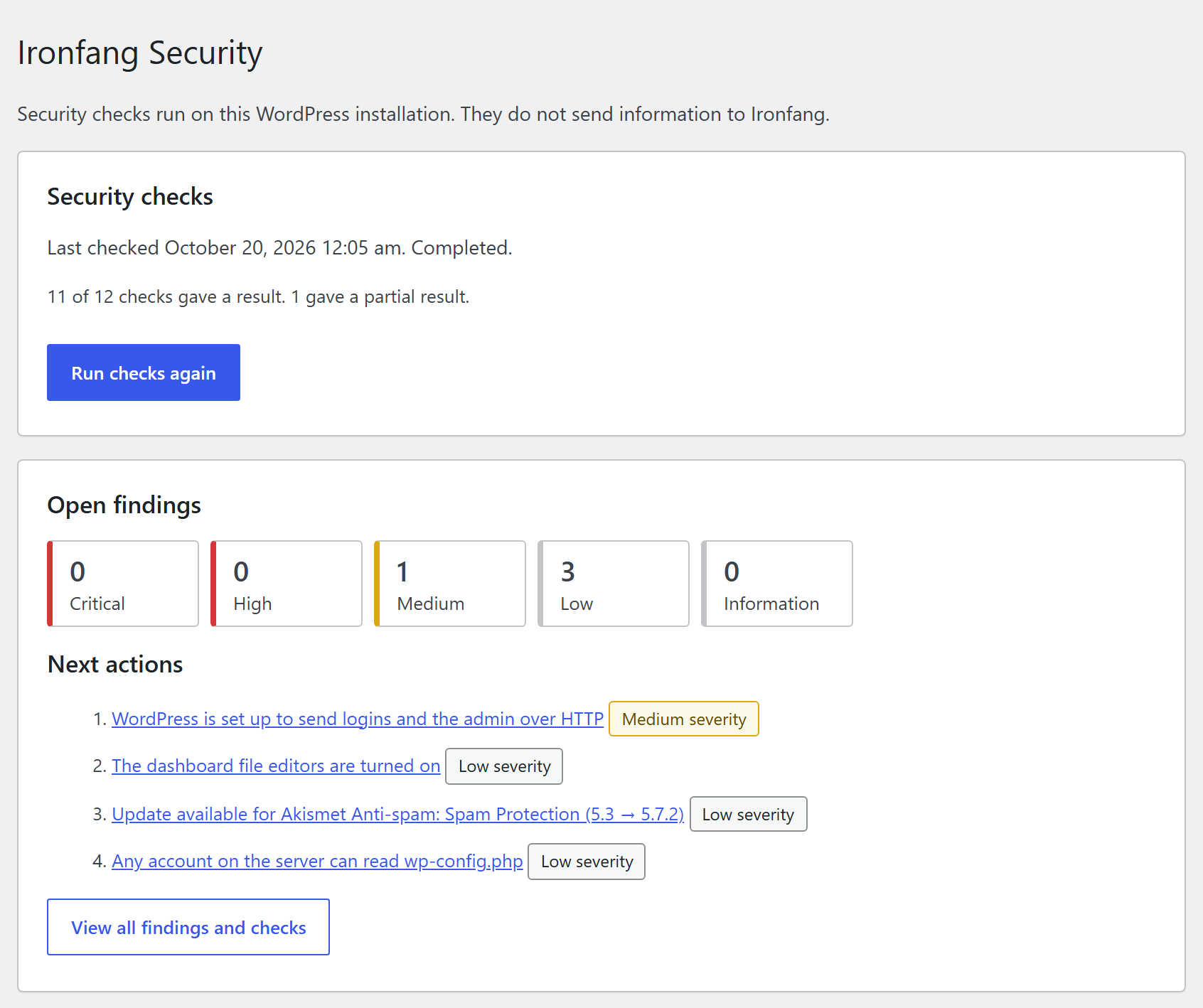
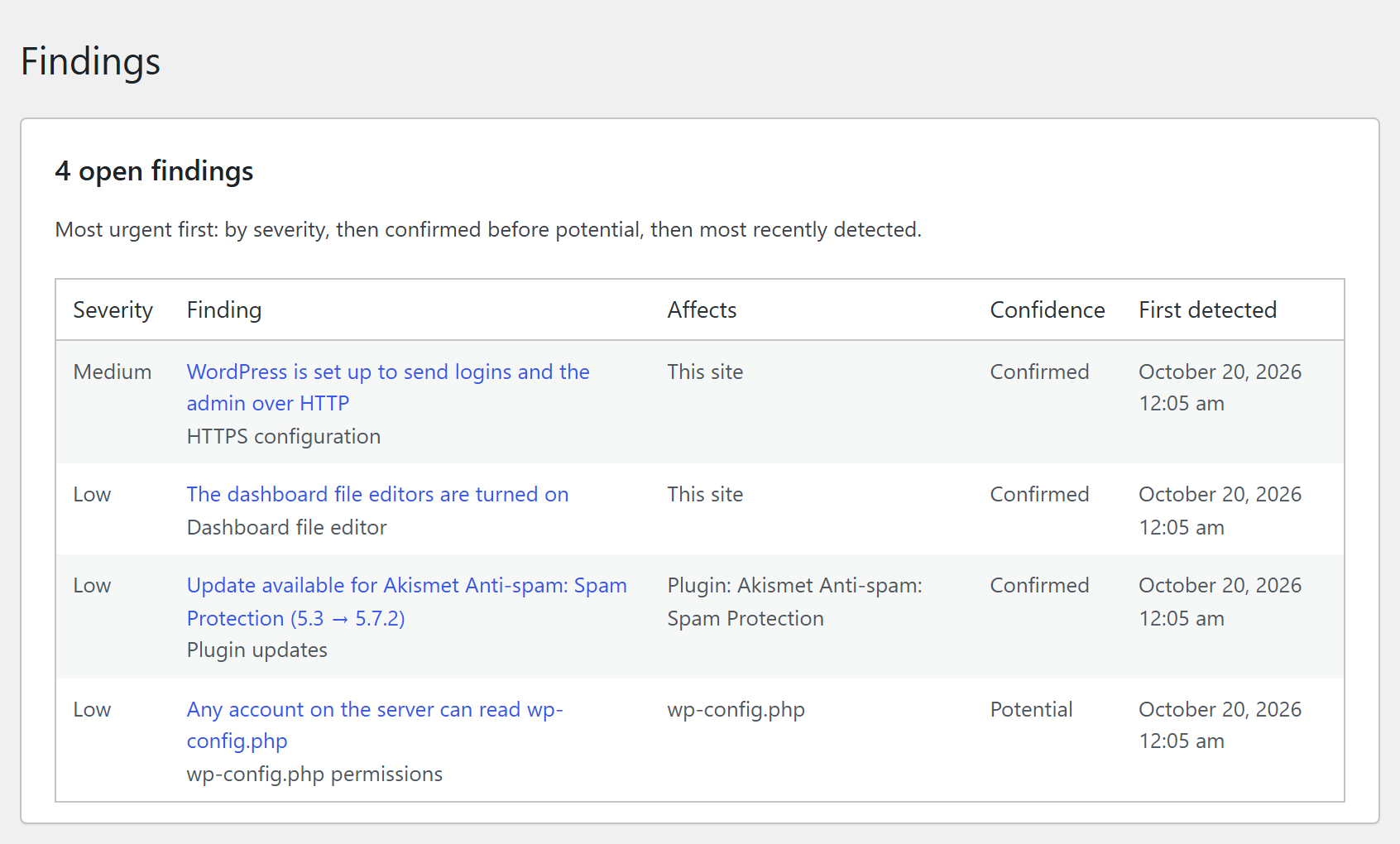
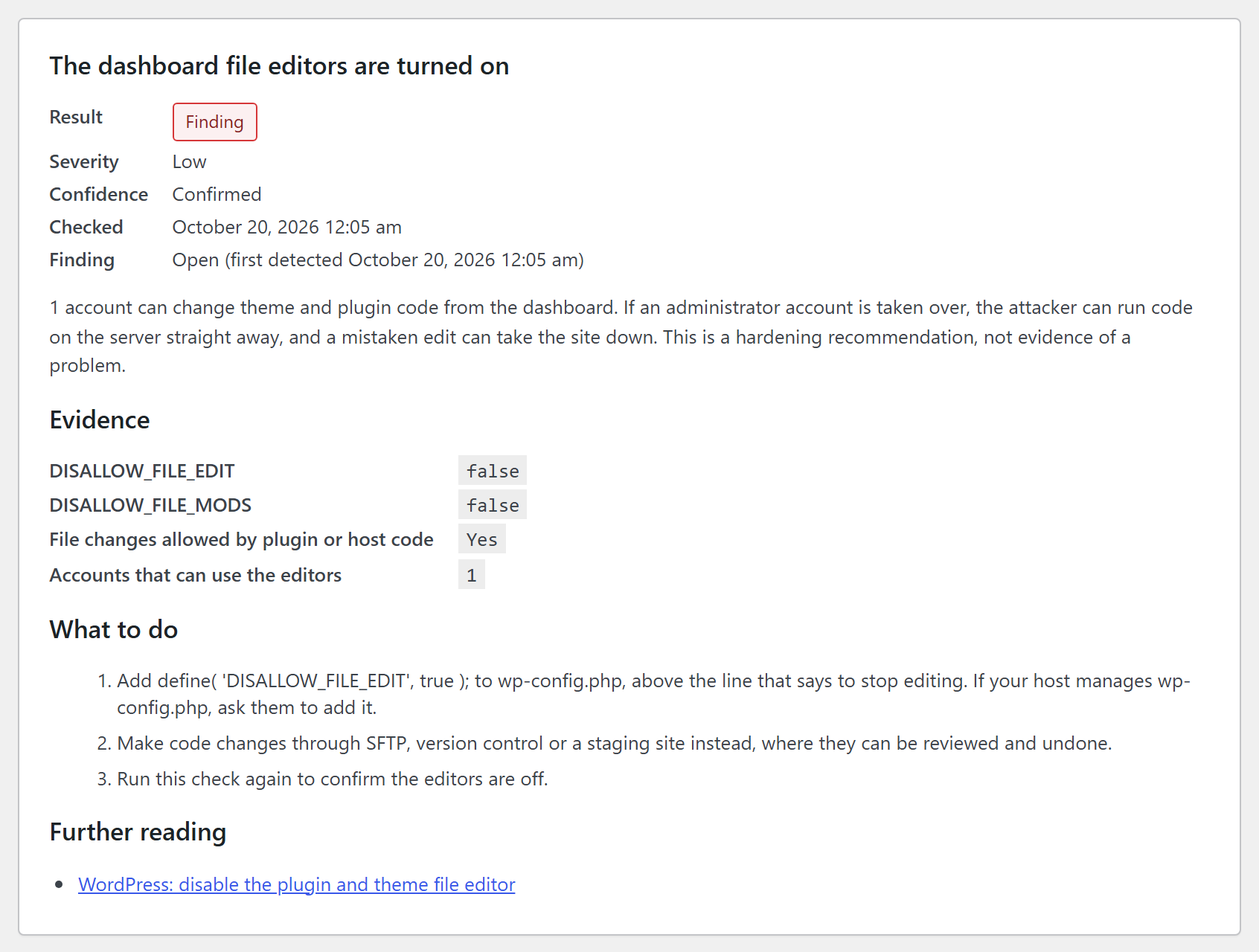
Ironfang Security reviews a WordPress site’s configuration, update information and privileged accounts for common security risks. It explains each finding, shows the evidence it observed and suggests a practical next step.
It checks:
- whether WordPress, plugin and theme updates are available, using the update information WordPress has already stored, and how old that information is;
- whether the server’s PHP version still receives security fixes, and how the site is set to update;
- whether WordPress is set up for HTTPS;
- whether PHP errors are shown to visitors, and whether a debug log is kept inside the site’s files;
- whether the dashboard file editors are on, and who on the server can read or change wp-config.php;
- what public registration grants, and which accounts have administrator-level access.
It also lists the installed software. An available update is maintenance information; this plugin does not report known vulnerabilities.
Findings are listed by priority, each with its evidence and practical guidance. You can recheck a finding after fixing it, or ignore one you have reviewed; an ignored finding is still reported by its check and is never counted as passed.
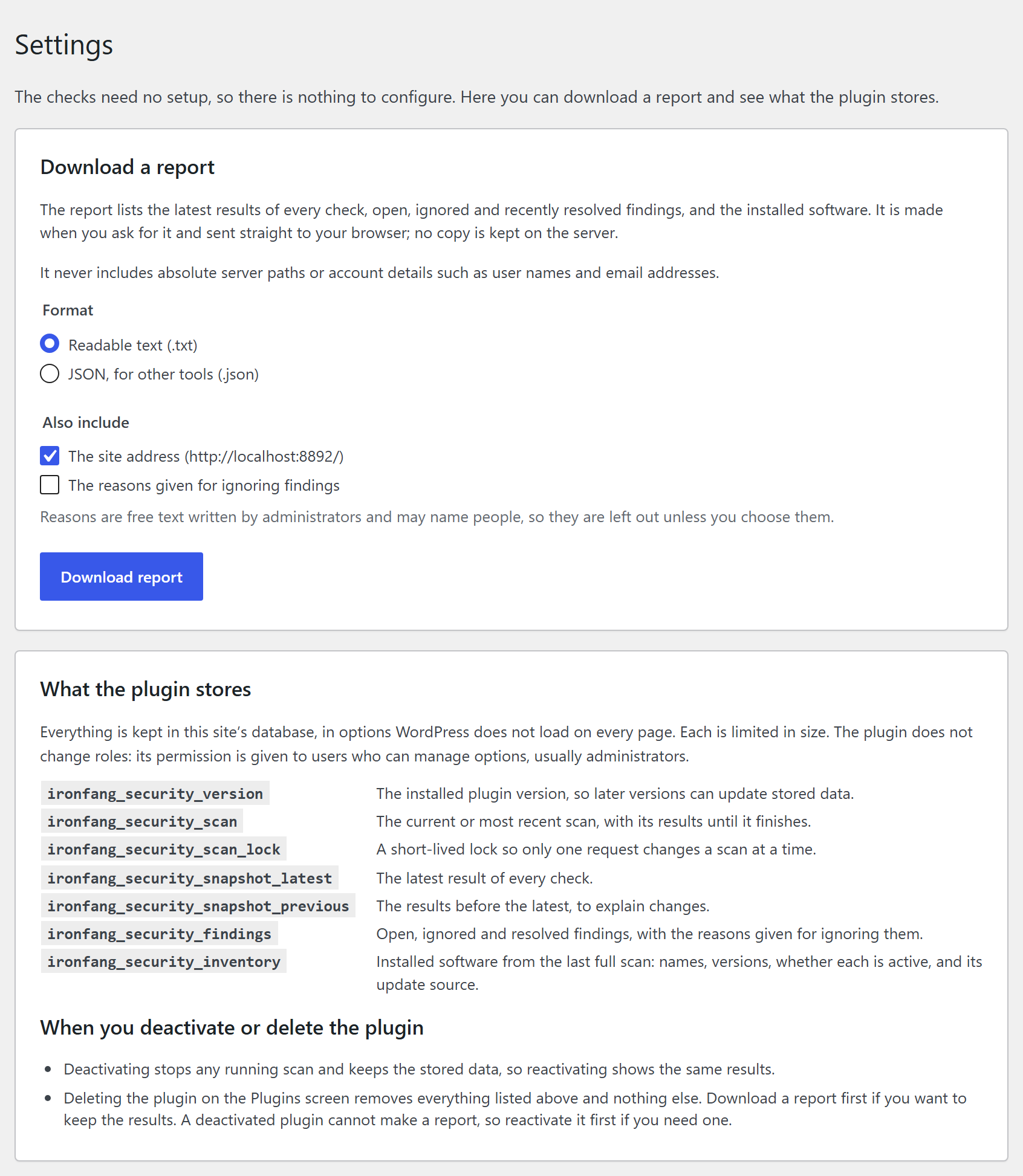
You can download a report of the results as readable text or JSON. It leaves out server paths and account details.
What the plugin does not do:
- It does not change your site’s settings.
- It does not contact Ironfang or any other service.
- It is not a firewall or malware scanner, and it does not block attacks.
- It does not give your site a security score or certify that it is safe.
The plugin supports single-site WordPress installations. It does not load on multisite networks.
Privacy
This plugin does not send data to Ironfang or any third party, does not collect analytics and does not set cookies.
Check results store counts and settings, not account details. The list of administrator accounts is read when an administrator opens it and is not stored.
Reports are made only when an administrator asks for one and are sent straight to the browser; no copy is kept on the server. Reports leave out server paths and account details. The site address is included unless you untick it, and the reasons given for ignoring findings only if you choose them.
Ironfang Security › Settings lists everything the plugin stores.
Details
Related plugins
Plugins that also contain the tag configuration
Public Post Preview Configurator

WP Sitemaps Config

Phpinfo

Jigsaw

Configurator

WP Configuration and Status


About
Plugin for that tries to help you find the WordPress plugin you are looking for.
| Please enjoy an image of Crush (this awesome turtle) and have a lovely day! |  |
We do not own any plugin listed on this site and do not work for or work with WordPress.com or it's associated companies. We simply provide a searchable list of the available WordPress plugins.