



Joedavtian Donations for PlanetStudio Payment Gateway
Joedavtian Donations for PlanetStudio Payment Gateway adds a three-step donation form, fundraising campaigns and monthly or weekly recurring donations to any WordPress site. Payments go through PlanetStudio Payment Gateway (PSPG) and whichever bank you have configured there. It keeps its own donor, donation and recurring-donation records, so it does not need GiveWP or WooCommerce.
This is an independent add-on. It is not made or supported by PlanetStudio.
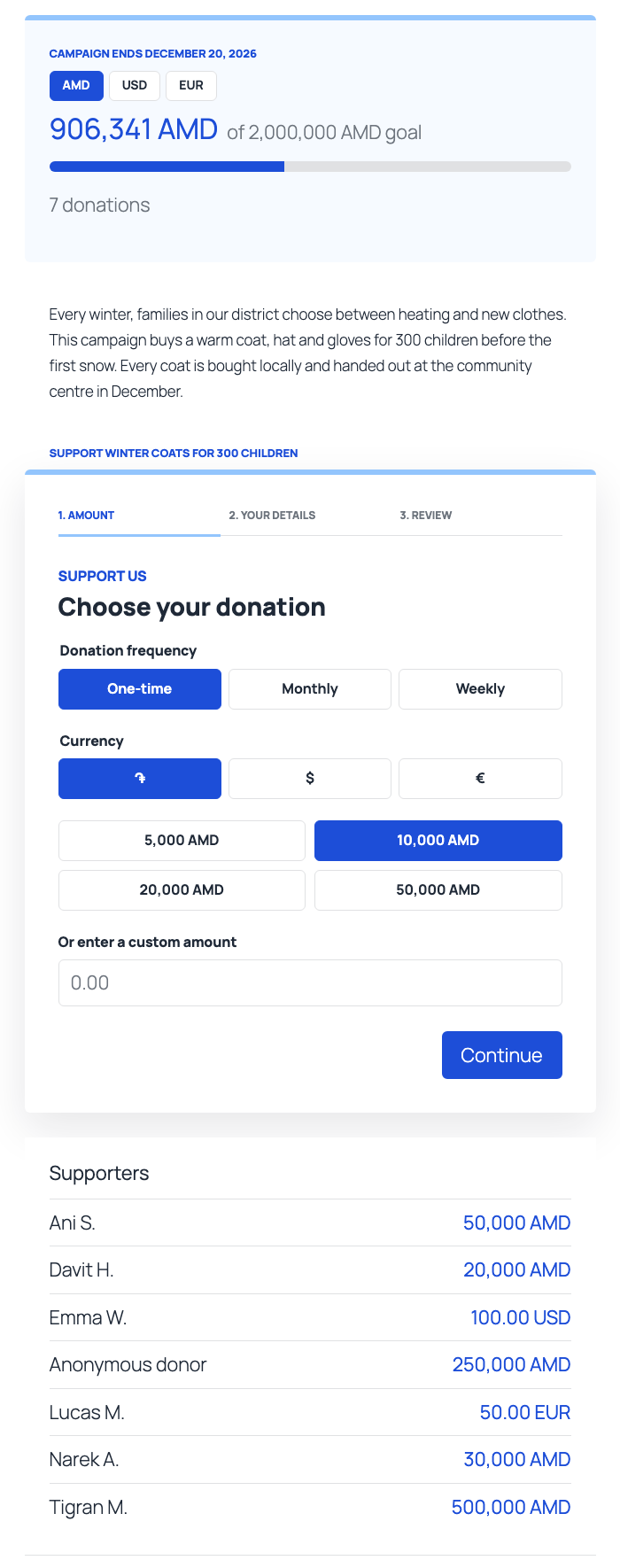
Donation form
- Three steps: amount, details, review. One-time, monthly and weekly giving (each can be switched off).
- Suggested amounts, minimums and maximums per currency, checked again on the server.
- Donors pay in the currency they choose. Nothing is converted at payment time.
- Works behind page caches and CDNs: the security tokens are fetched when the page is on screen, not printed into it.
- Honeypot, minimum fill time and a per-address throttle stop scripted submissions before any bank order is created. Optional Cloudflare Turnstile check, using the keys you already saved in PSPG.
- Errors send the donor back to the form, in their own language, with everything they typed still filled in.
- Its script and stylesheet load only on pages that show the form or a campaign.
Campaigns
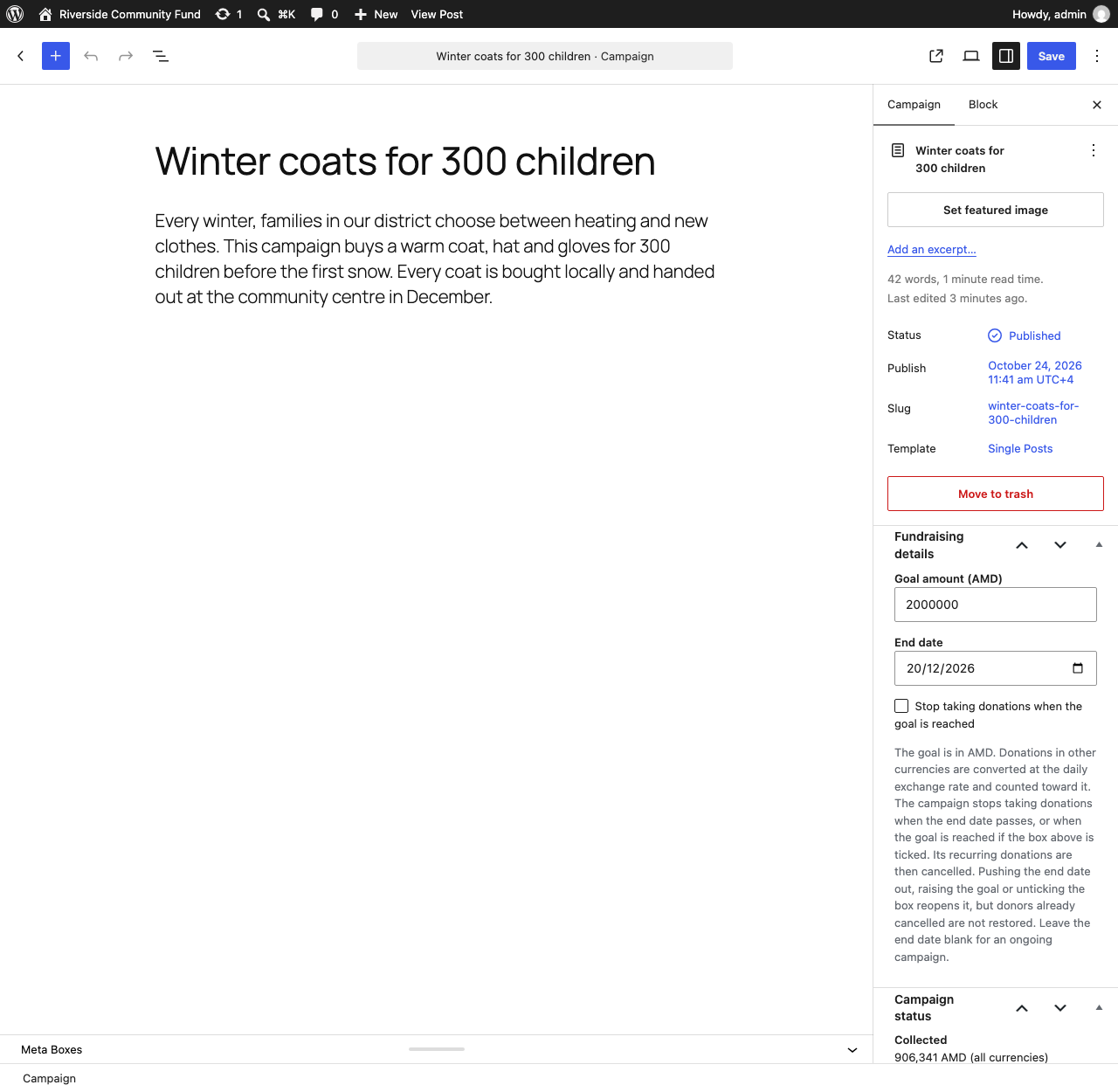
- A Campaign post type with a goal, an end date, a progress bar and an optional supporters list.
- Optionally, donations in several currencies are combined into one progress figure using a daily exchange rate. Visitors can switch the figure between currencies.
- A campaign closes when its end date passes. Tick “Stop taking donations when the goal is reached” on a campaign to also close it at its goal; otherwise it keeps taking donations past 100%.
- When a campaign closes, its recurring donations are ended, the bank is asked to release the saved cards, and the donors are emailed.
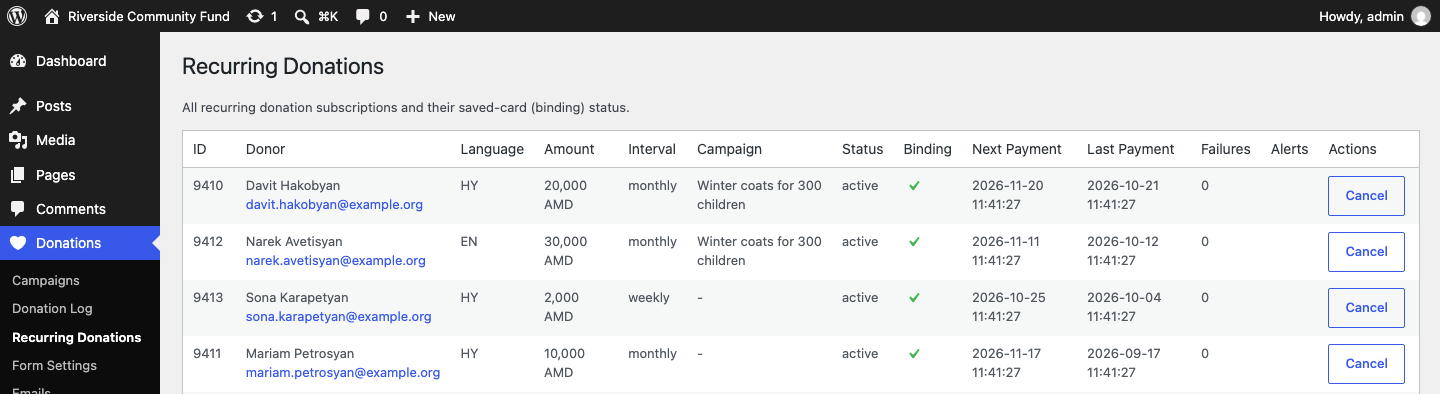
Recurring donations
- Offered through ArCa-network banks in PSPG, the saved-card path that has been proven in production. Other banks take one-time donations.
- Charged hourly on the donor’s sign-up anniversary, with retries after 3, 7 and 14 days before cancelling. A declined charge is retried and the donor told; a charge the bank never confirms is checked again rather than counted.
- A run charges for 20 seconds at a time; if charges are still due, it continues a minute later, so a busy sign-up day is not charged late every month.
- Every email carries a cancel link that stays valid for the life of the donation.
- Payments the bank never reported back are re-checked every 15 minutes, so a donor who closes the tab still gets a receipt.
Payments you can trust in the totals
- A donation counts as paid only when the bank says paid, for the order it was registered under.
- A payment the bank reports for a different amount or currency is held for review: left out of every total, no receipt sent, staff alerted.
- A full refund or a void made in PSPG > Orders marks the donation refunded, so totals stay right. A partial refund is logged and the donation stays paid.
Emails
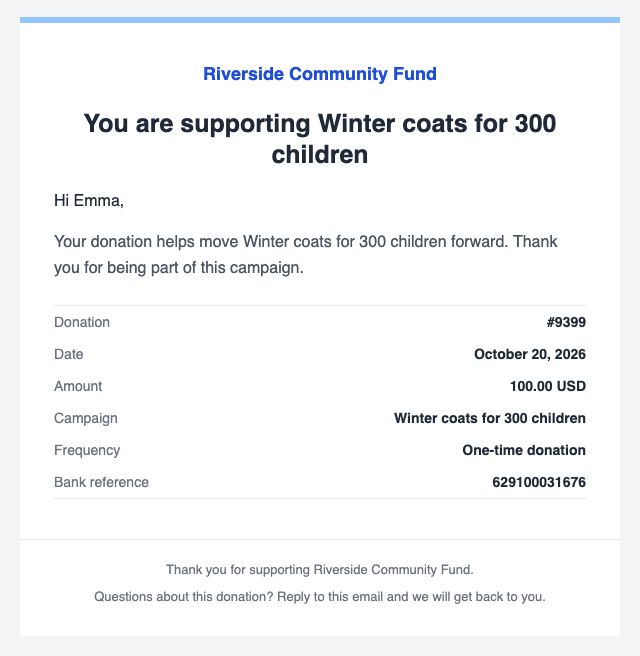
- Receipts, recurring activation, failed-payment, cancellation and campaign-ended emails.
- Editable subject, heading and body per language, with placeholders, plus your logo, colours and social links.
- Written in the language the donor gave in, even when sent later from a scheduled job.
- Optional short note to staff addresses for each new donation.
Admin
- Donation log with filters, search, CSV export and a row of headline figures.
- Recurring donations list with cancel.
- A
pspgd_manage_donationscapability: every administrator has it, and a role editor can give it to staff who should see donations but not change the bank or the settings. - Test mode that never contacts the bank and keeps test donations out of every total.
- WordPress privacy export and erase support.
Shortcode
[pspgd_donation_form]
Attributes:
campaign_id— attach donations to a campaign. Campaign pages add the form themselves, so this is only needed to place a campaign’s form somewhere else.privacy_policy_url— the link beside the consent checkbox. Defaults to the site’s privacy policy page.
Customising
Appearance. Colours, font and corner radius are set in Form Settings and apply to the form, campaign pages, the payment result screen and every email. The stylesheet reads them as CSS custom properties, so a theme can override them:
body .pspgd-donation-form, body .pspgd-campaign { --pspgd-primary: #0a7d4f; --pspgd-radius: 0; }
Available properties: --pspgd-primary, --pspgd-accent, --pspgd-ink, --pspgd-font, --pspgd-radius.
Languages. Donor-facing wording (form labels, error messages and email templates) can be edited per language on the settings screens. Donor languages follow Polylang when it is installed, otherwise the site language, or the list you enter in Form Settings. English and Armenian are built in. To add another language, copy includes/locales/hy.php to e.g. includes/locales/de.php and translate it, or supply the same array from your own plugin with the pspgd_locale_pack filter. Admin screens are translated the usual way with the joedavtian-donations-for-planetstudio-payment-gateway text domain. WPML is not supported directly; list your languages under Donor languages instead.
Actions.
pspgd_donation_paid— a donation became paid (one-time, first recurring payment, or a scheduled charge). Receives the donation row; checkis_test.pspgd_newsletter_optin— a donor ticked the newsletter box. Receives their email, name, language, campaign and donation id, for any newsletter or CRM plugin. Mailchimp for WordPress also picks the box up by itself.pspgd_campaign_closed— a campaign closed and its recurring donations were ended. Receives the campaign id, the reason (goal_reachedorended) and the cancelled subscriptions, for example to invite those donors to give monthly to the organisation instead.
Filters.
pspgd_known_currencies— currencies that can be ticked in settings (default AMD, USD, EUR, RUB).pspgd_currency_symbols,pspgd_zero_decimal_currencies,pspgd_currency_defaults— how a currency is shown and its default presets and limits.pspgd_supported_locales,pspgd_locale_pack— donor languages and their wording.pspgd_campaign_slug— URL base for campaigns (defaultcampaigns). Re-save permalinks after changing it.pspgd_supporter_name— how a supporter is named on a campaign page.pspgd_return_url— where the “Return to site” button on the payment result screen goes.pspgd_retry_days,pspgd_max_consecutive_failures— the retry schedule for failed recurring charges.pspgd_bank_supports_recurring— whether recurring donations are offered through a bank. Off for banks outside the ArCa network; switch one on to test it on staging.pspgd_rate_limit,pspgd_submit_limit,pspgd_rate_window— the throttle: donation attempts (default 5) and submissions of any kind (default 30) per address per window (default 10 minutes).pspgd_client_ip— the visitor address the throttle uses.pspgd_load_assets— whether the form’s script and stylesheet load in the page head.pspgd_fetch_exchange_rates,pspgd_exchange_rate_sources,pspgd_exchange_rate_max_age— the exchange-rate source.pspgd_exchange_rate_max_change— how far a newly fetched rate may move from the last known one before it is refused and logged (default 0.25, a 25% move; 0 turns the check off).
External services
Exchange rates. Off by default. When you tick Combine currencies with daily exchange rates in Form Settings and offer more than one currency, the plugin combines a campaign’s donations in different currencies into one progress figure. To do that it downloads public exchange rates once a day from the free currency-api project, served from cdn.jsdelivr.net with currency-api.pages.dev as a fallback. The request is a plain download of a published JSON file. No donor, donation or site data is sent. See the jsDelivr privacy policy and Cloudflare privacy policy.
Until you tick it, or on a site with one currency, nothing is downloaded and campaigns list each currency separately. The pspgd_fetch_exchange_rates filter can also switch it off.
Cloudflare Turnstile. Off by default. When you switch it on under Form Settings > Spam protection, the donor’s browser loads Cloudflare’s Turnstile script from challenges.cloudflare.com on pages that show the form, and Cloudflare checks the browser to tell people from scripts. When the donor submits, your site sends Cloudflare the resulting token, your Turnstile secret key and the donor’s IP address to confirm the check. No name, email or donation details are sent. See Cloudflare’s Turnstile privacy addendum and website terms.
Payments are sent to the bank you configured in PlanetStudio Payment Gateway, under that bank’s own terms.
Privacy
The plugin stores each donor’s name, email address and language, and each donation’s amount, currency, date, status and bank reference. Card details never reach your site: donors enter them on the bank’s own payment page.
To throttle repeated attempts, the form counts submissions per visitor address for ten minutes. The address is stored only as a hash, in a temporary value that expires with the window. With Turnstile on, the address is also sent to Cloudflare as described above.
Donor data is included in Tools > Export Personal Data and Tools > Erase Personal Data. Erasing anonymises the donor and keeps the donation amounts and dates, which are usually financial records you must keep. A donor with an active recurring donation cannot be erased until it is cancelled.
Deleting the plugin keeps all donation data unless you tick Delete all donation data when the plugin is deleted in Form Settings.
Details



Related plugins
Plugins that also contain the tag armenian-banks
PlanetStudio Payment Gateway


About
Plugin for that tries to help you find the WordPress plugin you are looking for.
| Please enjoy an image of Crush (this awesome turtle) and have a lovely day! |  |
We do not own any plugin listed on this site and do not work for or work with WordPress.com or it's associated companies. We simply provide a searchable list of the available WordPress plugins.