

This plugin is outdated and might not be supported anymore
Back

Born Creative Featured Image Setter
Details
View on WordPress
Back
Quickly set the featured image for all posts which dont have one
- Navigate to admin > Born Creative > Set Featured Images
- Click the ‘Select Image’ button
- Click the ‘Apply’ button that shows once you have selected an image
Enjoy a featured image on all your posts which were missing one.
Details
Plugin code:
jonathansblog-featured-image-setter
Plugin version:
1.0
Author:
Outdated:
Yes
WP version:
or higher
PHP version:
or higher
Test up to WP version:
6.2.6
Total installations:
10
Last updated:
2023-10-28
Rating:
Times rated:
0
featured-image
Related plugins
Plugins that also contain the tag featured-image
Quick Featured Images

XO Featured Image Tools

Conditionally display featured image on singular posts and pages

Multiple Post Thumbnails

Ultimate Posts Widget

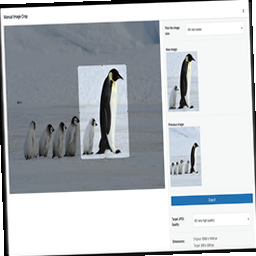
Manual Image Crop

About
Plugin for that tries to help you find the WordPress plugin you are looking for.
| Please enjoy an image of Crush (this awesome turtle) and have a lovely day! |  |
We do not own any plugin listed on this site and do not work for or work with WordPress.com or it's associated companies. We simply provide a searchable list of the available WordPress plugins.