



Just Wanna Be a User
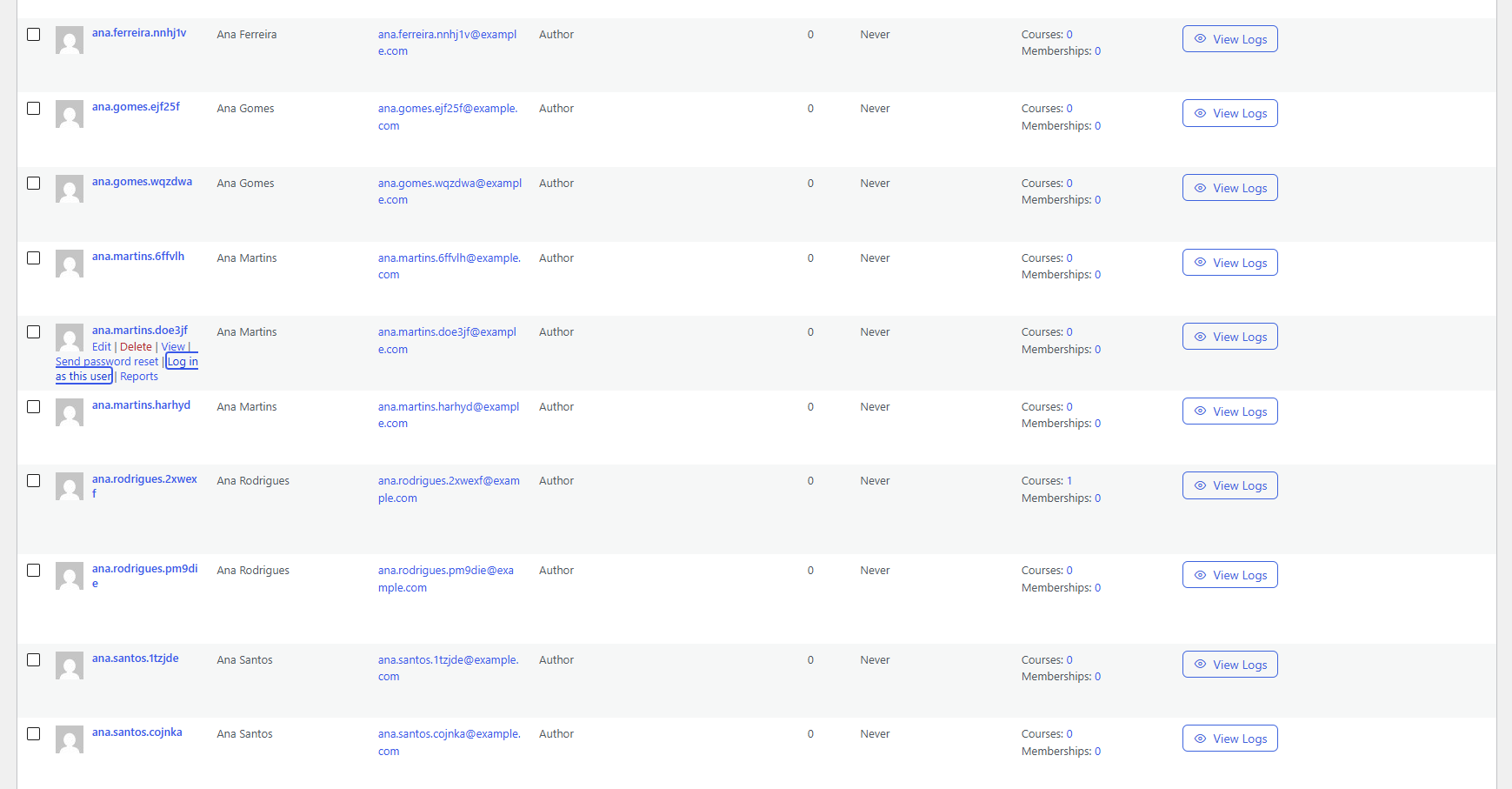
Just Wanna Be a User adds a Log in as this user link to every row of the Users screen. One click logs you in as that user and takes you to the site’s homepage (or any page you choose), so you can check what they see: their account pages, their courses, their orders, their permissions.
While you are logged in as someone else, a small bar is pinned to the top center of every page showing who you are viewing as, with a Go back to admin button. That button logs you back in to your own account and returns you to the Users screen, or any admin page you choose. Drag the bar out of the way, or shrink it to two small buttons. You never need the other user’s password, and you never need to type yours again.
Features
- “Log in as this user” row action on the Users screen.
- “Go back to admin” bar at the top center of the site while you are switched.
- The bar also appears on pages that block the user, such as maintenance mode screens and “Sorry, you are not allowed to access this page” errors, so you can’t get stuck.
- Drag the bar anywhere, or minimize it to two small buttons: go back to admin and expand. It remembers where you left it.
- Choose where you land in Tools > Just Wanna Be a User: the homepage, dashboard, profile or any page when switching in, and the Users screen, dashboard, homepage or any admin page when going back.
- Works out of the box. The defaults are the homepage on the way in and the Users screen on the way back.
Who can use it
Only users who are allowed to edit the target user can switch to them. On a single site that means administrators. On multisite it means super admins. You can’t switch to yourself, and the link isn’t shown where you don’t have permission.
Security
- Both the switch and the switch-back links are protected by WordPress nonces.
- Before switching, the plugin keeps your own session alive and stores a signed reference to it in an HttpOnly cookie. “Go back to admin” only works when that signature is valid for your still-active session, so it can’t be used to take over any other account.
- When you go back, the temporary session that was created for the other user is destroyed.
Found a security issue? Please report it privately through GitHub’s private vulnerability reporting at https://github.com/vPereira04/just-wanna-be-a-user/security/advisories/new, rather than in the public support forum. Include the plugin version, the steps to reproduce, and what an attacker could do. You’ll get a first response within 5 business days, and we’ll keep you posted until a fix ships. See SECURITY.md in the plugin folder for the full policy.
Privacy
This plugin does not collect, store or send any data to external services. It sets one cookie, jwbau_origin_{hash}, only while an administrator is logged in as another user. The cookie holds a signed reference to the administrator’s own session and is deleted when they go back or log out. It’s a strictly necessary authentication cookie: it’s set only when an administrator clicks Log in as this user, it’s needed to log them back in, and it’s never used for tracking, so it doesn’t need cookie consent. The bar’s position and minimized state are kept in the browser’s local storage, under jwbau_bar, and never leave the browser.
Details

Related plugins
Plugins that also contain the tag admin
Redux Framework

Loginizer

LightStart – Maintenance Mode, Coming Soon and Landing Page Builder

Admin Menu Editor

White Label CMS

InfiniteWP Client


About
Plugin for that tries to help you find the WordPress plugin you are looking for.
| Please enjoy an image of Crush (this awesome turtle) and have a lovely day! |  |
We do not own any plugin listed on this site and do not work for or work with WordPress.com or it's associated companies. We simply provide a searchable list of the available WordPress plugins.